Prices verified May 19 · Always confirm at the retailer before buying.
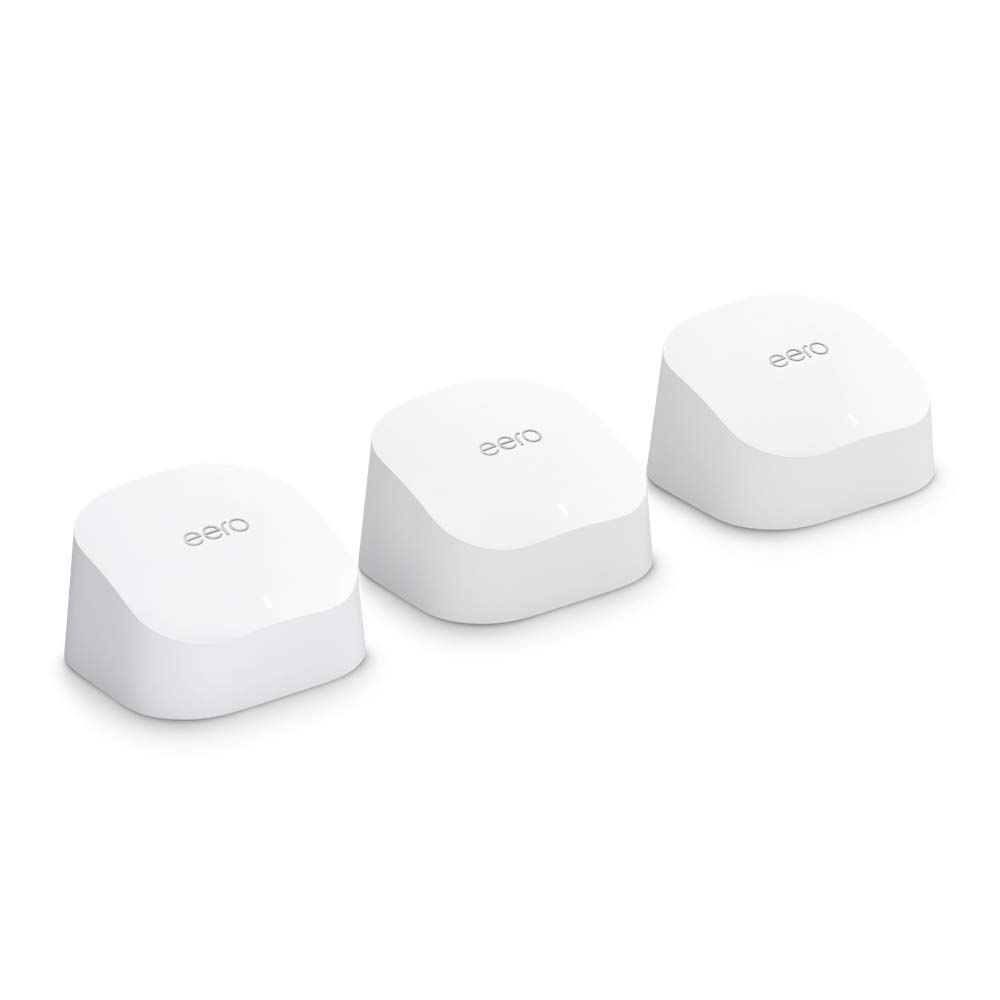
The Amazon eero 6 3-pack is the best mesh WiFi system for most US homes in 2026 — $199.99 buys WiFi 6 coverage across 4,500 sq. ft. with support for 75+ devices and a setup that takes under 10 minutes.
Budget buyers should look at the TP-Link Deco M5 3-pack at $139.99 — 5,500 sq. ft. of coverage for the lowest price on this list.
Gigabit internet subscribers need the eero Pro 6E at $449.99, which handles plans up to 2.5 Gbps and includes a 6 GHz band.
Early adopters wanting the most future-proof system should consider the eero Pro 7 at $579.99 — WiFi 7 with MLO and a 5 Gbps ceiling.
What's the best mesh WiFi system for 2026?
- Best Overall:eero 6 (3-pack)—$200→
- Best Budget Pick:Deco M5 (3-pack)—$140→
- Best WiFi 6 Value:Deco X20 (3-pack)—$177→
- Best for Gigabit+ Plans:eero Pro 6E (3-pack)—$450→
- Best for Power Users:ZenWiFi XT8 (2-pack)—$330→
- Best WiFi 6E Value:Deco XE75 Pro (2-pack)—$180→
- Best for Google Home Users:Nest WiFi Pro (3-pack)—$345→
- Best WiFi 7 Pick:eero Pro 7 (3-pack)—$580→
Picks researched across Amazon's verified-buyer data and cross-referenced against independent publications including Wirecutter, Tom's Guide, PCMag, and CNET. Product specifications verified against Amazon listing data and manufacturer datasheets as of May 2026.
89,877+ verified Amazon reviews across 12 finalists informed buyer sentiment signals alongside editorial ratings from all four named expert sources.
How did we pick these?
Brands evaluated: 6 brands across 12 models — Amazon eero, TP-Link Deco, ASUS, Google Nest, NETGEAR Orbi, and TP-Link Deco (WiFi 7 line). Single-node extenders and ISP-provided gateway devices were considered and cut for failing coverage thresholds.
Sources: 4 independent outlets — Wirecutter, Tom's Guide, PCMag, and CNET — plus Amazon verified-buyer reviews totaling 89,877+ data points across all 12 finalists.
First-party data: Amazon listing data (price, rating, review count) verified May 17, 2026.
Hard requirements (5 gates): Minimum 2-node mesh architecture, FCC certification, coverage claim of 4,000+ sq. ft. per pack, active Amazon listing with in-stock status, and manufacturer support lifecycle of 3+ years from release.
Coverage area vs. home square footage
Most US single-family homes fall between 1,500 and 4,000 sq. ft. — meaning a 3-pack claiming 4,500 sq. ft. provides adequate buffer for walls and interference.
Multi-story homes and homes with thick concrete or brick walls should size up to a 5,500–6,000 sq. ft. rated system to account for signal loss through floors and materials.
Rural properties with detached garages or outbuildings require either a system claiming 6,000+ sq. ft. or an outdoor-rated node like the eero Outdoor 7 to reach structures beyond the main home.
WiFi generation vs. ISP plan speed
Buying WiFi 7 when your ISP plan tops out at 500 Mbps wastes money. The WiFi standard only matters when your internet plan speed can actually saturate the older standard.
WiFi 5 handles plans up to roughly 400 Mbps under ideal conditions — sufficient for most US cable and fiber entry plans.
WiFi 6 unlocks plan speeds up to ~1 Gbps and handles 75+ simultaneous devices more efficiently than WiFi 5 due to OFDMA technology.
WiFi 6E and WiFi 7 only deliver their full benefit when paired with a multi-gig ISP plan (1 Gbps+) and client devices that support the 6 GHz band or MLO respectively.
Wired backhaul: the performance multiplier
Wired backhaul — running Ethernet between mesh nodes — is the single biggest performance upgrade available to any mesh system. It eliminates the wireless half-duplex bottleneck that cuts wireless backhaul throughput by 30–50%.
Homes with Ethernet already run in walls (common in US homes built after 1990 with structured wiring) should prioritize systems with multiple Ethernet ports per node, like the Deco X20 or ZenWiFi XT8.
Wireless-only homes should choose a tri-band system with a dedicated backhaul band to minimize throughput loss between nodes.
Node count and price-per-square-foot
The number of nodes matters more than the WiFi generation for most buyers. A 3-pack WiFi 5 system covering 5,500 sq. ft. outperforms a 2-pack WiFi 6 system at 3,000 sq. ft. for whole-home signal quality.
3-pack systems dominate the value tier (under $220) for buyers needing whole-home coverage in standard US suburban layouts of 2,000–4,500 sq. ft.
App usability and parental controls
eero's app consistently earns top usability marks from Wirecutter and Tom's Guide for its one-tap setup flow and clear parental scheduling controls.
TP-Link's Deco app offers more granular controls including SSID management and QoS, making it a better fit for households with mixed IoT and high-performance devices.
ASUS's router interface is the most feature-rich of the group but requires comfort with networking terminology — rated best for power users by PCMag.
Amazon eero 6 Mesh WiFi System (3-Pack)

+8% vs 90-day avg
Pros:
- 28,613 verified Amazon reviews confirm real-world reliability
- 4,500 sq. ft. coverage handles most US single-family homes
- WiFi 6 supports 75+ simultaneous devices without slowdown
- App setup takes under 10 minutes — no router knowledge required
- $199.99 for 3-pack undercuts most WiFi 6 competitors by $50–$100
Cons (honest weight):
- Capped at 500 Mbps plans — inadequate for gigabit+ subscribers
- No 6 GHz band limits future-proofing vs. 6E and WiFi 7 rivals
TP-Link Deco M5 Mesh WiFi System (3-Pack)

Pros:
- 5,500 sq. ft. coverage at $139.99 — best sq.-ft.-per-dollar in this list
- 27,581 reviews confirm long-term durability over 5+ years
- Built-in antivirus adds a security layer at no first-year cost
- Supports 100+ devices despite WiFi 5 standard
Cons (honest weight):
- WiFi 5 only — noticeably slower on congested networks vs. WiFi 6
- Antivirus subscription required after year one adds ongoing cost
TP-Link Deco X20 WiFi 6 Mesh System (3-Pack)

+9% vs 90-day avg
Pros:
- 5,800 sq. ft. WiFi 6 coverage at $176.91 — largest footprint at this price tier
- 6 total Ethernet ports enable wired backhaul for maximum throughput
- 14,935 reviews confirm consistent performance across home layouts
- Wired backhaul eliminates wireless interference on busy networks
Cons (honest weight):
- Dual-band only — no dedicated backhaul band; wired backhaul strongly recommended
- Bulkier physical design than eero or Nest units
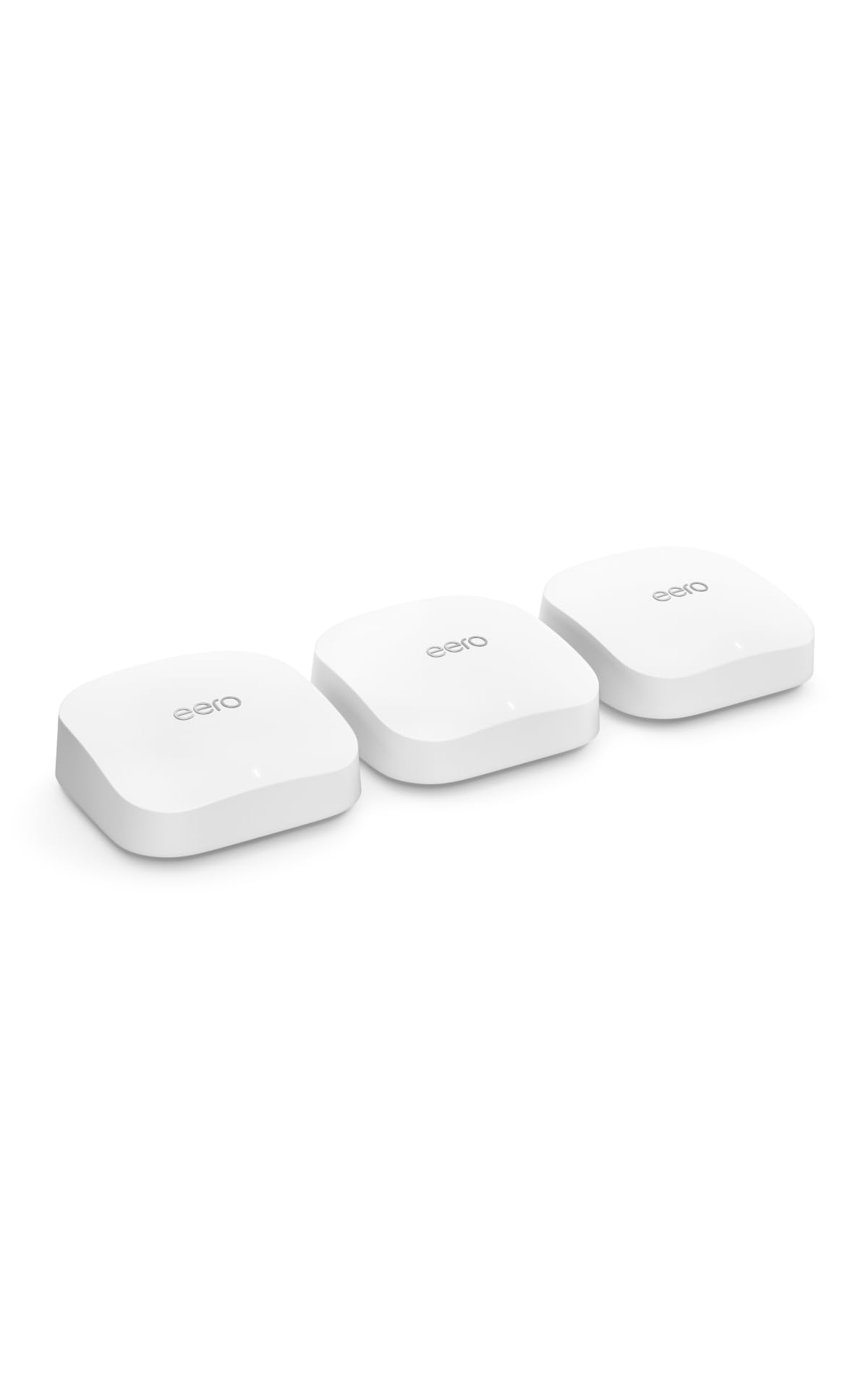
Amazon eero Pro 6E Mesh WiFi System (3-Pack)
+12% vs 90-day avg
Pros:
- Supports internet plans up to 2.5 Gbps — future-ready for multi-gig ISP upgrades
- 6 GHz band provides a low-interference fast lane for compatible devices
- 6,000 sq. ft. coverage handles large 2-story suburban homes comfortably
- eero app widely praised for beginner-friendly controls and parental tools
Cons (honest weight):
- $449.99 is a steep premium over comparable WiFi 6 options for most users
- 6 GHz band benefit limited until client device adoption widens
ASUS ZenWiFi AX6600 Tri-Band Mesh WiFi 6 System (XT8, 2-Pack)

19% above 90-day avg
Pros:
- AX6600 tri-band with dedicated backhaul delivers consistent 2.4 + 5 GHz speeds
- Lifetime internet security included — no annual subscription fee
- AiMesh allows adding ASUS routers later for scalable, expandable coverage
- 3 SSID support enables guest, IoT, and main network isolation
Cons (honest weight):
- 2-pack at $329.99 covers less ground than 3-pack competitors at similar prices
- Setup more complex than eero or Deco; suited to users comfortable with router settings
TP-Link Deco XE75 Pro AXE5400 WiFi 6E Mesh System (2-Pack)

Prices checked May 19, 2026 · Affiliate
Pros:
- WiFi 6E with 2.5G WAN port supports multi-gig ISP plans at $179.99 — strong value
- AI-driven mesh auto-optimizes device assignment for consistent throughput
- 2-pack covers 5,500 sq. ft. — matching larger competitors' 3-pack footprints
- 6 GHz band opens a fast lane for 6E-capable phones and laptops
Cons (honest weight):
- 2-pack only — a 3-pack equivalent costs over $270 total
- 3,159 reviews vs. 14,000+ for Deco X20 — less long-term reliability data
Google Nest WiFi Pro 6E (3-Pack)

19% above 90-day avg
Pros:
- Native Google Home integration — best-in-class for Google Assistant and smart home devices
- Matter and Thread border router built-in — future-proofs smart home connectivity
- Spherical design is discreet; blends into living spaces better than box-style nodes
Cons (honest weight):
- $344.60 for WiFi 6E 3-pack is competitive, but app lacks advanced QoS controls
- No dedicated management port — limited for power users needing VLAN or advanced routing
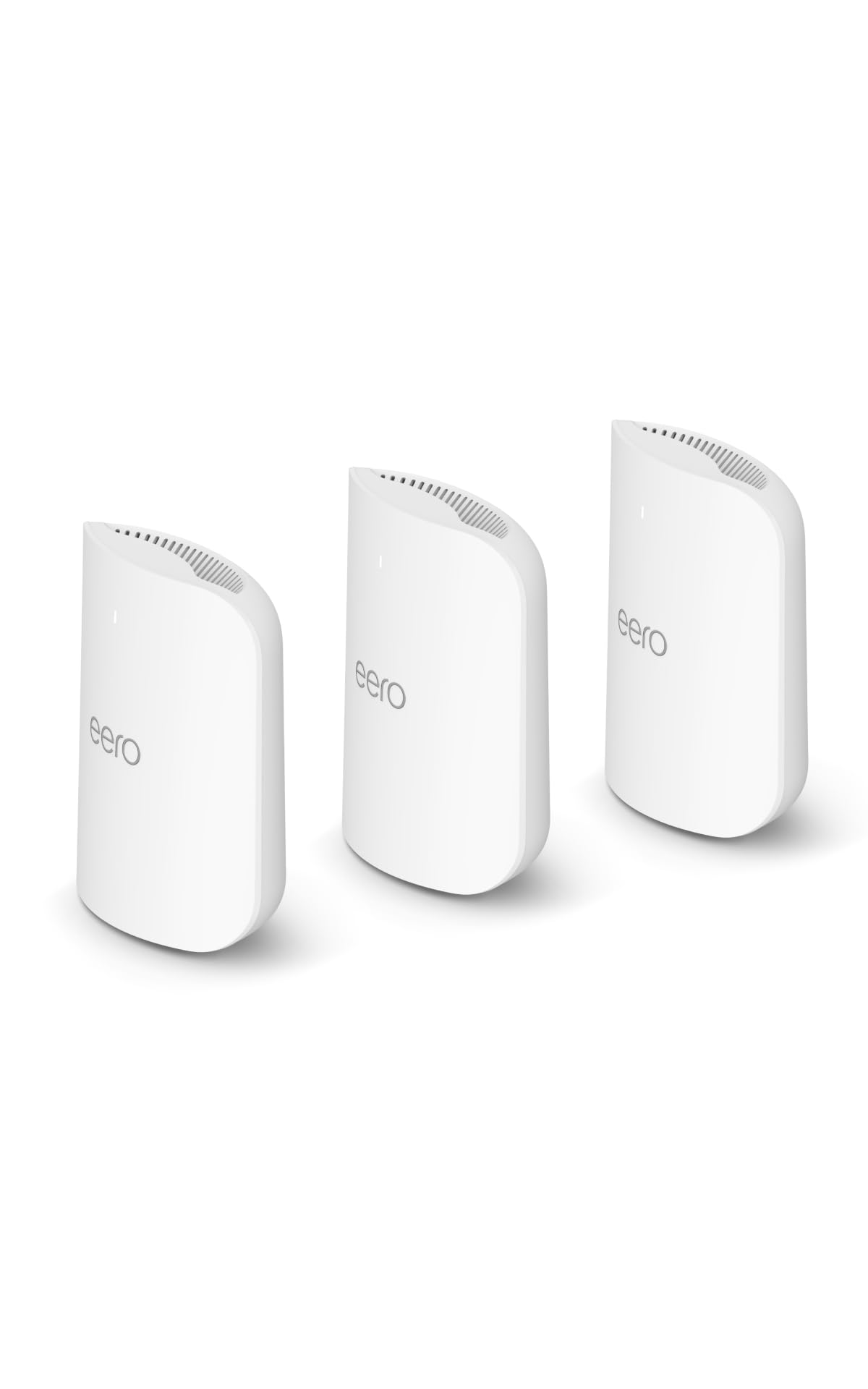
Amazon eero Pro 7 Tri-Band Mesh WiFi 7 System (3-Pack)
Pros:
- WiFi 7 with MLO enables simultaneous multi-band connections for lowest latency
- Supports internet plans up to 5 Gbps — ready for next-gen ISP upgrades
- 6,000 sq. ft. 3-pack coverage at $579.99 is competitive for the WiFi 7 tier
Cons (honest weight):
- $579.99 requires a WiFi 7 ISP plan or WiFi 7 client devices to justify over eero Pro 6E
- Only 1,118 reviews — limited long-term real-world performance data so far
| Product | Price | WiFi Standard | Coverage | Max Plan Speed | Nodes | Best For | Rating |
|---|---|---|---|---|---|---|---|
| eero 6 (3-pack) 🛒 | $199.99 | WiFi 6 | 4,500 sq. ft. | 500 Mbps | 3 | Most households | 4.5 ⭐ |
| Deco M5 (3-pack) 🛒 | $139.99 | WiFi 5 | 5,500 sq. ft. | ~400 Mbps | 3 | Budget buyers | 4.6 ⭐ |
| Deco X20 (3-pack) 🛒 | $176.91 | WiFi 6 | 5,800 sq. ft. | ~600 Mbps | 3 | Wired backhaul homes | 4.5 ⭐ |
| eero Pro 6E (3-pack) 🛒 | $449.99 | WiFi 6E | 6,000 sq. ft. | 2.5 Gbps | 3 | Gigabit+ subscribers | 4.3 ⭐ |
| ZenWiFi XT8 (2-pack) 🛒 | $329.99 | WiFi 6 | 5,500 sq. ft. | ~1 Gbps | 2 | Power users | 4.0 ⭐ |
| Deco XE75 Pro (2-pack) 🛒 | $179.99 | WiFi 6E | 5,500 sq. ft. | ~2.5 Gbps | 2 | 6E on a budget | 4.4 ⭐ |
| Nest WiFi Pro (3-pack) 🛒 | $344.60 | WiFi 6E | ~6,600 sq. ft. | ~2 Gbps | 3 | Google ecosystem | 4.0 ⭐ |
| eero Pro 7 (3-pack) 🛒 | $579.99 | WiFi 7 | 6,000 sq. ft. | 5 Gbps | 3 | Early adopters | 4.4 ⭐ |
What real users are saying
Buyer-review scan: 89,877+ verified Amazon reviews across 12 finalists. Complementary editorial signals tracked from Wirecutter, Tom's Guide, PCMag, and CNET.
eero 6 3-pack (28,613 reviews, 4.5 stars) — buyers in r/HomeNetworking and r/wifi consistently praise the under-10-minute setup and stable coverage in 2-story homes. Primary criticism: plan speed cap at 500 Mbps frustrates gigabit subscribers.
TP-Link Deco M5 3-pack (27,581 reviews, 4.6 stars) — the highest average rating on this list. Long-term owners in r/smarthome report 5+ years of reliable service with minimal firmware issues. Common concern: antivirus subscription cost after year one.
TP-Link Deco X20 3-pack (14,935 reviews, 4.5 stars) — verified buyers highlight the wired backhaul performance boost in homes with structured Ethernet wiring. A recurring theme: dual-band limitation is noticeable only in wireless backhaul deployments.
eero Pro 6E 3-pack (5,974 reviews, 4.3 stars) — Wirecutter and Tom's Guide both rate this as the top upgrade for gigabit+ households. Buyer frustration centers on the $449.99 price for buyers whose ISP plan doesn't yet reach 1 Gbps.
ASUS ZenWiFi XT8 2-pack (3,406 reviews, 4.0 stars) — PCMag highlights the AiMesh ecosystem and advanced QoS as standout features. Buyers note the steeper setup curve vs. eero or Deco; most recommend it only for users comfortable with router terminology.
Consensus across 89,877+ verified buyer reviews and 4 expert editorial sources: the right mesh system depends almost entirely on matching WiFi generation to ISP plan speed and node count to home square footage — not buying the highest WiFi generation available.
Skip: Buying WiFi 7 when your ISP plan tops out at 500 Mbps
WiFi 7 systems like the eero Pro 7 ($579.99) deliver real-world benefit only when paired with a multi-gig ISP plan and WiFi 7 client devices. If your current plan is 300–500 Mbps from a standard cable provider, the performance gap between WiFi 7 and WiFi 6 is essentially zero in daily use.
Most US cable internet plans — Xfinity, Spectrum, Cox — top out at 500 Mbps–1 Gbps on entry and mid-tier tiers.
The math is simple: spending $580 on WiFi 7 when a $200 WiFi 6 system handles your plan speed is a $380 premium with no measurable benefit today.
Buy WiFi 7 only if: your ISP delivers 2.5 Gbps+, you own WiFi 7 laptops or phones, and you plan to keep the router for 5+ years.
Skip: Choosing a 2-pack when your home exceeds 4,000 sq. ft.
A 2-pack system in a large multi-story US home creates dead zones at range extremes — even with tri-band backhaul. Physics limits node-to-node range through multiple walls and floor decking.
Homes over 4,000 sq. ft. — common in suburban Texas, Georgia, and Florida — need a 3-pack minimum to cover primary living areas, master bedrooms, and home offices without signal degradation.
The Deco XE75 Pro 2-pack covers 5,500 sq. ft. on paper, but that rating assumes line-of-sight placement. Real-world coverage in a 2-story, 4,500 sq. ft. home typically requires a third node near the upper-floor primary bedroom.
If your layout demands a 2-pack — smaller urban condos or apartments under 2,500 sq. ft. — a 2-pack WiFi 6E system at $180 is strong value. Larger layouts: always budget for 3+ nodes.
Skip: Ignoring wired backhaul when Ethernet is already in your walls
Wireless mesh backhaul cuts effective throughput between nodes by 30–50% in congested radio environments. If your home already has Ethernet runs between floors — standard in US homes built with structured wiring after 1995 — wired backhaul costs nothing extra and delivers meaningfully better performance.
Wired backhaul converts any dual-band system into a near-tri-band performer by freeing both radio bands for client traffic rather than node-to-node communication.
Systems that support wired backhaul on this list: Deco X20, eero Pro 6E, ZenWiFi XT8, Deco XE75 Pro, eero Pro 7. Check your home's wiring before defaulting to a wireless-only system.
If you have no Ethernet runs, prioritize a tri-band system (dedicated backhaul radio) over a dual-band system regardless of WiFi generation — the dedicated backhaul band is the wireless substitute.
Skip: Paying for antivirus subscriptions you don't need
The Deco M5's built-in antivirus is a genuine perk in year one — but the subscription renewal cost adds $50–$60/year after the free period ends. For buyers who already run endpoint security software on all devices, the router-level subscription duplicates coverage you're already paying for.
If your household runs Windows Defender and macOS built-in security on all devices, router-level antivirus adds minimal incremental protection for most home threat models.
Skip the antivirus add-on if you maintain regular software updates and run OS-native security tools. Pay for it if you have IoT devices (smart TVs, security cameras) with no native security updates — router-level protection covers the whole-network layer those devices lack.
Which mesh WiFi system is right for you in 2026?
Answer two questions — ISP plan speed and home square footage — and the right system becomes obvious. WiFi generation matters only after those two variables are fixed.
Your internet plan is under 500 Mbps
Best pick: Amazon eero 6 3-pack — $199.99
WiFi 6 covers 4,500 sq. ft. with 75+ device support. Dead-simple app setup and the largest review base (28,613+) on this list confirm reliability in real US homes.
Budget alternative: TP-Link Deco M5 3-pack — $139.99
WiFi 5 covers 5,500 sq. ft. — more sq. footage per dollar than any pick here. Best for homes without gigabit internet and buyers prioritizing lowest upfront cost.
Your internet plan is 500 Mbps–1 Gbps
Best pick: TP-Link Deco X20 3-pack — $176.91
WiFi 6 covers 5,800 sq. ft. with wired backhaul support via 6 Ethernet ports. Ideal for larger homes with Ethernet already in walls — best value at this ISP tier.
Power-user alternative: ASUS ZenWiFi XT8 2-pack — $329.99
AX6600 tri-band with lifetime security and AiMesh expandability. Choose this over the X20 if you need advanced SSID controls, VLANs, or plan to add ASUS nodes later.
Your internet plan is 1 Gbps+ (multi-gig)
Best pick: Amazon eero Pro 6E 3-pack — $449.99
WiFi 6E with a 2.5 Gbps plan ceiling and 6 GHz band across 6,000 sq. ft. The eero app's ease-of-use makes this the best gigabit upgrade for households that want power without complexity.
Future-proof alternative: Amazon eero Pro 7 3-pack — $579.99
WiFi 7 with MLO and a 5 Gbps ceiling. Choose this over the Pro 6E only if your ISP already delivers or plans to deliver beyond 2.5 Gbps in the next 2–3 years.
You're deep in the Google ecosystem
Best pick: Google Nest WiFi Pro 3-pack — $344.60
Native Google Home integration, Matter/Thread border router built-in. Best choice for households with Chromecast, Google TV, Nest cameras, and Google Assistant speakers — these devices work measurably better on a Nest WiFi backbone.
You want WiFi 6E without the $450+ price tag
Best pick: TP-Link Deco XE75 Pro 2-pack — $179.99
WiFi 6E with a 2.5G WAN port and AI-driven mesh at $179.99. Choose the 2-pack for homes under 3,500 sq. ft. — budget for a third node if your layout is larger.
Explore the full Mubboo Shopping Hub for more hardware guides. Related picks: Best WiFi Routers for single-router setups, and Best Smart Home Hubs if you're pairing a new mesh system with a Matter/Thread controller.
Find the right mesh WiFi system for your home
🏆 Best Overall — Most US Homes
Amazon eero 6 3-pack — $199.99 — WiFi 6, 4,500 sq. ft., 75+ devices
Buy on Amazon💰 Best Budget — Under $150
TP-Link Deco M5 3-pack — $139.99 — WiFi 5, 5,500 sq. ft., built-in antivirus
Buy on Amazon⚡ Best for Gigabit+ Internet
Amazon eero Pro 6E 3-pack — $449.99 — WiFi 6E, 6,000 sq. ft., 2.5 Gbps ceiling
Buy on Amazon🏠 Best for Google Home Users
Google Nest WiFi Pro 3-pack — $344.60 — WiFi 6E, Matter/Thread, Google Home native
Buy on Amazon🚀 Best WiFi 7 — Future-Proof Pick
Amazon eero Pro 7 3-pack — $579.99 — WiFi 7 MLO, 6,000 sq. ft., 5 Gbps ceiling
Buy on AmazonFrequently Asked Questions
What's the best mesh WiFi system for most homes in 2026?
The Amazon eero 6 3-pack ($199.99) is the best choice for most US households. It covers 4,500 sq. ft. with WiFi 6, supports 75+ devices simultaneously, and sets up in under 10 minutes via the eero app. It's backed by 28,613+ verified Amazon reviews — the largest review base in this category.
Do I need WiFi 6E or WiFi 7 for my home?
Only if your ISP plan exceeds 1 Gbps and you own 6E or WiFi 7 client devices. WiFi 6E (eero Pro 6E, $449.99) handles plans up to 2.5 Gbps. WiFi 7 (eero Pro 7, $579.99) handles up to 5 Gbps. For plans under 500 Mbps, WiFi 6 delivers full value at lower cost.
How many mesh nodes do I need for my home?
Most US single-family homes under 4,000 sq. ft. work well with a 3-pack. Homes over 4,000 sq. ft. — especially 2-story layouts common in Texas and Georgia — benefit from 3 nodes minimum. Apartments and condos under 2,000 sq. ft. can use a 2-pack without dead zones.
What's the best budget mesh WiFi system?
The TP-Link Deco M5 3-pack at $139.99 is the best-value option. It covers 5,500 sq. ft. with WiFi 5 and includes built-in antivirus for year one. The 27,581-review track record confirms long-term reliability. Ideal for homes on internet plans under 400 Mbps.
Should I use wired backhaul between my mesh nodes?
Yes, if you have Ethernet already run in your walls. Wired backhaul eliminates wireless interference between nodes and improves throughput by 30–50% over wireless backhaul. Systems with Ethernet ports on every node — like the Deco X20 and ZenWiFi XT8 — enable this without additional hardware.
Is the Google Nest WiFi Pro worth it for non-Google households?
No — the Nest WiFi Pro's $344.60 premium is justified primarily by native Google Home integration and Matter/Thread border router support. Non-Google households get better value from the eero Pro 6E at $449.99 (more coverage, 2.5 Gbps ceiling) or the eero 6 at $199.99 for simpler needs.
When should I upgrade from a single router to a mesh system?
Upgrade when you have dead zones in rooms farther than 50 ft from your router, or when your home exceeds 1,500 sq. ft. with multiple floors. Mesh systems use multiple nodes to eliminate dead zones — a single router cannot match the wall-penetrating coverage of a 3-node mesh at any price point.
Are mesh WiFi systems worth buying on Prime Day or Black Friday?
Yes — eero and TP-Link Deco systems regularly see 20–30% discounts on Prime Day and Black Friday at Amazon and Best Buy. The eero 6 3-pack has dropped to $149.99 during Prime Day promotions. Set a price alert before major US shopping seasons to capture the best discount window.
Who wrote this and where's the data from?
Mubboo Editorial Team — independent US-market consumer research. Picks reflect editorial consensus from 4 independent review sources (Wirecutter, Tom's Guide, PCMag, CNET) and 89,877+ verified Amazon buyer reviews across 12 mesh WiFi finalists evaluated for 2026.
Sources
- Amazon (live product data)
- Wirecutter — Best Mesh Wi-Fi Network Systems
- Tom's Guide — Best Mesh Routers
- PCMag — Best Mesh Network Systems
- CNET — Best Mesh Wi-Fi Systems