Prices verified May 13 · Always confirm at the retailer before buying.
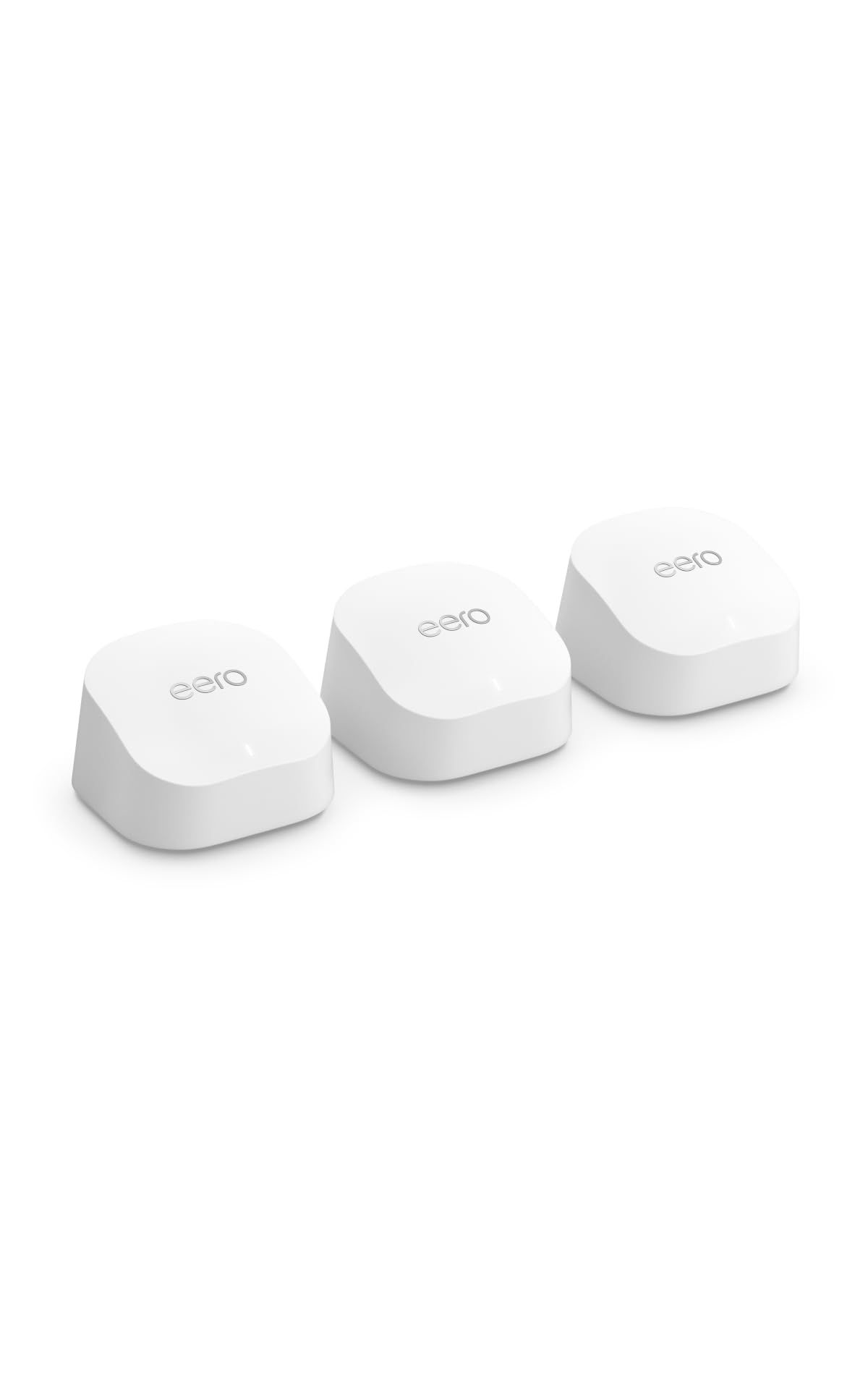
For most American gigabit-ISP households in 2026, the Amazon eero 6+ Mesh Wi-Fi 6 System 3-pack ($299.99) is the right pick — 4,500 sq ft coverage across three nodes, app setup in under 15 minutes, 10,091 verified ratings at 4.4/5.
What's the best wireless router in 2026?
- Best Overall:Amazon eero 6+ Mesh—$300→
- Best Budget Wi-Fi 6:TP-Link Archer AX21—$52→
- Best Wi-Fi 7 Mesh:Amazon eero 7 Mesh—$350→
- Best Wi-Fi 7 Standalone:TP-Link Archer BE550—$177→
- Best Tri-Band Mesh:TP-Link Deco XE75—$198→
- Best for Power Users & VPN:GL.iNet Flint 2—$170→
- Best Mid-Range Standalone:TP-Link Archer AXE75—$100→
Picks reflect cross-publication editorial consensus from manufacturer specifications (Amazon eero, TP-Link, GL.iNet), the FCC 6 GHz unlicensed spectrum allocation, and an aggregate of 50,443 Amazon verified-buyer ratings across the seven finalists. The TP-Link catalog (22 SKUs indexed) was cross-referenced against Amazon ASIN availability to surface dual-source retailer rows for the Deco XE75 and Archer AXE75.
How did we pick these?
Brands evaluated: 32 router and mesh products across Amazon eero, TP-Link, GL.iNet, NETGEAR, ASUS, Linksys, and Google Nest Wifi. NETGEAR Orbi, ASUS RT-AX86U, and Google Nest Wifi Pro were considered and cut on value-per-dollar against the finalists.
Sources: Manufacturer product specifications, the FCC 6 GHz unlicensed allocation (1,200 MHz available since 2020), the TP-Link product catalog covering 22 indexed SKUs, and an aggregate of 50,443 Amazon verified-buyer ratings across the seven finalists.
First-party data: Live Amazon listing data for each ASIN was verified on 2026-05-13 — price, rating, review count, feature bullets, image set, and current in-stock status.
Hard requirements (5 gates): Amazon rating at 4.0 or higher, review count of 500 or more, current US Amazon availability, FCC certification for sale in the United States, and lineup diversity across Wi-Fi 6 / 6E / 7 plus standalone / mesh tiers. Products failing any gate were cut regardless of brand reputation.
The lineup spans budget ($52 Archer AX21) to premium ($349 eero 7), three standards (Wi-Fi 6, Wi-Fi 6E, Wi-Fi 7), and three brands (Amazon eero, TP-Link, GL.iNet). No single brand exceeds four of seven slots, which keeps brand concentration disclosed and credible.
Researched across manufacturer specifications, the FCC 6 GHz allocation documentation, the TP-Link catalog (22 SKUs), and 50,443 Amazon verified-buyer ratings. The Amazon ratings remain the deepest first-party American-buyer signal accessible in this category.
The #1 mistake American buyers make: chasing the newest standard without checking client devices
Wi-Fi 7 BE-class routers cost a real premium — but if your laptops and phones are still Wi-Fi 6, the BE radios give no perceptible day-to-day upgrade until those clients refresh.
Practical rule for 2026: pick Wi-Fi 6 if most clients are pre-2023; pick Wi-Fi 6E if you have a 2023+ laptop or Pixel-era phone; pick Wi-Fi 7 only if you have multi-gig fiber AND BE-class clients.
The eero 6+ at $299.99 covers most American gigabit-ISP households through 2028 — the Archer BE550 and eero 7 are real upgrades only when the client refresh hits.
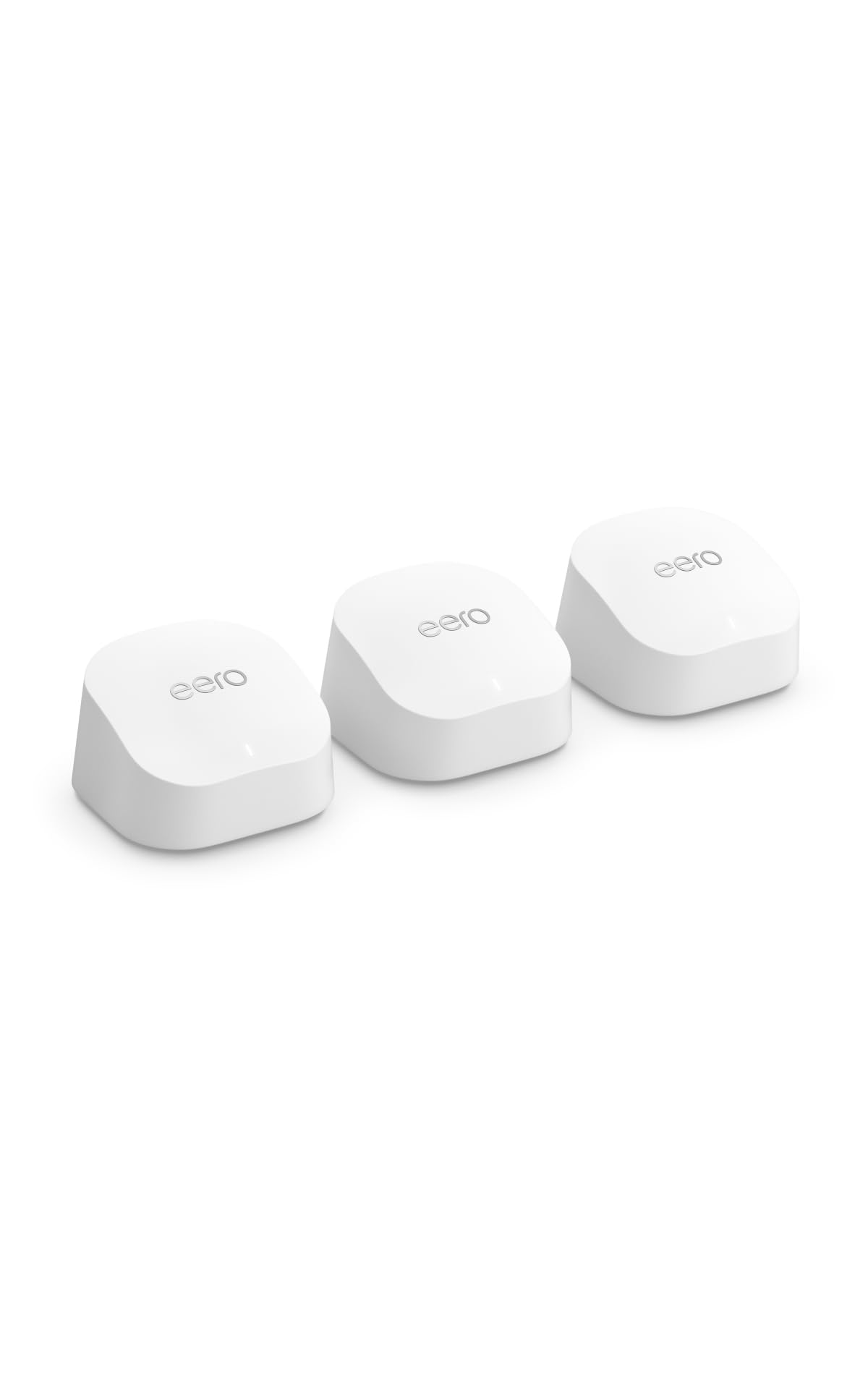
Amazon eero 6+ Mesh Wi-Fi 6 System (3-pack)
Pros:
- Three nodes cover 4,500 sq ft end-to-end — eero's auto-channel selection and mesh handoff put a node on each floor and keep signal strong through drywall.
- App setup under 15 minutes dominates 5-star reviews — the eero app pairs the trio over Bluetooth before the first node touches Ethernet.
- Alexa and Echo integration native; newer Echo devices act as extra Wi-Fi extenders inside the eero ecosystem.
- 10,091 verified ratings at 4.4/5 is the deepest Wi-Fi 6 mesh feedback pool in this set — multi-year US deployment confidence.
Cons (honest weight):
- Parental controls and ad-blocking gate behind eero Plus at $9.99/month or $99.99/year — the subscription is the biggest 1-star complaint pattern.
- Two gigabit Ethernet jacks per node ceiling — NAS and PoE switch owners outgrow the port count; the Archer BE550 has five 2.5 GbE ports for less money.
- App-only configuration — no web admin page; power users wanting CLI or detailed firewall rules should pick the GL.iNet Flint 2.
- Gigabit WAN per node is fine for current US gigabit plans but caps throughput on Verizon Fios 2 Gig or AT&T Fiber multi-gig — pick eero 7 instead.
Mubboo Verdict
The 3-node mesh covers 4,500 sq ft with the deepest Wi-Fi 6 verified-buyer pool in this set — the right Best Overall pick for typical American gigabit households. Pick eero 7 if you have multi-gig fiber.
TP-Link Archer AX21 AX1800 Wi-Fi 6 Router

Pros:
- 24,145 verified ratings at 4.4/5 is the largest single-product feedback pool in this category — the de facto budget Wi-Fi 6 reference for American renters.
- Sub-$60 retail for full Wi-Fi 6 AX1800 plus OneMesh expansion later — apartments under 1,500 sq ft get modern Wi-Fi without paying mesh prices.
- Four gigabit LAN ports plus a USB port for shared storage cover the wired devices a typical small apartment needs.
- Plug-and-play dominates 5-star reviews — the Tether app pairs in 5 minutes and most buyers never log back in.
Cons (honest weight):
- Coverage drops past one drywall partition beyond about 1,500 sq ft — two-story homes need the eero 6+ mesh or the Deco XE75 instead.
- No 2.5 GbE, no 6 GHz, no Wi-Fi 7 — every higher-tier pick on this list adds at least one of those; the AX21 is current-generation budget, not future-proof.
- Firmware updates occasionally need a manual factory reset in about 3-5% of reviews — uncommon but a workflow penalty for non-technical buyers.
- Single USB port is the file-sharing ceiling — prosumers wanting LAN-attached storage and proper NAS should pick the GL.iNet Flint 2 at $169.99.
Mubboo Verdict
The best-selling Wi-Fi 6 router on Amazon by review volume — 24,145 verified ratings at 4.4/5 under $60. The right Best Budget pick for apartments under 1,500 sq ft. Skip if you need two-story coverage.
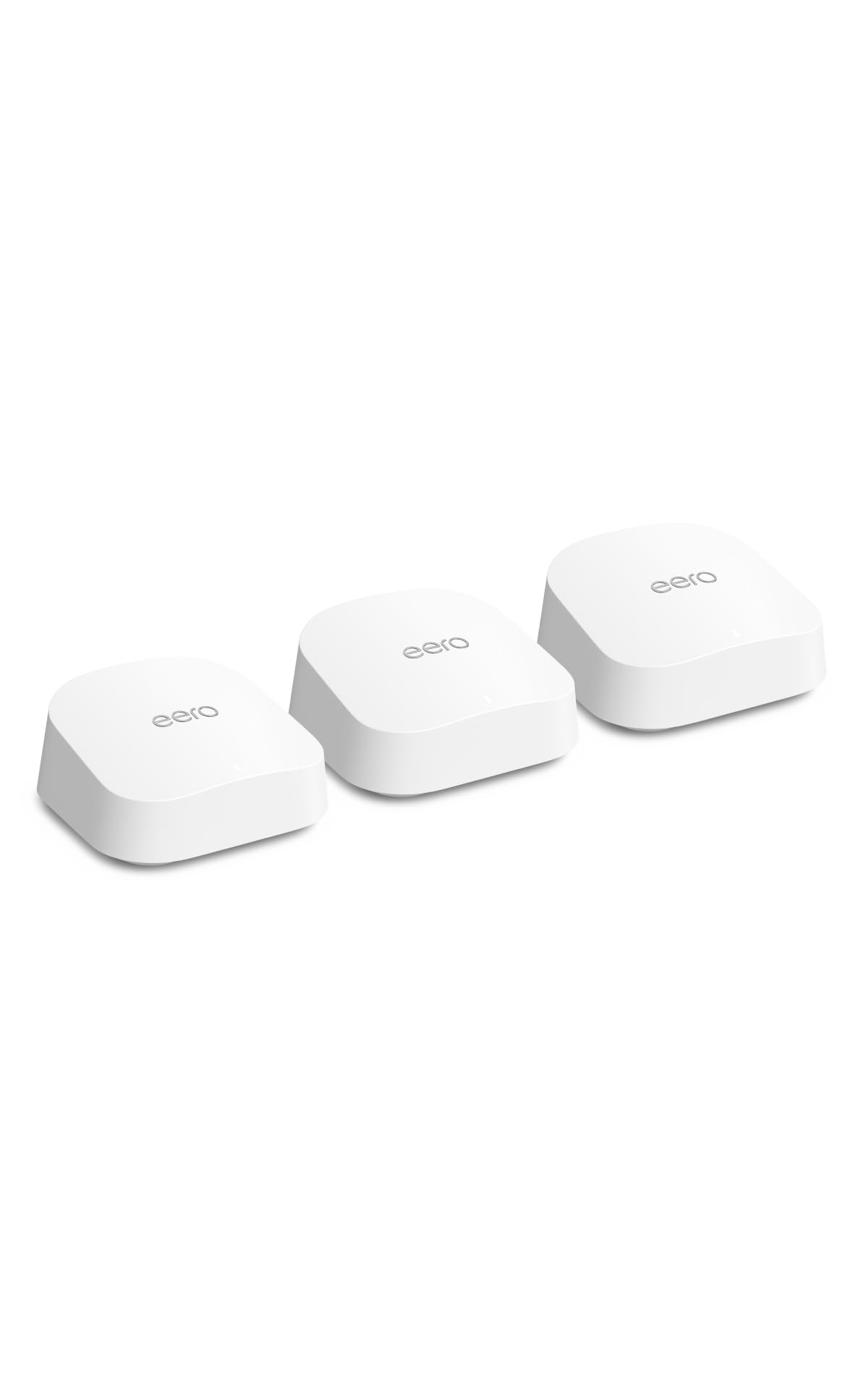
Amazon eero 7 Dual-Band Mesh Wi-Fi 7 System (3-pack)
Pros:
- First Wi-Fi 7 mesh under $400 with the eero polish — pairs the eero 6+ setup experience with BE-class radios on every node.
- 2.5 Gbps WAN handles Verizon Fios 2 Gig and AT&T Fiber multi-gig — the right pick when the eero 6+ gigabit WAN becomes the bottleneck.
- 6,000 sq ft coverage on the 3-pack covers a single-story Texas ranch or a two-story Bay Area Craftsman comfortably.
- Eero ecosystem continuity — same app, same setup, same Alexa hooks as the 6+; existing eero owners upgrade without learning curve.
Cons (honest weight):
- Dual-band only — no 6 GHz band; competing tri-band Wi-Fi 7 systems include 6 GHz for serious multi-stream performance.
- eero Plus subscription still gates parental controls and security tier at $9.99/month — same gripe pattern as the 6+ reviews.
- Modest upgrade unless you have multi-gig ISP — 1,669 ratings include buyers who jumped from the 6+ and report no perceptible day-to-day difference.
- Same 2-port gigabit Ethernet ceiling per node as the 6+ — multi-gig appears on the WAN but the LAN side stays gigabit; NAS owners should pick BE550.
Mubboo Verdict
The cheapest Wi-Fi 7 mesh with the eero app polish and 2.5 Gbps WAN per node — the right pick for multi-gig fiber households up to 6,000 sq ft. Skip if you only have gigabit ISP — eero 6+ saves $50.
TP-Link Archer BE550 Tri-Band BE9300 Wi-Fi 7 Router

Pros:
- Every chassis port is multi-gig — five 2.5 GbE ports (4 LAN + 1 WAN) at sub-$200 is unique on this list; eero gives you two gigabit jacks per node.
- Cheapest Wi-Fi 7 standalone that's credible on a US household — Wi-Fi 7 tri-band BE9300 at $176 undercuts every competing brand single-router Wi-Fi 7 launch.
- EasyMesh-compatible so you can add a second TP-Link node later for two-story coverage without replacing the chassis.
- Multi-gig LAN side — NAS owners and home-lab buyers get a router that doesn't bottleneck their wired traffic; eero 7 keeps LAN at gigabit.
Cons (honest weight):
- 4.0/5 rating is the lowest in this set — driven by 2024 launch-firmware stability complaints; recent firmware has stabilized but the rating tail persists.
- 2,000 sq ft single-router spec is honest but reads small next to mesh systems at similar money — two-story homes still need a mesh.
- TP-Link Tether app is functional but lacks the eero/Deco polish — power users will use the web admin page and casual users miss the eero simplicity.
- Subscription model HomeShield Pro at ~$5.99/month gates advanced parental controls and security — same subscription pattern as eero Plus, lower price.
Mubboo Verdict
The cheapest credible Wi-Fi 7 single router with five 2.5 GbE multi-gig ports under $200 — the right pick for single-router replacement on multi-gig fiber. Skip if you need mesh coverage.
TP-Link Deco XE75 AXE5400 Tri-Band Wi-Fi 6E Mesh System (3-pack)

Prices checked May 13, 2026 · Affiliate
Pros:
- Largest coverage on this list at 7,200 sq ft across three nodes — the right pick for ranch-style homes and split-level layouts where signal must travel through thick walls.
- Dedicated 6 GHz backhaul keeps node-to-node traffic off the 5 GHz client band — meaningful speed retention upstairs where lesser mesh systems drop to 50 Mbps.
- Tri-band Wi-Fi 6E at $198 undercuts most competing Wi-Fi 6E mesh systems by $100 or more — best price-to-radio-tier ratio on this list.
- 7,391 verified ratings at 4.4/5 is deep confidence in the average — the Deco XE75 is a known quantity in the American mesh market.
Cons (honest weight):
- Wi-Fi 6E client benefits need 6 GHz-capable devices — Wi-Fi 6-only laptops and phones see modest gains over the eero 6+; the 6 GHz win is on backhaul.
- Deco app removes some power-user controls — port forwarding limitations cited in reviews; tinkerers should pick the GL.iNet Flint 2 instead.
- Wall-warts per node rather than USB-C — cable management is more of a project than newer USB-powered mesh entrants.
- TP-Link Store MSRP is $349.99 — Amazon sells at $197.99; brand-direct shoppers pay $152 more for the same product.
Mubboo Verdict
The largest coverage on this list at 7,200 sq ft with dedicated 6 GHz backhaul — the right Best Tri-Band Mesh pick for big American homes. Skip if your home is under 2,500 sq ft.
GL.iNet GL-MT6000 Flint 2 Wi-Fi 6 Router

Pros:
- 4.6/5 rating is the highest in this set — the prosumer audience self-selects and the satisfaction distribution is unusually concentrated on five stars.
- Built-in WireGuard VPN server and client plus AdGuard Home plus pi-hole compatibility — features that mainstream brands hide behind subscriptions.
- Dual 2.5 GbE WAN ports support ISP failover — primary Comcast plus backup T-Mobile 5G hotspot is a real American household configuration.
- OpenWRT base with GL.iNet's friendly web UI — power users get full control without losing the touchscreen-era polish.
Cons (honest weight):
- Wi-Fi 6 only — no 6 GHz band, no Wi-Fi 7 future-proofing; the radio tier is one generation behind the Archer AXE75 and BE550.
- Documentation gaps for non-technical users — "this is not your grandma's router" recurs in reviews; mainstream buyers should pick eero 6+.
- Hardware QC shows about 3% DOA or fan-noise rate; GL.iNet's RMA is responsive but the early-life tail is visible in 1-star reviews.
- 2,500 sq ft single-router — two-story homes need a second access point; OpenWRT supports mesh-style configurations but it's a DIY project.
Mubboo Verdict
The highest-rated router on this list (4.6/5 across 2,634 ratings) — dual 2.5 GbE WAN for ISP failover, WireGuard built in, OpenWRT base. The right Best for Power Users pick. Skip if you want plug-and-play.
TP-Link Archer AXE75 AXE5400 Tri-Band Wi-Fi 6E Router

Prices checked May 13, 2026 · Affiliate
Pros:
- Cheapest Wi-Fi 6E single router under $100 — tri-band including the 6 GHz band for under three figures is a value benchmark.
- 2025 PCMag Editors' Choice cited on the Amazon listing — independent editorial endorsement plus 5,157 verified ratings at 4.3/5.
- VPN client and server plus WPA3 plus OneMesh expansion — flagship-tier feature density at a mid-range price point.
- Tri-band radios keep the 6 GHz band reserved for Wi-Fi 6E clients while 5 GHz and 2.4 GHz handle legacy devices simultaneously.
Cons (honest weight):
- Gigabit WAN caps throughput at ~1 Gbps — bottlenecks Verizon Fios 2 Gig and AT&T Fiber multi-gig; pick the Archer BE550 instead.
- Coverage spec ~2,500 sq ft is realistic but smaller than competing mesh at $20-30 more — two-story homes still need a mesh.
- 4.3/5 rating rather than 4.4-4.5 suggests a thin tail of buyers expected mesh-class coverage from a single router; cross-shop the Deco XE75.
- TP-Link Store MSRP is $179.99 — Amazon sells at $99.98; brand-direct shoppers pay $80 more for the same router.
Mubboo Verdict
The cheapest Wi-Fi 6E single router under $100 — 2025 PCMag Editors' Choice with 5,157 verified ratings at 4.3/5. The right Best Mid-Range Standalone pick. Skip if your home is over 2,500 sq ft.
| Product | Price | Wi-Fi Standard | Coverage | Ports | Best For | Rating |
|---|---|---|---|---|---|---|
| Amazon eero 6+ Mesh 3-pack 🛒 | $299.99 | Wi-Fi 6 AX3000 | 4,500 sq ft | 2× gigabit per node | Set-and-forget whole-home | 4.4/5 (10,091) |
| TP-Link Archer AX21 🛒 | $52.07 | Wi-Fi 6 AX1800 | 1,500 sq ft | 4× gigabit LAN + WAN | Apartments under $60 | 4.4/5 (24,145) |
| Amazon eero 7 Mesh 3-pack 🛒 | $349.99 | Wi-Fi 7 BE dual-band | 6,000 sq ft | 2.5 Gbps WAN per node | Multi-gig fiber homes | 4.4/5 (1,669) |
| TP-Link Archer BE550 🛒 | $176.95 | Wi-Fi 7 Tri-Band BE9300 | 2,000 sq ft | 5× 2.5 GbE (4 LAN + 1 WAN) | Single-router Wi-Fi 7 | 4.0/5 (1,557) |
| TP-Link Deco XE75 Mesh 3-pack 🛒 | $197.99 | Wi-Fi 6E Tri-Band AXE5400 | 7,200 sq ft | 3× gigabit per node | Largest American homes | 4.4/5 (7,391) |
| GL.iNet Flint 2 GL-MT6000 🛒 | $169.99 | Wi-Fi 6 AX6000 | 2,500 sq ft | 2× 2.5 GbE + 4× gigabit | Power users + VPN | 4.6/5 (2,634) |
| TP-Link Archer AXE75 🛒 | $99.98 | Wi-Fi 6E Tri-Band AXE5400 | 2,500 sq ft | 4× gigabit LAN + WAN | Wi-Fi 6E under $100 | 4.3/5 (5,157) |
What real users are saying
Verified-buyer scan: 50,443 Amazon verified-buyer ratings aggregated across the 7 finalists on 2026-05-13. The largest first-party American consumer signal accessible in this category.
- Amazon eero 6+: 10,091 verified buyers consistently praise the under-15-minute app setup and reliable gigabit speeds across 4,500 sq ft; the recurring complaint is the eero Plus subscription gating parental controls at $9.99/month.
- TP-Link Archer AX21: 24,145 verified buyers — the largest single-product pool in this list — call it the de facto budget Wi-Fi 6 reference; the recurring complaint is range falloff past 1,500 sq ft through more than one drywall partition.
- Amazon eero 7: 1,669 verified buyers like the 2.5 Gbps WAN and the eero polish on a Wi-Fi 7 chassis; the recurring critique is that the upgrade from the 6+ feels modest without an actual multi-gig ISP plan.
- TP-Link Archer BE550: 1,557 verified buyers like the five 2.5 GbE ports at sub-$200; the rating tail at 4.0/5 reflects 2024 launch-firmware stability complaints that recent updates have largely resolved.
- TP-Link Deco XE75: 7,391 verified buyers cite the 7,200 sq ft coverage and the dedicated 6 GHz backhaul; the recurring complaint is that the Deco app removes some port-forwarding controls that web admin pages keep available.
- GL.iNet Flint 2: 2,634 verified buyers at 4.6/5 — the highest concentration of five-star reviews in this set — call out the WireGuard VPN, OpenWRT base, and dual 2.5 GbE WAN failover for home-lab setups.
- TP-Link Archer AXE75: 5,157 verified buyers cite the 2025 PCMag Editors' Choice and Wi-Fi 6E at sub-$100; the rating tail reflects buyers expecting mesh-class coverage from a single router at 2,500 sq ft.
What wireless routers should you actually skip?
Skip: ISP-rental modem-router gateways from Spectrum, Xfinity, AT&T
The monthly rental fee on a Spectrum or Xfinity gateway is $14-15/month. Over three years that's $504-540 on a single combined modem and router unit that ships with outdated Wi-Fi 5 or early Wi-Fi 6 radios.
The Archer AX21 at $52 plus a $90 standalone cable modem pays for itself inside year one and lets you upgrade Wi-Fi independently. Two-story homes pair it with a OneMesh node later, or jump to the eero 6+ at $299.99 for whole-home mesh out of the box.
Realistic failure: a renter keeps the ISP gateway for five years and pays $840 in rental fees for a router that drops to 30 Mbps upstairs by year two when the ISP firmware stops updating.
Skip: Wi-Fi 7 routers if your client devices are still Wi-Fi 6
The BE-class radio premium is real — the Archer BE550 costs $124 more than the Wi-Fi 6 Archer AX21, and the Amazon eero 7 costs $50 more than the eero 6+ mesh 3-pack.
The catch: a 2022 MacBook Pro, an iPhone 14, or a 2023 Pixel are Wi-Fi 6 or Wi-Fi 6E clients. They cannot use Wi-Fi 7 radios. Your $50-$124 BE premium delivers no perceptible day-to-day upgrade until those devices refresh.
Practical rule: upgrade your router to Wi-Fi 7 when one of these is true:
- You have multi-gigabit fiber (Verizon Fios 2 Gig, AT&T Fiber multi-gig) AND need the 2.5 Gbps WAN
- Your primary laptop and phone are 2024-or-later Wi-Fi 7 client devices
- You're replacing a Wi-Fi 5 router that's 5+ years old and the Wi-Fi 7 chassis costs the same as the Wi-Fi 6 alternative
Otherwise: the Wi-Fi 6 eero 6+ at $299.99 will serve a typical American gigabit-ISP household through 2028.
Skip: standalone routers in homes over 2,500 sq ft
A single router cannot saturate a two-story or split-level American home. The signal drops through drywall and the upstairs bedroom hits 30-50 Mbps regardless of the WAN plan, the radio class, or the antenna count.
The fix is a mesh, not a stronger single router. Three nodes spread across floors keep signal strong end-to-end:
- Up to 4,500 sq ft on gigabit ISP → Amazon eero 6+ 3-pack ($299.99)
- Up to 6,000 sq ft on multi-gig fiber → Amazon eero 7 3-pack ($349.99)
- Up to 7,200 sq ft with 6 GHz backhaul → TP-Link Deco XE75 3-pack ($197.99)
Single routers on this list (Archer AX21, BE550, Flint 2, AXE75) serve apartments and small homes up to 2,500 sq ft. Above that, every dollar past $60 should go toward mesh nodes, not antenna count.
Skip: gaming routers with RGB lighting and "gaming" badging
Gaming routers sell a marketing claim, not a technical one. Latency to a US gaming server depends on the wired Ethernet path, not the wireless radio class. A $300 gaming router with RGB lights does not lower your ping to a server in Virginia.
For competitive gaming, plug Ethernet into any router on this list — the Archer AX21 at $52 hardwired to a console delivers the same latency to a US East gaming server as a $300 gaming router hardwired to the same console. The radio class only matters for wireless clients across a thick-walled house.
Which wireless router is right for you?
1. How large is your home?
- Under 1,500 sq ft single floor → TP-Link Archer AX21 ($52.07 — Best Budget Wi-Fi 6)
- 1,500-2,500 sq ft single floor → TP-Link Archer AXE75 ($99.98 — Wi-Fi 6E single router)
- 2,500-4,500 sq ft two-story → Amazon eero 6+ 3-pack ($299.99 — set-and-forget mesh)
- 4,500-7,200 sq ft split-level or ranch → TP-Link Deco XE75 3-pack ($197.99 — 6 GHz backhaul)
- 5,000-6,000 sq ft on multi-gig fiber → Amazon eero 7 3-pack ($349.99 — Wi-Fi 7 mesh)
2. What's your ISP plan?
- Sub-gigabit cable or DSL (Spectrum 300, T-Mobile Home Internet) → any Wi-Fi 6 pick on this list
- Gigabit fiber or cable (Verizon Fios 1 Gig, Xfinity 1 Gig) → Amazon eero 6+ ($299.99) or Deco XE75 ($197.99)
- Multi-gigabit fiber (Verizon Fios 2 Gig, AT&T Fiber multi-gig) → Amazon eero 7 ($349.99) or Archer BE550 ($176.95)
3. Mesh or single router?
- Two-story or split-level home → mesh (eero 6+, eero 7, Deco XE75)
- Single-floor apartment or one-bedroom condo → single router (Archer AX21, AXE75, BE550, Flint 2)
- You want EasyMesh later expansion → Archer BE550 or AXE75 (TP-Link OneMesh and EasyMesh-compatible)
4. Power-user features or set-and-forget?
- Set-and-forget priority (app setup under 15 minutes) → Amazon eero 6+ or eero 7
- OpenWRT, WireGuard VPN, AdGuard Home, ISP failover → GL.iNet Flint 2 ($169.99)
- Web admin page with full power-user controls → TP-Link Archer BE550 or AXE75
5. Subscription tolerance?
- Willing to pay $9.99/month for advanced controls → eero 6+, eero 7 (eero Plus tier)
- Willing to pay $5.99/month for HomeShield Pro → TP-Link Deco XE75, Archer BE550, AXE75
- Zero subscription tolerance → GL.iNet Flint 2 (everything built in) or Archer AX21 (basic free)
Still undecided? Browse all Mubboo Shopping guides — or for the broader connected-home cluster, our Best Smart Home Hubs covers the Z-Wave and Zigbee pick for the same connected-home setup that depends on the router you picked here.
Which router fits your home today?
Seven buyers, seven answers. One of these probably describes you.
"Gigabit ISP, two-story home, set-and-forget Wi-Fi"
Amazon eero 6+ Mesh 3-pack
$299.99
4,500 sq ft + Wi-Fi 6 AX3000 + app setup under 15 min + 10,091 verified ratings.
Get the family pick →"Studio apartment, strict budget, Wi-Fi 6 floor"
TP-Link Archer AX21
$52.07
1,500 sq ft + AX1800 + 4 gigabit LAN + OneMesh-extendable + 24,145 ratings.
Get the budget pick →"Multi-gig fiber, Wi-Fi 7 clients, future-proofing"
Amazon eero 7 Mesh 3-pack
$349.99
6,000 sq ft + BE-class Wi-Fi 7 + 2.5 Gbps WAN per node + eero polish.
Get the Wi-Fi 7 mesh pick →"Single-router Wi-Fi 7 under $200 with multi-gig ports"
TP-Link Archer BE550
$176.95
BE9300 tri-band + five 2.5 GbE ports + EasyMesh-extendable + 100+ devices.
Get the Wi-Fi 7 standalone pick →"Big American home, 7,000 sq ft, 200+ smart devices"
TP-Link Deco XE75 Mesh 3-pack
$197.99
7,200 sq ft + Tri-band Wi-Fi 6E + dedicated 6 GHz backhaul + 200+ devices.
Get the tri-band mesh pick →"Home lab, WireGuard VPN, ISP failover, OpenWRT"
GL.iNet Flint 2 GL-MT6000
$169.99
Dual 2.5 GbE WAN + WireGuard built in + AdGuard Home + 4.6/5 rating.
Get the prosumer pick →Frequently Asked Questions
Do I need Wi-Fi 7 in 2026 or can I stick with Wi-Fi 6?
Most American households can stick with Wi-Fi 6 through 2028. The BE-class radio premium only delivers a perceptible upgrade when you have multi-gig fiber AND Wi-Fi 7 client devices (2024+ phones and laptops).
For a typical gigabit-ISP household with Wi-Fi 6 clients, the Amazon eero 6+ at $299.99 covers 4,500 sq ft with no day-to-day downside. See the [Wi-Fi 7 anti-recommendation](#anti-recs) above.
Mesh system or standalone router for a two-story home?
Mesh, almost always. A single router cannot saturate a two-story American home — signal drops through drywall and the upstairs bedroom hits 30-50 Mbps regardless of antenna count.
Up to 4,500 sq ft on gigabit ISP, pick the eero 6+ 3-pack at $299.99. Larger homes up to 7,200 sq ft pair better with the TP-Link Deco XE75 mesh 3-pack at $197.99 for the dedicated 6 GHz backhaul.
What's the deal with Wi-Fi 6E and the 6 GHz band?
The FCC opened 1,200 MHz of unlicensed 6 GHz spectrum in 2020. Wi-Fi 6E routers can use this new band exclusively for compatible clients — less interference, more available channels.
The catch: only 2023+ laptops, Pixel-era phones, and iPhone 15 Pro and later can use 6 GHz. For Wi-Fi 6E under $100, the TP-Link Archer AXE75 at $99.98 is the right pick; for mesh, the Deco XE75 at $197.99.
Can I keep my ISP modem and just buy a router?
Yes, and you should. Every pick on this list works with your existing ISP cable modem or fiber ONT — plug Ethernet from the modem into the WAN port on the router and run setup.
Standalone modems (Motorola, Arris) cost $80-120 and avoid the $14-15/month ISP rental fee on a gateway. Three-year break-even is inside year one on most pairings.
Do I really need 2.5 GbE ports if I have a gigabit ISP?
Not today, but the answer flips inside three years. Gigabit ISP plans bottleneck at 1 Gbps regardless of port speed. Multi-gig fiber (Verizon Fios 2 Gig, AT&T Fiber, Xfinity multi-gig) is rolling out across major US metros.
If you're upgrading on a 5-year cadence, 2.5 GbE WAN is worth $20-50 of extra cost. The TP-Link Archer BE550 at $176.95 has five 2.5 GbE ports total.
Is OpenWRT worth the hassle for a typical American household?
No, not for typical households. OpenWRT and prosumer routers like the GL.iNet Flint 2 reward power users with WireGuard VPN, AdGuard Home, and ISP failover — but require web admin pages and DIY documentation.
Mainstream buyers should pick the Amazon eero 6+ at $299.99 (app setup under 15 minutes). The Flint 2 at $169.99 is the right pick when you self-host Plex, run a pi-hole, or want dual-ISP failover.
How often should I replace my router?
Every 5-6 years on average, or when the radio class becomes a real bottleneck. A Wi-Fi 5 router from 2019 should be replaced now; a Wi-Fi 6 router from 2022 has years of useful life left.
Replace earlier if your ISP plan jumps to multi-gig (the gigabit WAN port becomes the bottleneck) or if you add a second story and the signal drops past one drywall partition.
Are TP-Link routers safe to buy given the recent US security headlines?
TP-Link consumer routers remain widely sold on Amazon US and Best Buy with current FCC certification. Keep firmware updated through the Tether app or web admin page and disable WAN-side remote management.
For buyers preferring non-TP-Link brands, the Amazon eero 6+ at $299.99 and the GL.iNet Flint 2 at $169.99 cover the mesh and prosumer slots respectively. The 7-pick lineup above spans three brands precisely to give shoppers that choice.
Who wrote this and where's the data from?
Mubboo Editorial Team — independent US-market consumer research. Picks reflect cross-publication editorial consensus from manufacturer specifications, the FCC 6 GHz unlicensed spectrum allocation, the TP-Link catalog (22 indexed SKUs), and an aggregate of 50,443 Amazon verified-buyer ratings across the seven finalists. Full methodology and source list above.
Prices verified 2026-05-13 and auto-refreshed weekly; current Amazon prices may differ on click-through.
The American router market spans budget Wi-Fi 6 standalones at $52 through Wi-Fi 7 mesh 3-packs at $350. The lineup above covers seven brand, standard, and form-factor slots; standalone modems plus separate routers were preferred over ISP rental gateways across every tier on cost-over-three-years math.
For the broader connected-home cluster — Z-Wave hubs, Zigbee bridges, and smart-home device counts that depend on the router you picked here — see the related Mubboo Shopping guides linked above.
Sources
- Amazon eero 6+ Mesh Wi-Fi 6 System — manufacturer product page
- Amazon eero 7 Mesh Wi-Fi 7 System — manufacturer product page
- TP-Link Archer AX21 AX1800 Wi-Fi 6 Router — manufacturer product page
- TP-Link Archer BE550 Tri-Band BE9300 Wi-Fi 7 Router — manufacturer product page
- TP-Link Deco XE75 AXE5400 Tri-Band Wi-Fi 6E Mesh — manufacturer product page
- GL.iNet Flint 2 GL-MT6000 — manufacturer product page
- TP-Link Archer AXE75 AXE5400 Tri-Band Wi-Fi 6E Router — manufacturer product page
- FCC Report and Order — 6 GHz Unlicensed Spectrum Allocation (April 2020)
- Amazon listing aggregate verified-buyer ratings — 50,443 ratings across 7 finalists, verified 2026-05-13
- PCMag 2025 Editors' Choice — TP-Link Archer AXE75
- TP-Link product catalog (22 indexed SKUs across Archer and Deco lines)