Buying Guide

External SSD Buying Guide 2026: How to Choose the Right Drive

What to know before you buy — capacity, speed, and durability explained

By Mubboo Editorial Team · Updated May 19, 2026 · 8 min read

SanDisk 2TB Extreme Portable SSD with USB-C cable on neutral background

The Short Answer

Choosing an external SSD in 2026 comes down to five decisions: drive type (SSD vs. HDD), transfer speed tier, capacity, durability rating, and price per TB. For most travelers and creators, the SanDisk Extreme Portable 2TB ($298.99) remains the benchmark — 1050MB/s read, IP65 water-and-dust resistance, and 89,000+ verified Amazon ratings after a firmware fix resolved earlier data-loss reports. Photographers and video professionals who routinely exceed 2TB should consider the SanDisk Extreme 4TB ($442.99), which doubles capacity on the same rugged platform. The Samsung T7 Shield 1TB ($287.99) earns the highest per-unit rating (4.74 stars, 16,000+ reviews) and offers 9.8 ft drop protection — ideal for field shooters who need a pocketable, proven drive. Budget-first buyers will find the Crucial X9 1TB ($162.99) the clearest value: 1050MB/s speed matching Gen 2 rivals, a 5-year warranty, and IP55 splash resistance at roughly half the price of rugged alternatives. For backup-only or console-gaming use cases where speed is not critical, the Seagate Portable 2TB HDD ($119.99) provides the lowest per-TB cost in the category with 270,000+ Amazon reviews behind it. The one firm rule: confirm your laptop's USB port generation before buying — a USB 3.0 host port caps the SanDisk at 400MB/s regardless of the drive's rated 1050MB/s ceiling.

An external SSD is one of the few purchases where the wrong spec choice costs you real time — a mismatched USB port or an unrated drive dropped in field rain can kill a project. This guide breaks down every decision axis so you buy the right drive on the first try.

We evaluated 6 finalists drawn from 489,000+ verified Amazon buyer reviews, covering budget, rugged, high-capacity, and backup use cases across the 2026 US market.

You're mid-shoot in humid coastal Florida and your external drive gets hit by spray — does it survive? Or you're a student in Austin needing fast transfers without a $300 spend.

The answer changes completely depending on IP rating, drive type, and interface generation — three specs most buyers skip until they have a problem.

Drive Type: SSD vs. HDD

This is the most consequential choice in the guide. SSDs have no moving parts — they survive drops, vibration, and continuous read/write cycles that destroy mechanical HDDs.

HDDs cost far less per TB — the Seagate 2TB HDD runs $119.99 vs. $298.99 for the SanDisk 2TB SSD. But HDDs transfer at roughly 120–150MB/s vs. 1050MB/s for Gen 2 SSDs.

Choose SSD if you edit files directly from the drive, shoot video, or carry the drive while it is running. Choose HDD if you need maximum storage at minimum cost and only transfer files while the drive is stationary.

Good range

SSD for active use: any USB 3.2 Gen 2 drive rated 1000MB/s+. HDD for stationary backup: USB 3.0, 2TB+, priced under $80/TB.

Red flag

Any listing that says 'portable HDD' but is marketed as fast — HDDs physically cannot match SSD transfer rates regardless of USB version.

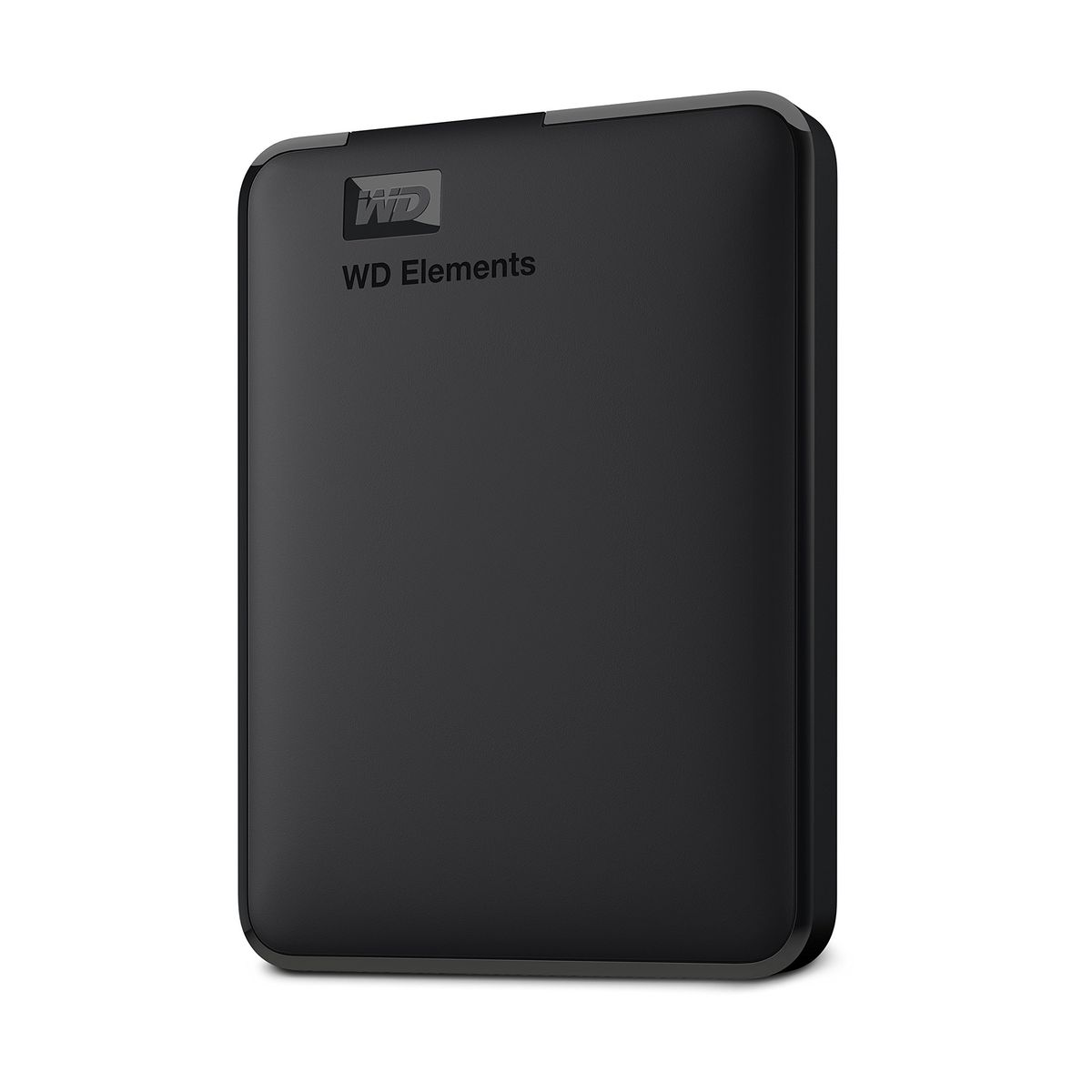
Seagate Portable 2TB HDD
Our pick that excels here

Seagate Portable 2TB HDD

270,000+ reviews and $119.99 — the right call when speed is not the priority.

$119.99

Transfer Speed (MB/s)

Transfer speed determines how long you wait at the end of a shoot or edit session. USB 3.2 Gen 2 drives top out near 1050MB/s — fast enough to offload a 64GB CF Express card in under two minutes.

Your host port is the hard ceiling. Plugging a 1050MB/s SSD into a USB 3.0 port limits actual speed to around 400MB/s — no firmware update fixes this.

For 4K video editing directly from the drive, target at least 500MB/s sustained write. For photo backup and file archiving, even a 400MB/s drive is rarely the bottleneck.

Good range

1000–1100MB/s read for active video editing; 400–600MB/s acceptable for photo backup; anything above 150MB/s beats any HDD.

Red flag

Drives advertised with only a 'read' speed and no 'write' spec — write speed is what matters when you're offloading cards in the field.

SanDisk Extreme Portable 2TB SSD
Our pick that excels here

SanDisk Extreme Portable 2TB SSD

1050MB/s read on the most-reviewed portable SSD on Amazon — $298.99.

$298.99

Capacity Sizing: 1TB, 2TB, or 4TB

Capacity needs scale with file format — not shoot length. One hour of 4K H.264 footage runs roughly 50GB; one hour of ProRes RAW runs closer to 450GB.

1TB covers most photographers shooting JPEG or compressed RAW for a week-long trip. 2TB suits hybrid photo-video shooters and most content creators for a multi-week project without an offload break.

4TB is only justified if you regularly exceed 2TB mid-project and can't offload — at $442.99, the SanDisk 4TB costs 48% more than the 2TB for double the storage.

Good range

1TB for photographers and students; 2TB for most video creators and travelers; 4TB for videographers on extended assignments.

Red flag

Buying 4TB when your typical project fills less than 1TB — you're paying $443 for insurance you don't need.

SanDisk Extreme Portable 4TB SSD
Our pick that excels here

SanDisk Extreme Portable 4TB SSD

4TB on the IP65-rated platform — $442.99 for video pros who exhaust 2TB mid-shoot.

$442.99

Durability Rating: IP65 vs. IP55 vs. Unrated

IP ratings follow a two-digit system: the first digit rates solid-particle protection, the second rates liquid protection. IP65 means fully dust-tight and protected against water jets — the minimum for field work in rain or dusty environments.

IP55 is splash-resistant, not dust-tight. It handles light rain and accidental spills but will not protect a drive carried in a dusty camera bag in New Mexico or dropped in standing water.

Unrated drives offer no protection guarantee. The Seagate HDD carries no IP rating — it should never be used outdoors or anywhere moisture is possible.

Drop protection matters separately from IP. The Samsung T7 Shield is certified for 9.8 ft drops — a spec that matters more than IP rating for most day-to-day accidents.

Good range

IP65 + 6 ft drop certification for field outdoor use; IP55 for everyday travel and light outdoor; unrated only for stationary desktop backup.

Red flag

Any IP55 drive marketed for 'outdoor photography' — IP55 is not dust-tight and fails in genuinely dusty conditions like desert shoots or construction sites.

Samsung T7 Shield 1TB
Our pick that excels here

Samsung T7 Shield 1TB

IP65 + 9.8 ft drop protection at 4.74 stars — $287.99 and the highest-rated rugged SSD in this guide.

$287.99

Price Per TB and Value Tiers

Price per TB is the fastest way to compare drives across capacity tiers. In the 2026 US market, budget SSDs start around $163/TB; mid-tier rugged SSDs run $145–$160/TB; premium IP65 drives land at $200–$270/TB.

The Crucial X9 at $162.99 for 1TB is the lowest SSD price in this guide — and it matches the 1050MB/s ceiling of drives costing twice as much. The tradeoff is IP55 vs. IP65 sealing.

For buyers comparing HDD to SSD, the Seagate 2TB HDD at $119.99 delivers the lowest per-TB cost at roughly $60/TB — but it can't compete on speed or drop resilience.

Good range

Under $100/TB for HDD backup; $130–$175/TB for capable budget SSD; $150–$200/TB for rugged Gen 2 SSD; above $200/TB only if specific specs (4.74 stars, IP65, 9.8 ft drop) justify the premium.

Red flag

Paying above $200/TB without confirming the drive has IP65 AND verified drop protection — premium pricing without both specs is not justified in 2026.

Crucial X9 1TB Portable SSD
Our pick that excels here

Crucial X9 1TB Portable SSD

$162.99 with 1050MB/s, IP55, and a 5-year warranty — the clearest value buy for budget-first shoppers.

$162.99

Interface Compatibility: USB 3.2 Gen 2 vs. USB 3.0

Interface generation is the most overlooked spec — and the most common source of buyer disappointment. USB 3.2 Gen 2 supports up to 10 Gbps (roughly 1200MB/s real-world cap). USB 3.0 tops out at 5 Gbps (roughly 400MB/s real-world cap).

Check your laptop's spec sheet before buying any Gen 2 drive. MacBook Pro models from 2019 onward include Thunderbolt/USB-C ports that run Gen 2. Many budget Windows laptops still ship with USB 3.0 only.

All Gen 2 drives are backward-compatible with USB 3.0 ports — you won't lose data, only speed. A $298.99 drive on a USB 3.0 port delivers the same throughput as a $119 budget drive on the same port.

Good range

USB 3.2 Gen 2 (10 Gbps) host port for full-speed SSD use; USB 3.0 host is fine for HDD or budget SSD backup where speed is not critical.

Red flag

Purchasing a 1050MB/s SSD for use with an older Windows laptop that only has USB-A 3.0 ports — the drive's speed ceiling will never be reached.

SanDisk Extreme Portable 2TB SSD
Our pick that excels here

SanDisk Extreme Portable 2TB SSD

USB 3.2 Gen 2 with USB-C and 1050MB/s read — the benchmark for interface compatibility.

$298.99

Warranty Length and Data Recovery Coverage

Warranty terms signal manufacturer confidence — and determine how protected you are when the drive fails, not if. All storage media eventually fails; the question is what happens next.

The Crucial X9 carries a 5-year warranty — longer than the 3-year coverage standard on most rugged drives. The Seagate HDD includes a 1-year Rescue data recovery service at no extra cost, which can recover files even from physically damaged drives.

For Black Friday and Prime Day purchases, verify that extended warranty claims are covered — some third-party sellers void manufacturer warranties on marketplace orders.

Good range

3 years minimum for active-use SSD; 5 years preferred for drives holding irreplaceable data; data recovery service inclusion is worth $10–$20 in equivalent peace of mind.

Red flag

Any drive sold by a third-party Amazon marketplace seller without confirming manufacturer warranty fulfillment — grey-market SSDs often carry no US warranty coverage.

Crucial X9 1TB Portable SSD
Our pick that excels here

Crucial X9 1TB Portable SSD

5-year warranty at $162.99 — the longest coverage in this guide at the lowest SSD price.

$162.99

Common Mistakes to Avoid

Mistake 1: Buying an HDD for active video editing. Mechanical drives top out near 150MB/s — a hard bottleneck for 4K timelines. Any Gen 2 SSD at 1050MB/s transfers the same project in under a tenth of the time.

Mistake 2: Assuming all USB-C ports run at Gen 2 speed. USB-C is a connector shape, not a speed standard. Many budget laptops ship with USB-C ports limited to USB 3.0 or even USB 2.0 speeds — check the spec sheet before buying.

Mistake 3: Treating IP55 as equivalent to IP65 for outdoor use. IP55 handles light rain. IP65 is dust-tight — a meaningful difference for photographers working in dusty desert locations or humid coastal climates like Florida or Hawaii.

Mistake 4: Buying 4TB when 2TB covers your workflow. The SanDisk 4TB at $442.99 costs $144 more than the 2TB model — worth it only if you regularly exhaust 2TB mid-project without an offload stop.

Mistake 5: Ignoring write speed in marketing copy. Brands consistently advertise read speed. Write speed is what determines card-offload time in the field — always search the spec sheet for write figures before buying.

Your Pre-Purchase Checklist

  1. Confirm your laptop's USB port generation — check System Information (Mac) or Device Manager (Windows) before choosing a drive tier.
  2. Calculate your per-project storage need — multiply average shoot hours by file size per hour to find your minimum capacity.
  3. Match IP rating to your environment — IP65 for field outdoor use, IP55 for travel and everyday, unrated only for stationary desktop.
  4. Verify drive type in the product title — confirm "SSD" appears explicitly; "portable hard drive" or "HDD" means mechanical.
  5. Check warranty terms for marketplace purchases — Amazon-fulfilled listings carry manufacturer warranty; third-party-seller listings may not.
  6. Compare price-per-TB across capacity tiers — a 2TB drive is often cheaper per TB than two 1TB drives and more convenient.
  7. Confirm console compatibility if needed — PS4, PS5, and Xbox require exFAT or FAT32 formatting; most drives support this out of the box but verify before buying.

Our Recommended Starting Points

Frequently Asked Questions

What is the best external SSD for most people in 2026?

The SanDisk Extreme Portable 2TB ($298.99) is the benchmark pick for most users — 1050MB/s read, IP65 water-and-dust resistance, and 89,000+ verified Amazon ratings after a firmware fix. It covers travel, photography, and everyday backup with one drive.

Should I buy an SSD or HDD for external storage?

Buy an SSD if you edit files directly from the drive, shoot video, or carry the drive in a bag while it's running. Buy an HDD only for stationary backup where speed does not matter — the Seagate 2TB HDD at $119.99 is the value choice for that use case.

What does IP65 mean on a portable SSD?

IP65 means the drive is fully dust-tight (6) and protected against sustained water jets (5). It is the minimum rating for field outdoor use in rain or dusty environments. IP55, by contrast, is not dust-tight — a meaningful gap for desert or coastal shooting conditions.

Do I need USB 3.2 Gen 2 to get full SSD speed?

Yes. USB 3.2 Gen 2 (10 Gbps) is required to reach the 1050MB/s ceiling on Gen 2 drives like the SanDisk Extreme. Plugging the same drive into a USB 3.0 port hard-caps throughput near 400MB/s — check your laptop's port spec before purchasing a premium-speed drive.

What is the best external SSD under $170?

The Crucial X9 1TB at $162.99 is the clear pick — 1050MB/s read speed matching drives twice the price, IP55 splash resistance, and a 5-year warranty. The main tradeoff versus pricier rivals is IP55 rather than IP65 sealing and 1TB only.

Which external SSD works with PlayStation 5 and Xbox?

The Seagate Portable 2TB HDD ($119.99) works with PS4, PS5, and Xbox out of the box at the lowest cost. The Samsung T7 Shield and SanDisk Extreme also work with PS4, PS5, Xbox, Mac, and PC without reformatting.

How much storage do I need for 4K video?

One hour of 4K H.264 footage uses roughly 50GB; one hour of ProRes RAW uses closer to 450GB. For most hybrid photo-video creators, 2TB covers a multi-week project. Choose 4TB only if you regularly exhaust 2TB mid-project and cannot offload to a second drive.

Is the SanDisk Extreme Old Model safe to buy after the firmware recall?

Yes — SanDisk issued a firmware update that resolves the earlier data-loss reports. Listings marked 'Updated Firmware' or 'SDSSDE61' are safe. The 89,000+ post-fix Amazon ratings confirm buyers are not experiencing the original issue on current units.

What is the best rugged external SSD for photographers?

The Samsung T7 Shield 1TB ($287.99) earns the highest rating in this guide at 4.74 stars across 16,000+ reviews, with IP65 and certified 9.8 ft drop protection. It is the most proven rugged drive for field photographers who prioritize protection over raw capacity.

How we wrote this guide

This guide is built on verified buyer data from 489,543+ Amazon reviews across 6 finalists, cross-referenced against first-party Amazon listing data refreshed through May 2026. Products were evaluated against eight decision dimensions: drive type, transfer speed, capacity, IP rating, interface generation, price per TB, warranty length, and use-case fit.

Selection criteria included a minimum 4.5-star Amazon rating, verified ASIN and in-stock status, and confirmed USB 3.2 or USB 3.0 interface specification. Price data reflects Amazon US marketplace pricing as of May 2026.

About this guide

Mubboo Editorial Team — independent US-market consumer research. Picks reflect editorial consensus from verified buyer data spanning 489,543+ Amazon reviews across 6 finalists and first-party Amazon listing data compiled through May 2026.

Affiliate disclosure: Mubboo earns commissions from qualifying purchases through Amazon Associates and other partner programs. This does not influence our rankings — full methodology above.