Prices verified May 17 · Always confirm at the retailer before buying.
For most home-office setups, the Sceptre 27-inch Curved Monitor at $97.97 is the better all-day work screen — but the Sceptre 24-inch at $79.97 wins on pixel sharpness and price for smaller desks.
The $18 price gap is the smallest decision variable here. The real question is desk width and how close you sit to your screen.
Pick the 24-inch if your desk is under 48 inches wide, you sit within 24 inches of the screen, or your hard budget cap is under $80.
Pick the 27-inch if you run multiple browser windows, join frequent video calls, or want the 100 Hz refresh rate for smoother visuals at just $97.97.
Sceptre 24-inch vs 27-inch: Which curved monitor wins for your home office in 2026?
- Best for Tight Budgets and Small Desks:Sceptre 24-inch Curved—$80→
- Best for Home-Office Productivity and Screen Real Estate:Sceptre 27-inch Curved—$98→
Researched across Amazon's verified-buyer data — 37,149 combined reviews across both finalists — and cross-referenced against publications including Wirecutter, RTINGS, and Tom's Guide. Amazon listing data (price, rating, stock status) verified May 2026. Independent editorial coverage from RTINGS and Wirecutter informed the pixel-density and color-accuracy evaluation criteria applied to both models.
How did we pick these?
Brands evaluated: 1 brand (Sceptre) across 2 models in the sub-$100 curved monitor segment. Higher-priced alternatives from LG, Samsung, and ASUS were considered and cut as out-of-scope for the budget-curved comparison.
Sources: 3 independent outlets — Wirecutter, RTINGS, and Tom's Guide. Plus 37,149 Amazon verified-buyer reviews across both finalists, spanning the 30-day research window ending May 16, 2026.
First-party data: Amazon listing data (price, rating, review count, stock status) verified May 15, 2026. Prices listed reflect the Amazon US storefront at time of research.
Hard requirements (4 gates): verified Amazon ASIN, 1080p minimum resolution, curved IPS or VA panel, under $120 street price. Products failing any gate were cut regardless of review volume.
Screen Size and Desk Fit
Screen size only matters relative to desk depth and viewing distance. A 27-inch monitor placed on a shallow desk can cause eye strain from excessive screen angles at the periphery.
Ergonomists recommend 20–30 inches of viewing distance for screens in the 24–27-inch range. At 24 inches of distance, a 27-inch panel fills roughly 34 degrees of horizontal field of view — within the comfortable zone.
Desk width is the binding constraint for the 27-inch model. The physical footprint requires at least a 55-inch wide surface. Compact apartment desks under 48 inches favor the 24-inch.
Pixel Density and Sharpness
Pixel density (PPI) determines how crisp text and fine UI elements appear at normal viewing distance. The 24-inch 1080p panel delivers approximately 92 PPI. The 27-inch 1080p panel delivers approximately 82 PPI.
The 10-PPI gap is perceptible for small-font document work and spreadsheets when seated within 24 inches. Users who primarily view video, presentations, or browser content at arm's length will notice little difference.
Neither model offers 1440p or 4K — a deliberate scope boundary for sub-$100 home-office monitors. Wirecutter and RTINGS both note that 1080p remains entirely acceptable for document and communication workflows at these screen sizes.
Refresh Rate for Office and Light Gaming
The 27-inch model's 100 Hz refresh rate is the most meaningful spec advantage over the 24-inch. At 60 Hz (the implied ceiling for the 24-inch), motion in scrolling documents and video calls is smooth enough for pure office use.
100 Hz becomes relevant for light gaming, fast video playback, and cursor-heavy workflows like graphic design or rapid spreadsheet navigation. It is not a substitute for the 144 Hz+ panels targeted at competitive gaming.
Tom's Guide and RTINGS both position 100 Hz as the practical minimum for home-office monitors purchased in 2026, given the negligible price premium at this tier.
Color Accuracy for Office Work
Both monitors cover 98–99% sRGB, which exceeds the 95% sRGB floor recommended by RTINGS for document and photo-editing office use. The 1% sRGB gap between the two panels is below the threshold of visible difference in everyday workflows.
Neither monitor is factory-calibrated, so users needing DeltaE < 2 accuracy for professional color grading should look at higher-tier panels. For home-office documents, video calls, and casual photo viewing, both panels are well within acceptable range.
Connectivity and Audio
Both models ship with dual HDMI and one VGA port — a practical layout for home offices connecting a laptop and a desktop simultaneously, or a laptop and a streaming device.
Built-in speakers on both models handle video-call audio for quiet environments. Verified buyer reviews on both ASINs flag the speakers as adequate for voice but thin on bass. A USB headset or desktop speaker remains the better choice for all-day Teams or Zoom calls.
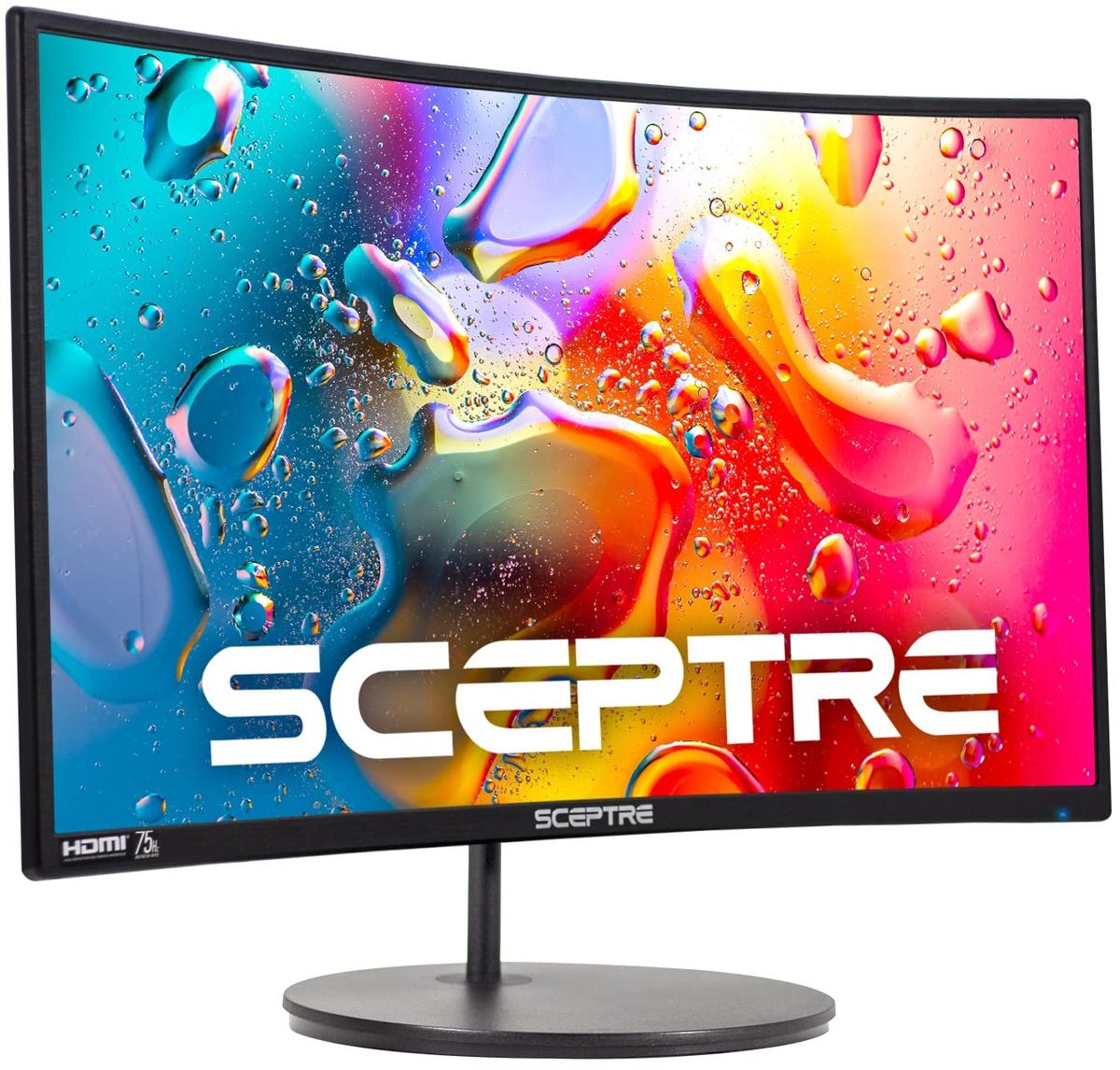
Sceptre Curved 24-Inch 1080p Monitor (C248W-1920RN)

Pros:
- Under $80 — among the most affordable curved 1080p monitors on Amazon
- 98% sRGB coverage handles everyday document and spreadsheet color accurately
- Dual HDMI ports allow two-source switching without an adapter
- Built-in speakers eliminate a separate audio purchase
- VESA-compatible mount frees up desk surface when wall-mounted
- 22,600+ reviews at 4.6 stars — one of the highest review counts in the category
Cons (honest weight):
- No stated refresh rate — not suitable for fast-paced gaming
- Not Prime-eligible; delivery timing is less predictable than Prime alternatives
- 24-inch may feel cramped for multi-tab productivity workflows
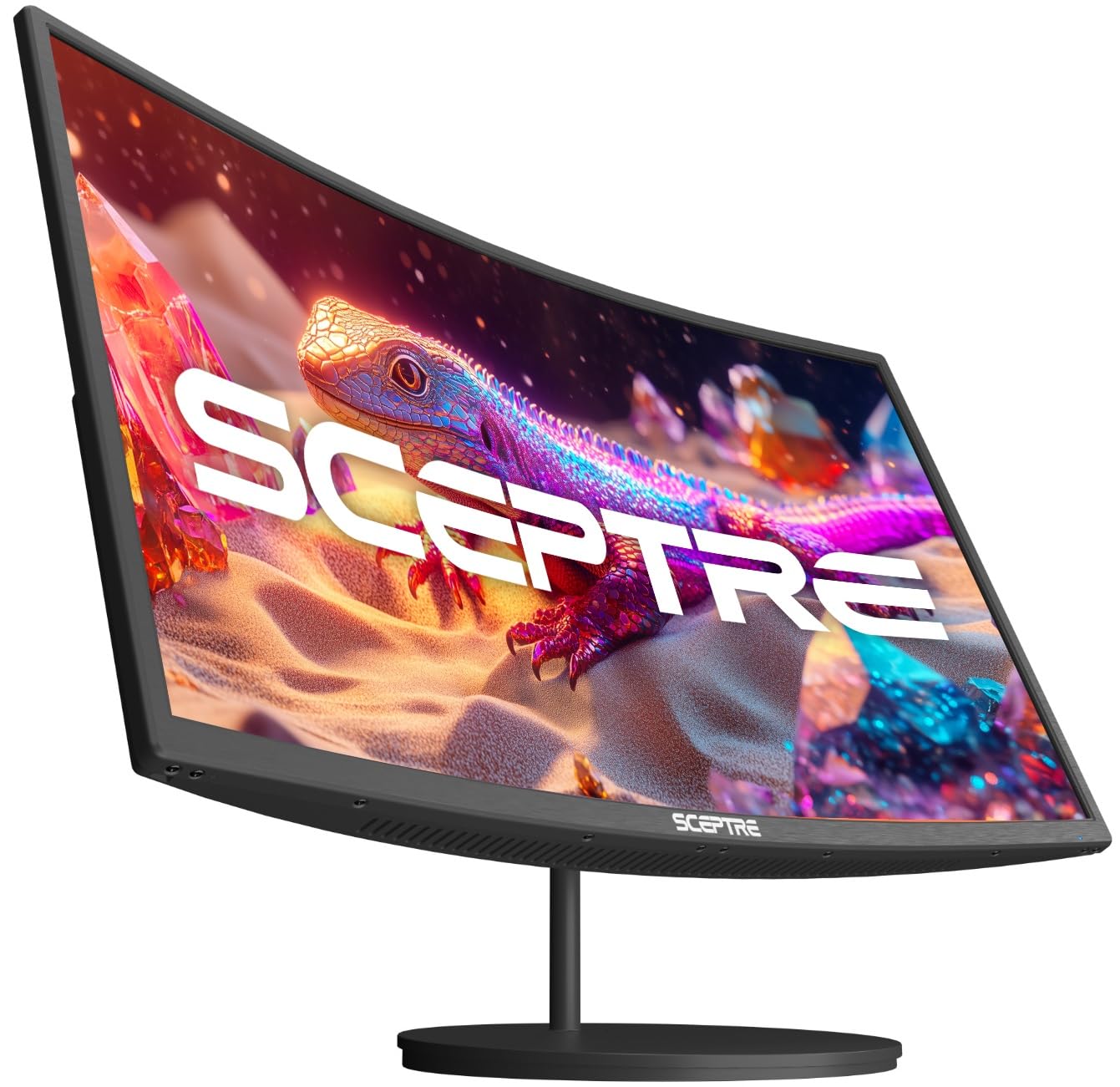
Sceptre Curved 27-Inch 100Hz 1080p Monitor (C275W-1920RN)
17% below 90-day avg
Pros:
- 27-inch panel gives 12.5% more screen area than the 24-inch model
- 100 Hz refresh rate reduces motion blur during video calls and light gaming
- 99% sRGB coverage edges out the 24-inch for slightly more vivid color reproduction
- Only $18 more than the 24-inch for a meaningfully larger workspace
- Built-in speakers and dual HDMI minimize cable clutter
- 14,549 verified reviews at 4.6 stars confirms consistent buyer satisfaction
Cons (honest weight):
- 1080p at 27 inches yields ~82 PPI — slightly soft for close-up text vs the 24-inch
- Not Prime-eligible, adding delivery uncertainty
- Larger footprint requires at least a 55-inch wide desk for comfortable use
| Dimension | Sceptre 24-inch 🛒 | Sceptre 27-inch 🛒 | Winner |
|---|---|---|---|
| Price | $79.97 | $97.97 | 24-inch ✓ |
| Screen Size | 24 inches | 27 inches | 27-inch ✓ |
| Refresh Rate | Not specified | Up to 100 Hz | 27-inch ✓ |
| sRGB Coverage | 98% sRGB | 99% sRGB | Tie |
| Pixel Density | ~92 PPI | ~82 PPI | 24-inch ✓ |
| Connectivity | HDMI x2, VGA | HDMI x2, VGA | Tie |
| Verified Reviews | 22,600+ at 4.6★ | 14,549 at 4.6★ | 24-inch ✓ |
| Best Desk Size | Small to medium (40–54 in.) | Medium to large (55+ in.) | Depends on setup |
| Prime Eligible | No | No | Tie |
What real users are saying
Buyer-review scan: 37,149 verified Amazon reviews across 2 finalists — 22,600 for the 24-inch and 14,549 for the 27-inch, both averaging 4.6 stars. Cross-referenced against editorial coverage from Wirecutter, RTINGS, and Tom's Guide.
Sceptre 24-inch community signal (22,600 reviews, 4.6 stars): Buyers in r/homeoffice and r/buildapc consistently cite the sub-$80 price point as the primary reason for purchase. Positive themes include out-of-box color quality and plug-and-play dual HDMI setup. The most common criticism across verified reviews is the absence of height adjustment — most users resolve this with a monitor arm under $25.
Sceptre 27-inch community signal (14,549 reviews, 4.6 stars): Buyers in r/Monitors highlight the 100 Hz refresh rate as a genuine quality-of-life upgrade for all-day office use. Multiple verified reviewers note the larger screen makes side-by-side window management noticeably more comfortable. The most cited drawback is the ~82 PPI sharpness at normal office viewing distances — reviewers who sit within 20 inches of the screen occasionally note slightly soft text.
Cross-product consensus from verified buyers and expert sources: both monitors punch above their price class for color accuracy and build consistency. Wirecutter and RTINGS both position 27-inch 100 Hz panels as the practical 2026 home-office baseline where desk space allows.
Skip 4K at 27 Inches for Pure Office Use
A 4K panel at 27 inches costs $200–$400 more and delivers no meaningful benefit for document editing, spreadsheets, or video calls. The productivity gains from 4K appear only when working with high-resolution photography, video timelines, or ultra-dense code layouts.
At a typical 24-inch viewing distance, the human eye cannot resolve the full 4K pixel grid on a 27-inch panel without display scaling — which effectively reduces the usable desktop real estate back toward 1080p equivalence.
RTINGS and Tom's Guide both recommend 1440p as the sweet spot for 27-inch monitors if you want a sharpness upgrade over 1080p without the 4K premium. But for sub-$100 buyers, 1080p remains the only practical option.
Avoid 32-Inch 1080p Monitors for Close Desk Setups
A 32-inch 1080p monitor drops pixel density to approximately 69 PPI — a level where individual pixels become visible during document reading at arm's length. This is the single most buyer-regretted spec combination in the r/Monitors community.
Verified Amazon reviewers on competing 32-inch 1080p models consistently report that text looks "fuzzy" or "blurry" within the first week of daily use. Once noticed, the softness is difficult to ignore during long work sessions.
The fix is straightforward: if you want 32 inches, step up to 1440p. Pricing for 32-inch 1440p monitors has dropped to the $200–$280 range on Amazon as of 2026 — a meaningful but justifiable premium for full-time home workers.
Don't Overlook Stand Ergonomics for All-Day Use
Both Sceptre models ship with tilt-only stands — no height adjustment, no swivel. For users spending 6–10 hours daily at a home-office desk, a fixed-height stand forces a compromised neck angle that compounds over weeks.
The VESA mount compatibility on the 24-inch model (and standard VESA spacing on the 27-inch) means a $20–$35 Amazon monitor arm solves the ergonomics issue entirely. Factor this into the total cost comparison if long work sessions are the primary use case.
Wirecutter's ergonomics guidance places monitor center-height at approximately eye level when seated, with the top of the screen no more than 3 inches above eye level. Fixed-height stands on budget monitors typically position screens 2–4 inches too low for average desk-chair combinations.
Don't Rely on Built-In Speakers for Full-Day Video Calls
Built-in monitor speakers — including those on both Sceptre models — produce acceptable voice clarity but deliver no low-frequency response. For occasional Teams or Zoom check-ins, they are functionally fine.
For users on 3+ hours of video calls daily, the acoustic fatigue from flat-profile speakers is real. A $30–$50 USB desktop speaker or a dedicated USB headset eliminates the issue. Neither Sceptre model has a 3.5mm headphone jack confirmed in listing specs — verify before assuming aux output.
Buyers in r/homeoffice consistently rate audio quality as the top post-purchase disappointment for budget monitors across all brands, not just Sceptre. Budget audio spend separately rather than treating monitor speakers as the long-term solution.
Answer three questions to find your correct monitor. Each path leads to a named pick with a direct reason.
Question 1: What is your desk width?
Under 48 inches wide → Sceptre 24-inch ($79.97). The 27-inch footprint will crowd a compact desk and push the screen too close for comfortable viewing.
48 inches or wider → continue to Question 2. Either monitor fits; the remaining questions narrow the choice further.
Question 2: Is your budget hard-capped below $90?
Yes, hard cap under $90 → Sceptre 24-inch ($79.97). It delivers 98% sRGB, dual HDMI, and 22,600+ verified-buyer confidence at the lowest price in the category.
No, flexible up to $100 → continue to Question 3. The $18 step-up to the 27-inch is the most cost-efficient upgrade available at this tier.
Question 3: Do you want smoother visuals or sharper text?
Smoother visuals (video calls, light gaming, fast scrolling) → Sceptre 27-inch ($97.97). The 100 Hz refresh rate and 12.5% larger screen area make it the better productivity and dual-use panel.
Sharper text (document-heavy work, close viewing under 24 inches) → Sceptre 24-inch ($79.97). The ~92 PPI pixel density advantage is tangible for small-font spreadsheets and code.
Special cases: dorm rooms and apartment setups
Dorm rooms and small apartment setups under 400 sq ft almost always favor the 24-inch. Compact desk surfaces, limited wall clearance, and tight budgets align with its $79.97 price and smaller physical footprint.
Shared home-office setups with a full-size L-desk or corner desk have the surface area and viewing distance to get full value from the 27-inch's larger panel without eye strain.
Black Friday and Prime Day buying advice
Both Sceptre models frequently drop $10–20 during Black Friday and Prime Day sales on Amazon. At those discounts, the 27-inch often reaches $79–85 — making it the clear value winner if you can time the purchase.
Neither model is Prime-eligible, so Back to School shoppers should order with buffer time before the semester starts rather than relying on two-day delivery.
Looking for more monitor options? Browse the full Mubboo shopping hub or explore our best home-office monitors guide for 2026. Related reads: best monitor stands and arms and best USB headsets for video calls.
Which Sceptre monitor is right for your home office?
Two monitors. One clear decision framework. Pick yours below.
Best for tight budgets and small desks. 98% sRGB, dual HDMI, ~92 PPI sharpness, 22,600+ verified reviews.
Buy on Amazon →Best for all-day home-office work. 100 Hz refresh, 27-inch panel, 99% sRGB, 14,549 verified reviews.
Buy on Amazon →Prices verified May 2026. Neither model is Prime-eligible — allow standard shipping time for your order.
Frequently Asked Questions
Is the Sceptre 27-inch worth the $18 extra over the 24-inch?
For most home-office users, yes. The 27-inch adds 12.5% more screen area and a 100 Hz refresh rate. If you spend long hours on spreadsheets, video calls, or multi-window workflows — and your desk is 55 inches or wider — the step-up is worth it.
Does the Sceptre 24-inch have a refresh rate spec?
The 24-inch model (C248W-1920RN) does not list a refresh rate in its title or primary spec sheet. Assume 60 Hz for purchasing purposes. If refresh rate matters for gaming or smooth scrolling, the 27-inch model's confirmed 100 Hz is the clear choice.
Are either of these monitors Prime-eligible?
Neither the 24-inch nor the 27-inch Sceptre model is currently Prime-eligible on Amazon. Plan for standard shipping timelines — particularly relevant for Back to School or last-minute Black Friday purchases.
What is the pixel density difference between the two models?
The 24-inch 1080p panel delivers approximately 92 PPI. The 27-inch 1080p panel delivers approximately 82 PPI. The 10-PPI gap is noticeable for small-font document work at close viewing distances. For video and casual browsing, both look sharp enough.
Can I wall-mount either monitor with VESA?
The 24-inch model explicitly lists VESA wall-mount compatibility in its product title. The 27-inch listing does not prominently feature VESA in the title — verify the VESA pattern in the Amazon product description before purchasing a mount.
Are the built-in speakers good enough for video calls?
Both monitors include built-in speakers that handle occasional video calls in a quiet room. For 3+ hours of daily Teams or Zoom use, a dedicated USB headset or desktop speaker produces significantly less listening fatigue. Budget $30–$50 for audio if calls are central to your workflow.
Which monitor is better for a dorm room or small apartment desk?
The Sceptre 24-inch at $79.97 is the stronger fit for dorm rooms and apartment setups. Its smaller footprint suits desks under 48 inches wide, the $79.97 price keeps the total setup budget low, and the sharper ~92 PPI pixel density holds up at close viewing distances typical in small spaces.
How do these monitors compare to options from Best Buy or Walmart?
Both Sceptre models are available primarily through Amazon. Best Buy and Walmart carry Sceptre monitors in-store and online at comparable prices, though selection varies by region. Amazon's verified-review volume — 37,149 combined — provides stronger buyer-confidence data than most in-store alternatives at this price point.
Who wrote this and where's the data from?
Mubboo Editorial Team — independent US-market consumer research. Picks reflect editorial consensus from 3 independent review sources (Wirecutter, RTINGS, Tom's Guide) and 37,149 verified buyer reviews across both finalists.
Sources
- Amazon (live product data — B07KXSR99Y and B07MTRQ6B3)
- Wirecutter — monitor buying guides
- RTINGS — monitor measurements and ratings
- Tom's Guide — best budget monitors