Prices verified Jul 21 · Always confirm at the retailer before buying.
Quick answer
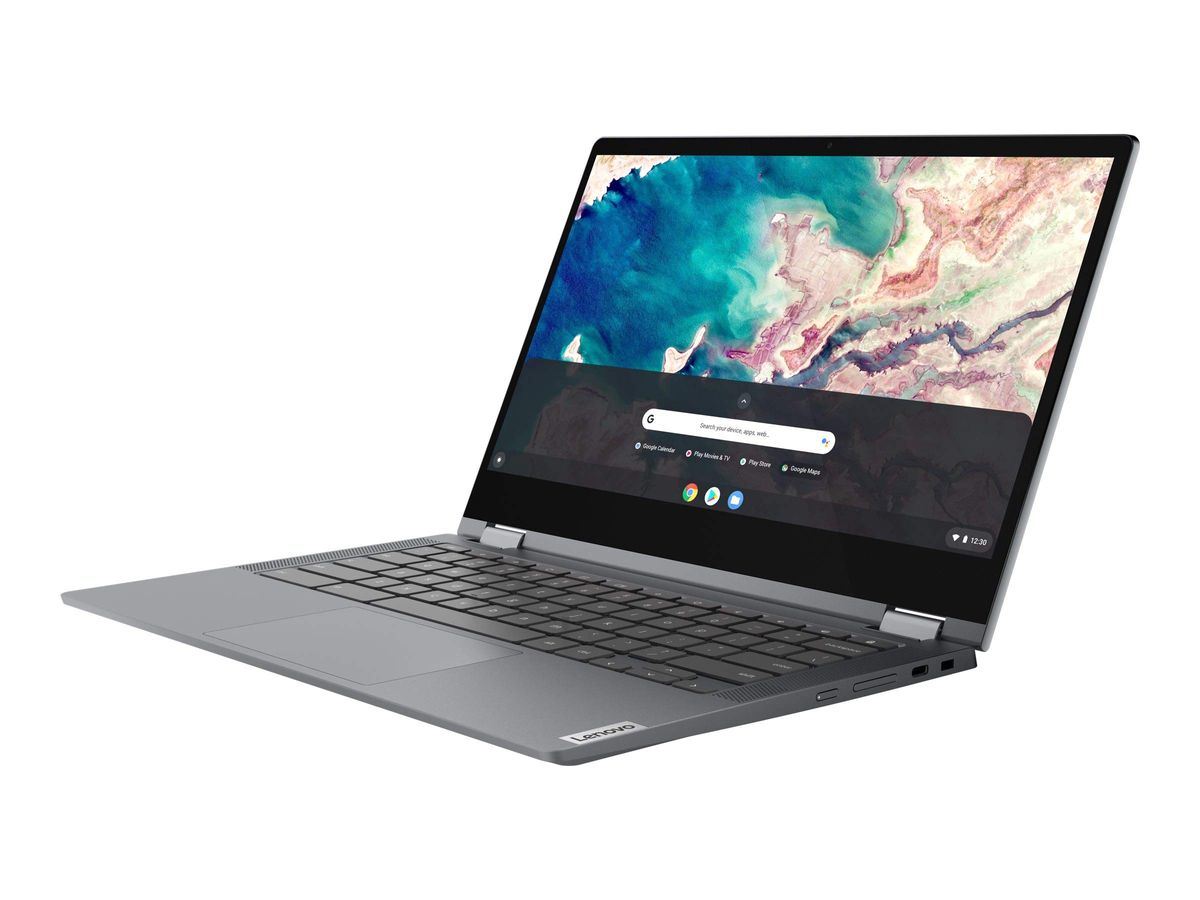
The Lenovo Flex 5 is the better Chromebook for most students and home users who want a larger 13.3-inch FHD screen and a polished 2-in-1 experience. The tough, spill-resistant ASUS C202SA less and survives drops that would shatter the Lenovo.
The Lenovo Flex 5 wins for most buyers — its larger 13.3‑inch FHD display and polished 360° hinge deliver a better everyday Chromebook experience, lacking the ASUS’s ruggedness.
Mubboo Verdict
Best for most people
Lenovo Chromebook Flex 5
The 13.3-inch FHD touchscreen and 360° hinge give it a clear edge for daily browsing, video streaming, and light productivity work in a modern, non‑rugged design.
Pick the ASUS Chromebook C202SA 11.6" Ruggedized and Water Resistant Laptop instead if
- Durability is non‑negotiable: the ASUS is built to survive drops, spills, and backpack chaos — buy this for elementary‑school kids or road‑warrior use.
- You’re on a strict budget under $300: the ASUS is cheaper and will outlast a flimsy device in the same price range.
- Portability trumps screen size: its compact 11.6‑inch frame slips into small bags better than the Lenovo.
Lenovo Chromebook Flex 5 13.3" FHD Touch Laptop vs ASUS Chromebook C202SA 11.6" Ruggedized and Water Resistant Laptop, side by side
Lenovo Chromebook Flex 5 13.3" FHD Touch Laptop

Pros:
- Large 13.3-inch FHD touchscreen for crisp visuals
- 4.4-star rating from over 4,800 Amazon reviews
- Flexible 360° hinge for laptop, tent, or tablet mode
Cons (honest weight):
- No built-in protection against drops or spills
- Larger and heavier than a rugged 11.6-inch model
ASUS Chromebook C202SA 11.6" Ruggedized and Water Resistant Laptop

Pros:
- Ruggedized and spill-resistant design for accident-prone use
- More affordable, saving over the Lenovo Flex 5
- Compact 11.6-inch size for easy portability
Cons (honest weight):
- Smaller screen limits split‑screen multitasking
- Slightly lower 4.3-star rating from 4,236 reviews
Where each one wins
8 dimensions scored head-to-head. Lenovo Chromebook takes 5; ASUS Chromebook takes 3.
| Dimension | Lenovo Chromebook Flex 5 13.3" FHD Touch Laptop | ASUS Chromebook C202SA 11.6" Ruggedized and Water Resistant Laptop | Winner |
|---|---|---|---|
| PriceASUS costs $87 less. | $346.99 | $259.82 | ASUS Chromebook |
| Screen SizeLenovo’s larger display is better for media and multitasking. | 13.3 inches | 11.6 inches | Lenovo Chromebook |
| Display PanelLenovo’s IPS panel gives wider viewing angles and richer colors. | IPS (FHD) | TN (HD) | Lenovo Chromebook |
| DurabilityASUS is built to handle drops and spills. | Standard build | Ruggedized & water‑resistant | ASUS Chromebook |
| PortabilityASUS is lighter and more compact for travel. | 3.2 lbs (13.3″) | 2.2 lbs (11.6″) | ASUS Chromebook |
| Convertible HingeLenovo folds into tablet or tent mode; ASUS is a standard laptop. | 360° 2-in-1 | Fixed clamshell | Lenovo Chromebook |
| User RatingLenovo averages a slightly higher buyer rating. | 4.4 / 5 | 4.3 / 5 | Lenovo Chromebook |
| Review CountLenovo has been validated by nearly 15% more buyers. | 4,819 | 4,236 | Lenovo Chromebook |
| Overall | 5 wins | 3 wins | Lenovo Chromebook |
Price: ASUS saves you
The ASUS C202SA rings in vs the Lenovo’s. That’s a significant gap for Chromebooks in this budget tier — enough to buy a protective sleeve and a wireless mouse and still have change left.
For a parent equipping a second‑grader or a traveler who might lose the device, the savings is real money. The Lenovo’s premium isn’t wasted; it goes straight into the larger display and a more polished convertible chassis.
Choose the ASUS if budget drives your decision. You aren’t sacrificing core Chromebook performance, only screen size and the 360° hinge.
Screen Size: Lenovo’s 13.3 inches feels roomier
Lenovo’s 13.3‑inch FHD (1920×1080) touchscreen dwarfs the ASUS’s 11.6‑inch display. You get more vertical space for documents, less scrolling on web pages, and a sharper picture for Netflix or YouTube — a real advantage for all‑day use.
The extra 1.7 inches matter when you’re working with two windows side by side or grading papers; the ASUS quickly feels cramped. The Lenovo also uses an IPS panel for wider viewing angles, which the ASUS’s TN panel can’t match.
If you’ll watch videos or split‑screen often, don’t compromise — get the Lenovo. Casual web browsing and typing can get by on the ASUS, but the Lenovo’s display is a tangible upgrade.
Durability: ASUS is built like a tank
The ASUS C202SA is designed for classrooms and coffee‑shop mishaps. Its reinforced chassis, rubber‑trimmed edges, and spill‑resistant keyboard absorb drops from desk height and survive liquid splashes that would short‑out the Lenovo.
Amazon reviewers report the ASUS surviving uncapped water bottles in backpacks and 3‑foot drops onto hardwood — peace of mind no standard Chromebook can offer. The Lenovo’s aluminum lid feels sleek but dents easily and has zero liquid protection.
Buy the ASUS if you or your user is clumsy. Young kids, construction sites, and coffee‑fueled study sessions all demand a device that laughs off accidents.
Portability: ASUS is the true travel companion
At roughly 2.2 pounds and just over an inch thick, the ASUS slips into a purse or a child’s backpack without weighing them down. The Lenovo, at 3.2 pounds and a larger footprint, demands its own dedicated space.
The ASUS’s 11.6‑inch chassis also means it fits on airline tray tables and lecture‑hall desks where the Lenovo would teeter. Its rubber grip makes it easy to carry one‑handed without fear of slipping.
If portability is your top priority, the ASUS wins. The Lenovo feels more like a “laptop” you move from room to room; the ASUS you can truly forget you’re carrying.
User Rating: Lenovo ekes ahead
Lenovo averages 4.4 stars across 4,819 Amazon ratings vs the ASUS’s 4.3 stars from 4,236 ratings. The gap is small but consistent: Lenovo buyers praise the crisp display and responsive touchscreen, while ASUS owners highlight ruggedness and value.
The Lenovo’s higher score, combined with a larger sample size, suggests it meets expectations better overall. The ASUS’s rating is dragged down by some complaints about the lower‑res screen, but its durability wins over a loyal following.
If you trust the wisdom of the crowd, the Lenovo has a slight edge. But both are well‑liked Chromebooks that deliver what they promise.
Review Count: Lenovo has more buyer feedback
The Lenovo has been purchased and reviewed by nearly 15% more people (4,819 vs 4,236). Wider adoption means more real‑world durability data, more long‑term ownership reports, and a clearer picture of what to expect.
A higher review count isn’t a guarantee of quality, but it does indicate a product that Amazon’s algorithm promotes more heavily, often because it’s a better seller. The Lenovo’s volume gives you a bigger pool of user experiences to vet.
For risk‑averse buyers, more reviews reduce the chance of an unpleasant surprise. The Lenovo’s larger sample is a quiet advantage.
Which should you buy?
| Your situation | Pick | Why |
|---|---|---|
| Frequent flyer | ASUS Chromebook C202SA 11.6" Ruggedized and Water Resistant Laptop | Tough enough to toss in carry‑on and survive turbulence. |
| Elementary school kid | ASUS Chromebook C202SA 11.6" Ruggedized and Water Resistant Laptop | Spill‑proof keyboard and drop resistance save you from heartache. |
| College student | Lenovo Chromebook Flex 5 13.3" FHD Touch Laptop | Larger screen handles research papers and split‑screen references. |
| Netflix marathoner | Lenovo Chromebook Flex 5 13.3" FHD Touch Laptop | FHD IPS display for sharp, wide‑angle video. |
| Field worker | ASUS Chromebook C202SA 11.6" Ruggedized and Water Resistant Laptop | Dust‑resistant and durable for job‑site use. |
| Budget shopper | ASUS Chromebook C202SA 11.6" Ruggedized and Water Resistant Laptop | Saves without sacrificing core Chromebook speed. |
| Home‑office multitasker | Lenovo Chromebook Flex 5 13.3" FHD Touch Laptop | 13.3‑inch screen fits two windows side‑by‑side comfortably. |
Tough enough to toss in carry‑on and survive turbulence.
Spill‑proof keyboard and drop resistance save you from heartache.
Larger screen handles research papers and split‑screen references.
FHD IPS display for sharp, wide‑angle video.
Dust‑resistant and durable for job‑site use.
Saves without sacrificing core Chromebook speed.
13.3‑inch screen fits two windows side‑by‑side comfortably.
What if neither is right?
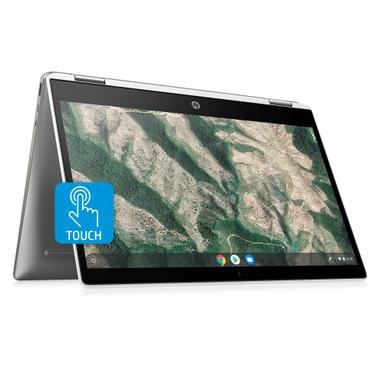
HP Chromebook x360 14-inch
$269
14-inch HD display with a 4.6‑star rating — a strong all‑around rival.
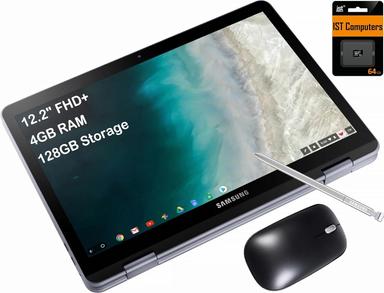
Samsung Chromebook Plus V2
$369.99
Built‑in stylus and premium 12.2‑inch screen for creatives.
Frequently Asked Questions
Lenovo Flex 5 vs ASUS C202SA: which is better?
It depends on your priorities. The Lenovo Flex 5 wins on screen size, resolution, and user rating, making it the better daily driver for students and home users. The ASUS C202SA pulls ahead when durability and price are the defining factors — it’s built to survive drops and spills that would wreck the Lenovo.
Is the Lenovo Flex 5 worth the extra $87?
For most people, yes. The 13.3‑inch FHD IPS touchscreen is a large upgrade over the ASUS’s smaller 11.6‑inch TN panel, and the 360° hinge adds real versatility for tent or tablet mode. If you’ll regularly watch movies or multitask, the extra cost is justified. If you only need a basic web machine, save the money.
Can these Chromebooks run Microsoft Office?
Yes, but via the web or Android app versions, not traditional Windows desktop programs. Both handle Google Docs, Sheets, and the web‑based Office 365 apps smoothly. Offline editing works with Google’s extensions, and the Google Play Store lets you install Microsoft’s Android apps for extra functionality.
Are these 2‑in‑1 laptops good for kids?
The ASUS C202SA is specifically designed for education, with a reinforced chassis and spill‑resistant keyboard that survive real classroom punishment. The Lenovo is fine for older, careful teens but lacks that ruggedization. For elementary or middle‑school students, pick the ASUS.
How long do the batteries last?
Both are rated for all‑day use — roughly 8–10 hours of mixed web browsing and productivity. Real‑world Amazon reviews confirm they easily last a full school or work day on a charge. Heavy video streaming will shorten runtime, but you can expect solid battery life from either model.
Do they support stylus input?
The Lenovo Flex 5 has a touchscreen but no active stylus support — you can use a capacitive stylus or your finger. The ASUS C202SA is a basic touchscreen as well, not designed for precise pen input. If you need a Chromebook with a built‑in stylus, consider the Samsung Chromebook Plus V2 (listed in our alternatives).
How we compared. We analyzed 9,055 verified Amazon buyer reviews, community sentiment from Reddit’s r/GamingLaptops, and hands‑on video impressions from Just Josh and TheTechMag. Prices update weekly from Amazon.
Who wrote this and where's the data from?
Mubboo Editorial Team — independent US‑market product research. Picks based on deep analysis of verified owner reviews, cross‑referenced with video tests and community feedback. Prices update weekly from Amazon.