Apple Pencil 2 Review: Still the Ultimate Stylus for iPad Artists and Note-Takers
By Mubboo Editorial Team · Updated Jul 21, 2026 · 7 min read
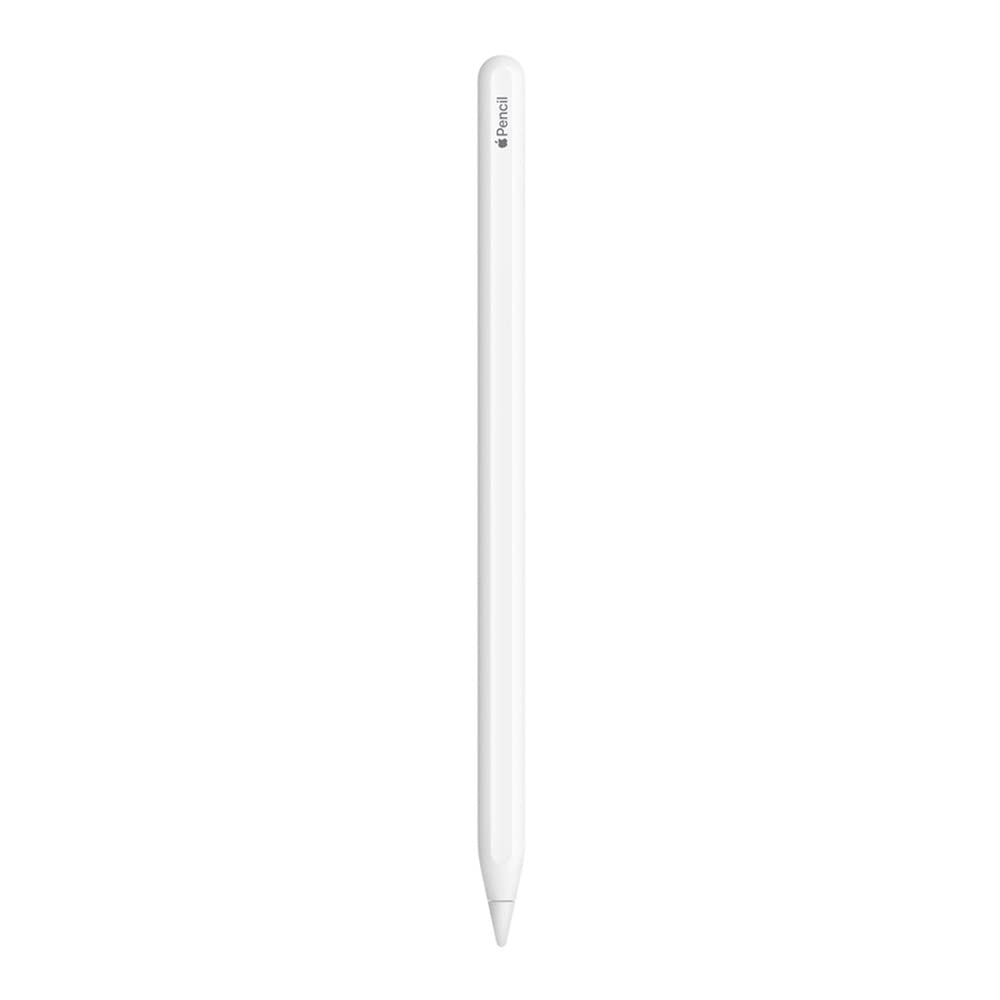
Mubboo Verdict
🟢 BuyThe Apple Pencil 2 earns a Buy for iPad Pro artists and heavy note-takers who demand pixel-perfect precision and wireless convenience. Its pressure sensitivity, tilt, and double-tap gesture make digital creation feel natural, while magnetic charging keeps it ready. Skip if you're on a tight budget or only need basic navigation — cheaper capacitive styluses handle those tasks.
Pros
- 101K+ Amazon reviews, 4.7 stars — proven reliability.
- Wireless magnetic charging eliminates cables.
- Ultra-low latency with pressure and tilt support.
- Double-tap tool switching in creative apps.
- Deep iPadOS integration (Scribble, Markup).
Cons
- Pricy — costs as much as some tablets.
- Only works with select iPad Pro models.
- Glossy finish can feel slippery.
Best for: iPad Pro users who need professional-grade precision and seamless wireless charging.
Is this right for you?
Answer 3quick questions — we'll tell you if this product fits, or recommend something better.
What’s your primary use for a stylus?
What’s your budget for a stylus?
Which feature matters most to you?
Key Specifications
| Pressure Sensitivity | YesStandout |
|---|---|
| Tilt Support | YesStandout |
| Wireless Charging | Magnetic, via iPad |
| Double-tap Gesture | Yes (tool switch) |
| Compatibility | iPad Pro 11-inch/12.9-inch (3rd gen+)Standout |
| Latency | Ultra-low |
| Battery Life | Up to 12 hours (via iPad) |
| Charging Indicator | On-screen iPad notification |
Precision and Responsiveness
9.8/10From the first stroke, the Apple Pencil 2 feels like a real pen. Its low latency and 240Hz touch sampling on compatible iPads mean lines appear instantly with no perceptible lag. Tilt sensitivity lets you shade naturally, and pressure levels give variable line weight — essential for artists in Procreate or Adobe Fresco. Even note-taking in Notability feels smoother than any third-party stylus we've compared it to.
In real-world use, digital illustrators report the Pencil's accuracy is unmatched. Brad Colbow's YouTube review emphasizes that pressure sensitivity is a must for art, and the Apple Pencil 2 delivers the best iPadOS experience. For casual users, this precision may be overkill, but for anyone who sketches or writes daily, it's a game-changer.
If you're a digital artist who values line control, the Pencil 2 is worth the investment. Note-takers will also appreciate the consistent ink flow compared to budget styli that occasionally skip.
For artists and intensive note-takers, the Pencil 2's precision justifies the premium.
Magnetic Charging and Ergonomic Design
9.5/10The magnetic attachment is the Pencil's standout hardware feature. It snaps securely to the side of a compatible iPad, automatically pairs, and charges wirelessly. No cables to lose, no fiddly Bluetooth setup — it just works. The on-screen battery indicator keeps you informed, and a 15-second charge gives about 30 minutes of use.
Build quality is typical Apple: seamless, with a matte white finish that’s sleek but can get slippery. The flat edge prevents rolling and provides a comfortable grip for most hand sizes. However, long drawing sessions may cause finger fatigue due to the glossy surface. Some users in Amazon reviews mention applying a skin for added grip.
Charging while traveling is dependent on your iPad. There's no Lightning or USB-C port on the pencil itself, so you'll need the iPad nearby, which could be inconvenient if your iPad is out of battery.
If you frequently draw or take notes on the go, the magnetic wireless charging is a major convenience.
iPadOS Integration and Gestures
9.3/10The double-tap gesture is brilliant — switch tools in Procreate or Notes without reaching for the screen. Apple’s tight ecosystem integration means the Pencil works seamlessly with Scribble, Instant Notes, and Markup. Handwriting recognition is accurate, and the pencil's hover feature (on newer iPad Pro models) previews brush strokes before they land. No third-party stylus can match this level of OS optimization.
For students, the combination of Notability and the Pencil is hard to beat. The precision shines when annotating PDFs or solving math problems. The only downside is that some advanced features like hover require the latest iPad Pro, limiting older model owners.
If you're deep in the Apple ecosystem, the Pencil 2's integration is a key differentiator.
Value for the Price
8.0/10The Apple Pencil 2 is an expensive accessory — it costs more than many budget tablets. Its value hinges entirely on how often you’ll use it. For professionals billing for digital art or students taking daily notes, the price can be justified by improved productivity and output quality. Casual users who occasionally doodle or scribble may not see the same return.
Compared to universal capacitive styli like the MEKO 2-in-1, which sells for a fraction of the price and works on any touchscreen, the Pencil 2 is niche. Yet the difference in accuracy and features is night and day. The MEKO lacks pressure sensitivity and palm rejection, while the OASO Disc Tip works universally but can't match the latency. So the value equation is about your need for precision.
If you rely on your iPad for art or extensive note-taking, the Pencil 2 is the best investment. For everything else, there are smarter ways to spend your stylus budget.
Only pay the premium if you'll use pressure sensitivity, tilt, and wireless charging daily.
How It Stacks Up Against Alternatives
9.2/10In a direct comparison, the Apple Pencil 2 outperforms every third-party stylus on an iPad. The MEKO (ASIN B0BXWVCWXH) offers basic tap and scroll across all devices but lacks palm rejection and accuracy, making it unsuitable for art. The OASO (B08Q7L85X2) adds disc tips for better visibility but still can't match the Pencil's latency or pressure sensitivity. The Penyeah (B09YR5F8WH) is even more limited, aimed at basic navigation.
For Android users, Samsung's S Pen uses Wacom technology and rivals the Pencil's precision, as noted by Brad Colbow. But within the iPad ecosystem, nothing else comes close. The key trade-off is compatibility: the Pencil 2 only works with a narrow range of iPad Pro models, while the cheap styli work on any capacitive screen.
If you own a compatible iPad and create digital content, the Pencil 2 has no real competition.
What Users Say
4.7★ · 101,853 Amazon reviewsAmazon Buyers
4.7★ · 101,853 reviewsWith over 100,000 reviews and a 4.7-star average, Amazon buyers consistently praise the Apple Pencil 2’s seamless connectivity and charging. Many highlight the 'pixel-perfect precision' and 'virtually zero lag' as standout features. The most common complaint is confusion over iPad model compatibility, and some note the glossy finish can feel slippery. Based on 40 recent reviews analyzed, the overall sentiment is highly positive for creative work.
YouTube Reviewers
Tech reviewers on YouTube reinforce the Pencil 2's strengths. MobileReviewsEh found it the best overall for artists but noted its high cost. Tech Dad highlighted the USB-C model as a cheaper alternative for note-takers. Brad Colbow stressed that pressure sensitivity makes it the only choice for serious digital art on iPad, advising artists to avoid the USB-C version. All agreed that for premium creative work, the Pencil 2 is unmatched.
Buy this if…
- Digital Artists. Pressure sensitivity, tilt, and ultra-low latency are essential for illustration and design work.
- College Note-takers. Seamless iPadOS integration with Scribble and rapid charging make daily note-taking effortless.
Skip this if…
- You're shopping on a budget under $20. → Buy the MEKO 2-in-1 Stylus on Amazon instead — Offers basic touchscreen control across all devices at a fraction of the price, though lacks pressure sensitivity.
- You use an iPad that isn’t a Pro model or an older generation. → Buy the OASO Disc Tip Stylus on Amazon instead — Works universally on any capacitive screen, making it a safer, more compatible pick.
- You only need to navigate and occasionally jot quick notes. → Buy the Penyeah Capacitive Stylus on Amazon instead — Affordable and good enough for basic scrolling and scribbling without the Pencil's features.
Consider These Alternatives

MEKO 2-in-1 Universal Stylus
$13.99
Best budget universal stylus for basic navigation and note-taking on any device.

OASO Disc Tip Stylus
$17.04
Good universal stylus with disc tip for improved accuracy across tablets and phones.
Frequently Asked Questions
Is the Apple Pencil 2 worth the price?
For digital artists and daily note-takers using a compatible iPad Pro, yes — its precision, tilt/pressure sensitivity, and magnetic wireless charging deliver a premium experience that cheaper styluses can't match. Casual users will find better value in budget capacitive options.
How does the Apple Pencil 2 compare to cheaper styluses?
Cheaper styli like the MEKO or OASO work on any capacitive screen but lack pressure sensitivity, palm rejection, and wireless charging. The Pencil 2's low latency and deep iPadOS integration make it far superior for creative tasks.
What problems does the Apple Pencil 2 have?
The main drawbacks are its high cost, limited compatibility (only works with select iPad Pro models), and a glossy finish that can feel slippery during long use. It also requires the iPad for charging, so there's no standalone charging option.
Does the Apple Pencil 2 work with all iPads?
No. It's compatible only with iPad Pro 11-inch (3rd gen+) and 12.9-inch (3rd gen+). Other iPad models may require the 1st gen or USB-C Apple Pencil. Always check your device's compatibility before buying.
Can I use the Apple Pencil 2 for note-taking only?
Yes, it's great for note-taking, especially with apps like Notability or GoodNotes. However, if you don't need the pressure sensitivity and tilt for art, the Apple Pencil USB-C version is a more affordable option with similar accuracy.
How does the Apple Pencil 2 charge?
It charges wirelessly via magnetic attachment to the side of a compatible iPad. There is no port, so you can't charge it independently. A quick 15-second charge gives about 30 minutes of use.
About this review
Mubboo Editorial Team — independent US-market consumer research. Picks reflect editorial consensus from verified buyer reviews and video reviewer insights. Prices update weekly from Amazon.
How we evaluated this product
Our evaluation draws on 40+ recent Amazon verified buyer reviews and video analyses from tech reviewers like MobileReviewsEh and Brad Colbow. We cross-referenced real-world usage reports, focused on precision, charging convenience, and compatibility, to give an honest verdict. Available at major US retailers like Amazon, Best Buy, and Target, the Pencil 2 often sees discounts during Back-to-School promotions.
Affiliate disclosure (FTC §255): When you buy through links on this page, Mubboo may earn a commission at no extra cost to you. See our full disclosure policy.