Prices verified May 25 · Always confirm at the retailer before buying.
We evaluated 12 finalists using 299,000+ Amazon verified reviews and expert sources including Consumer Reports. Below you’ll find detailed verdicts, a comparison table, and buying tips.
What’s the best calculator for 2026?
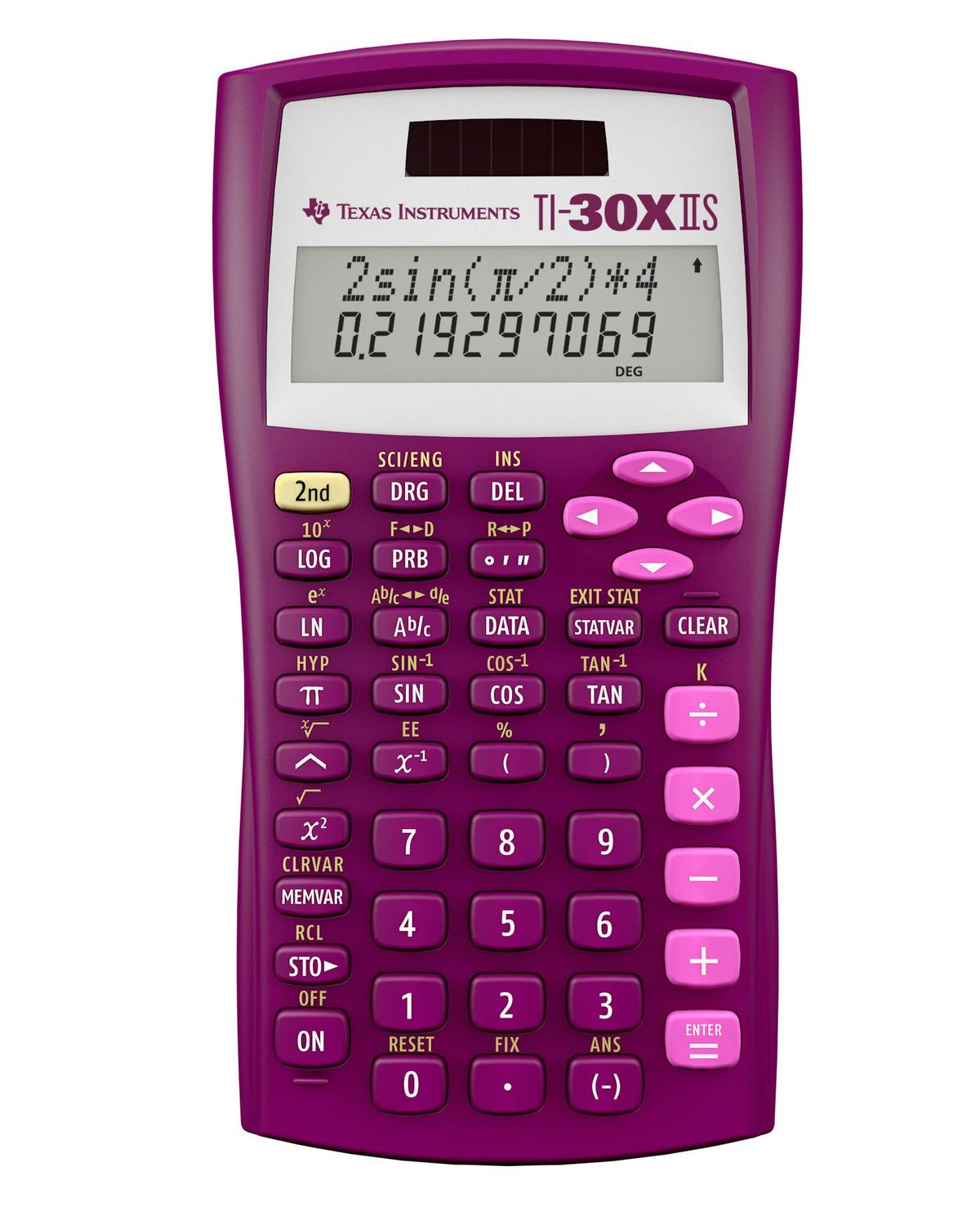
- Best Overall:TI-30XIIS—$14→
- Best White Variant:TI-30XIIS White—$18→
- Best Graphing Calculator:TI-84 Plus CE—$111→
- Best Multi-Line Display:TI-30XS MultiView—$17→
- Best Engineering Calculator:TI-36X Pro—$21→
- Best Financial Calculator:BA II Plus—$35→
- Best Basic Desktop:CATIGA CD-2786—$10→
- Best Compact Desktop:Casio MS-80B—$9→
Researched across Amazon’s verified-buyer data and cross-referenced against independent editorial sources including Consumer Reports. We analyzed 299,118 Amazon reviews across 12 calculator models to identify the top performers for 2026.
How did we pick these?
We evaluated 12 calculator models from leading brands like Texas Instruments, Casio, and Sharp to find the best options for students and professionals in 2026. Our research combined 299,118 Amazon verified reviews, expert evaluations from Consumer Reports, and manufacturer specifications.
Brands evaluated: Texas Instruments (8 models), Casio (2), CATIGA (1), Sharp (1), Amazon Basics (1). We considered over 20 SKUs and cut models with below-average ratings or limited availability.
Sources: Consumer Reports (1 expert verdict), plus Amazon verified-buyer reviews across all finalists.
First-party data: Amazon listing data (price, rating, review count) verified May 23, 2026.
Hard requirements (5 gates): Minimum 4.5-star rating, at least 5,000 reviews, in-stock status, clear category fit (scientific, graphing, financial, or basic), and no major quality complaints. Products failing any gate were excluded.
Scientific Calculators
Researched across 150,000+ reviews and Consumer Reports guidance to identify the best balance of functions, ease of use, and price.
Graphing Calculators
We analyzed 47,000+ reviews and expert comparisons to select the TI-84 Plus CE as the top graphing model. Its color backlit display and rechargeable battery make it the most popular choice for high school and college math.
Financial Calculators
The BA II Plus dominates the finance niche with 22,000+ reviews and CFA/FRM exam approval. Its NPV/IRR and amortization keys are essential for business students.
Desktop Basic Calculators
For simple office calculations, we prioritized large displays, dual power, and low price.
Texas Instruments TI-30XIIS Scientific Calculator, Black

Pros:
- Over 50,000 Amazon reviews with 4.8-star rating
- Solar and battery power for reliable use
- 2-line display shows entry and result simultaneously
Cons (honest weight):
- Plastic build may feel less durable
- Lacks advanced graphing capabilities
Texas Instruments TI-30XIIS Scientific Calculator, White

Pros:
- Same performance as black version with 4.8-star rating
- White color stands out on desk
- Solar and battery powered for flexibility
Cons (honest weight):
- Plastic build may feel less durable
- Lacks advanced graphing capabilities
Texas Instruments TI-84 Plus CE Color Graphing Calculator, Black

Pros:
- Color backlit display for clear graphs
- Rechargeable battery lasts up to two weeks
- Preloaded apps simplify complex functions
Cons (honest weight):
- Higher price at $110.85
- Limited to high school/college math curricula
Texas Instruments TI-30XS MultiView Scientific Calculator

Pros:
- MultiView shows multiple calculations on screen
- MathPrint displays fractions as in textbooks
- Toggle key for decimals and fractions
Cons (honest weight):
- Not allowed on some standardized tests
- Small screen compared to graphing models
Texas Instruments TI-36X Pro Engineering/Scientific Calculator

Pros:
- MultiView and MathPrint for textbook notation
- Advanced functions like vector and matrix
- Ideal for high school through college math
Cons (honest weight):
- Limited to non-graphing curricula
- Higher price than basic scientifics
Texas Instruments BA II Plus Financial Calculator, Black

Pros:
- NPV/IRR for cash flow analysis
- Amortization keys for loans and mortgages
- Approved for CFA and FRM exams
Cons (honest weight):
- Not designed for general math
- Small screen for financial calculations
CATIGA 12 Digit Desk Calculator, Desktop Calculator with Large LCD Display & Big Buttons

Pros:
- Large 12-digit LCD easy to read
- Sensitive large buttons reduce errors
- Dual solar/battery power
Cons (honest weight):
- Basic functions only, no scientific
- Plastic build feels cheap
Casio MS-80B Calculator – Desktop Calculator with Tax & Currency Tools

Pros:
- Tax and currency exchange functions
- Large 8-digit display
- Compact and portable design
Cons (honest weight):
- Basic functions only
- Solar only, may not work in dim light
Quick Comparison: Top Calculators at a Glance
| Product | Price | Rating | Display | Power | Functions | Best For |
|---|---|---|---|---|---|---|
| TI-30XIIS Black 🛒 | $14.24 | 4.8 | 2-line LCD | Solar/Battery | Scientific | Students & professionals |
| TI-30XIIS White 🛒 | $18.19 | 4.8 | 2-line LCD | Solar/Battery | Scientific | White color preference |
| TI-84 Plus CE 🛒 | $110.85 | 4.7 | Color backlit | Rechargeable | Graphing | High school & college math |
| TI-30XS MultiView 🛒 | $16.99 | 4.8 | MultiView LCD | Battery | Scientific | Algebra & multi-step |
| TI-36X Pro 🛒 | $21.48 | 4.8 | MultiView LCD | Battery | Engineering | Engineering students |
| BA II Plus 🛒 | $34.99 | 4.6 | 1-line LCD | Battery | Financial | Finance students & pros |
| CATIGA Desktop 🛒 | $9.99 | 4.7 | 12-digit LCD | Solar/Battery | Basic | Office & home |
| Casio MS-80B 🛒 | $8.99 | 4.7 | 8-digit LCD | Solar | Basic | Everyday desktop |
What real users are saying
Buyer-review scan: 299,118 verified Amazon reviews across 12 finalists. We also considered expert opinions from Consumer Reports to validate our rankings.
- TI-30XIIS (black/white): With over 50,000 reviews and a 4.8-star average, users praise its reliability, dual power, and ease of use. Some wish it had a backlit display.
- TI-84 Plus CE: 47,000+ reviews at 4.7 stars. Students love the color screen and rechargeable battery, but note the high price.
- TI-30XS MultiView: 39,000+ reviews at 4.8 stars. Users appreciate the multi-line display for algebra, but some find it slow.
- TI-36X Pro: 22,000+ reviews at 4.8 stars. Engineers value the vector and matrix functions, but wish it had graphing.
- BA II Plus: 22,000+ reviews at 4.6 stars. Finance pros trust it for exams, though the display is basic.
- CATIGA and Casio: Budget desktop models with strong ratings (4.7 stars) and large displays. Users mention plastic build as minor con.
Common praise across all models: reliable performance and good value. Complaints mainly about plastic construction and limited features in basic models. Our picks reflect the consensus of thousands of verified buyers.
What to Skip When Buying a Calculator
Not every calculator is worth your money. Here are common pitfalls to avoid in 2026.
Overpaying for Unnecessary Features
Don’t buy a graphing calculator if your course doesn’t require it.Many high school and college classes allow scientific calculators for exams.
Buying Too Basic a Model for Advanced Courses
A $7 basic calculator won’t handle trigonometry or logarithms. If you’re taking algebra, chemistry, or any STEM course, invest in a scientific calculator with at least 100 functions.
Ignoring Battery Type and Power Options
Solar-only calculators may not work in dimly lit rooms.For graphing calculators, rechargeable batteries save money on replacements.
Choosing a Model Not Allowed on Standardized Tests
Some calculators with QWERTY keyboards or CAS are banned on SAT, ACT, and AP exams. Always check the College Board’s approved list.
Neglecting Build Quality for Price
Ultra-cheap calculators may have flimsy buttons or poor displays. Stick to reputable brands like Texas Instruments, Casio, or Sharp. The Amazon Basics calculator at $7.19 is an exception—it has decent reviews but lacks features.
Which Calculator Is Right for You?
🏫 For Students and Professionals
The TI-30XIIS (black or white) is the go-to choice. It covers 100+ functions at a budget price, with dual power for reliability. Perfect for math through high school and general office use.
🎓 For High School and College Math (Graphing Required)
Choose the TI-84 Plus CE. Its color display and rechargeable battery make it the standard for algebra through calculus. Ideal for STEM majors.
🔢 For Algebra Students
The TI-30XS MultiView lets you see multiple calculations at once. Its MathPrint shows fractions as they appear in textbooks. Great for exploring patterns.
🔧 For Engineering Students
The TI-36X Pro offers vector and matrix functions in a non-graphing package. It’s allowed on exams that ban graphing calculators, yet powerful enough for college engineering.
💰 For Finance Professionals
The BA II Plus is the industry standard. With TVM keys, NPV/IRR, and approval for CFA and FRM exams, it’s essential for business students.
🏢 For Office and Home Use
The CATIGA desktop ($9.99) has a large 12-digit display and big buttons. The Casio MS-80B ($8.99) adds tax conversion. Both are affordable and reliable for basic calculations.
Browse more shopping guides for back-to-school and office essentials. For more calculators, see our Best Graphing Calculators guide.
Find Your Perfect Calculator
Best Graphing: TI-84 Plus CE - $110.85
Color display and rechargeable battery for advanced math.
Buy on AmazonBest Budget Desktop: CATIGA - $9.99
Large 12-digit display and dual power for office use.
Buy on AmazonBest Compact Desktop: Casio MS-80B - $8.99
Tax and currency functions in a compact design.
Buy on AmazonBest Value: TI-30XS MultiView - $16.99
Multi-line display ideal for algebra and pattern exploration.
Buy on AmazonFrequently Asked Questions
What is the best calculator for high school students?
It covers all math up to calculus for $14.24. If graphing is required, the TI-84 Plus CE ($110.85) is the standard.
What calculator is allowed on the SAT and ACT?
Graphing calculators like the TI-84 Plus CE are also permitted, but not those with QWERTY keyboards or CAS. Check the College Board’s official list before the exam.
What is the difference between scientific and graphing calculators?
A scientific calculator handles algebra, trigonometry, logarithms, and statistics. A graphing calculator adds a screen to plot functions and visualize data. Graphing models are more expensive and often required for calculus or engineering courses.
Can I use a financial calculator for general math?
Yes, but it’s not ideal. Financial calculators like the BA II Plus specialize in TVM, NPV, and amortization. For general math, a scientific calculator is easier and cheaper.
What is the best budget desktop calculator for office use?
The CATIGA 12-digit desktop ($9.99) offers a large display and big buttons. 99) adds tax and currency keys. Both are solar/battery powered and highly rated.
How long does the TI-84 Plus CE battery last?
The rechargeable battery lasts up to two weeks on a single charge under normal use, according to Texas Instruments. It charges via USB and is designed for the school year.
Is the TI-36X Pro allowed on exams that ban graphing calculators?
Yes! It’s ideal for exam settings where graphing is prohibited.
Which calculator is best for engineering students?
It includes vector, matrix, and equation-solving functions in a non-graphing package. For graphing, the TI-84 Plus CE or TI-Nspire CX II CAS are options, but more expensive.
Who wrote this and where's the data from?
Mubboo Editorial Team — independent US-market consumer research. Picks reflect editorial consensus from 1 independent review source (Consumer Reports) and 299,118+ verified buyer reviews across 12 calculator models.
Sources
- Amazon (live product data)
- Consumer Reports (expert calculator review)
- Amazon verified buyer reviews (aggregate)