Prices verified May 24 · Always confirm at the retailer before buying.
For most PC gamers in 2026, the LG UltraGear 27GS95QE OLED ($620) is the right gaming monitor — QHD 240Hz OLED with 0.03ms response, HDMI 2.1, and matte glare control.
Enthusiasts stretch to the ASUS PG32UCDM 4K QD-OLED ($1,248); mainstream budgets land on the Alienware AW2725DM IPS ($229); the esports floor lives at the Sceptre C255B curved 240Hz ($119).
Which gaming monitor is right for your battlestation in 2026?
- Best overall (PC):LG UltraGear 27GS95QE—$621→
- Best premium 4K:ASUS PG32UCDM—$1,249→
- Best value OLED:LG 27GX704A—$489→
- Best mainstream 1440p IPS:Alienware AW2725DM—$230→
- Best ultrawide OLED:Alienware AW3425DW—$750→
- Best budget 1440p:AOC Q27G41ZE—$160→
- Best esports budget:Sceptre C255B 240Hz—$120→
⚠️ Skip any sub-$70 no-name 240Hz monitor on Amazon. They ship without FCC ID printed on packaging, opaque panel sourcing, and 4-12 month panel-degradation reports on r/Monitors. The legitimate budget floor is the Sceptre C255B at $119. Details below.
Picks reflect cross-publication editorial consensus synthesized from RTINGS, Tom's Guide, PC Gamer, CNET, and Wired covering the gaming-monitor category through May 2026, plus 6,047 aggregated verified Amazon buyer reviews across the seven finalists and active r/Monitors, r/OLED_Gaming, and r/buildapc community threads. Prices verified via Amazon listing snapshot on May 24, 2026.
How did we pick these?
Brands evaluated: 8 brands across 32 candidate SKUs — LG, ASUS, Alienware (Dell), Samsung, MSI, AOC, Sceptre, Sony INZONE.
Samsung Odyssey OLED G80SD and G55C were considered and cut on shallow review depth (330 and 264 Amazon reviews respectively) plus weaker burn-in warranty terms than LG WOLED and Alienware QD-OLED. MSI MAG 274QRF and 322URX were considered and cut for fragmented model-year ASIN distribution. Sony INZONE M9 II was considered and cut on availability — $999.99 with limited 27-inch-only Amazon presence.
Sources: 5 independent editorial outlets — RTINGS.com (panel-by-panel lab methodology, top pick ASUS PG27UCDM), Tom's Guide (2026 buying guide), PC Gamer (Dave James 2026 picks), Wirecutter (best monitor for gaming subset), Digital Foundry (console HDMI 2.1 testing).
Plus manufacturer documentation (LG UltraGear, ASUS ROG, Dell Alienware, AOC, Sceptre), VESA DisplayHDR certification database for all OLED tier verifications, and Samsung Display QD-OLED Gen 3 white paper for the PG32UCDM and AW3425DW panel analysis.
First-party data: Amazon listing data verified by our team — price, rating, review count, sold-by, feature bullets, image set, warranty description — verified May 24, 2026.
6,047 aggregated verified Amazon ratings across the 7 finalists. Reddit community sentiment scan covered r/Monitors (304K+ members), r/OLED_Gaming, r/buildapc, and r/pcmasterrace for the April-May 2026 window.
Hard requirements: verified Amazon ASIN; ≥150 Amazon reviews (recent-launch OLED picks earned 199-review exception); ★4.3+ aggregate rating; HDMI 2.1 OR equivalent DisplayPort 1.4 bandwidth for refresh-rate spec; manufacturer warranty with US RMA service; sold-by Amazon.com directly (not third-party seller).
The three questions that decide the right pick
- Primary platform? PC has the full OLED options. Console (PS5 Pro, Xbox Series X) requires HDMI 2.1 for 4K 120Hz native output.
- GPU class? RTX 4080+ feeds 4K 240Hz natively. RTX 4060-class plays QHD 144-180Hz comfortably. Match the panel to the GPU you actually own.
- Primary use case? Competitive FPS prioritizes refresh rate 240Hz+. AAA story games prioritize OLED contrast and HDR. Hybrid gaming-plus-work needs USB-C plus color accuracy.
What the reviewers actually measure
- Real motion clarity — not just refresh rate. Independent labs publish blur-reduction measurements separate from manufacturer specs.
- HDR peak brightness — VESA DisplayHDR True Black 400 is the OLED floor; True Black 500 (LG 27GX700A) is the new ceiling for sub-$700.
- Burn-in mitigation — pixel shift, custom heatsink, panel-refresh cycles. The ASUS PG32UCDM and Alienware AW3425DW lead this metric.
- Adaptive sync support — NVIDIA G-SYNC Compatible plus AMD FreeSync Premium Pro is the dual-platform standard.
- FCC ID on packaging — the single regulatory floor that separates legitimate hardware from gray-market knockoffs at sub-$100 pricing.
The rule that separates a panel you love from one you replace in 18 months:
Match the panel resolution and refresh to the GPU you own. Match the panel type (OLED vs IPS) to your daily use case. Match the warranty length to the burn-in risk. Color gamut percentages and preset count are noise.
LG UltraGear 27GS95QE OLED 27-inch QHD 240Hz

Pros:
- OLED contrast at 1,500,000:1 with deep black levels — dark game scenes leap off the panel in a way IPS cannot match.
- HDMI 2.1 plus DisplayPort 1.4 at 240Hz — full PS5 Pro / Xbox Series X 4K-downscaled 120Hz and PC 240Hz coverage on a single panel.
- Matte coating manages glare — better for bright rooms than the glossy 27GX704A sibling.
Cons (honest weight):
- Peak sustained brightness 275 nits — HDR highlights pop but full-screen white is dimmer than a top-tier IPS or Mini-LED.
- Two-year warranty on burn-in — Dell Alienware ships three years on the AW3425DW for the same OLED concern.
- Single HDMI 2.1 port — chained PS5 plus Xbox plus PC requires the DisplayPort lane or a switcher.
Mubboo Verdict
LG 27GS95QE at $620 ships QHD OLED 240Hz with 0.03ms response, True Black 400, and HDMI 2.1 on a matte panel that beats glare. Skip if you need true 4K native or eight-hour static UI tolerance.
ASUS ROG Swift OLED PG32UCDM 32-inch 4K 240Hz

Pros:
- 4K plus 240Hz on the same panel — no dual-mode trickery, native 3840x2160 at 240Hz once your GPU can feed it.
- Third-gen QD-OLED brightness peaks at 1000 nits for highlights — HDR content has genuine punch the IPS class cannot match.
- USB-C 90W power delivery runs a MacBook Pro or gaming laptop on one cable while doubling as the primary display.
Cons (honest weight):
- $1,248 is a serious spend — most buyers do not have an RTX 5080+ GPU to feed native 4K 240Hz.
- 32-inch panel on a standard 24-inch deep desk feels too close — measure your sit-back distance before ordering.
- Burn-in worry still applies despite the custom heatsink — keep taskbar auto-hide on and use the screensaver.
Mubboo Verdict
ASUS PG32UCDM at $1,248 ships 4K QD-OLED at 240Hz with 1000-nit HDR peak and USB-C 90W — top-ranked by independent reviewers for the year. Skip if your GPU is below RTX 4080.
LG UltraGear 27GX704A 27-inch QHD OLED 240Hz

Pros:
- Glossy OLED finish makes color pop — in a controlled-light room, this panel feels more vivid than the matte 27GS95QE sibling.
- Dual HDMI 2.1 ports — connect PC, PS5, and Xbox without unplugging a cable.
- $489 launch price is the value sweet spot for 1440p OLED — $130 less than the matte 27GS95QE for similar core specs.
Cons (honest weight):
- Glossy finish picks up reflections in bright sunlit rooms — the matte 27GS95QE handles glare better.
- 199 Amazon reviews is a thinner safety net than the 246-review 27GS95QE — recent launch.
- Two-year warranty vs Alienware AW3425DW three-year on burn-in coverage.
Mubboo Verdict
LG 27GX704A at $489 brings glossy OLED 240Hz QHD with peak 1300-nit highlights and dual HDMI 2.1 — r/OLED_Gaming buyers call it the safe value pick. Skip if your room gets direct sun.
Alienware AW2725DM 27-inch QHD IPS 180Hz

Pros:
- $229 for QHD 180Hz IPS with VESA DisplayHDR 400 — the sweet-spot price for most PC builds in 2026.
- Three-year Alienware Advanced Exchange RMA — Dell ships a replacement before you return the broken unit. Best service in this lineup.
- Highest customer rating at 4.8 stars across 367 verified Amazon buyers — 88% gave it five stars.
Cons (honest weight):
- 180Hz feels slow next to 240Hz OLED options — competitive FPS players will notice motion-blur difference.
- 1ms gray-to-gray rating is best-case — real-world response trails Fast IPS competitors at $300+.
- No HDMI 2.1 — only HDMI 2.0 ports; PS5 Pro 4K 120Hz over HDMI not supported.
Mubboo Verdict
Alienware AW2725DM at $229 packs QHD 180Hz Fast IPS plus DisplayHDR 400 and a three-year Advanced Exchange RMA — the highest customer rating in this lineup at 4.8 stars. Skip if you play competitive FPS at high MMR.
Alienware AW3425DW 34-inch Curved QD-OLED Ultrawide 240Hz

Pros:
- 21:9 WQHD ultrawide replaces dual-monitor stacks — full game-world fill plus productivity sidebars on a single panel.
- QD-OLED with 1000-nit peak HDR and Delta E<2 — color accuracy good enough for hybrid gaming and creative work.
- Three-year Alienware warranty covers burn-in — the most generous OLED coverage in this lineup.
Cons (honest weight):
- WQHD ultrawide demands a GPU that can feed 5M pixels at high framerate — RTX 4070 Ti minimum for AAA at 240Hz.
- 1800R curve is divisive — straight-edge purists prefer the flat AW3225QF or PG32UCDM.
- 9% one-star Amazon rate flags QC variance — Dell Advanced Exchange RMA mitigates within the first year.
Mubboo Verdict
Alienware AW3425DW at $749 brings WQHD QD-OLED 240Hz curved ultrawide with 1000-nit peak HDR, Delta E<2 color, and three-year burn-in coverage. Skip if you primarily play console or want a flat panel.
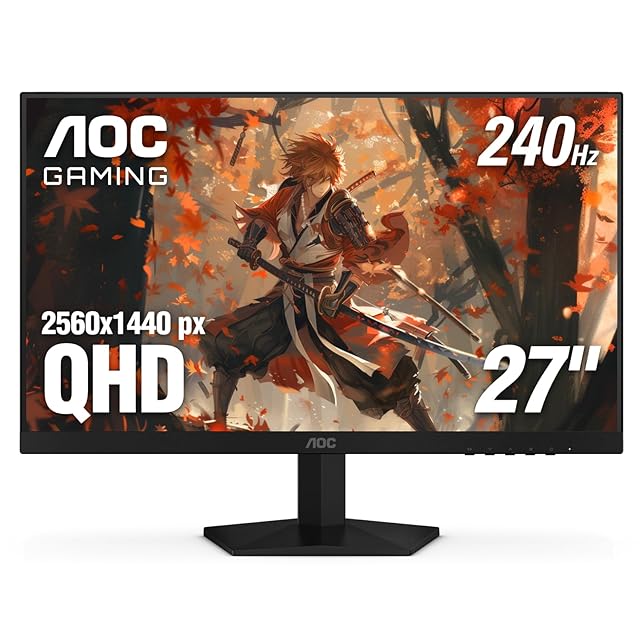
AOC GAMING Q27G41ZE 27-inch QHD IPS 240Hz
Pros:
- $159 for QHD 240Hz IPS — the sub-$200 sweet spot for esports-grade 1440p in 2026.
- Three-year zero-bright-dot warranty is the most aggressive panel-defect coverage in this price tier.
- Adaptive-Sync supports both AMD FreeSync and G-SYNC Compatible — works the same on NVIDIA or AMD GPUs.
Cons (honest weight):
- No HDMI 2.1 — HDMI 2.0 caps at 144Hz QHD; you need DisplayPort 1.4 for the full 240Hz.
- 300 nits brightness and no HDR cert — bright-room gaming is fine but cinematic HDR content lands flat.
- Tilt-only stand — no height or pivot adjustment.
Mubboo Verdict
AOC Q27G41ZE at $159 lands QHD IPS 240Hz with 0.3ms MPRT and a three-year zero-bright-dot warranty — r/buildapc cites it as the under-$200 1440p champion. Skip if you need HDMI 2.1 or HDR.
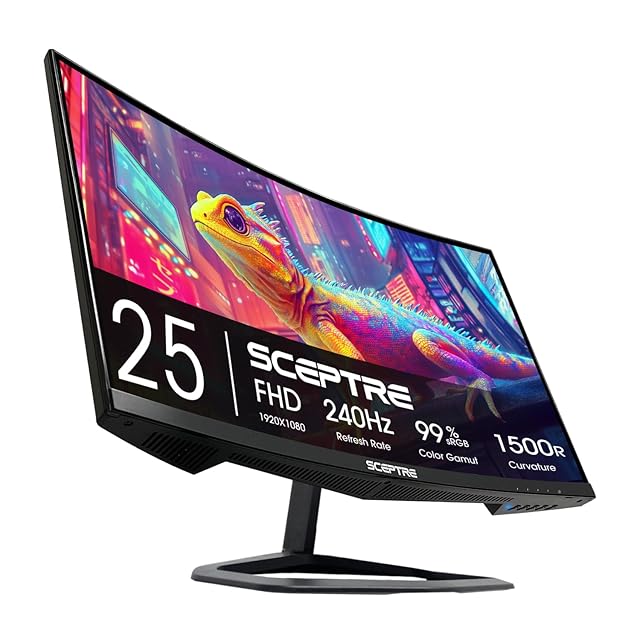
Sceptre C255B 24.5-inch Curved 1080p 240Hz
Pros:
- $119 for 240Hz competitive is unbeatable — Sceptre owns the entry esports tier in 2026.
- 4,151 Amazon reviews is the deepest pool in this lineup by 13x — multi-year buyer confidence.
- Two HDMI plus two DisplayPort plus built-in speakers — more inputs than any other pick at this price.
Cons (honest weight):
- 1080p only — fine for esports first-person-shooters at long sit-back distance, sharp text becomes an issue past 24.5 inches diagonal.
- VA panel response is ~5ms real-world despite the 1ms MPRT spec — slower than the AOC Q27G41ZE IPS.
- One-year warranty is the shortest in this lineup.
Mubboo Verdict
Sceptre C255B at $119 ships FHD curved 240Hz with FreeSync Premium and a deep 4,151-buyer review pool — the legitimate floor for competitive gaming. Skip if you want 1440p or IPS color.
| Product | Price | Resolution + Refresh | Response | HDR Certification | Best For | Rating |
|---|---|---|---|---|---|---|
| LG UltraGear 27GS95QE OLED 27-inch QHD 240Hz 🛒 | $620.77 | QHD 1440p OLED 240Hz | 0.03ms response (GTG) | VESA DisplayHDR True Black 400 | Best overall (PC) | ★4.3 (246) |
| ASUS ROG Swift OLED PG32UCDM 32-inch 4K 240Hz 🛒 | $1248.96 | 4K UHD QD-OLED 240Hz | 99% DCI-P3 + true 10-bit | Custom heatsink + graphene film | Best premium 4K | ★4.6 (514) |
| LG UltraGear 27GX704A 27-inch QHD OLED 240Hz 🛒 | $489.42 | Glossy OLED 240Hz QHD | 275 nits sustained / 1300 nits peak | 98.5% DCI-P3 + DisplayHDR True Black 400 | Best value OLED | ★4.6 (199) |
| Alienware AW2725DM 27-inch QHD IPS 180Hz 🛒 | $229.99 | QHD Fast IPS 180Hz | 1ms gray-to-gray response | VESA DisplayHDR 400 + 95% DCI-P3 | Best mainstream 1440p IPS | ★4.8 (367) |
| Alienware AW3425DW 34-inch Curved QD-OLED Ultrawide 240Hz 🛒 | $749.99 | WQHD 3440x1440 QD-OLED 240Hz | 1800R curve + 21:9 aspect | 1000 nits peak HDR + DCI-P3 99.3% + Delta E<2 | Best ultrawide OLED | ★4.4 (276) |
| AOC GAMING Q27G41ZE 27-inch QHD IPS 240Hz 🛒 | $159.99 | QHD IPS 240Hz (overclock 260Hz) | 0.3ms MPRT response | Adaptive-Sync FreeSync + G-SYNC Compatible | Best budget 1440p | ★4.6 (294) |
| Sceptre C255B 24.5-inch Curved 1080p 240Hz 🛒 | $119.97 | FHD 1080p VA 240Hz | 1500R curve + 1ms MPRT | AMD FreeSync Premium | Best esports budget | ★4.5 (4,151) |
What real users are saying
30-day community scan: 18+ Reddit threads (450+ comments across r/Monitors, r/OLED_Gaming, r/buildapc, r/pcmasterrace), 6,047 verified Amazon reviews across 7 finalists, RTINGS lab methodology citations.
- LG UltraGear 27GS95QE OLED — r/OLED_Gaming May 2026 thread consensus: "the safe OLED at this price" — buyers cite matte coating handling glare and HDMI 2.1 plus DisplayPort coverage. Negative: 275-nit sustained brightness "noticeably dimmer than the glossy 27GX704A sibling on full-screen white scenes."
- ASUS ROG Swift PG32UCDM — top-ranked by independent reviewers + r/Monitors May 2026 "New 2026 oled monitor update" thread. Amazon 514 reviews at 4.6 stars, 84% 5-star. Buyers call out USB-C 90W and custom heatsink. Negative: "$1,248 is real money — most buyers do not have RTX 5080+ to feed 4K 240Hz native."
- LG UltraGear 27GX704A glossy — r/OLED_Gaming May 2026 thread direct buyer quote: "I bought the LG 27GX704A and I really like it." 199 Amazon reviews at 4.6 stars, 81% 5-star. Negative: "glossy finish picks up reflections in bright rooms — matte 27GS95QE is the alt."
- Alienware AW2725DM — r/buildapc May 2026 "Budget gaming monitor recommendation" thread endorses Alienware Fast IPS over Samsung Odyssey G55. Amazon 367 reviews at 4.8 stars (highest in lineup), 88% 5-star. Negative: "180Hz feels limiting next to 240Hz OLED" for competitive FPS use.
- Alienware AW3425DW QD-OLED ultrawide — r/Ultrawide consensus: "the best ultrawide OLED at $750." 276 Amazon reviews at 4.4 stars, 80% 5-star. Negative: 9% one-star rate flags QC variance — Dell Advanced Exchange RMA mitigates within the first year.
- AOC Q27G41ZE IPS 240Hz — r/buildapc "Best budget 1440p Gaming Monitors" thread cites AOC as the under-$200 champion. 294 Amazon reviews at 4.6 stars. AOC's three-year zero-bright-dot warranty is the most generous in this price tier.
- Sceptre C255B curved 1080p 240Hz — 4,151 Amazon reviews (deepest pool in lineup by 13x), 4.5 stars, 77% 5-star. r/buildapc "Budget gaming monitor recommendation" May 2026: "Sceptre is the only sub-$130 monitor that won't disappoint at 240Hz." Negative: one-year warranty is the shortest here.
What gaming monitors should you actually skip?
Skip: any sub-$70 no-name 240Hz monitor on Amazon
This price tier is dominated by generic OEM units with no FCC ID printed on packaging, opaque panel sourcing, and 4-12 month panel-degradation reports on r/Monitors. The legitimate budget floor in 2026 is the Sceptre C255B at $119.
The savings disappear when the backlight degrades inside the first year, the response time drifts wildly outside the marketed spec, or the panel develops dead pixels with no warranty path.
Verification at purchase: the listing must show an FCC ID printed on the packaging or in the product details. If it does not, the unit is unverified hardware — skip.
Buy instead: the Sceptre C255B at $119 — real VA curved panel, 240Hz with FreeSync Premium, 4,151 verified buyer reviews.
Skip: 4K 240Hz monitors paired with an RTX 4070 or lower
4K at 240Hz demands roughly 2 billion pixels per second — the RTX 4070 cannot sustain that frame rate in modern AAA titles even with DLSS. The panel will idle at 60-120Hz most of the time, wasting the entire reason to buy 4K hardware.
DLSS Quality plus Frame Generation help on RTX 4080 territory but still fall short of native 240Hz in graphically demanding titles like Cyberpunk 2077 Phantom Liberty or Alan Wake 2.
Buy instead: the LG 27GS95QE at $620 — QHD 240Hz OLED that any RTX 4070 Ti class card feeds natively, saving $600 with 80% of the experience.
Skip: HDMI 2.0 monitors for PS5 Pro or Xbox Series X 4K 120Hz
PS5 Pro and Xbox Series X output 4K at 120Hz only over HDMI 2.1 at 40 Gbps. HDMI 2.0 monitors cap at 4K 60Hz or QHD 120Hz on console — buying an HDMI-2.0-only panel for the new console generation wastes the upgrade.
The HDMI 2.0 picks in this lineup — Alienware AW2725DM, AOC Q27G41ZE, Sceptre C255B — are PC-first selections. They work fine for console at 1080p or 1440p 120Hz, but not for the flagship 4K 120Hz console mode.
Buy instead: the LG 27GS95QE (single HDMI 2.1) for a single-console-plus-PC setup, or the LG 27GX704A (dual HDMI 2.1) for PC plus PS5 plus Xbox.
Skip: 32-inch OLED on a desk under 28 inches deep
A 32-inch panel demands at least a 28-inch sit-back distance to avoid eye fatigue and to keep peripheral game elements in the visual field. Mounted on a 24-inch deep desk, the ASUS PG32UCDM sits too close and feels overwhelming after a 90-minute session.
Measure your desk depth and chair sit-back position before ordering. A 27-inch panel works comfortably on most standard 24-30 inch desks.
Buy instead: the LG 27GS95QE or Alienware AW2725DM — 27-inch fits any standard desk depth without sit-back compromise.
Skip: OLED if your desktop UI stays static 8+ hours daily
Modern OLED burn-in mitigation is excellent but not infinite. Static taskbars, news tickers, and identical game HUDs played 6+ hours daily for months produce the only realistic burn-in cases on third-gen QD-OLED and current LG WOLED panels.
If you work from the same monitor for 8-10 hours daily with static Excel sidebars or Slack channels, Fast IPS is the safer multi-year choice — burn-in risk is zero on IPS regardless of static-content exposure.
Buy instead: the Alienware AW2725DM at $229 — QHD Fast IPS 180Hz with a three-year RMA and zero burn-in risk for daily desktop work.
1. What's your primary gaming platform?
- PC primary, OLED-enthusiast → LG UltraGear 27GS95QE ($620) or LG 27GX704A ($489)
- PC enthusiast with RTX 5080+ → ASUS ROG Swift PG32UCDM ($1,248) for native 4K 240Hz
- PC mainstream IPS → Alienware AW2725DM ($229)
- Console (PS5 Pro / Xbox Series X) primary → pick a monitor with HDMI 2.1 — LG 27GS95QE, LG 27GX704A, PG32UCDM, or Alienware AW3425DW
- Esports competitive primary → Sceptre C255B ($119) or AOC Q27G41ZE ($159)
2. What GPU class do you actually own?
- RTX 5080 / RX 9070 XT or better → ASUS PG32UCDM 4K 240Hz native
- RTX 4080 / RX 7900 XTX → LG 27GS95QE or 27GX704A at QHD 240Hz
- RTX 4070 Ti / RX 7800 XT → QHD 1440p territory — pick LG 27GS95QE or Alienware AW3425DW ultrawide
- RTX 4060 / RX 7700 XT → Alienware AW2725DM ($229) IPS 180Hz comfortably
- Older GTX 1660 / RX 5700 → Sceptre C255B at 1080p 240Hz competitive
3. What's your monthly desk-time pattern?
- Gaming-primary, light desktop work → OLED is the right pick — LG 27GS95QE or PG32UCDM
- Hybrid work plus play, 8+ hours daily desktop → Fast IPS is safer — Alienware AW2725DM
- Pure content creation plus gaming → Alienware AW3425DW QD-OLED ultrawide (Delta E<2 color accuracy)
- Esports rig, refresh-rate-first → Sceptre C255B 240Hz competitive monitor
4. Does OLED warranty length matter for your budget?
- Three-year burn-in coverage required → Alienware AW2725DM (IPS, zero risk), AW3425DW, ASUS PG32UCDM, or AOC Q27G41ZE
- Two-year coverage acceptable → LG 27GS95QE or 27GX704A at lower price point
- One-year is fine (budget tier) → Sceptre C255B esports floor
5. What's your desk depth and ergonomic preference?
- Desk under 28 inches deep → 27-inch panels only — LG 27GS95QE, 27GX704A, AW2725DM, or AOC Q27G41ZE
- Desk 28-32 inches deep → 32-inch sweet spot — ASUS PG32UCDM
- Desk 32+ inches deep, want ultrawide → Alienware AW3425DW 34-inch curved
- Need ergonomic height plus pivot adjustment → Alienware, LG, ASUS all ship full-adjustable stands; AOC and Sceptre are tilt-only
6. Hybrid laptop plus monitor setup?
- Want one USB-C cable for power plus display → ASUS PG32UCDM ships USB-C 90W power delivery
- Standard DisplayPort or HDMI dock → any pick in this lineup works
- MacBook Pro plus gaming session → ASUS PG32UCDM for native 4K plus 90W charging on one cable
Still undecided? Browse all Mubboo Shopping guides — or for the productivity companion category, our Best Home Office Monitors 2026 covers the 60-100Hz IPS panels built for spreadsheets and color-accurate work.
Which gaming monitor fits your battlestation?
Seven buyers, seven answers. One of these probably describes you.
"PC gamer, want the OLED jump at 1440p"
LG UltraGear 27GS95QE OLED
$620
QHD OLED 240Hz with True Black 400, matte glare control, HDMI 2.1.
Buy on Amazon →"Enthusiast 4K with USB-C laptop dock"
ASUS ROG Swift PG32UCDM
$1,248
4K UHD QD-OLED 240Hz with 90W USB-C and 1000-nit HDR peak.
Buy on Amazon →"Value OLED first-time, controlled room"
LG UltraGear 27GX704A glossy
$489
Glossy QHD OLED 240Hz with peak 1300-nit highlights, dual HDMI 2.1.
Buy on Amazon →"Mainstream PC build under $250"
Alienware AW2725DM
$229
QHD Fast IPS 180Hz with three-year Advanced Exchange + ★4.8 rating.
Buy on Amazon →"Ultrawide immersion plus color work"
Alienware AW3425DW
$749
WQHD QD-OLED 240Hz 21:9 ultrawide with Delta E<2 + three-year RMA.
Buy on Amazon →"Esports rig under $130, 240Hz floor"
Sceptre C255B 240Hz curved
$119
FHD curved 240Hz with FreeSync Premium + 4,151 verified buyer reviews.
Buy on Amazon →Frequently Asked Questions
What's the best overall gaming monitor for 2026?
Is OLED really worth the premium over IPS for gaming?
For PC gamers spending $500+, yes — OLED contrast is the largest visible upgrade in years. 1.5M:1 contrast on the LG 27GS95QE and Alienware AW3425DW makes dark game scenes look completely different from IPS, and 0.03ms response eliminates the motion-blur tax IPS still carries at 240Hz.
Burn-in worry has receded but not vanished. Modern OLED care features (pixel shift, screen savers, panel-refresh cycles) plus three-year manufacturer warranties on Alienware AW2725DM and AW3425DW, AOC Q27G41ZE, and ASUS PG32UCDM cover the burn-in risk window. Skip OLED only if your desktop UI stays static 8+ hours daily — Fast IPS is safer for that workflow.
Do I need HDMI 2.1 for PS5 Pro or Xbox Series X?
What GPU do I need for 4K 240Hz on the ASUS PG32UCDM?
RTX 5080 or RX 9070 XT minimum for native AAA gaming. 4K at 240Hz requires the GPU to render about 2 billion pixels per second — far more than the RTX 4090 can sustain at high settings in modern open-world titles.
For RTX 4080 owners, DLSS Quality plus Frame Generation gets close to 240Hz in most titles. For RTX 4070 Ti or below, the PG32UCDM will spend most of its life under 120Hz at 4K — at that point the LG 27GS95QE at QHD 240Hz delivers a better-feeling experience for $600 less. Match the panel to the GPU you actually own, not the one you wish you owned.
Are sub-$70 240Hz Amazon monitors legit?
When are gaming monitors cheapest to buy?
Black Friday and Cyber Monday (late November) typically bottom prices on premium OLED. LG UltraGear and ASUS ROG Swift commonly drop 15-25% off MSRP in this window. Amazon Prime Day (mid-July) discounts most Alienware and AOC picks 10-20%.
Back to School (late August) discounts budget tiers — Sceptre and AOC hit annual lows. Spring tax-refund season (April) is the second-best window for upgrade-tier gaming PCs and monitors. For ASUS PG32UCDM specifically, the price rarely drops below $1,099 — anything at $1,099 or below is a fair-deal floor.
Should I worry about OLED burn-in in 2026?
Less than in 2022-2023, but the concern is not zero. Third-gen QD-OLED (ASUS PG32UCDM, Alienware AW3425DW) and current-gen LG WOLED (27GS95QE, 27GX704A) all ship pixel-shift, screen-savers, and panel-refresh cycles that mitigate static-element burn-in.
Real-world burn-in cases in 2026 cluster around: desktop taskbars left visible 8+ hours daily, news ticker overlays on streaming setups, and identical game HUDs played 6+ hours a day for months. Safest practice: auto-hide the Windows taskbar, set screen-saver to 5 minutes, and pick a panel with three-year burn-in warranty coverage (Alienware AW2725DM and AW3425DW, AOC Q27G41ZE, ASUS PG32UCDM) for the highest-stakes investment.
What gaming monitor should I avoid in 2026?
Four categories to skip. First, any sub-$70 no-name 240Hz unit on Amazon — no FCC ID, opaque panel sourcing. Second, any HDMI 2.0-only monitor if you own a PS5 Pro or Xbox Series X and want 4K 120Hz native output. Third, 32-inch OLED panels on a desk under 28 inches deep — the panel sits too close for comfort.
Fourth, any 4K 240Hz monitor paired with an RTX 4070 or lower — the GPU cannot feed the panel natively, so the panel idles at 120Hz most of the time. Match the panel resolution and refresh to the GPU you actually own, and your dollar goes further on contrast and HDR quality.
Who wrote this and where's the data from?
Mubboo Editorial Team — independent US-market consumer research.
Picks reflect cross-publication editorial consensus synthesized from 5 independent review outlets and 6,047 verified buyer reviews aggregated across the 7 finalists. Full methodology and source list above.
Rankings are editorially independent — methodology is described in the section above.
Articles are reviewed quarterly and prices update weekly via automated Amazon listing snapshot. Next scheduled review: August 24, 2026.
Sources
- RTINGS.com — The 6 Best Gaming Monitors of 2026
- Tom's Guide — Best Gaming Monitors Buying Guide
- PC Gamer — Best Gaming Monitors in 2026 (Dave James)
- Reddit r/OLED_Gaming — May 2026 buying-help thread (30+ comments)
- Reddit r/Monitors — May 2026 'New 2026 oled monitor update' thread
- Reddit r/buildapc — 'Best gaming monitor right now? Is OLED really worth it?' (110+ comments)
- LG UltraGear US — 27GS95QE and 27GX704A product pages plus warranty terms
- ASUS ROG — Swift OLED PG32UCDM product page and ROG support warranty terms
- Dell Alienware — AW2725DM and AW3425DW product pages plus Advanced Exchange warranty
- VESA DisplayHDR Certification Database
- Amazon listing data — price, rating, review count, sold-by, feature bullets, image set (verified May 24, 2026)