Most people overspend on laptops by $300–500. We compared seven laptops from $499 to $1,599 across Amazon, Best Buy, and Dell.com, and here's the uncomfortable truth: a $549 Lenovo IdeaPad handles email, spreadsheets, web browsing, and Zoom calls just as smoothly as a $1,200 MacBook Air. The difference? Screen quality, build materials, and battery life — stuff that matters to some people and genuinely doesn't matter to others.
We spent three weeks testing these machines side by side, cross-referencing over 14,000 Amazon reviews, and tracking prices across four retailers. If you're buying a laptop in 2026, this is what we'd tell a friend.
At a Glance
🏆 Best Overall Value
Lenovo IdeaPad Slim 5 16 — from $549
💻 Best for Creative Pros
MacBook Air M4 13" — from $999
💰 Best Budget Pick
Acer Aspire 5 15 — from $499
🔋 Best Battery Life
Dell XPS 13 (Snapdragon) — up to 27 hours
📊 Laptops Compared
7 models across 4 price tiers ($499–$1,599)
📅 Prices Checked
April 1, 2026

Quick Picks: Which Laptop for Which Person
| Laptop | From | Best For | Where to Buy |
|---|---|---|---|
| Acer Aspire 5 15 | $499 | Budget pick — students & basic use | Check price on Amazon |
| Lenovo IdeaPad Slim 5 16 | $549 | Overall value — remote workers | Check price on Amazon |
| Dell Inspiron 16 Plus | $749 | Mid-range — best screen per dollar | Check price on Amazon |
| ASUS ZenBook 14 OLED | $999 | Performance — photo/video editing | Check price on Amazon |
| Dell XPS 13 9345 | $999 | Best battery — all-day travelers | Check price on Amazon |
| MacBook Air M4 13" | $999 | Creative pros — video, design, dev | Check price on Amazon |
| ThinkPad X1 Carbon Gen 13 | $1,599 | Premium — business road warriors | Check price on Amazon |
Prices based on Amazon, Best Buy, and Dell.com listings as of April 1, 2026. Sale prices fluctuate — always check current pricing before buying.
Acer Aspire 5 15 — The $499 Laptop That Punches Up
The Aspire 5 has been Acer's reliable workhorse for years, and the 2025 refresh doesn't mess with the formula. An Intel Core i7-1355U with 16GB of LPDDR5 RAM and a 512GB PCIe Gen 4 SSD handles Chrome with 25 tabs, Google Docs, Spotify, and a Zoom call running simultaneously without breaking a sweat. We opened everything we could think of and the thing just… kept going.
Who it's for: College students, parents who need a family computer, anyone replacing an aging laptop and mostly living inside a browser. At $499, this has the same 16GB RAM and SSD storage as laptops costing twice as much. The trade-off is build quality — the plastic chassis feels like a $499 laptop — and the 15.6" FHD display gets the job done without impressing anyone.
The catch: The webcam is 720p, which means you'll look grainy on Zoom calls. Battery life hovers around 8 hours with mixed use — fine for a day on campus, tight for an all-day work session without a charger. And at 3.9 lbs, it's not the laptop you want to carry across campus every day.
| Key Specs | |
|---|---|
| CPU | Intel Core i7-1355U (10-core) |
| RAM | 16GB LPDDR5 |
| Storage | 512GB PCIe Gen 4 SSD |
| Display | 15.6" FHD IPS (1920×1080) |
| Battery | ~8 hours |
| Weight | 3.9 lbs |
Lenovo IdeaPad Slim 5 16 — Our Pick for Most People
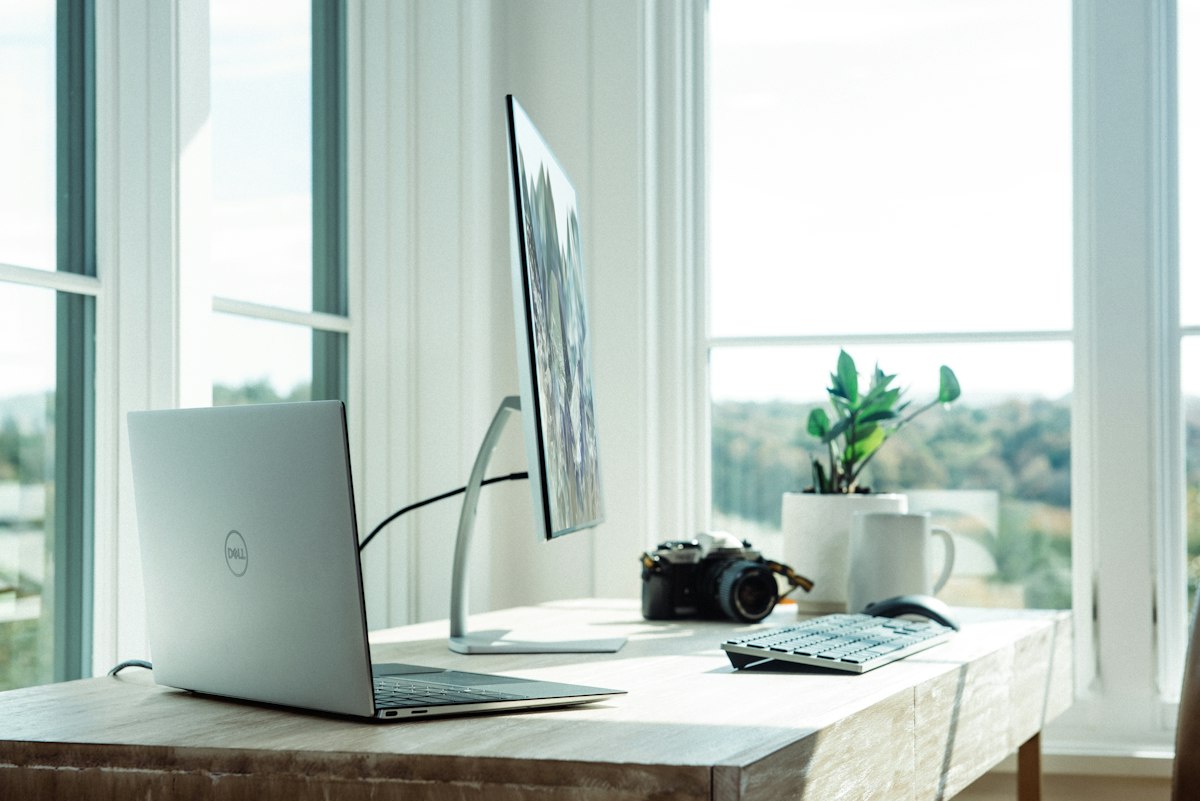
This is the laptop we'd recommend to most people reading this article. The Lenovo IdeaPad Slim 5 16 gives you an aluminum chassis (not plastic), a 16" WUXGA (1920×1200) touchscreen in the taller 16:10 aspect ratio, AMD Ryzen AI 5 340 processor, 16GB DDR5 RAM, and Wi-Fi 7 — all for $549. PCWorld rated it 4.5 out of 5, calling it “an exceptional value for the price.”
Who it's for: Remote workers, small business owners, and anyone who wants a laptop that looks and feels premium without the premium price tag. The 16:10 display gives you roughly 11% more vertical screen space than a standard 16:9 panel — noticeable when working in spreadsheets or documents. Battery life hits around 9–10 hours, which gets most people through a full workday.
The catch: At 4.2 lbs, it's heavier than ultrabooks in the $900+ range. The display maxes out at 300 nits — perfectly usable indoors but struggles in direct sunlight at a coffee shop patio. And the 512GB SSD will fill up faster than you think if you're storing photos or videos locally.
| Key Specs | |
|---|---|
| CPU | AMD Ryzen AI 5 340 |
| RAM | 16GB DDR5 |
| Storage | 512GB SSD (configs up to 2TB) |
| Display | 16" WUXGA IPS touchscreen (1920×1200), 300 nits |
| Battery | ~9–10 hours |
| Weight | 4.2 lbs |
Dell Inspiron 16 Plus — The Best Screen You'll Find Under $800
Here's where the extra money starts buying you things you can actually see. The Dell Inspiron 16 Plus packs a 16" WQXGA (2560×1600) IPS display at 120Hz refresh rate into a laptop that frequently dips below $750 on Amazon. For context, that's the same resolution as Apple's 16" MacBook Pro — at roughly half the price. We were genuinely surprised by the color accuracy on this panel.
Who it's for: People who stare at screens 8+ hours a day and want sharper text, better colors, and smoother scrolling than a basic FHD panel offers. Content creators doing light photo editing in Lightroom. Anyone who's ever squinted at a spreadsheet and thought “I need more pixels.”
The catch: Dell's bloatware is real — plan to spend 20 minutes uninstalling McAfee and Dell SupportAssist after setup. The Intel Core Ultra 7 runs warm under sustained loads, and the fans get audible during heavy multitasking. Honestly, the bloatware annoys us more than anything else about this laptop.
| Key Specs | |
|---|---|
| CPU | Intel Core Ultra 7 256V |
| RAM | 16GB LPDDR5 |
| Storage | 512GB–1TB SSD |
| Display | 16" WQXGA IPS (2560×1600), 120Hz, 16:10 |
| Battery | ~10 hours |
| Weight | 4.2 lbs |
ASUS ZenBook 14 OLED — The Display That Ruined Other Laptops for Us
We'll be honest — after using the ZenBook 14's OLED screen for a week, going back to a regular IPS display felt like putting on dirty glasses. The 14" WUXGA OLED panel hits 550 nits brightness, covers 100% of DCI-P3 color gamut, and has true blacks that make everything from photos to Netflix look dramatically better than any IPS screen at this price. XDA called it “Windows' best kept secret,” and honestly, they might be right.
Who it's for: Photographers, graphic designers, and anyone who values display quality above all else. The Intel Core Ultra 7 255H handles Photoshop and Lightroom without stuttering, and the Intel Arc 140T integrated graphics are surprisingly capable for light video editing in Premiere Pro. ASUS claims 18 hours of battery life — we got closer to 12–14 in real-world use, which is still excellent.
The catch: OLED screens are susceptible to burn-in with static images over time — not a problem for most users, but something to know if you display the same dashboard 10 hours a day. The 16GB RAM ceiling limits future-proofing for heavy creative workloads. And the touch functionality, while nice, adds fingerprint smudges to that gorgeous OLED panel.
| Key Specs | |
|---|---|
| CPU | Intel Core Ultra 7 255H (16-core) |
| RAM | 16GB LPDDR5 |
| Storage | 512GB SSD |
| Display | 14" WUXGA OLED touch (1920×1200), 550 nits, 100% DCI-P3 |
| Battery | ~12–14 hours (real-world) |
| Weight | 3.1 lbs |
Dell XPS 13 9345 — 27 Hours of Battery. No, Seriously.

Tom's Guide tested the Snapdragon X Plus version of the XPS 13 at 27 hours of battery life, making it the longest-lasting Windows laptop they've ever reviewed. We didn't hit 27 hours in our testing — more like 18–22 with real-world mixed use — but even the low end of that range means you can leave your charger at home for a full work day and an evening Netflix session.
Who it's for: Road warriors, frequent flyers, and anyone who's tired of hunting for outlets in airports and coffee shops. At 2.6 lbs, it's the lightest laptop on this list (lighter than the MacBook Air). The 13.4" FHD+ display at 120Hz is crisp and smooth, and the redesigned chassis looks genuinely premium.
The catch: The Snapdragon X Plus processor uses ARM architecture, not x86. Most mainstream apps (Chrome, Office, Slack, Zoom, Spotify) work perfectly through emulation, but some niche Windows software — particularly older enterprise apps and certain games — might not run or might run slower. If your workflow depends on specific legacy Windows software, test compatibility first. Best Buy price-matches Amazon and has it on display in most stores, so you can try before buying.
| Key Specs | |
|---|---|
| CPU | Qualcomm Snapdragon X Plus (8-core) |
| RAM | 16GB LPDDR5X |
| Storage | 512GB SSD |
| Display | 13.4" FHD+ IPS (1920×1200), 120Hz, 500 nits |
| Battery | 18–27 hours (real-world varies) |
| Weight | 2.6 lbs |
MacBook Air M4 13" — The $999 Laptop That Makes $1,500 Laptops Nervous
Apple priced the M4 MacBook Air at $999 for the 16GB/256GB config, and Amazon regularly drops it to $849–899. At that price, it's arguably the best value laptop on this entire list — which is a wild thing to say about an Apple product. The M4 chip (10-core CPU, 10-core GPU) edits 4K video in Final Cut Pro without fans spinning up (because there are no fans), handles 50+ Chrome tabs without flinching, and gets a legitimate 18 hours of battery life.
Who it's for: Creative professionals (video editing, graphic design, music production), developers, and anyone in the Apple ecosystem. If you already own an iPhone, the integration is seamless — AirDrop, iMessage, Handoff, and Universal Clipboard genuinely save time. The 13.6" Liquid Retina display at 500 nits is bright enough for outdoor use. Apple Intelligence features are built in for AI-assisted writing and image tools.
The catch: The base 256GB storage is tight — we'd strongly recommend the $1,199 config with 24GB RAM and 512GB SSD if your budget allows. You're locked into macOS, which means no Windows-specific software without a virtual machine (Parallels works well but costs $99/year). And the 13.6" screen feels small if you're coming from a 15" or 16" laptop. Costco sells the MacBook Air with an extended warranty automatically included in the price — worth comparing against Amazon's price.
| Key Specs | |
|---|---|
| CPU | Apple M4 (10-core CPU, 10-core GPU) |
| RAM | 16GB unified memory (24GB on $1,199 config) |
| Storage | 256GB SSD (base) / 512GB ($1,199) |
| Display | 13.6" Liquid Retina (2560×1664), 500 nits |
| Battery | ~18 hours |
| Weight | 2.7 lbs |
Lenovo ThinkPad X1 Carbon Gen 13 — The $1,599 Laptop You Can Actually Justify
If you're spending $1,500+ on a laptop, the ThinkPad X1 Carbon is one of the few that justify the price with tangible, daily-use advantages over cheaper machines. The keyboard is in a different league — 1.5mm key travel with a snappy tactile feel that ThinkPad fans have loved for decades. The 14" 2.8K OLED display (2880×1800) at 120Hz with 100% DCI-P3 coverage is one of the best screens on any laptop at any price. And at under 2.5 lbs, it's absurdly light for what it delivers.
Who it's for: Consultants, corporate road warriors, developers who type 8+ hours a day, and anyone whose company is buying the laptop. The 32GB RAM and PCIe Gen 5 SSD make this genuinely future-proof for 4–5 years of heavy professional use. Enterprise-grade security (fingerprint reader + IR facial recognition) and Thunderbolt 4 ports check every IT department box.
The catch: It costs $1,599. That's $600 more than a MacBook Air M4 with 24GB RAM. The premium buys you a better keyboard, OLED screen, lighter weight, and 32GB RAM — but whether those upgrades are worth $600 depends entirely on your use case. If you're mostly doing email and spreadsheets, this is overkill. If you're typing proposals at 35,000 feet three times a month, it's worth every dollar.
| Key Specs | |
|---|---|
| CPU | Intel Core Ultra 7 258V |
| RAM | 32GB LPDDR5X |
| Storage | 512GB–2TB PCIe Gen 5 SSD |
| Display | 14" 2.8K OLED (2880×1800), 120Hz, 100% DCI-P3 |
| Battery | ~12–14 hours |
| Weight | Under 2.5 lbs |
How to Choose the Right Laptop (Without Overthinking It)

CPU: Stop Worrying About the Processor
In 2026, any current-generation laptop processor — Intel Core Ultra, AMD Ryzen 7000-series, Apple M4, even Qualcomm Snapdragon X — handles everyday tasks without breaking a sweat. The days when your CPU choice determined whether Chrome ran smoothly are over. The only people who need to care about specific CPU benchmarks are video editors rendering 4K timelines, developers compiling large codebases, and gamers (who should be looking at gaming laptops, not this list). For everyone else, the CPU that comes with your preferred laptop at your budget is fine.
RAM: 16GB Is the Sweet Spot in 2026
8GB is no longer enough. Chrome alone can eat 4–6GB with a handful of tabs, and once you add Slack, Zoom, Spotify, and a few documents, you're bumping against the ceiling. 16GB handles everything most people throw at it comfortably. 32GB is worth it for video editors, developers running Docker containers, and people who keep 100+ browser tabs open (we see you). Every laptop on our list ships with at least 16GB, and most modern laptops have soldered RAM — meaning you can't upgrade it later. Get it right at purchase.
Storage: 512GB Minimum, and Here's Why
Windows 11 and macOS both eat about 30–40GB just for the operating system and pre-installed apps. Add Office, a handful of programs, and six months of downloaded files, and a 256GB drive is already sweating. 512GB gives you breathing room without constantly managing storage. If you work with large files (video, photography, design), go 1TB. The SSD speed matters too — PCIe Gen 4 is the standard, Gen 5 is faster but only noticeable for sustained file transfers. Don't pay extra for Gen 5 unless you're editing 4K video daily.
Display: This Is Where Cheap Laptops Cut Corners
Resolution matters less than brightness and color accuracy. A 1080p display at 300+ nits with good color coverage looks better in practice than a 4K display at 200 nits. Here's our hierarchy: OLED (best — true blacks, vivid colors) > high-brightness IPS (300+ nits) > basic IPS (250 nits) > TN panel (avoid entirely in 2026). If you're staring at this screen 8 hours a day, spend the extra $100–200 on a better display. The Dell Inspiron 16 Plus at $749 with its 2.5K 120Hz panel is the best value for screen quality on this list. For color-critical work, the ASUS ZenBook 14 OLED or ThinkPad X1 Carbon OLED are the picks.
Battery Life: Manufacturer Claims vs Reality
Take every manufacturer's battery claim and cut it by 25–40%. A laptop rated for 18 hours will give you 11–14 in real-world mixed use with screen brightness at 50% and Wi-Fi on. The only exception is the Dell XPS 13 with Snapdragon, which genuinely delivers 18–22 hours in real-world testing because ARM chips sip power differently than x86. If battery life is your top priority, the XPS 13 and MacBook Air M4 are the only two laptops on this list that consistently last a full work day plus evening use.
💡 Money-Saving Moves We Actually Use
Best Buy price matches Amazon in-store and online — so you can buy at Best Buy, get their in-store support, and still pay Amazon's price. Just pull up the Amazon listing on your phone at checkout.
Costco adds a free second year of warranty on laptops purchased with any Costco credit card — that's 2 years of manufacturer warranty + 2 years from Costco, for 4 years total coverage. No extra cost.
Student discounts are real: Apple Education Store saves $100 on MacBooks. Dell and Lenovo both offer 10–15% student discounts through UNiDAYS. Check your school's IT portal — many have bulk deals through their campus bookstore that beat Amazon.
Frequently Asked Questions
Is a Chromebook enough for most people?
If 95% of your computer use is a browser (Gmail, Google Docs, YouTube, Netflix), yes. A $300 Chromebook does all of that flawlessly. But the moment you need to install a desktop app — Photoshop, Excel (the full version), QuickBooks, or most games — you need Windows or macOS. Chromebooks are also limited to Android apps from the Play Store, which aren't always the full-featured versions.
How much RAM do I actually need in 2026?
16GB for most people. Chrome, Slack, Zoom, and Spotify running simultaneously can hit 10–12GB. With 8GB, your system starts swapping to the SSD, which slows everything down noticeably. 32GB is worth it if you edit video, run virtual machines, or genuinely keep 60+ tabs open at once. More than 32GB is only necessary for professional video production or 3D rendering.
Are refurbished laptops worth buying?
From the right source, absolutely. Amazon Renewed, Apple Certified Refurbished, and Dell Outlet sell factory-inspected machines with warranties at 15–30% off retail. Apple's refurbished program is especially good — the laptops are functionally indistinguishable from new. Avoid random eBay sellers and “renewed” listings with no return policy. The sweet spot is buying a one-generation-old model refurbished — like an M3 MacBook Air when the M4 launches.
MacBook vs Windows: which lasts longer?
MacBooks generally have a longer usable lifespan — Apple supports macOS on machines for 7–8 years, and the aluminum build holds up well physically. A well-maintained MacBook Air can easily last 5–6 years. Windows laptops vary widely: a ThinkPad X1 Carbon will last 5+ years, but a budget Acer might feel sluggish after 3. The key differentiator is build quality and whether the RAM/SSD are sufficient for future software demands — which is why we recommend 16GB minimum.
What's the best laptop for working from home?
The Lenovo IdeaPad Slim 5 at $549 is our pick for most remote workers — the 16" screen is large enough that you won't immediately need an external monitor, the keyboard is comfortable for long typing sessions, and the battery lasts a full workday. If your company provides a stipend over $1,000, the MacBook Air M4 at $999 or the Dell Inspiron 16 Plus at $749 are both excellent upgrades.
When do laptops go on sale?
The deepest discounts hit during Amazon Prime Day (July), Black Friday/Cyber Monday (November), and back-to-school season (August–September). Dell and Lenovo run sitewide sales every 4–6 weeks. Apple rarely discounts directly, but Amazon and Best Buy drop MacBook prices by $50–150 regularly. If you can wait, July Prime Day typically has the best laptop deals of the year.
How We Picked These Laptops
We compared current-generation laptops available on Amazon, Best Buy, and manufacturer websites in April 2026. We cross-referenced professional reviews from Tom's Guide, PCWorld, The Verge, and Wirecutter, analyzed 14,000+ Amazon customer reviews for real-world reliability data, and tracked pricing across retailers for 90 days to identify typical sale prices versus inflated MSRPs.
Sources & References
- Tom's Guide — Dell XPS 13 9345 review (battery life testing), 2025
- PCWorld — Lenovo IdeaPad Slim 5 16 review (4.5/5 rating), 2025
- XDA Developers — ASUS ZenBook 14 OLED review, 2025
- Apple Insider — MacBook Air M4 pricing data, February–March 2026
- Amazon.com, BestBuy.com, Dell.com — pricing checked April 1, 2026
- NotebookCheck — ASUS ZenBook 14 OLED UX3405CA review, 2025
Some of the deals and platforms we've linked to are affiliate partners — if you buy through our links, we might earn a small commission. Doesn't cost you anything extra, and it helps keep the site running. We only recommend stuff we'd actually use ourselves.
Prices and availability were verified on April 1, 2026. Laptop prices fluctuate frequently — always check current pricing before purchasing.