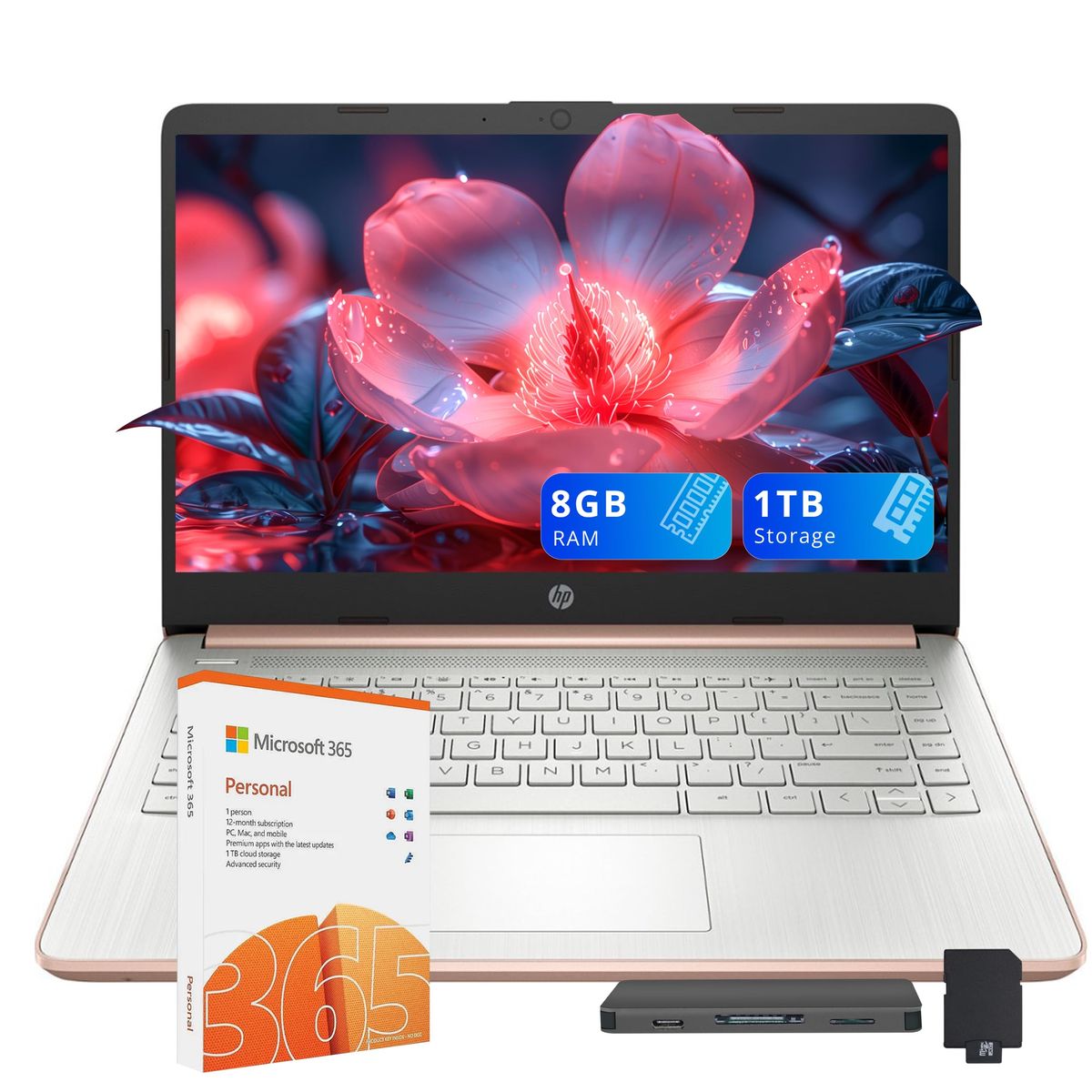
The Digital Nomad's 8-Piece Kit: Work from Anywhere Without Sacrificing Comfort
A carefully curated, travel-ready workspace that fits in a backpack and starts at under $800.
Total cost ranges from roughly at the entry level to under $3,000 for a premium setup. Buy the laptop first—the HP Stream 14 handles everyday tasks on a dime—and add noise-cancelling headphones, a portable charger, and an ergonomic stand. Wait on peripherals like mice and webcams until you've settled into a rhythm.
At a glance
Total budget
$800 – $3,000
Categories
8
Timeline
Plan 2–4 weeks ahead
Best for
Remote workers and digital nomads who need a portable, efficient workspace
Products analyzed
24
Build your personalized list
Answer 3quick questions and we’ll tailor the list and total to you.
What's your total budget?
Who are you shopping for?
What matters most to you?
What to buy first
Day 1
- Laptops
- Headphones
- Wireless Earbuds
Week 1
- Power Banks
- Laptop Stands
- Keyboards
Can wait
- Mice
- Webcams
Our picks by category
Laptops
Your laptop is the central nervous system of your remote office—skip the cheap Chromebook for a full Windows 11 machine with ample storage. A solid-state drive and 8GB of RAM let you video conference, compile code, and run Slack without stuttering, even on spotty Wi-Fi. Look for an HDMI port to connect to hotel TVs and a webcam that makes you look professional, not like a potato.
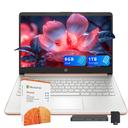
HP Stream 14″ HD Busines Laptops, Intel Celeron Processor, 8GB RAM, 1TB Storage (64GB eMMC + 1TB Docking Station Set), Intel UHD Graphics, 720p Webcam, WiFi, HDMI, Win 11, Gold
A full Windows 11 laptop with 8GB RAM and 1TB total storage—3,000+ reviews give it 4.3 stars for reliability.
Buy on Amazon
HP Chromebook 14 Laptop
The bare-minimum Chromebook for Google Workspace; 2,977 users rate it 4.3 stars for simplicity.
Buy on AmazonHeadphones
Open-plan cafés and screaming kids on a flight kill focus—active noise cancellation is your sanity saver, not a luxury. Over-ear models with 40+ hour battery outlast typical workdays, and a transparency mode lets you order a latte without removing them. The Soundcore Q30 delivers deep bass and multi-device pairing at a price that won't make you cry if they get crushed in a bag.

Soundcore Life Q30 Hybrid Active Noise Cancelling Headphones
Hybrid ANC and 40-hour battery in a sub-$60 package—95,000+ buyers score it 4.4/5.
Buy on Amazon
Soundcore by Anker Q20i Hybrid Active Noise Cancelling Headphones
The Q20i strips out multi-device pairing but keeps strong ANC; 65,000+ reviews at 4.6 stars.
Buy on AmazonWireless Earbuds
For quick calls, podcasts, or stealth listening during a co-working nap, pocketable earbuds beat bulky headphones. The TOZO T6 pair seamlessly with any Bluetooth device, offer 6 hours of playback, and the case recharges wirelessly—perfect for slipping into a carry-on. They're so cheap you can keep a backup pair taped inside your laptop sleeve.
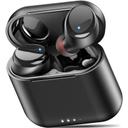
TOZO T6 Wireless Earbuds Bluetooth 5.3 Stereo Sound in Ear Headphones
True wireless earbuds with 6-hour playtime and a charging case—225,000+ users give 4.4 stars.
Buy on AmazonPower Banks
Dead batteries are the enemy of productivity—a slim power bank with 45W USB-C Power Delivery can rescue your phone and even top off a laptop. The INIU model pushes enough juice to refill a MacBook Air halfway, yet weighs under half a pound. Always buy one with a built-in cable so you never hunt for cords at the bottom of your backpack.
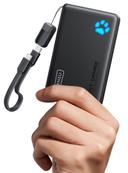
INIU 45W 10,000mAh Power Bank with Detachable Cable
45W USB-C PD with built-in cable; 80,000+ reviews and 4.5 stars for no-fuss travel charging.
Buy on Amazon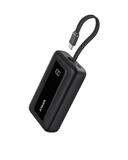
Anker Portable Charger, 10,000mAh 30W Power Bank, USB-C in and Out Fast Charging Battery Pack, Travel Essential Phone Power Bank, for iPhone 17/16, Galaxy and More (Black, 10000.00, Milliamp Hours)
Slim Anker with 30W output and a digital display; 24,700 reviewers rate it 4.5 stars.
Buy on AmazonLaptop Stands
Slouching over a laptop for ten hours a week will turn your neck into a question mark—a portable stand lifts the screen to eye level and keeps the chassis cool. The Nulaxy aluminum stand folds flat to the thickness of a few magazines, weighs less than a pound, and props up anything from an 11-inch Air to a chunky 16-inch workstation. Your chiropractor will thank you.
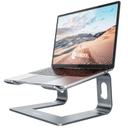
Nulaxy All-Aluminum Laptop Stand for Desk, Ergonomic Detachable Ventilated Cooling Computer Riser, Anti-Slip Design Notebook Holder Compatible with All 10-16" Laptops (MacBook, Dell XPS, HP, Lenovo)
4.8 stars from 36,000+ nomads; all-metal build, folds flat, fits 10-16" laptops.
Buy on AmazonKeyboards
Laptop keyboards are fine for short bursts, but for coding marathons or writing that novel, a mechanical keyboard with tactile switches reduces finger fatigue. The Redragon K552 is compact (87 keys), fits in a backpack, and uses durable red switches that won't annoy everyone in a shared space. Pair it with a soft case and you'll type faster and quieter than on a built-in keyboard.
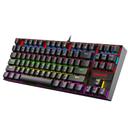
Redragon K552 Mechanical Gaming Keyboard, 87-Key Compact, LED Gaming Keyboard with Red Switches, Anti-Ghosting, Metal Frame for PC Gaming & Typing, Beginner-Friendly (Black)
Tenkeyless mechanical with quiet red switches; 51,500+ users rate it 4.5 stars.
Buy on AmazonMice
A wireless mouse is a small upgrade that pays off in speed—dragging a trackpad for hours slows you down. The TECKNET ergonomic mouse costs less than a burrito, lasts months on a single AA, and connects with a mini USB receiver that lives in the battery compartment. It's so cheap there's no excuse not to carry one.
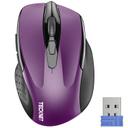
TECKNET Wireless Mouse, 2.4G Ergonomic Optical Mouse
Basic 2.4GHz wireless mouse with 4.5 stars from 77,900+ users; it just works.
Buy on AmazonWebcams
Built-in laptop webcams are notoriously potato-quality, especially in low light—a 1080p external webcam with autofocus makes you look crisp during client calls. The NexiGo N60 clips to any screen, rotates 360°, and includes a physical privacy shutter to block hackers. Even if your laptop camera is acceptable, this is the one peripheral that screams 'I take this seriously'.
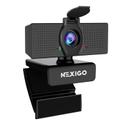
NexiGo N60 1080P Webcam with Microphone, Software Control & Privacy Cover, USB HD Computer Web Camera, Plug and Play, for Zoom/Skype/Teams, Conferencing and Video Calling
1080p with autofocus and privacy cover; 52,400+ reviewers give it 4.3 stars.
Buy on AmazonYour Complete Shopping List at a Glance
Budget breakdown
| Category | Budget | Mid-Range | Comfort |
|---|---|---|---|
| Laptops | $201 | $329 | $526 |
| Headphones | $45 | $56 | $90 |
| Wireless Earbuds | $14 | $20 | $32 |
| Power Banks | $22 | $24 | $38 |
| Laptop Stands | $12 | $17 | $27 |
| Keyboards | $26 | $37 | $59 |
| Mice | $7 | $10 | $16 |
| Webcams | $20 | $28 | $45 |
| Total | $347 | $521 | $833 |
Tips & common mistakes
💡 Buy a universal travel adapter with USB-C ports.
Multi-port adapters that support 65W PD let you charge your laptop, phone, and watch from a single outlet in any country, avoiding the tangled mess of separate converters.
💡 Invest in a quality backpack with a padded laptop compartment.
A bag that opens flat like a suitcase speeds up security checks, and waterproof zippers protect your gear during monsoon season in Southeast Asia.
💡 Set up a cloud backup before you leave.
Automatic backups to Google Drive or iCloud spare you from disaster if your laptop is stolen or dropped in a puddle—recovery is one click away.
💡 Test your entire rig in a coffee shop for a full day before you travel.
Wearing headphones for eight hours reveals comfort flaws, and a dimly lit café will expose if your webcam struggles in low light.
💡 Carry a spare USB-C cable and a tiny microfiber cloth.
Cables fray at the worst times, and dusty screens look unprofessional—a second cable and a quick wipe keep you running and visible.
⚠️ Buying the cheapest laptop without enough RAM.
A Chromebook with 4GB wheezes under multiple tabs and video calls, forcing you to replace it mid-trip at a premium.
⚠️ Skipping noise-cancelling headphones to 'save space'.
You'll endure screaming toddlers and espresso machines, slashing focus and making calls unintelligible.
⚠️ Packing a heavy mechanical keyboard without checking weight.
A 3-pound board adds bulk and could push your carry-on over the limit—ultralight switches exist.
⚠️ Assuming every co-working space has a spare outlet.
Popular cafés and older buildings often have limited plugs; without a power bank, you're out of luck by noon.
Frequently asked questions
What's the one thing I absolutely must buy first?
Your laptop. It's the hub of your entire setup—choose a lightweight Windows machine with at least 8GB RAM and a full HD screen. Pair it with a protective sleeve and a cloud backup routine before you even think about accessories. The HP Stream 14 balances price and performance; hold off on external monitors until you know your work pattern.
How much should I budget for a complete digital nomad setup?
A solid entry-level kit runs under $800—that gets you a reliable laptop, ANC headphones, a power bank, and a stand. Stepping up to $1,500 adds a mechanical keyboard, a high-quality webcam, and a better bag. The comfort tier includes a premium ultrabook, flagship headphones, and a portable monitor, but most remote workers thrive in the mid-range.
Can I really work productively from a coffee shop or a beach?
Yes, but only with the right gear. Noise-cancelling headphones block ambient chatter, a laptop stand prevents neck strain, and a fast-charging power bank keeps you untethered from wall outlets. Bright sunlight might wash out your screen, so a matte screen protector helps. For video calls, a 1080p external webcam with autofocus makes you look professional even in a dim café.
Do I need a portable monitor?
Most nomads can start without one. A second screen is helpful for spreadsheet-heavy tasks, but cost and fragility often outweigh the benefit when you're moving every few days. Test your workflow on a single screen first; if you find yourself constantly tab-switching, only then consider a lightweight 15-inch USB-C monitor that weighs under two pounds.
What's the best way to keep everything charged on the go?
A power bank with 45W USB-C Power Delivery and a built-in cable is your lifeline—it tops off both phone and laptop. Pair it with a multi-port charging brick that handles US and international voltages. Always charge the bank overnight and top off your devices during lunch; a dead battery means lost income and missed client calls.
Are there any items I should avoid buying?
Skip bulky gaming laptops with short battery life—they're heavy and die before the boarding call. Avoid cheap knock-off chargers that lack UL or FCC certification; a fried motherboard costs more than a plane ticket. Also, resist the urge to buy a mechanical keyboard with loud blue switches; co-working neighbors will hate you.
How does this setup compare to just using a tablet?
Tablets are great for media consumption but still struggle with multitasking, file management, and full desktop software. A laptop with Windows or macOS runs professional-grade applications like Adobe Suite or Visual Studio without compromise. If you only answer emails and browse, a tablet with a keyboard folio might suffice, but for most digital workers, a laptop is non-negotiable.