How to Choose a 2-in-1 Laptop (2026 Guide)
Don't Overpay for Specs You Don't Need — Here's What Actually Matters for Your 2-in-1 Purchase
By Mubboo Editorial Team · Updated Jul 21, 2026 · 6 min read
At a Glance
- Price range
- $260 – $700
- Budget pick
- HP Chromebook x360 ($269 · 4.6★)
- Data
- 17,356 verified reviews across 6 finalists
- Best for
- Most householdsStudents and kidsAll-day work or studyNote-taking and drawingProfessionalsMedia consumption
- Skip if
- You only need a tablet for casual browsing — a dedicated tablet is cheaper
Types Explained
Chromebook Convertible
2-in-1 laptops running Chrome OS, designed for web-based tasks with flexible hinges and touchscreens.
- Affordable prices
- Fast boot and automatic updates
- Integrated Google apps
- Limited offline capabilities
- Cannot run full Windows software
Best for: Students, casual users, and remote workers
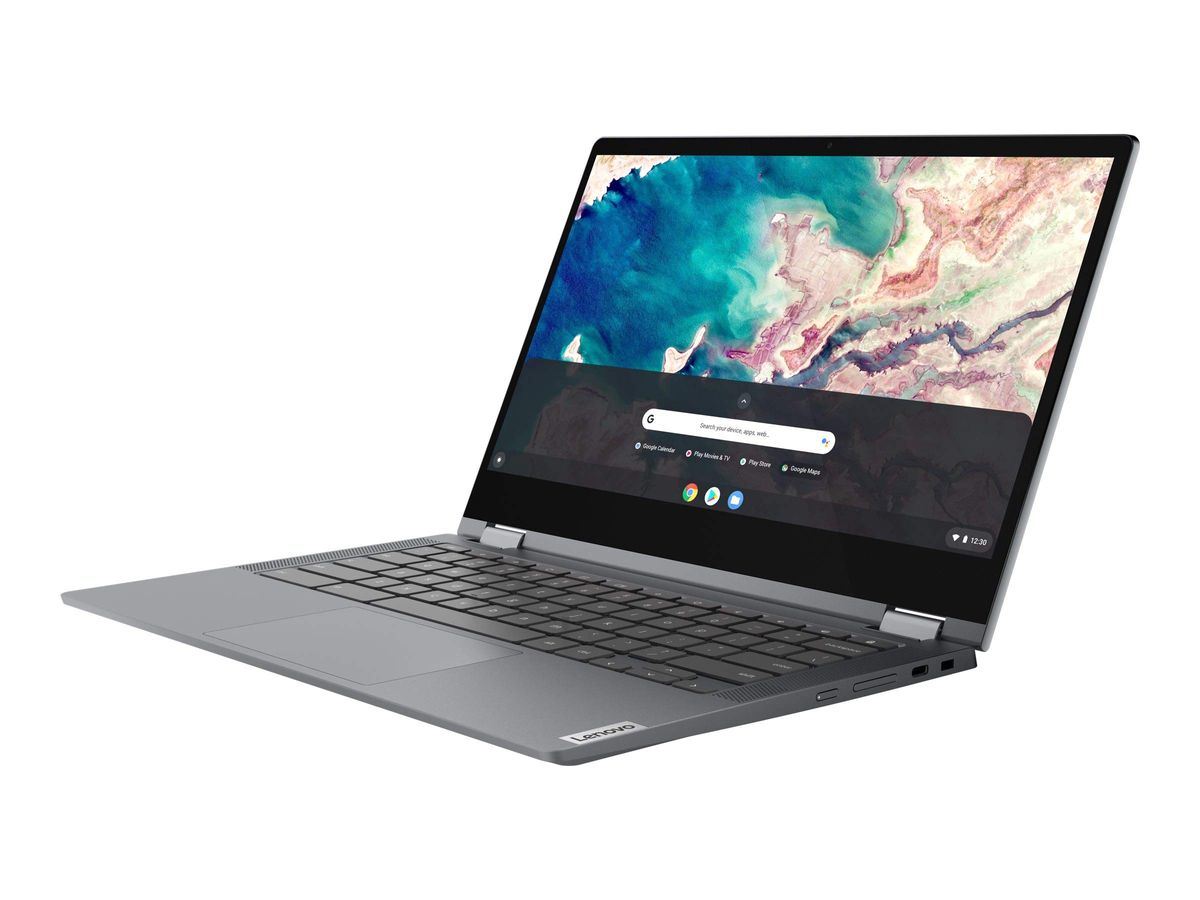
Example: Lenovo Chromebook Flex 5
Windows 2-in-1
Full Windows laptops with detachable or flip touchscreens, offering desktop software and tablet flexibility.
- Full desktop software support
- Advanced multitasking
- Premium displays
- Higher cost
- Shorter battery life on some models
Best for: Professionals, designers, and power users
Example: Microsoft Surface Pro 7
Ruggedized Chromebook
Durable Chrome OS laptops built to withstand drops, spills, and rough handling in schools or on the go.
- Military-grade durability
- Lightweight and portable
- Easy to repair
- Smaller screens
- Basic performance
Best for: Young students, field workers, and frequent travelers
Example: ASUS Chromebook C202SA
What Actually Matters
| Factor | Importance | Best brand |
|---|---|---|
Operating System Pick Chrome OS unless you need Windows software Chrome OS is fast and secure but can't run Windows apps. Confirm you can work with web-based tools before choosing a Chromebook. | Must-have | Lenovo Chromebook Flex 5 (best Chrome OS experience) |
Battery Life ≥10 hours for all-day use Cheaper models often sacrifice battery. For students or travelers, prioritize battery over raw performance. | Must-have | HP Chromebook x360 (up to 13 hours) |
Screen Resolution Full HD (1920x1080) for clear text and media Avoid 1366x768 displays; they strain eyes during long work sessions. | Must-have | ASUS Chromebook Flip C433 (14" FHD) |
Build Quality Sturdy hinge, no keyboard flex A flimsy hinge fails first. Look for reinforced hinges and a solid keyboard deck. | Must-have | ASUS Chromebook C202SA (ruggedized build) |
Stylus Support Included stylus for drawing or notes A stylus is invaluable for artists and note-takers; otherwise skip it. | Nice-to-have | Samsung Chromebook Plus V2 (built-in stylus) |
Processor Upgrade 4GB RAM and an efficient processor handle most web tasks. Upgrading beyond that rarely speeds up browsing. | Marketing BS | — |
Extra RAM Adding more RAM than necessary won't improve performance for typical Chrome OS apps. | Marketing BS | — |
Budget Tiers & Top Picks
What to buy at each price point — and exactly where spending more stops paying off.
Under $300
$260-$300HP Chromebook x360

Stop paying more: Stop at $300 for basic Chrome OS tasks. Spending more buys a larger screen or faster processor but not much else for browsing and docs.
When to upgrade: Need a stylus or a Windows machine? Step up to $350-$400.
$300 – $400
$300-$400Lenovo Chromebook Flex 5

Stop paying more: Above $370, consider older Windows models with more power. The Lenovo Flex 5 offers a sweet spot of FHD screen and solid performance.
When to upgrade: Want a 14-inch screen or a 2-in-1 with a stylus? The Samsung Chromebook Plus V2 is at the high end of this tier.
$400+
$400-$700Microsoft Surface Pro 7

Stop paying more: Spending beyond $500 enters premium portable territory. The Surface Pro 7 adds Windows 10, a high-res screen, and strong CPU, but type cover and pen cost extra.
When to upgrade: For large 14-inch Chromebooks with FHD, the ASUS Chromebook Flip C433 offers premium design but still Chrome OS.
Common Mistakes to Avoid
Buying too small a screen
An 11.6-inch display is fine for a child but cramped for adult productivity. You'll regret it for long writing sessions or side-by-side windows.
Cost of getting it wrong: Return and replace cost plus wasted time.
Assuming Chrome OS can run Windows apps
Chrome OS works with web apps and Android apps only. If you rely on Microsoft Office or Adobe CC, a Chromebook will leave you stranded.
Cost of getting it wrong: A useless laptop if your software doesn't work.
Ignoring battery life claims
Manufacturer estimates are often optimistic. Real-world use (streaming, backlight, multiple tabs) cuts battery in half. Check verified buyer reviews for actual runtime.
Cost of getting it wrong: Needing to stay plugged in defeats the portability advantage.
Overlooking storage limitations
Many budget 2-in-1s start with 32GB or 64GB of storage. After OS and apps, you'll have little room for files, especially offline downloads.
Cost of getting it wrong: Forced to buy cloud storage or an SD card.
Find Your Match
What's your primary use?
Frequently Asked Questions
Which 2-in-1 laptop is best for college students?
For college students, the Lenovo Chromebook Flex 5 offers the best blend of a large 13.3" FHD touchscreen, solid performance, and all-day battery life. it handles online classes, research, and streaming with ease. If Windows is required, the Surface Pro 7 is a pricier but powerful alternative.
What is the best budget 2-in-1 laptop under $300?
The HP Chromebook x360 is the standout with a 14-inch HD touchscreen, up to 13 hours of battery, and a 4.6-star rating from 2,700+ reviews. It's ideal for web browsing, documents, and media. Just Josh's video review also highlights the HP OmniBook 5 Flip as a great budget model, but the x360 remains our Chromebook pick.
Which 2-in-1 has the best battery life?
The HP Chromebook x360 tops the list, delivering up to 13 hours of real-world use. For Windows users, the Surface Pro 7 manages around 10.5 hours on a charge. TheTechMag's 2026 review confirms that newer AI processors in this generation are squeezing out even more battery life, but the x360 sets the standard.
Which 2-in-1 is best for drawing and note-taking?
The Samsung Chromebook Plus V2 includes a built-in stylus and a responsive 12.2-inch display, making it the best choice for artists and note-takers. If you need Windows, the Surface Pro 7 supports the Surface Pen (sold separately) and offers more drawing apps.
What is the most durable 2-in-1 for kids?
Weighing just 2.65 lbs, it's easy to carry. For older students, the Lenovo Flex 5 is a sturdier upgrade.
What 2-in-1 has the best display for streaming videos?
If you're on a tighter budget, the Lenovo Flex 5's 13.3-inch FHD display is nearly as sharp.
How does Mubboo make money from this guide?
We earn a small commission if you buy through our Amazon links, at no extra cost to you. Our picks are based solely on research and verified buyer feedback, not on commission rates. We never accept free products or sponsored placements.
How we wrote this guide
Synthesized from 6 finalists and 17,356+ verified Amazon reviews, along with video reviews by Just Josh and TheTechMag. Prices reflect Amazon.com listings; look for deals during Back to School and Black Friday.
About this guide
Mubboo Editorial Team. Researched across 6 finalists and 17,000+ verified Amazon reviews. Prices update weekly from Amazon.