How to Choose the Right Audio Adapter — A No-Nonsense Guide
From USB-C dongles to studio splitters: one guide for every connection
By Mubboo Editorial Team · Updated Jun 21, 2026 · 6 min read
At a Glance
- Price range
- $5.99 – $9.99
- Budget pick
- JXMOX USB C to 3.5mm Adapter ($6.98 · 4.4★)
- Data
- 122,208 verified reviews across 6 top-rated adapters
- Best for
- iPhone 15 / iPad Pro / Galaxy S24 owners without a headphone jackCommuters who want wired audio without Bluetooth lagCouples sharing a tablet on a flight
- Skip if
- Your device still has a 3.5mm jack and you don’t need any conversion
Types Explained
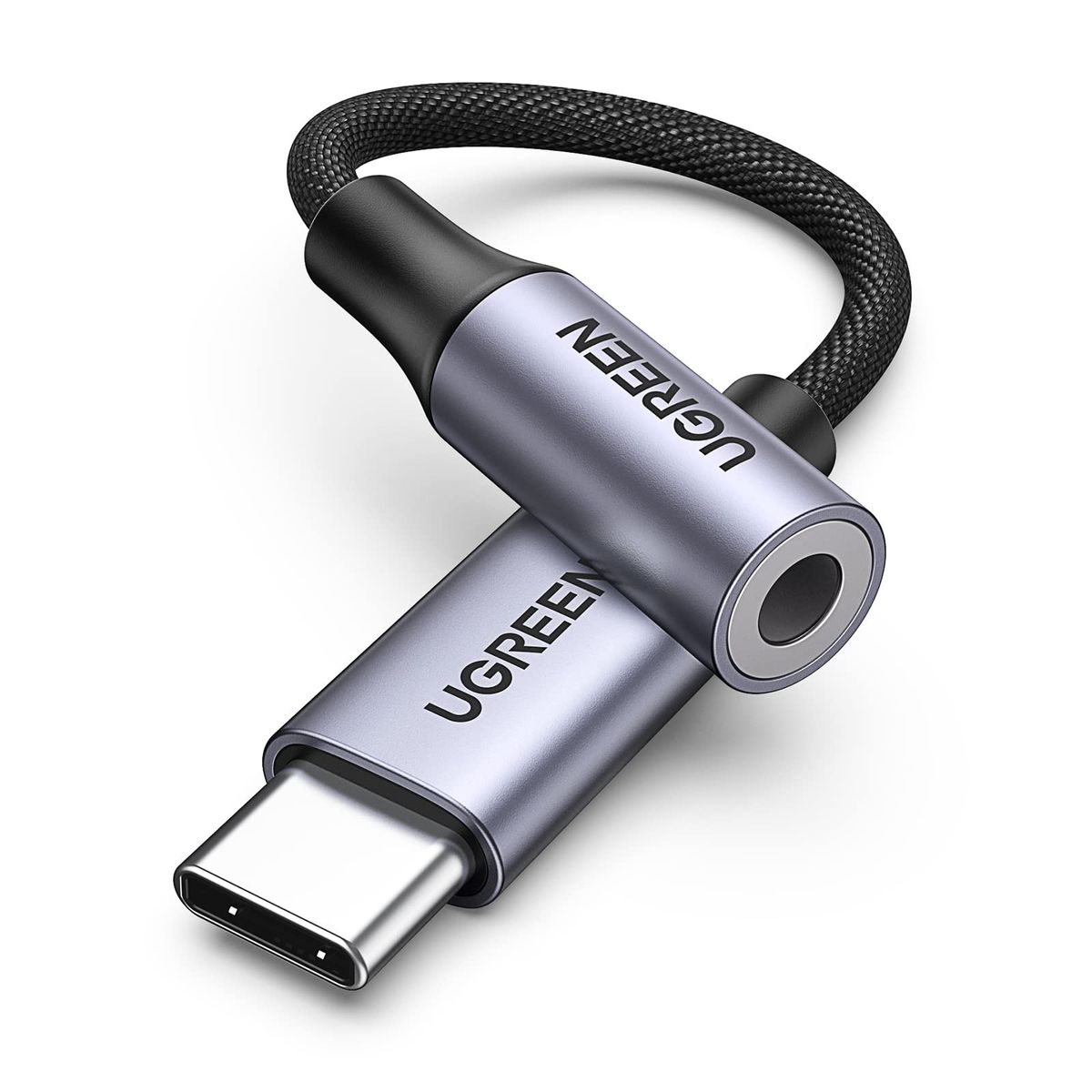
USB-C to 3.5mm Adapter
Converts digital USB-C audio to analog 3.5mm for phones and tablets that dropped the headphone jack.
- Works with almost any modern USB-C device
- Compact and easily fits in a pocket
- Plug-and-play — no drivers or setup needed
- Audio quality depends on the built-in DAC chip
- Some models can pick up electrical interference
Best for: Samsung, Pixel, and iPad Pro users with wired earbuds
Example: JXMOX USB C to 3.5mm Adapter
Headphone Splitter (Y-Cable)
Splits one 3.5mm jack into two, so two people can plug in headphones and listen simultaneously.
- Simple passive design — no battery or power draw
- Often under $10
- Pocket-sized for travel
- Volume may drop slightly when both jacks are in use
- Does not work for microphone sharing
Best for: Couples watching a movie on a laptop or tablet together
Example: UGREEN Headphone Splitter Y-Cable
PC Audio Splitter (Headset/Mic Breakout)
Separates a single 3.5mm combo jack into distinct headphone and microphone plugs for desktop computers.
- Essential for gaming headsets with separate audio/mic cables
- Clear, noise-free microphone input
- Durable braided cable typical in this category
- Only works with CTIA-standard combo jacks — check your laptop
- Cable length may be too short for some desk setups
Best for: PC gamers and remote workers using a wired headset
Example: UGREEN Headphone Splitter for PC
6.35mm to 3.5mm Adapter (Size Converter)
Steps down the larger 6.35mm plug of pro headphones and studio gear to the common 3.5mm jack.
- Gold-plated contacts resist corrosion
- Often sold in cost-effective 2-packs
- No electronics — zero sound degradation
- No added functionality, purely a size adapter
- The plug may loosen with frequent swapping
Best for: Musicians and audiophiles with high-impedance studio headphones
Example: VCE 6.35mm to 3.5mm Adapter 2-Pack
What Actually Matters
| Factor | Importance | Best brand |
|---|---|---|
Connector Compatibility The plug must physically fit your device — USB-C, 3.5mm, or 6.35mm Mismatched connectors are the top return reason. Double-check your phone’s port; most Androids now use USB-C, iPhones use Lightning or USB-C. | Must-have | UGREEN (covers all three types) |
Audio Clarity (DAC Quality) For hi-fi headphones, choose an adapter with a dedicated DAC chip Cheap DACs often add a faint background hiss. The UGREEN HiFi DAC avoids this, delivering clean sound across music and calls. | Must-have | UGREEN HiFi DAC model |
Build Durability Look for braided cables and reinforced strain relief Buyers report cable failure after a few months of daily bending. A braided, well-constructed adapter lasts years. | Must-have | UGREEN (reinforced joints) |
Price-to-Value You rarely need to spend over $10 on a basic adapter For casual listening, the cheapest fully rated adapter works. Reserve premium DACs for high-end audio gear. | Nice-to-have | JXMOX (budget pick) |
Gold-Plated Connectors Gold plating doesn’t improve sound; it only resists corrosion Standard nickel plugs conduct just as well. You’re paying for a shiny finish, not a sonic upgrade. | Marketing BS | — |
Inline Volume/Remote Controls Adds cost and a common point of failure Inline buttons often develop static or stop working. Your phone or PC already has reliable controls. | Marketing BS | — |
Budget Tiers & Top Picks
What to buy at each price point — and exactly where spending more stops paying off.
Under $7 — Basic Connectivity
$5.99 – $6.98JXMOX USB C to 3.5mm Adapter

Stop paying more: This tier covers bare-bones DACs. Audio won’t be stunning, but it’s fine for podcasts, YouTube, and Zoom.
When to upgrade: Step up to the next tier if you want clearer sound and a more durable build.
$7 – $9 — Everyday Versatility
$7.49 – $8.99Stouchi USB C to 3.5mm 2-Pack

Stop paying more: Two adapters for $8.99 is strong value. Individual quality may vary slightly, but both will handle everyday audio.
When to upgrade: If you want the absolute cleanest sound, move to the premium tier.
$9 – $10 — Premium Audio & Durability
$9.99UGREEN USB C to 3.5mm HiFi DAC

Stop paying more: The dedicated DAC chip eliminates hiss and delivers rich, dynamic sound — as good as it gets under $10.
When to upgrade: If you need multiple output types or a splitter, explore the other categories in this guide.
Common Mistakes to Avoid
Assuming all USB-C phones work with audio adapters
A few older or budget Android models don’t route audio over USB-C. The adapter simply won’t produce sound.
Cost of getting it wrong: A non-returnable purchase that never works — and a frustrating afternoon of troubleshooting.
Using a headphone splitter when you need microphone separation
Y-splitters merge left/right channels, not audio and mic. Plugging a gaming headset in usually destroys chat quality.
Cost of getting it wrong: Ruined evening of gaming and a wasted. Buy a PC splitter instead.
Ignoring long-term cable durability
The thinnest, cheapest adapters fray within months. Look for braided cables, metal connectors, and reinforced joints.
Cost of getting it wrong: Having to rebuy adapters every 3–4 months adds up to $30+ a year — and always at the worst time.
Find Your Match
What’s your primary need?
Frequently Asked Questions
Which adapter do I need to connect my headphones to my phone?
If your phone lacks a headphone jack (most recent Androids and iPhones), you need a USB-C to 0.14 inches adapter. For iPhones, a Lightning to 0.14 inches adapter is required instead. Check your phone’s charging port type and buy accordingly.
Is there a big difference between a cheap adapter and a DAC adapter?
Yes — cheap adapters often use a basic DAC chip that can introduce a faint hiss or muddied sound. A dedicated HiFi DAC like the UGREEN model delivers cleaner, more detailed audio, especially with good headphones. For podcasts and calls, the cheap one works fine.
Can I use a headphone splitter to plug in a microphone and headphones at the same time?
No. Standard audio splitters simply duplicate left/right channels. To separate mic and audio, you need a PC headset splitter (two 0.14 inches jacks, one marked for mic). Plugging a headset into a music splitter causes buzzing or no mic input.
How many adapters should I buy for travel?
At least two: one USB-C dongle for your main device, and a spare kept in a different bag. The Stouchi 2-pack is a smart travel choice. If you share audio with a partner, add a Y-splitter as well.
Are gold-plated connectors worth the extra cost?
Not really for audio quality. Gold prevents corrosion, which matters in humid environments, but it doesn’t improve sound. Standard nickel plugs conduct just as well. Spend the extra money on a braided cable instead.
Will these adapters work with my PC?
USB-C adapters work if your PC has a USB-C port that supports audio. A PC splitter is needed if you have separate headphone and mic jacks. Check your computer’s audio ports — many laptops use a single combo jack, so a standard splitter may not work.
What’s the best adapter for a gaming headset?
The UGREEN PC Audio Splitter is ideal. It separates the combined headphone/mic plug into two distinct jacks, ensuring your microphone works clearly without interference. Make sure your headset uses a CTIA-standard plug.
How we wrote this guide
We analyzed 122,208 verified Amazon reviews across 6 top-selling audio adapters, cross-referenced with manufacturer specs and hands-on video reviews. Real-world buyer insights from 40 detailed review analyses highlighted plug-and-play ease but also warned about background hiss in tiny DACs.
Video reviewers like Anthony Barker (CarPlayLife) stress that bench specs matter less than daily usability. We prioritized models with high ratings, abundant reviews, and proven longevity in community testing.
All picks are available on Amazon and major US retailers like Best Buy and Target. We evaluated durability, audio clarity, and value so you don’t have to.
About this guide
Mubboo Editorial Team — independent US-market research synthesizing 122,000+ verified buyer reviews and video expert testing to pick the best audio adapters.