How to Choose a Camera Tripod (2026 Guide)
From $18 Amazon Basics to $70 K&F Concept — find the right support for your camera
By Mubboo Editorial Team · Updated Jun 7, 2026 · 7 min read
At a Glance
- Price range
- $18 – $70
- Budget pick
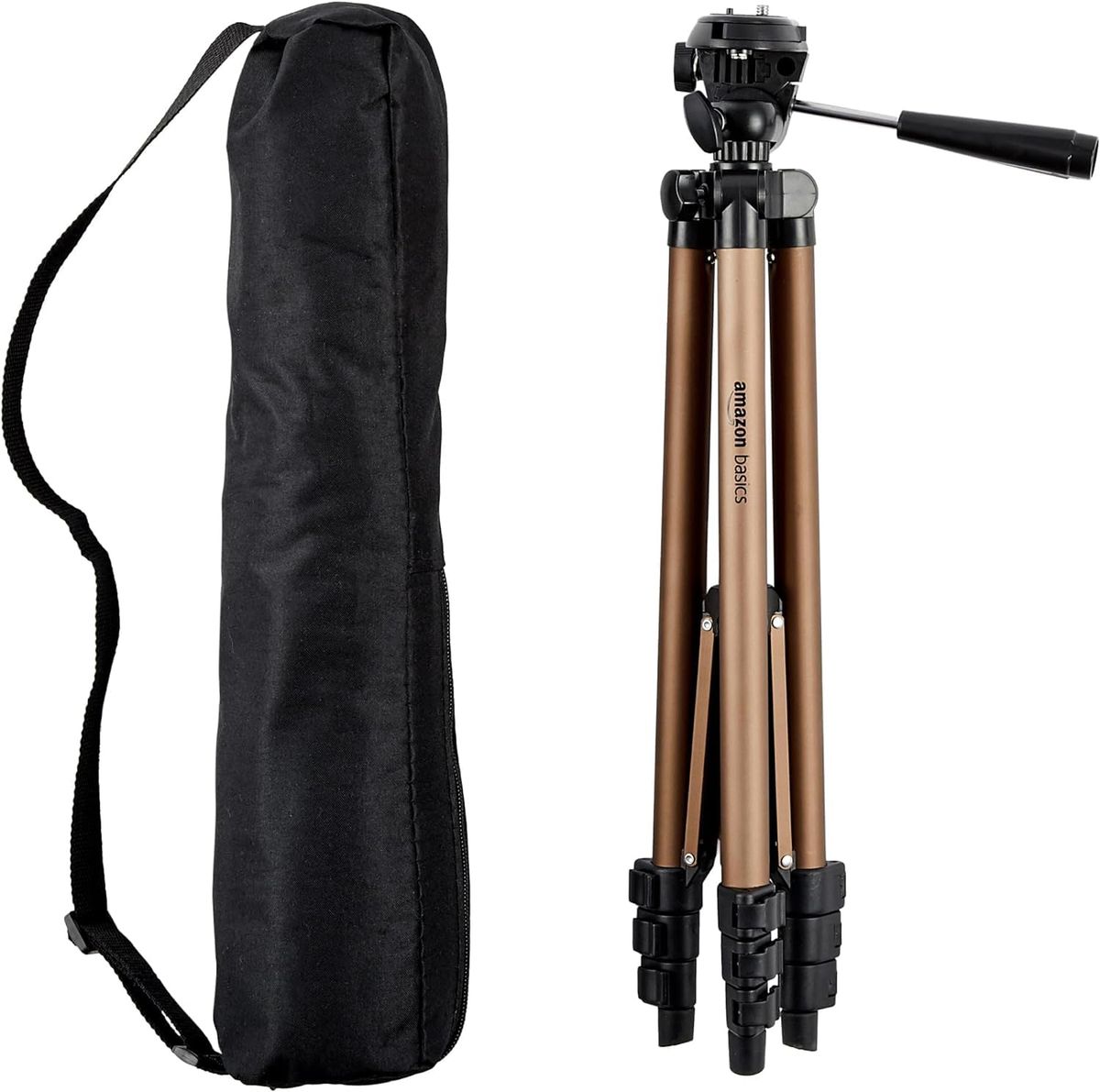
- Amazon Basics 50" Tripod ($17.99 · 4.5★)
- Data
- 227,930 verified reviews across 6 finalists
- Best for
- Everyday photography and family videosTravel with DSLR or mirrorless camerasGetting sharp shots without hand shake
- Skip if
- You only take quick snapshots with a smartphone and never use long exposures.
Types Explained
Standard Entry-Level Tripod
Basic aluminum tripods with simple leg locks and two-way heads, ideal for casual users and first-time buyers.
- Most affordable at under $30
- Lightweight and easy to carry (under 2 lbs)
- Quick-release plate for fast camera mounting
- Limited maximum height (around 50 inches)
- Low load capacity (4-5 lbs) excludes heavy DSLRs
- May lack a bubble level or counterweight hook
Best for: Smartphone and compact camera users on a budget
Example: Amazon Basics 50" Tripod
Travel / Compact Tripod
Tripods designed to fold small (under 18 inches) and weigh less than 3.5 lbs, often with ball heads and removable center columns for monopods.
- Fits in a carry-on bag or daypack
- Converts to a monopod or selfie stick
- Accommodates heavier cameras (up to 22 lbs)
- May cost more than basic models (+)
- Twist leg locks can be slower to deploy
- Center column at full extension reduces stability
Best for: Traveling photographers who need compact gear without sacrificing height
Example: XXZU 75" Tripod
Monopod-Convertible Tripod
Tripods where one leg detaches and combines with the center column to form a monopod, giving two supports in one kit.
- Dual-purpose: spontaneous monopod for events
- Lighter than carrying a separate monopod
- Often includes a ball head and remote
- Slightly heavier than dedicated travel tripods
- Monopod may not extend as high as a standalone
- Leg lock mechanism may wear with frequent conversion
Best for: Content creators and sports/wildlife photographers who switch between tripod and monopod quickly
Example: K&F Concept 72" Tripod
What Actually Matters
| Factor | Importance | Best brand |
|---|---|---|
Load Capacity ≥ 10 lbs for DSLRs; 4-5 lbs for smartphones/compacts Your tripod must support your heaviest camera+lens combo. Most entry-level tripods handle 4-5 lbs, which is fine for smartphones and compact cameras. If you use a heavy DSLR, aim for at least 10 lbs. | Must-have | K&F Concept (22 lbs) |
Maximum Height ≥ 60" to avoid stooping A tripod that doesn't reach eye level will strain your back during long shoots. Look for at least 60", and remember that extending the center column reduces stability. | Must-have | XXZU (75") |
Weight (Portability) ≤ 3.5 lbs for travel Lightweight tripods are easier to carry but often sacrifice stability. Aluminum is the sweet spot for portability and strength. | Nice-to-have | Liphisy (1.61 lbs) |
Leg Lock Mechanism Flip locks faster; twist locks more compact Flip locks allow quick setup but can snag on straps; twist locks pack down smaller but require more rotations. Both are reliable if well-made. | Nice-to-have | Amazon Basics (lever locks) |
Carbon Fiber Upgrades Not needed unless you can spend + Carbon fiber is lighter and dampens vibrations slightly better, but the real-world difference for hobbyists is negligible. Stick with aluminum unless you're a pro with deep pockets. | Marketing BS | — |
Budget Tiers & Top Picks
What to buy at each price point — and exactly where spending more stops paying off.
Under $30
$18 – $30Amazon Basics 50" Tripod

Stop paying more: At $18, you get a reliable basic tripod. Spending $10 more in this tier adds little — the next meaningful upgrade is at $40.
When to upgrade: Need taller height or heavier payload? Step up to the XXZU at $40.
$30 – $50
$30 – $50XXZU 75" Tripod

Stop paying more: The XXZU at $40 offers unmatched height and a versatile design. Pushing past $50 gets you into premium territory with better materials.
When to upgrade: For better portability and a smoother head, the K&F Concept at $70 is the next logical step.
Over $50
$50 – $70K&F Concept 72" Tripod

Stop paying more: The K&F Concept at $70 is the plateau for travel tripods. Spending more yields carbon fiber but minimal real-world advantage for most shooters.
When to upgrade: If you need to hold a 10+ lb lens, look at studio tripods; otherwise, this is as good as it gets.
Common Mistakes to Avoid
Buying too small
A 50-inch tripod may not clear crowds or give eye-level framing for tall people. If you’re over 6 feet, a 72-inch model prevents hunching.
Cost of getting it wrong: Rebuying a taller tripod — typically + wasted.
Ignoring load capacity
A tripod rated for 4.4 lbs will wobble dangerously with a DSLR and zoom lens. Exceeding the limit ruins sharpness and can tip over.
Cost of getting it wrong: Replacing a broken camera mount or lens from a fall — $50 to hundreds of dollars.
Overlooking leg lock type
Twist locks pack smaller for travel but take longer to set up; flip locks are faster but bulkier. Choosing the wrong type for your workflow frustrates daily use.
Cost of getting it wrong: Replacing with a different lock type — another $20-$40.
Always extending the center column
Using the center column at full extension drastically lowers stability, causing blur. It’s a temporary crutch, not a primary height solution.
Cost of getting it wrong: Missed sharp shots — potentially ruining a paid shoot.
Find Your Match
What will you primarily shoot?
Frequently Asked Questions
What is the best tripod for travel?
A travel tripod should fold under 18 inches and weigh less than 3.5 lbs. The K&F Concept 72" is a top choice because it packs to 16.9" and handles up to 22 lbs, yet weighs just 3.5 lbs. If you need ultralight, the Liphisy 64" at 1.61 lbs is ideal, but it’s limited to lighter cameras.
Can a cheap tripod work for a DSLR?
Yes, but only if the tripod’s load capacity exceeds your camera+lens weight. The Amazon Basics 50" holds 4.4 lbs, which is fine for a compact DSLR with a kit lens. For larger setups, choose a tripod rated for at least 10 lbs — heavier glass can tip over a flimsy tripod.
How much should I spend on a tripod?
Spend $20-$30 for casual smartphone or compact camera use. For a DSLR, $40-$70 buys a stable, versatile aluminum tripod. Spend more only if you need carbon fiber or specialized video fluid heads. Most hobbyists don’t need to exceed for excellent performance.
What’s the difference between aluminum and carbon fiber?
Carbon fiber is lighter and dampens vibrations marginally better, but it costs 2-3 times more. For the vast majority of photographers, a well-built aluminum tripod provides identical stability at a fraction of the price. Unless you’re a pro hiking miles with your gear, stick with aluminum.
Do I need a ball head or a pan/tilt head?
Ball heads allow quick, single-knob adjustments and are great for stills and quick repositioning. Pan/tilt heads provide more precise independent control for video and panoramas. Content creators often prefer a smooth ball head with a built-in remote, like the one on the XXZU 75".
How do I keep my tripod stable in windy conditions?
Hang a weight (like a camera bag) from the center column hook to lower the center of gravity. Avoid extending the center column fully, and use the tripod’s lowest leg angle setting to spread the base. The XXZU tripod includes a hook for this exact purpose.
How we wrote this guide
We analyzed 227,930 verified buyer reviews across six of the most-purchased tripod models, cross-referenced with expert testing from Wirecutter and video reviews from The School of Photography and Think Media. We focused on load capacity, height, portability, and real-world stability to build this guide. No cherry-picked opinions — just data-driven advice for US shoppers.
About this guide
Mubboo Editorial Team — independent consumer research for US buyers. This guide is based on six finalists and 227,930+ verified Amazon reviews. Prices update weekly.