Pet Camera Buying Guide 2026: How to Choose Without Overpaying
Find the right camera to check in on your pets—no unnecessary features, no monthly subscriptions you don’t need.
By Mubboo Editorial Team · Updated Jun 22, 2026 · 7 min read
At a Glance
- Price range
- $32 – $72
- Data
- 52,042 verified reviews across 6 models
- Best for
- Checking on dogs and cats during the workdaySoothing pets with two-way audioMonitoring pets in multiple rooms without breaking the bank
- Skip if
- You need outdoor surveillance—these are indoor-only pet cameras
Types Explained
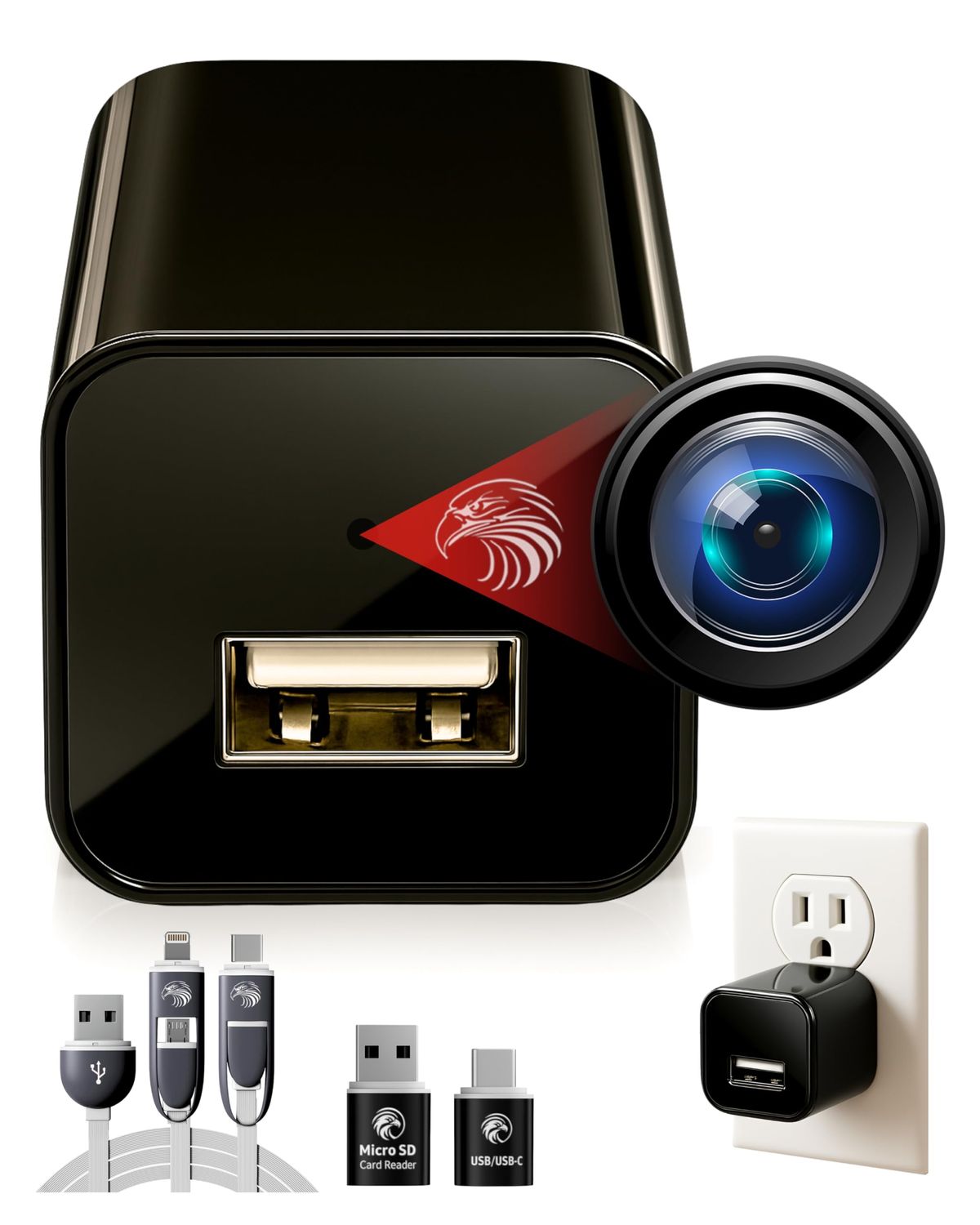
Discreet Dome Cameras
Ceiling- or wall-mounted cameras that blend into home decor, often with a wide-angle lens and fixed position.
- Unobtrusive design hides easily
- Plug-in power ensures constant recording
- Often very affordable
- No pan/tilt—fixed field of view
- Requires installation near an outlet
Best for: Pet owners who want a set-it-and-forget-it camera that doesn’t clash with home aesthetics.
Example: DIVINEEAGLE 1080p Dome Camera
Standard Indoor Pet Cameras
Compact tabletop cameras with essential features like 1080p video, two-way audio, and night vision.
- Small footprint fits on any shelf
- Clear two-way audio to comfort pets
- Simple setup via smartphone app
- Fixed angle without pan/tilt
- May lack treat-dispensing or motion tracking
Best for: Everyday check-ins while at work or running errands.
Example: Petcube Cam Indoor
Treat-Dispensing Cameras
Interactive cameras that allow you to toss treats remotely via smartphone, often with 360° pan/tilt.
- Engages pets directly with treats
- 360° rotation provides full-room view
- Bark alerts notify you of noise
- Higher price point
- Treat hopper needs regular refilling
- Subscription often required for cloud recording
Best for: Dogs who benefit from interactive play while alone; owners who want to reward good behavior remotely.
Example: Furbo 360° Dog Camera
Multi-Camera Packs
Bundles of two or three cameras designed to cover multiple rooms on a single budget.
- Cost-effective way to monitor several rooms
- Unified app for all cameras
- Often includes smart home integration (e.g., Roku)
- Individual cameras may lack pan/tilt
- May require specific ecosystem account
Best for: Households with multiple pets or large spaces needing multi-angle coverage.
Example: Roku Indoor Camera 3-Pack
High-Resolution Pan/Tilt Cameras
Cameras offering 2K or higher resolution with motorized pan/tilt, allowing you to sweep the room.
- Extremely clear video—see fur texture
- Remote control of view angle
- Often have pet-specific detection modes
- No treat dispensing on most models
- App usability can vary between brands
Best for: Detail-oriented owners who want to zoom in on mischief or monitor health.
Example: VIMTAG 2.5K Pan/Tilt Pet Camera
What Actually Matters
| Factor | Importance | Best brand |
|---|---|---|
Video Resolution (1080p minimum) 1080p HD Anything below 1080p becomes grainy when zooming. 2K is a bonus but not necessary unless you need to read name tags or identify small items. | Must-have | VIMTAG (2.5K) for detail |
Two-Way Audio Built-in speaker and microphone Essential for calming an anxious pet or scolding them remotely. Skip cameras without this if you want to interact. | Must-have | Petcube (clear audio), Furbo (bark alerts) |
Night Vision Up to 30 ft range Most cameras have infrared LEDs. Look for a range of at least 20 ft if your pet roams at night. | Must-have | Petcube (30 ft night vision) |
Pan / Tilt Motorized rotation ≥340° horizontal Only necessary for large rooms or if your pet moves around a lot. A fixed wide-angle lens often suffices for small spaces. | Nice-to-have | Furbo (360°), litokam (2-pack pan/tilt) |
Treat Dispensing Remotely activated treat chute Fun but niche. Only useful for food-motivated dogs; cats generally ignore it. Adds + to the price. | Nice-to-have | Furbo |
Smart Home Integration (Alexa/Google) Voice commands to show a camera feed on a smart display sound high-tech, but most people just open the app. Don't pay extra for this unless you're already deep in a specific ecosystem. | Marketing BS | — |
Subscription for Cloud Recording Many cameras push monthly fees for video history or AI alerts. Look for models with local SD card storage—they do the same job without recurring costs. | Marketing BS | — |
Budget Tiers & Top Picks
What to buy at each price point — and exactly where spending more stops paying off.
Under $50
$32 – $46Petcube Cam Indoor Wi‑Fi Pet Camera

Stop paying more: Stop at $46. Spending $60 buys negligible upgrades unless you specifically need a wide pan/tilt range or multi-room coverage.
When to upgrade: Need to watch multiple rooms without buying extra cameras? Step up to a multi-pack in the $50–$60 range.
$50 – $70
$50 – $70Roku Indoor Camera 3‑Pack
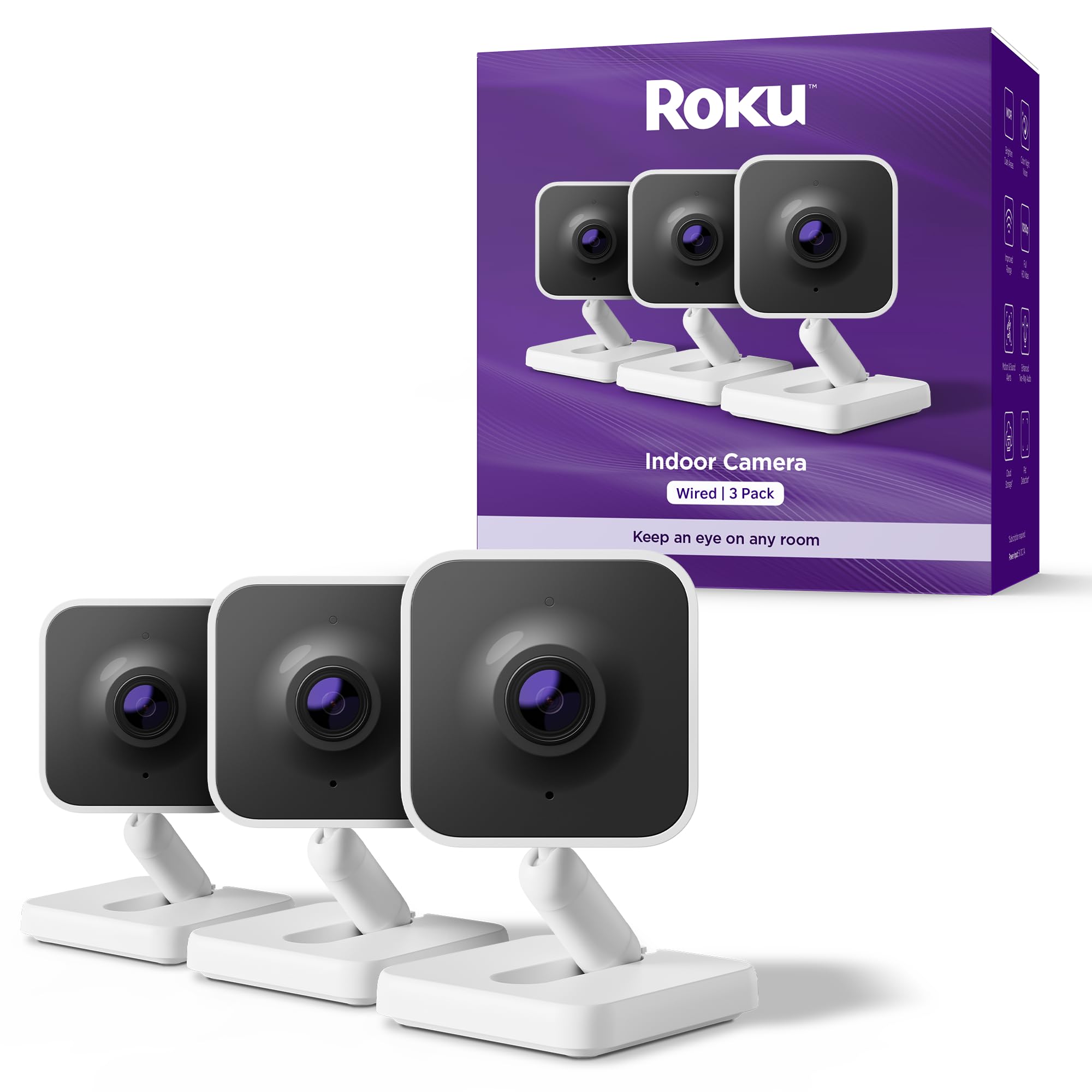
Stop paying more: At this price, you get the most value from multi-camera bundles. A single camera with pan/tilt can also land here, but only if you need to scan a large area with one device.
When to upgrade: If you want interactive treat tossing or 360° rotation, plan to spend $70+.
$70 and above
$72Furbo 360° Dog Camera

Stop paying more: Above $72 for pet-specific cameras, you start paying for features like laser toys or ultra‑premium materials that most households never use. The Furbo delivers 90% of the interactivity at this price point.
When to upgrade: No higher tier needed—this is the ceiling for practical pet monitoring in 2026.
Common Mistakes to Avoid
Ignoring Wi-Fi band requirements
Many pet cameras only work on 2.4GHz networks. If your router is set to 5GHz‑only, the camera won't connect. Check before buying—especially if you use a mesh system.
Cost of getting it wrong: Buying a new router extender or returning the camera wastes $30–$100.
Assuming local recording is included
Some cameras, like Furbo, require a subscription to save video clips. Without it, you only get live view. Cameras with microSD slots avoid this hidden fee.
Cost of getting it wrong: A /month subscription adds /year—over five years, that’s more than the camera itself.
Buying a camera with more resolution than you need
2.5K resolution sounds great, but on a phone screen you won't see the difference versus 1080p unless you zoom in. The extra cost rarely justifies itself for basic check-ins.
Cost of getting it wrong: You could save $10–$20 by sticking with 1080p and put it toward a second camera.
Overlooking field of view
A fixed camera with a narrow lens can miss half the room. For open-plan areas, a pan/tilt model or a wide‑angle dome may be necessary.
Cost of getting it wrong: Buying a second fixed camera to cover the other half costs an extra $30–$50.
Prioritizing treat dispensing over basic monitoring
The novelty of tossing treats wears off for most owners after a week. A stable, always‑on camera with two‑way audio is more useful day‑to‑day.
Cost of getting it wrong: You're paying a premium for a feature that's rarely used.
Find Your Match
What’s your primary goal for a pet camera?
Frequently Asked Questions
How much should I spend on a pet camera?
Between $32 and $72 gets you a reliable indoor pet camera with all essential features. Under $50, you get solid 1080p and two‑way audio. At $50–$70, you can cover multiple rooms or add pan/tilt. The + tier adds treat tossing. Avoid paying more than unless you need an outdoor‑rated model.
Do I need a monthly subscription for a pet camera?
Not necessarily. Many cameras, like the Petcube and litokam, support local microSD storage for recording without monthly fees. Cameras like Furbo require a subscription for cloud video history, but you can still live‑view for free. Always check whether a subscription is optional before buying.
How do I set up a pet camera?
Most plug‑in cameras require only Wi‑Fi (2.4GHz) and a smartphone app. Download the app, scan a QR code, connect to your network, and mount or place the camera. Setup typically takes under 5 minutes. For multi‑camera packs, you'll add each one in the same app.
Can I use these cameras outdoors?
No, the cameras in this guide are designed for indoor use only. They are not weather‑resistant. If you need outdoor monitoring, look for IP65‑rated security cameras specifically built for exterior use.
What resolution do I really need?
1080p HD is sufficient for 99% of pet monitoring—you can see your dog clearly on a phone screen. 2K cameras like the VIMTAG are helpful for large rooms or multi‑pet homes where you may need to zoom in on details. Don't pay extra for 4K—it's overkill.
Which camera is best for a home with multiple pets?
A multi‑camera pack like the Roku 3‑pack or a pan/tilt dual pack like litokam works well. If your pets stay in one room, a single pan/tilt camera that sweeps the space—like the VIMTAG or Furbo—can cover all angles.
How we wrote this guide
Our editorial team researched the 6 most popular pet cameras on Amazon, analyzing 52,042 verified buyer reviews and cross‑checking manufacturer specs. We focused on real‑world feedback about setup, video quality, audio clarity, and long‑term reliability. Only models with consistently positive feedback across hundreds of owners made the cut.
About this guide
Mubboo Editorial Team. Picks based on analysis of 52,042 verified Amazon buyer reviews and manufacturer specifications. Prices update weekly from Amazon.