How to Choose a GPS Navigator (2026 Guide)
Find the right dedicated GPS for road trips, off-road adventures, and professional trucking.
By Mubboo Editorial Team · Updated Jun 9, 2026 · 8 min read
At a Glance
- Price range
- $90 – $500
- Budget pick
- Garmin DriveSmart 66 ($199.99 · 4.3★)
- Data
- 34,983 verified Amazon reviews analyzed across 6 Garmin finalists
- Best for
- Road trips with potential dead zonesDaily commuters who want always-available navigationTruck drivers who need custom routingHikers and backpackers who need offline topo mapsTech-averse users who prefer simple, large menus
- Skip if
- You only drive in familiar urban areas with strong cell signal — a phone mount may suffice.
Types Explained
Car GPS
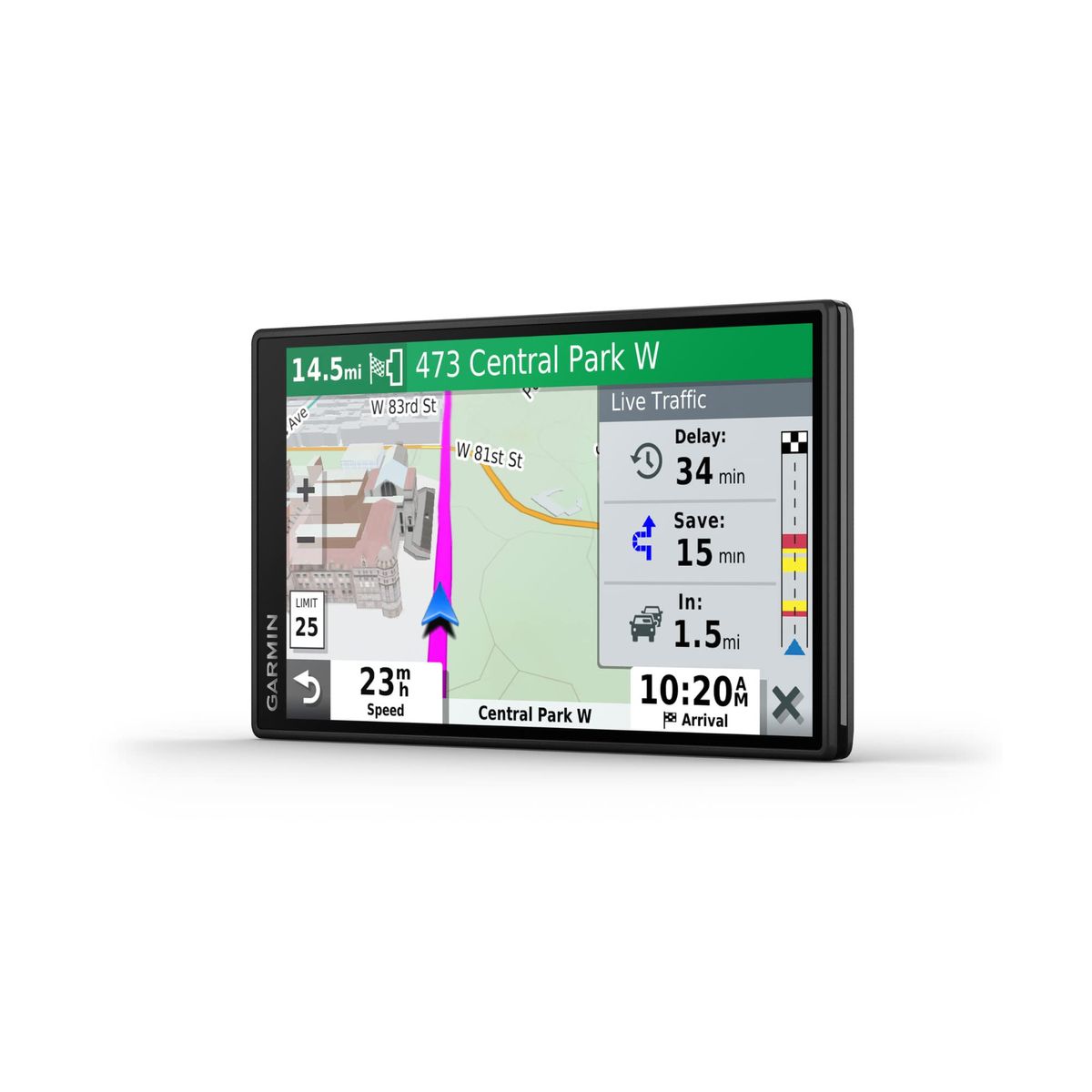
Dash-mounted navigators designed for on-road driving, with turn-by-turn directions, live traffic, and driver alerts.
- Large, easy-to-read screens
- Free lifetime map updates
- Voice-activated navigation keeps hands on the wheel
- Live traffic rerouting via smartphone app
- No off-road or hiking features
- Must be plugged into vehicle power
- Less useful where cell signal is strong
Best for: Daily drivers, cross-country road trips, rental car use
Example: Garmin DriveSmart 55
Truck GPS
Heavy‑duty navigators that route based on truck dimensions, weight, and hazmat restrictions, often with truck‑stop directories.
- Custom routing avoids low bridges and weight‑limit roads
- Truck & trailer services directory pinpoints fuel, showers, and parking
- Many models integrate with electronic logging devices (ELDs)
- More expensive than car GPS
- Overkill for non‑commercial drivers
- Larger footprint on windshield or dash
Best for: CDL drivers, RVers, delivery fleets
Example: Garmin dezl 780 LMT‑S
Handheld GPS
Rugged, waterproof units that run on AA batteries and store topographic maps, designed for hiking, geocaching, and off‑grid exploration.
- Works anywhere without cell signal
- Battery life up to 25 hours on two AAs
- Waterproof and shock‑resistant (IPX7)
- Preloaded topo maps with trails and elevation data
- Small screen (2.2 inches) can be tough to read
- Minimal driving navigation features
- Map detail limited compared to smartphone apps
Best for: Day hikers, backpackers, geocaching enthusiasts
Example: Garmin eTrex 22x
What Actually Matters
| Factor | Importance | Best brand |
|---|---|---|
Screen size ≥5 inches for car dash use A 5‑inch display is the minimum for comfortable at‑a‑glance reading while driving. Larger 6‑inch screens help older eyes or those who want Alexa integration. | Must-have | Garmin DriveSmart (5.5” and 6”) |
Lifetime map updates Free updates over Wi‑Fi at least quarterly Roads change constantly; a unit without free updates will be outdated within a year. Garmin’s Drive and dezl lines include lifetime updates and Wi‑Fi connectivity. | Must-have | Garmin (all models listed) |
Voice control Full destination entry and command by voice Keeps your hands on the wheel. The best systems let you say an address naturally and get rerouted without touching the screen. | Must-have | Garmin (Voice Assist on DriveSmart and dezl) |
Live traffic Automatic rerouting around congestion Traffic avoidance can save 10–20 minutes per hour in gridlock. All Garmin car and truck models include live traffic through a free phone app connection. | Must-have | Garmin (free via smartphone‑link app) |
Alexa Built‑in Nice for streaming music or checking the weather, but it doesn’t improve routing accuracy. Save your money if navigation is your only priority. | Marketing BS | — |
Waterproofing (IPX7) For handheld models used in rain or near water If you’re hiking, kayaking, or trail running, a non‑waterproof GPS is a liability. The eTrex 22x and 10 both hold up to heavy downpours. | Must-have | Garmin eTrex series |
Budget Tiers & Top Picks
What to buy at each price point — and exactly where spending more stops paying off.
Budget
Under $200Garmin DriveSmart 66

Stop paying more: Spending more than $200 in the budget tier buys marginal upgrades like a slightly brighter screen. This is the sweet spot for essential car navigation.
When to upgrade: If you crave a screen that combines GPS with Alexa smart home control, step up to the DriveSmart 66. Otherwise, this model gives you every core feature.
Mid‑Range
$200 – $250Garmin DriveSmart 55

Stop paying more: At around $230, you get the best balance of screen size, voice command, and map update convenience. Paying more here only adds features most people won’t use.
When to upgrade: For the same price, the handheld eTrex 22x is a better choice if outdoor navigation is your priority.
Premium
$400+Garmin dezl 580 LMT‑S

Stop paying more: Once you hit $500, you’re paying for specialized truck‑centric features. For a car, there’s no reason to go beyond the DriveSmart line.
When to upgrade: If you need an even bigger screen and magnetic mount, the dezl 780 offers a 7‑inch display for $250.
Common Mistakes to Avoid
Buying a GPS without lifetime map updates
Road networks change, with new exits, one‑way streets, and speed limits added every year. A unit that charges for map updates can quickly become obsolete, costing you more than the device itself over time.
Cost of getting it wrong: Paying $50–$100 for annual map updates on a non‑lifetime model can top over five years.
Choosing a screen that’s too small
Anything under 5 inches is hard to read at arm’s length while driving, forcing you to squint or divert your eyes longer. This is especially dangerous at highway speeds.
Cost of getting it wrong: A 4‑inch GPS may seem like a deal, but the eye strain and distraction could lead to a missed turn or an accident.
Using a car GPS for truck routing
Car navigators don’t know your vehicle’s height, weight, or hazmat status. They will route you under low bridges, down weight‑restricted roads, and into residential areas with no turnaround space.
Cost of getting it wrong: Getting stuck or receiving a fine for prohibited road use can cost thousands, plus tow‑truck fees.
Not verifying Wi‑Fi update capability before purchase
Some older or refurbished units still require a computer and USB cable to download maps. This adds a tedious step and often means maps go unchanged for years.
Cost of getting it wrong: The time and hassle of manual updates can be avoided for the same price; modern Garmins update automatically in your driveway.
Find Your Match
What’s your primary use case?
Frequently Asked Questions
How much should I spend on a GPS navigator?
A reliable car GPS starts. Mid-range models add larger screens and live traffic. Premium truck navigators can reach but include custom routing and services. Handheld units for hiking run $200–$350. Avoid sub-$100 no-name brands; their maps and build quality are inconsistent.
Do I really need a dedicated GPS when I have a smartphone?
Yes, especially in areas with spotty cell coverage—think national parks or rural highways. A dedicated GPS won’t drain your phone battery, always has a clear map view, and can be left in the car. Our research across numerous verified buyer reviews highlights that GPS devices are still favored for their reliability and simplicity.
What’s the difference between car, truck, and handheld GPS devices?
Car GPS units focus on fast routing and driver alerts. Truck navigators add custom routing based on vehicle size and weight, plus directories for truck stops. Handheld models are waterproof, run on AA batteries, and store topographical maps for off-road use. Choose based on your primary use case.
How often do GPS maps need updating?
Road changes happen constantly. The best GPS units offer lifetime map updates, often four times per year over Wi‑Fi. Without updates, you might miss new exits, speed limits, or closed roads. Verified buyers consistently praise devices with easy update processes.
Is Alexa built-in a worthwhile feature on a GPS?
It’s a nice extra but not essential. The Garmin DriveSmart 66 includes Alexa for music, news, and smart home control. For core navigation, voice commands that handle destination entry and rerouting matter more. If you already use Alexa, the integration feels seamless.
What should I avoid when buying a GPS navigator?
Skip devices without lifetime map updates—you’ll end up paying for new data later. Avoid tiny screens below 5 inches (hard to read while driving). Don’t buy a truck GPS for a car; the extra features are wasted. Also, beware of vague “free updates” claims that actually require a subscription.
How we wrote this guide
We analyzed 34,983 verified Amazon buyer reviews across six Garmin finalists, watched multiple video reviews, and cross‑referenced manufacturer specifications. Our picks focus on screen size, map update ease, and traffic‑avoidance features that matter most to American drivers. Handheld models were judged on battery life, waterproofing, and topo map detail. We avoided units that lack lifetime updates or have sub‑5‑inch screens.
About this guide
Mubboo Editorial Team. Picks based on aggregated verified buyer reviews, video insights, and product specifications. Prices update weekly from Amazon.