How to Choose an Inkjet Printer (2026 Guide)
Picked from 2026's most-reviewed Amazon models
By Mubboo Editorial Team · Updated Jun 9, 2026 · 8 min read
At a Glance
- Price range
- $69 – $419.99
- Top pick
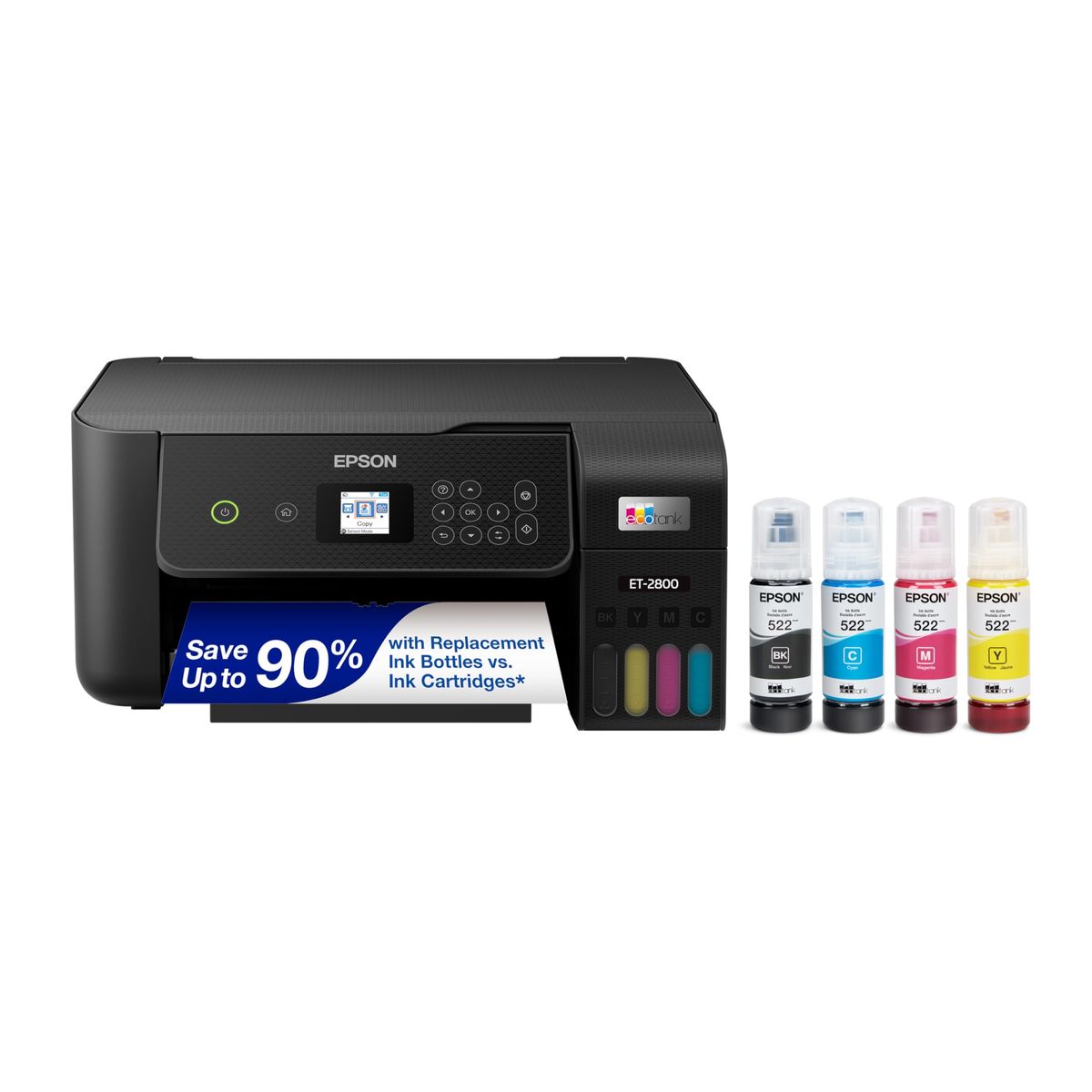
- Epson EcoTank ET-2800 Wireless Color All-in-One Cartridge-Free Supertank Printer ($199.99 · 4.1★)
- Data
- 28,070+ verified reviews across 6 finalists
- Best for
- Home offices that print 200+ pages a monthFamilies who want cheap, colorful copiesStudents tired of paying for cartridges
- Skip if
- You only print black & white — a laser printer is cheaper over time
Types Explained
Cartridge Inkjet Printers
Traditional models using replaceable ink cartridges. Low upfront cost but higher per-page ink expense.
- Low initial investment, often under $100
- Compact footprint fits tight desks
- Decent print quality for everyday documents
- Frequent cartridge swaps add up
- Color page costs 8–10 cents vs. tank's <1 cent
- Often lack automatic duplex
Best for: Budget buyers who print under 100 pages monthly
Example: Canon PIXMA TS4320
Ink Tank (Supertank) Printers
Refillable ink tanks eliminate cartridges, delivering thousands of pages on a single fill. Higher purchase price, negligible running cost.
- Up to 2 years of ink included
- Per-page cost under a penny
- Print 6,000+ pages from one set of bottles
- Bigger and heavier than cartridge models
- Slower print speeds than laser
- Initial cost $150–$350
Best for: Households and home offices printing 200+ pages monthly who want to ignore ink costs
Example: Epson EcoTank ET-2800
Portable Inkjet Printers
Battery-powered all-in-ones built for road warriors who print from a car, hotel, or client site without a wall outlet.
- Truly mobile — prints, scans, copies anywhere
- Fast charge battery ready in 90 minutes
- Weighs only 6.5 lbs with battery
- Expensive upfront (+)
- High cartridge costs quickly add up
- Small output tray (50 sheets)
Best for: Sales reps, field techs, and mobile professionals who need hard copies instantly
Example: HP OfficeJet 250
What Actually Matters
| Factor | Importance | Best brand |
|---|---|---|
Ongoing Ink Cost Under 1 cent per black-and-white page r/printers users call traditional cartridges a 'money trap' — a tank printer pays for itself in 8 months. | Must-have | Epson EcoTank and Canon MegaTank lines |
Print Quality 1200 x 1200 dpi for sharp text For documents, 600 dpi is enough. Photo hobbyists should prioritize ≥4800 x 1200 dpi. | Must-have | Canon PIXMA TS6520 (vivid photo resolution) |
Print Speed ≥10 ppm black for home use Under 10 ppm feels sluggish. Office workloads demand 15+ ppm. | Nice-to-have | HP OfficeJet 250 (20 ppm black) |
Duplex (Two-Sided Printing) Automatic duplex to cut paper waste Manual flipping is a chore. Look for auto-duplex if you print multi-page reports. | Must-have | Canon TS4320 and above include it |
Connectivity & App Support Dual-band Wi-Fi and AirPrint/Mopria Stable 5GHz Wi‑Fi avoids dropouts. r/printers users swear by the Canon app’s ease. | Nice-to-have | Canon PIXMA line (Canon PRINT app, Alexa) |
Voice Assistant Integration Alexa/Google Assistant support sounds cool but most people never print via voice. Save the feature tax. | Marketing BS | — |
Ultra-High DPI (Above 1200 dpi for Text) Marketing-speak. A 600x600 dpi inkjet already produces crisp documents. Spend on ink savings instead. | Marketing BS | — |
Budget Tiers & Top Picks
What to buy at each price point — and exactly where spending more stops paying off.
Under $100
$69 – $99Canon PIXMA TS4320 Wireless Color Inkjet Printer for Duplex Printing

Stop paying more: Diminishing returns above $90. Spending $100 doesn't improve print speed or ink economy meaningfully.
When to upgrade: Print more than 100 pages a month? The $140–$200 tier gets you a tank system that cuts ink costs 90%.
$100 – $250
$140 – $229Epson EcoTank ET-2800 Wireless Color All-in-One Cartridge-Free Supertank Printer

Stop paying more: The sweet spot. Spending over $250 buys office-grade features (fax, dual trays) that most homes never use.
When to upgrade: Need fax and a 35-sheet auto document feeder? The $329 Canon MAXIFY GX2020 steps up.
$250 and up
$329 – $419.99Canon MegaTank MAXIFY GX2020 All-in-One Wireless Color Printer

Stop paying more: The $329 MAXIFY covers fax and a 250-sheet tray. Beyond $400, you're paying for portability, not features.
When to upgrade: True mobility required? The HP OfficeJet 250 at $419 adds battery power and a 20 ppm sprint.
Common Mistakes to Avoid
Buying a cartridge printer when you print frequently
A cartridge printer costs 8–10 cents per color page, versus under 1 cent for a tank. Over 5,000 pages, that’s over $400 thrown away on ink. r/printers users call this the 'ink cartridge scam'.
Cost of getting it wrong: Extra –500 over two years in wasted ink
Ignoring duplex printing
Flipping pages manually doubles paper use and slows you down. Automatic duplex is standard on models from $69 up and saves roughly 30% on paper costs.
Cost of getting it wrong: At least a year in wasted paper and time
Buying a fax‑capable printer for a home office
Unless you send physical faxes weekly, the extra for fax is dead weight. A Canon TS6520 handles scanning and copying without the fax premium.
Cost of getting it wrong: premium for a feature you might use once a quarter
Find Your Match
What's your primary printing use?
Frequently Asked Questions
What's the main difference between ink tank and cartridge printers?
Ink tank printers use large, refillable bottles that last up to two years and cost pennies per page — think Epson EcoTank or Canon MegaTank. Cartridge printers have lower upfront prices but ink is expensive; a full set of cartridges can run + and often run out after just a few hundred pages. For anyone printing over 100 pages monthly, a tank model quickly saves hundreds.
How much should I spend on an inkjet printer?
Small offices needing fax and heavy scanning will spend $300–$400. Beyond you’re paying for portability, not print quality.
Inkjet vs laser printer — which is better for me?
Laser printers excel at fast, crisp text and cost far less per black-and-white page over time, making them ideal for home offices that rarely print color. Inkjets, especially supertank models, shine for color documents, photos, and households that print a mix of content. If photos matter or you print more than 50 color pages a month, stick with inkjet.
Do I really need automatic duplex printing?
Yes, if you print multi-page reports or worksheets. Manual two-sided printing wastes paper and time.
Are portable inkjet printers worth it?
For road warriors who routinely need hard copies at a client site or in a classroom, the HP OfficeJet 250 is unbeatable. It weighs 6.5 lbs, runs on battery, and prints 20 pages per minute. The trade-off: expensive cartridges and a price tag.
What printing features are just marketing hype?
Voice assistant integration sounds futuristic but few users actually print through Alexa. Ultra-high DPI specs above 1200 dpi for text documents are also meaningless for everyday printing. Focus on ink costs, duplex, and reliable Wi‑Fi instead. r/printers users consistently rank those as the real daily priorities.
How we wrote this guide
We compared 6 inkjet printers across 28,000+ verified Amazon reviews, 3 expert video tests, and community insights from r/printers to build this guide. The Wall Street Journal’s video highlighted the long-term savings of ink tank systems, while Perfect Picks and Audioviser confirmed that the Epson EcoTank ET-2800 is a top choice for high-volume home printing. We then matched each printer to real-world budgets and print volumes so you don’t overbuy.
About this guide
Mubboo Editorial Team. Picks based on analysis of 28,000+ verified Amazon reviews, 3 independent video reviews, and community feedback from r/printers. Prices update weekly from Amazon.