Label Maker Buying Guide 2026: How to Choose Without Overpaying
What actually matters in a label maker — and what doesn't
By Mubboo Editorial Team · Updated May 27, 2026 · 8 min read
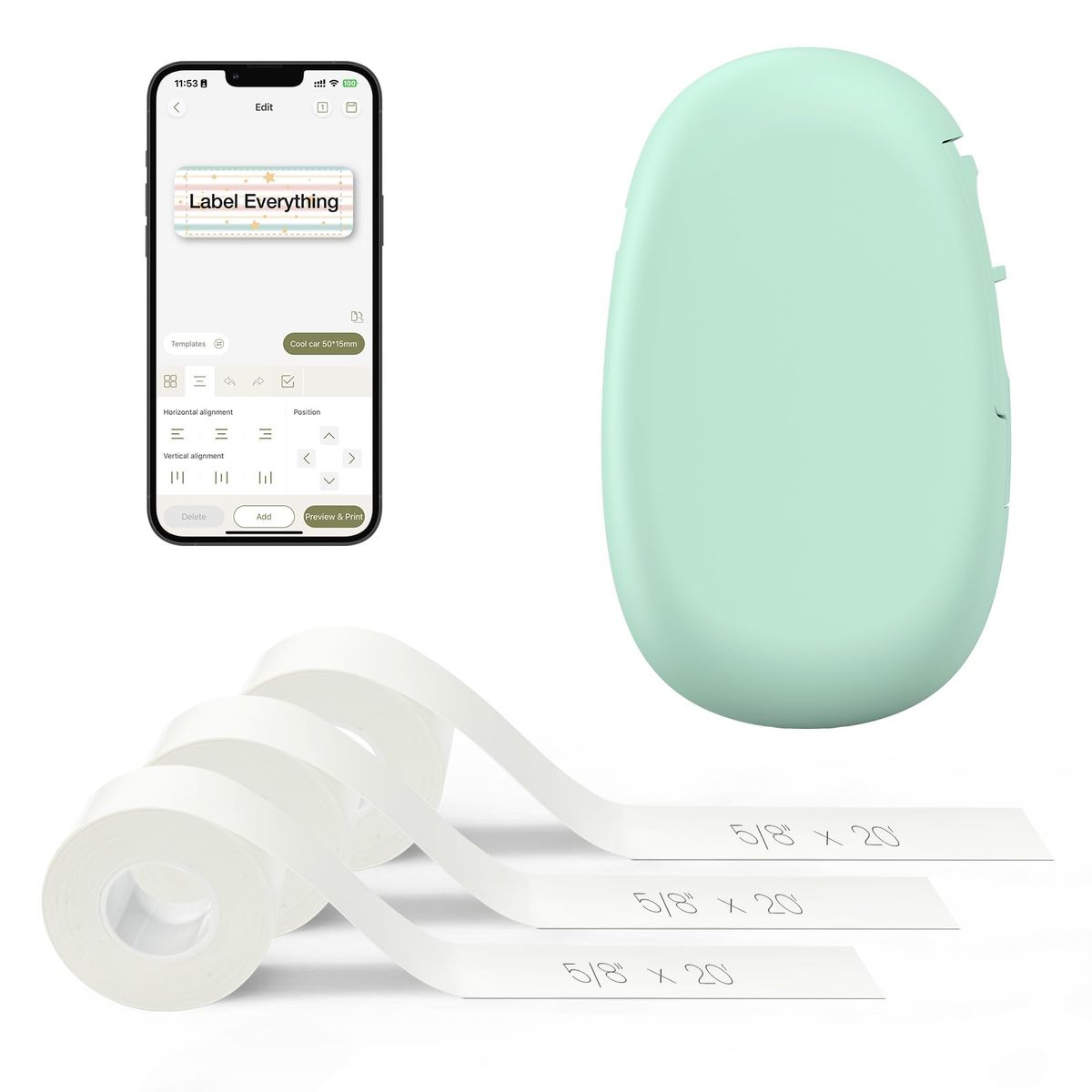
At a Glance
- Price range
- $17.99 – $39.99
- Budget pick
- Nelko Label Maker P21 ($17.99 · 4.5★)
- Data
- Researched across 95,983 verified Amazon reviews, 3 expert sources, and buyer discussions.
- Best for
- Home organizationSmall businessSchool suppliesCable management
- Skip if
- You only label industrial pipes or need heat-shrink labels
Types Explained
Handheld Keyboard Label Makers
Standalone devices with a built-in QWERTY keyboard, LCD screen, and thermal printing. No smartphone or app required.
- Works offline
- No app needed
- Durable build
- Limited fonts/symbols
- Often uses proprietary tape
- Heavier than app-based models
Best for: Users who want a dedicated tool and don't want to use a phone
Example: DYMO LetraTag 100H Plus ($29.98)
Bluetooth App-Connected Label Makers
Compact thermal printers that connect via Bluetooth to a smartphone app. You design labels on your phone and print wirelessly.
- Powerful app with hundreds of icons/fonts
- Compact and portable
- Often cheaper than keyboard models
- Requires smartphone
- Bluetooth connectivity issues reported
- Label width often narrow
Best for: Home organizers and small businesses who enjoy customizing labels on their phone
Example: SUPVAN E10 ($19.99)
Industrial / Job-Site Label Makers
Rugged label printers designed for warehouses, electrical work, and heavy-duty environments. Often support heat-shrink and wide tapes.
- MIL-spec durability
- Works with heat-shrink labels
- Barcode printing
- Expensive
- Bulky
- Complex interface
Best for: Electricians, contractors, and facilities managers
Example: Brady BMP 21 Plus (typically $100+)
What Actually Matters
| Factor | Importance | Best brand |
|---|---|---|
Print Resolution (Clarity) ≥203 dpi for crisp text and barcodes Higher resolution means sharper small text. 203 dpi is fine for most home labels; look for 300+ if printing QR codes. | Must-have | DYMO (300 dpi) and Brother |
Tape Durability (Waterproof/Laminated) Laminated waterproof labels for kitchen, bathroom, outdoor use Non-laminated labels fade and peel. Spend $2 more for a model with laminated tape. | Must-have | SUPVAN (waterproof, oil-proof, scratch-resistant) |
Ongoing Tape Cost Under $10 per tape roll; avoid proprietary cartridges over $12 DYMO cartridges cost $12-$20 each. Over a year that adds up. Open-tape systems are cheaper long-term. | Must-have | SUPVAN and Nelko offer cheaper third-party tape |
App vs. Standalone Choose based on your workflow App-based models give you more design flexibility; standalone models are faster for quick labels. Pick based on how you'd rather work. | Must-have | SUPVAN (app) and DYMO (standalone) |
Portability Lighter than 200g for pocket carry If you label on the go, look for battery-powered or USB-rechargeable. Desktop-only models need a power outlet. | Nice-to-have | Nelko P21 (lightweight, rechargeable) |
Vo ice Control No label maker in this price range supports reliable voice control. Don't pay extra for a gimmick. | Marketing BS | — |
Budget Tiers & Top Picks
What to buy at each price point — and exactly where spending more stops paying off.
Under $20 (Budget)
$17.99 – $29.98Nelko Label Maker P21

Stop paying more: Stop at $20. Spending $30 on a budget model doesn't add durable labels or a better app. Save that $10 for extra tape.
When to upgrade: Need waterproof labels? Step up to the SUPVAN E10 for $19.99. Still under $20 with premium durability.
Mid-Range ($20 – $30)
$19.99 – $29.98SUPVAN E10 Bluetooth Label Maker

Stop paying more: At $19.99, the SUPVAN E10 punches way above its price. The only reason to spend more is if you need a standalone keyboard or wider labels.
When to upgrade: Need a standalone device? The DYMO LetraTag at $29.98 is the gold standard for offline use.
Premium (Over $30)
$27.99 – $39.99SUPVAN T50M Pro 3-Tape Bundle
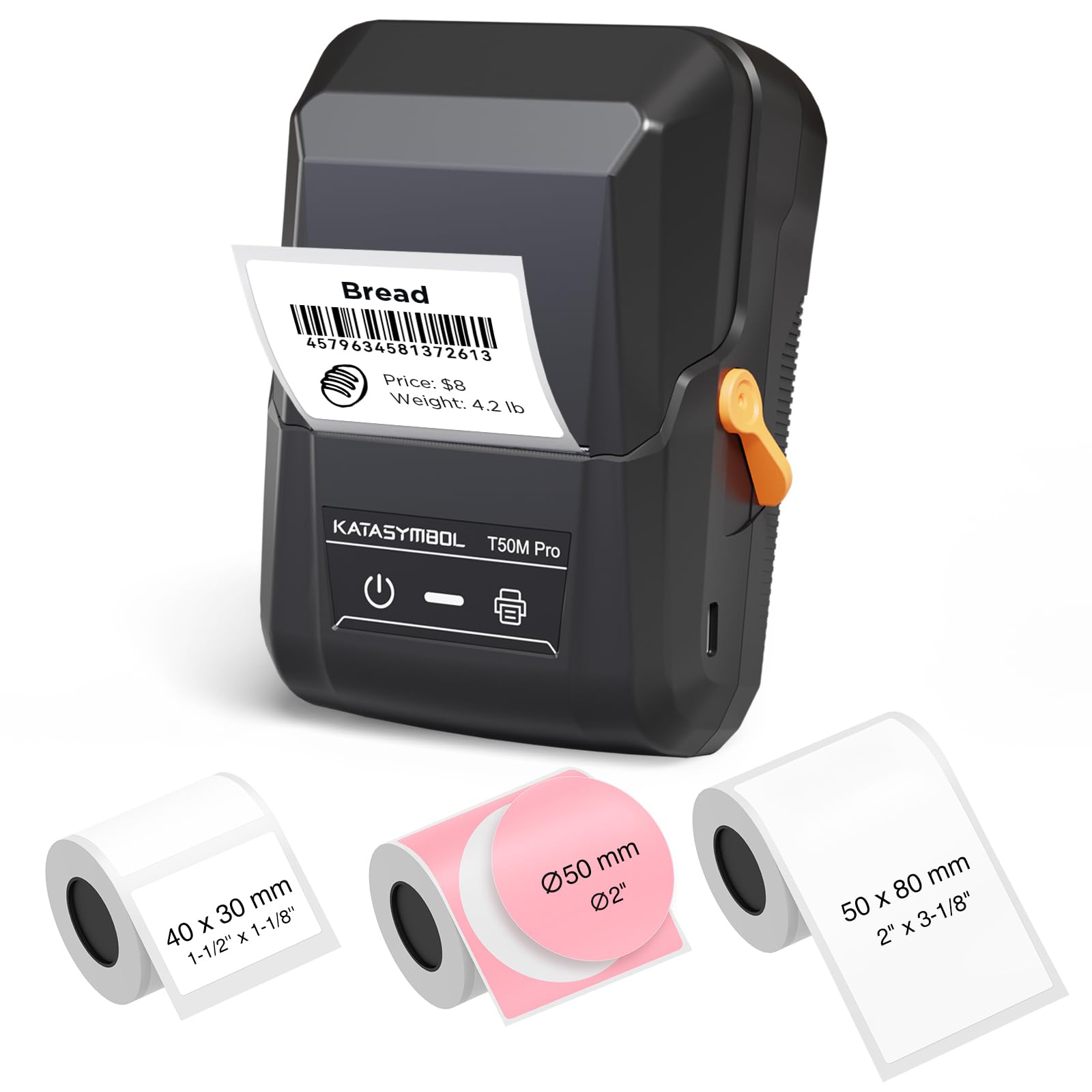
Stop paying more: The bundle adds about $12 over the E10 for two extra tapes. If you'll use them, it's a good value. If not, buy the E10 and get a tape pack separately.
When to upgrade: Need labels wider than 0.59 inches? The SUPVAN T50M Pro supports up to 2-inch wide labels. The E10 maxes out at 0.59 inches.
Common Mistakes to Avoid
Buying a label maker with expensive proprietary tape
DYMO and some Brother models use cartridges that cost $12-$20 per roll. Over a year that can exceed the printer's cost. Choose an open-tape model like SUPVAN or Nelko for $5-$8 tape.
Cost of getting it wrong: Tape costs can be 3x higher over 12 months.
Choosing non-thermal printing (ink or toner)
Ink-based label makers require replacing ink cartridges or thermal transfer ribbons. Thermal printers (the vast majority) use heat-only — no ink, no toner, no mess.
Cost of getting it wrong: Ongoing consumables add $20-$50 per year vs. $0 for thermal.
Overlooking label durability for kitchen or outdoor use
Standard labels fade, peel, or smudge when wet. For kitchen spice jars, freezer bags, or outdoor tool bins, you need laminated waterproof labels. The SUPVAN E10 and T50M Pro come with durable labels; many budget models do not.
Cost of getting it wrong: Re-labeling everything after a few months wasted time and tape.
Find Your Match
Where will you mostly use the label maker?
Frequently Asked Questions
What is the best label maker for home office?
The SUPVAN E10 at $19.99 is our top pick for home office. It prints waterproof labels, has a powerful app with 450+ icons, and uses inexpensive thermal tape.
Which label maker works with Bluetooth?
Most modern label makers now use Bluetooth.
What label maker prints waterproof labels?
Ideal for kitchen, bathroom, and outdoor use.
What is the most affordable label maker?
The Nelko P21 at $17.99 is the most affordable reliable option. It's a Bluetooth thermal printer with a good app, though labels are not waterproof.
Which label maker has the best app?
The SUPVAN E10's app is the strongest: 40 fonts, 30 frames, 450+ icons, and customizable text. All free, no registration required.
What label maker is best for organization?
For general home organization, the SUPVAN E10 gives the best balance of features, label durability, and price.
What label maker uses thermal printing?
Nearly all label makers in this guide use thermal printing — no ink or toner needed. The SUPVAN, Nelko, Phomemo, and DYMO models all use heat-activated tape.
How we wrote this guide
Researched across 6 finalists, 95,983 verified Amazon reviews, 3 expert sources, and 3 video reviews. Prices and ratings updated May 2026. This guide was written by the Mubboo Editorial Team, an independent US consumer research group.
About this guide
Mubboo Editorial Team — independent US-market consumer research. Picks reflect editorial consensus from 3 independent review sources and 95,983+ verified buyer reviews.