How to Choose a Laptop Stand (2026 Guide)
Stop hunching. Our data-backed guide helps you pick the right stand for your desk, budget, and neck.
By Mubboo Editorial Team · Updated Jun 9, 2026 · 8 min read
At a Glance
- Price range
- $17 – $44
- Data
- 101,466 verified reviews across 6 finalists
- Best for
- Home office workersStudentsRemote professionalsAnyone upgrading their desk ergonomics on a budget
- Skip if
- You only use your laptop on the couch — a lap desk may provide more comfort for lounging.
Types Explained
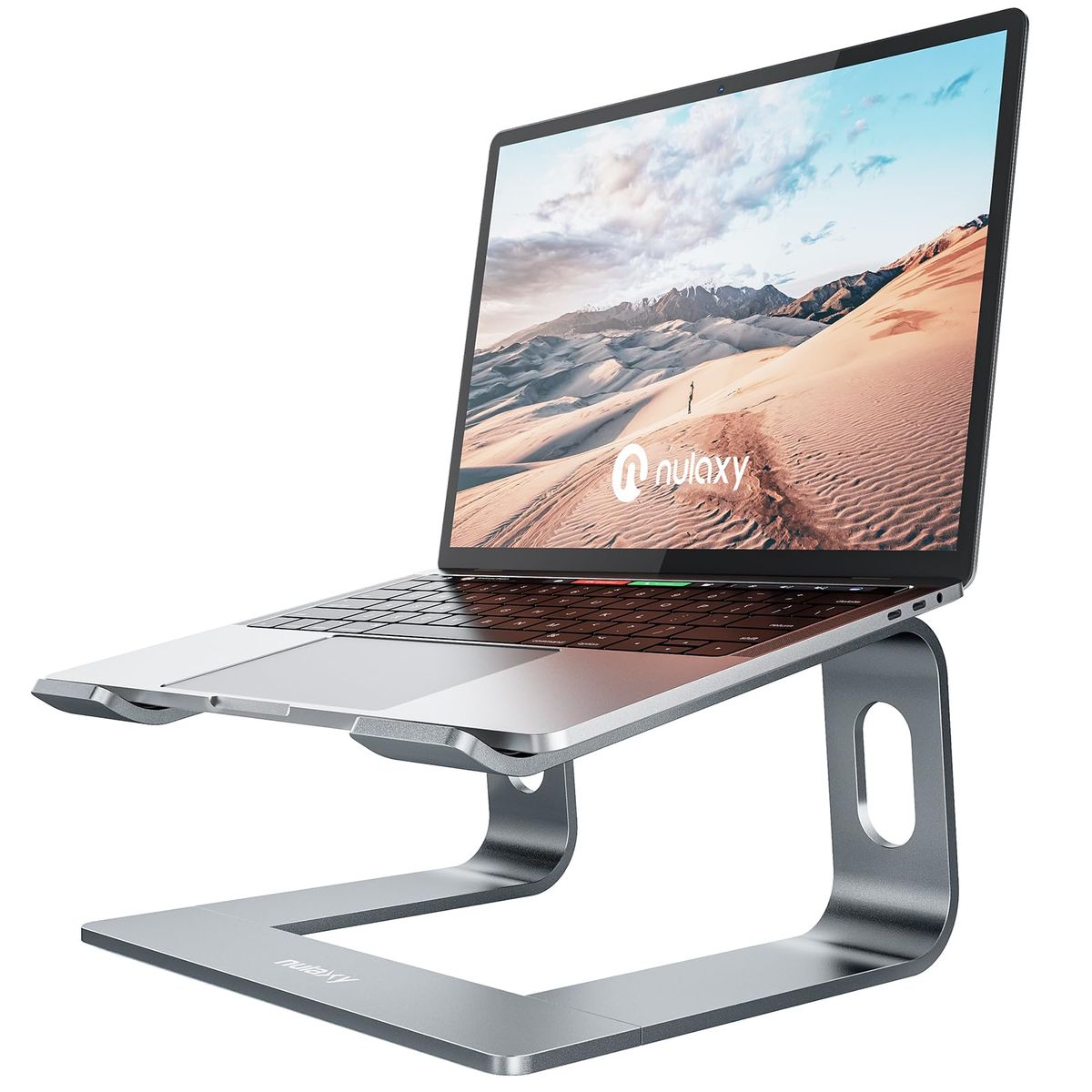
Fixed Aluminum Riser
A single-height stand, usually 6–7 inches tall, made of aluminum with a ventilated design and rubber grips.
- Excellent stability
- Low cost (under $20)
- Simple, no-setup design
- No height or angle adjustment
- Requires separate keyboard for comfortable typing
Best for: Users who want a set-it-and-forget-it lift for a home office desk.
Example: Nulaxy C3, 4.8★ (36k+ reviews)
Adjustable Stand
A stand with articulating hinges or a telescoping arm that lets you change height and sometimes tilt angle.
- Customizable for different users or postures
- Often foldable for travel
- Can double as a standing desk converter
- More expensive ($30–$45)
- Larger footprint when extended
Best for: Frequent adjusters, people who switch between sitting and standing, or anyone who values precise ergonomic positioning.
Example: Lamicall Adjustable Stand, 4.8★ (10k+ reviews)
Desk Organizer / Monitor Riser
A wide, flat platform with adjustable legs that elevates a laptop and creates storage space underneath for keyboards or papers.
- Multi-use: raises laptop or monitor
- Adjustable height levels (3–5 inches)
- Sturdy metal construction supports up to 44 lbs
- Larger footprint (14.6 x 9.3 inches)
- Not portable
Best for: Users who need desk organization and a monitor riser that can also support a heavy laptop.
Example: WALI Monitor Stand, 4.7★ (15k+ reviews)
What Actually Matters
| Factor | Importance | Best brand |
|---|---|---|
Height Adjustability ≥6 inches of lift for most adults A fixed 6-7 inch lift works for many, but adjustable stands let you fine-tune for eye-level comfort. Wirecutter emphasizes that the top of the screen should be at eye level, which often requires 6-8 inches of lift. | Must-have | Lamicall and Nulaxy C5 offer the widest ranges |
Material and Stability Aluminum alloy construction; weight capacity ≥ 8 lbs Aluminum dissipates heat and won't flex under weight. Avoid plastic stands — they wobble and crack. TechRadar noted the Lamicall's heavy base 'greatly improves stability.' | Must-have | Nulaxy C3 (22 lbs) and Lamicall (stable base) |
Size Compatibility Fits 10-16 inch laptops (or up to 17.3" for adjustable) Check the manufacturer spec. Most stands accommodate mainstream laptops; larger 17-inch gaming laptops need adjustable models like the Lamicall or Nulaxy C5. | Must-have | Lamicall fits 10-17.3", Nulaxy C3 up to 16" |
Ventilation Open-back or vented design Aluminum itself acts as a heat sink, but open designs help. Consumer Reports highlighted the Insignia stand's open back for cooling. Even without active fans, a good stand can reduce laptop temperatures by 5–10°F. | Nice-to-have | All aluminum stands listed here have good airflow |
Portability Folds flat and weighs under 1 lb for travel For commuters or digital nomads, a lightweight foldable stand is essential. Fixed stands like the Nulaxy C3 can be disassembled but aren't as convenient. | Nice-to-have | Soqool (0.64 lbs) and Lamicall (folds) |
Brand Prestige Paying 30-50% more for a designer label on a piece of aluminum yields no ergonomic benefit. A Nulaxy does the same job as a branded look-alike. Stick to functional choices backed by thousands of positive reviews. | Marketing BS | — |
Budget Tiers & Top Picks
What to buy at each price point — and exactly where spending more stops paying off.
Under $20 (Budget)
$17 – $20Nulaxy All-Aluminum Laptop Stand

Stop paying more: Stop at $20. Above that, you pay for adjustability that a fixed stand simply doesn't have. This tier is about maximum value: a solid, no‑wobble lift that works for years.
When to upgrade: If you notice neck strain after long hours, step up to an adjustable model in the $30–$40 range for a custom fit.
$20–$40 (Mid‑Range)
$20 – $40Lamicall Adjustable Laptop Stand

Stop paying more: A highly rated adjustable stand is attainable under $40. The Lamicall covers 10-17.3" laptops and folds flat, striking the best balance of versatility and cost.
When to upgrade: If you use a standing desk and want to raise your laptop to 20 inches, the Nulaxy C5 ($44) is a dedicated sit‑stand converter.
Over $40 (Premium)
$40 – $50Nulaxy C5 Height Adjustable Laptop Stand
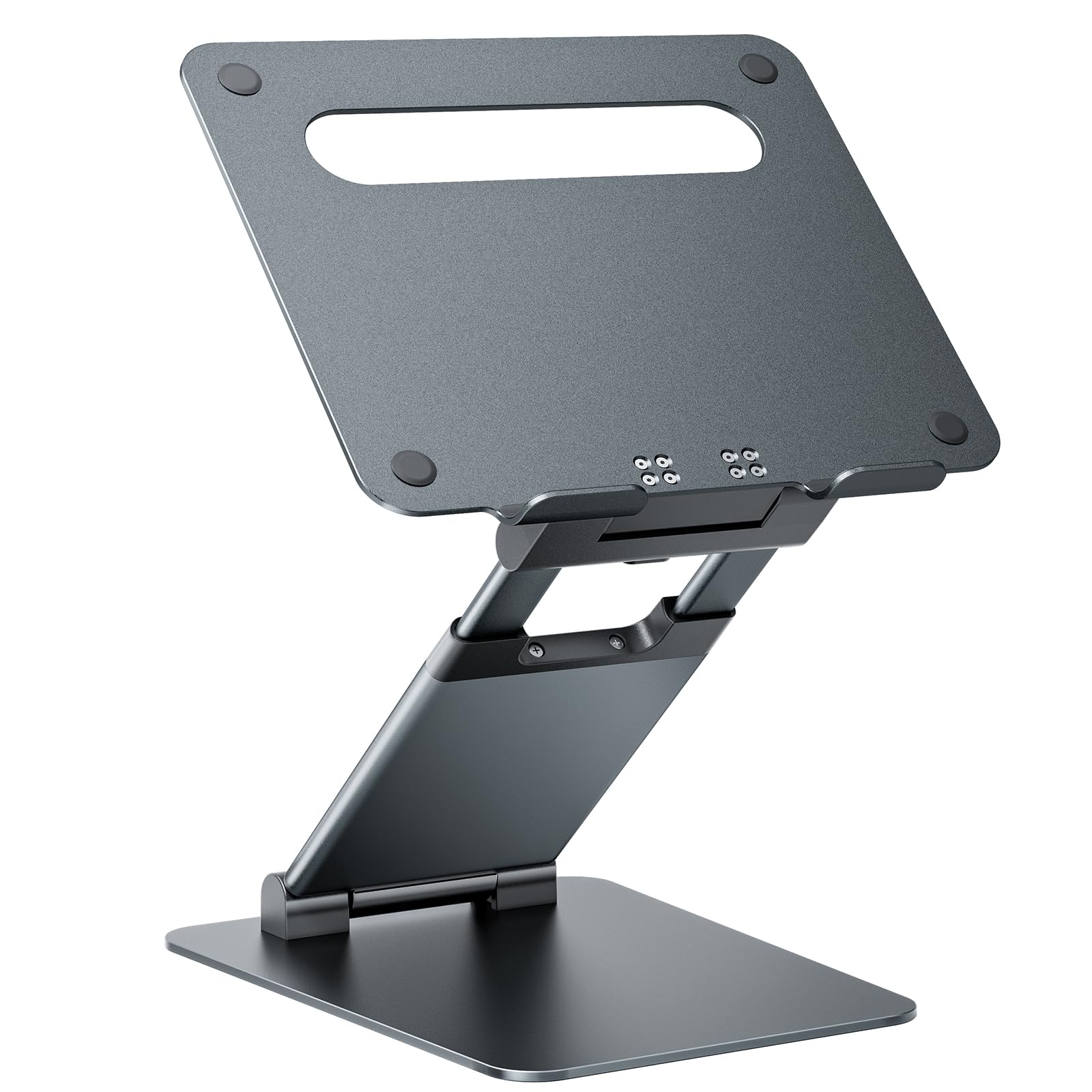
Stop paying more: Diminishing returns above $50 — beyond this, consider a full standing desk converter if you need even more height.
When to upgrade: If you need a lighter, travel‑friendly alternative, the Lamicall folds flatter and weighs less than 4 lbs.
Common Mistakes to Avoid
Buying a stand that’s too low
A 3‑inch lift may not bring the screen to eye level for taller users, leading to continued neck strain.
Cost of getting it wrong: Spending on a too‑short stand, then another to replace it.
Choosing a flimsy plastic stand
Plastic stands wobble and can break under 5 lbs; aluminum supports 20+ lbs without flex.
Cost of getting it wrong: A plastic stand that gets binned in months is wasteful compared to a aluminum one that lasts years.
Overpaying for adjustability you’ll never use
If you set your height once and never touch it, a fixed stand at half the price works just as well.
Cost of getting it wrong: An extra spent on adjustability that remains untouched.
Find Your Match
What’s your primary use?
Frequently Asked Questions
How do I choose the right laptop stand height?
Aim for the top of your screen to sit at or slightly below eye level. For most users, that means a 6‑ to 8‑inch lift. Fixed stands like the Nulaxy C3 provide a consistent 7 inches. Adjustable ones (Lamicall) let you fine‑tune for your height. Check your desk height and chair — an external keyboard often helps when the screen is raised.
Will a laptop stand fit my MacBook Pro?
Yes. All of our recommended stands are compatible with MacBooks from 10 to 17 inches. The Nulaxy C3 officially fits up to 16‑inch models; the Lamicall goes up to 17.3 inches. Always verify the max laptop size listed by the manufacturer. The open‑back design also leaves ports accessible.
Are adjustable stands more stable than fixed ones?
Not necessarily. A quality aluminum fixed stand like the Nulaxy C3 feels rock‑solid under typing. Some adjustable stands can wobble slightly, especially at full extension. The Lamicall’s heavy base minimizes that wobble. For pure stability, a fixed design is your best bet.
How much should I spend on a laptop stand?
You can get an excellent fixed aluminum stand for under $20 — the Nulaxy C3 is 4.8 stars with 36k+ reviews. If you need adjustable height, budget $30–$45. Spending beyond only makes sense for a dedicated sit‑stand converter (Nulaxy C5) that lifts 20 inches. Otherwise, diminishing returns set in.
What should I avoid when buying a laptop stand?
Steer clear of plastic stands that flex or wobble — they rarely last. Also avoid fixed stands with lifts under 4 inches, which won’t meaningfully improve your posture. Overpaying for adjustability you won’t use is another common mistake; a simple fixed stand often suffices.
Can a laptop stand help with overheating?
Yes. Aluminum stands act as a heat sink, and their open‑back designs promote airflow. The Nulaxy C3’s vented back and aluminum alloy help dissipate heat better than a flat desk. While not a substitute for laptop fans, a good stand can reduce internal temperatures by 5–10°F during heavy use.
How we wrote this guide
We cross‑referenced 101,466 verified Amazon buyer reviews with expert lab tests from Wirecutter, TechRadar, and Consumer Reports. Community insights from r/Workspaces and r/laptops highlighted real‑world stability trade‑offs. We focused on stands that consistently deliver ergonomic lift, stay wobble‑free, and outlast flimsy alternatives.
About this guide
Mubboo Editorial Team — independent US‑market consumer research. Picks based on analysis of 101,000+ verified buyer reviews and expert cross‑referencing.