How to Choose a Laser Printer (2026 Guide)
Stop wasting money on ink — find the right monochrome laser for your home office or small business
By Mubboo Editorial Team · Updated Jun 9, 2026 · 7 min read
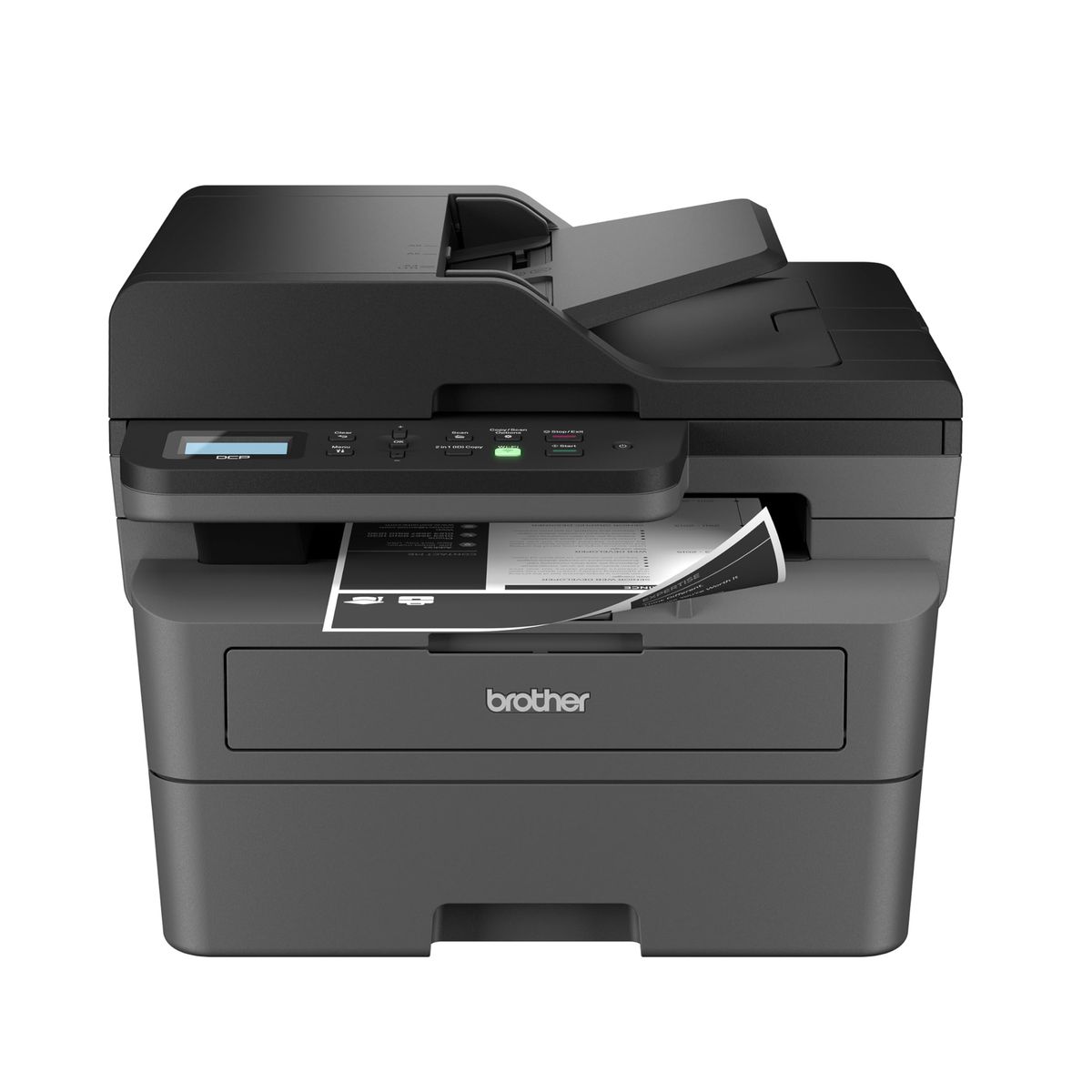
At a Glance
- Price range
- $119 – $428
- Budget pick
- Brother HL-L2405W ($139.99 · 4.2★)
- Data
- 20,708 verified reviews across 6 finalists
- Best for
- Home offices printing documents dailySmall businesses needing fast, reliable printsStudents printing essays and assignmentsAnyone tired of expensive inkjet cartridges
- Skip if
- You need color prints or high-resolution photo output — ink-based or color laser printers are better for vivid graphics.
Types Explained
All-in-One Laser
Combines printing, scanning, and copying (and sometimes fax) in one compact unit.
- No need for a separate scanner
- Saves desk space compared to multiple devices
- Automatic document feeder handles multi-page jobs
- Larger footprint than print-only models
- Slightly higher upfront cost than print-only equivalents
Best for: Home offices and small businesses that regularly scan, copy, or fax documents.
Example: Brother DCP-L2640DW
Print-Only Laser
A straightforward printer that only prints, with no scanning or copying capabilities.
- More compact and lightweight
- Lower price than all-in-ones
- Fewer components to break or maintain
- Cannot scan or copy documents
- Requires a separate scanner if you need to digitize
Best for: Users who only need to print and already own a scanner or don't need scanning.
Example: Brother HL-L2460DW
Compact / Space-Saving Laser
Ultra-compact laser printers designed for tight spaces, often with minimal features.
- Small footprint fits on any desk or shelf
- Lightweight and easy to move
- Low upfront cost
- Slower print speeds (21 ppm or less)
- Often lack duplex printing or scanner
Best for: Dorm rooms, tiny home offices, or occasional printing where space is at a premium.
Example: HP LaserJet M110w
What Actually Matters
| Factor | Importance | Best brand |
|---|---|---|
Print Speed ≥30 ppm for regular use; 21 ppm okay for occasional Faster speeds reduce wait times for multi-page documents; below 21 ppm can be frustrating for daily use. | Must-have | Brother (most models 30-36 ppm) |
Duplex Capability Automatic duplexing saves paper and time Manual duplex requires flipping pages by hand — skip printers without it unless budget is tight. | Must-have | Brother (most models include it) |
All-in-One Features Scan and copy functions are valuable if you occasionally need them If you already own a scanner or never copy, a print-only saves space and money. | Nice-to-have | Brother DCP-L2640DW |
Paper Capacity 250-sheet tray reduces refills Larger capacity is helpful for frequent printing; 150-sheet trays may need frequent loading. | Nice-to-have | Brother |
Wireless Connectivity Wi-Fi is essential for mobile printing Ethernet is a bonus for stable office networking; avoid USB-only models. | Must-have | All modern Brother and HP models have Wi-Fi |
High Monthly Duty Cycle Ratings Duty cycles of 10,000+ pages are for businesses; home users will never hit these limits. Focus on real-world speed and toner cost. | Marketing BS | — |
Budget Tiers & Top Picks
What to buy at each price point — and exactly where spending more stops paying off.
Under $150
$120 – $150Brother HL-L2405W

Stop paying more: Stop at $150. Spending more in this tier buys a scanner and faster speed, but for simple printing this Brother is sufficient.
When to upgrade: If you need a scanner or handle multi-page documents regularly, step up to the mid-tier all-in-one.
$150 – $250
$180 – $250Brother DCP-L2640DW

Stop paying more: At $210 you get scanning, copying, fast 36 ppm, and automatic duplex. Spending more in this range typically adds fax or color, unnecessary for monochrome needs.
When to upgrade: Only step up to the premium tier if you need fax capability.
$250+
$250 – $500Brother MFC-L2710DW

Stop paying more: Above $250 you're paying for fax and higher rated duty cycles. Unless faxing regularly, the mid-tier Brother all-in-one is a better value.
When to upgrade: For most home users, the premium tier is overkill. Stick with the mid-tier unless fax is a must.
Common Mistakes to Avoid
Buying an inkjet printer instead of a laser
Inkjets have higher ink costs and can clog if not used often; laser toner cartridges last much longer and produce sharp text.
Cost of getting it wrong: Ink cartridges cost $30–$60 every few months, while a toner cartridge can last years — saving + annually for regular printing.
Overlooking automatic duplexing
Manual duplex requires manually flipping pages, which wastes time and paper; automatic duplexing prints both sides seamlessly.
Cost of getting it wrong: Switching to duplex printing can halve paper usage, saving $20–$50 per year in paper costs.
Paying extra for color laser when you only print documents
Color laser printers are more expensive upfront and color toner cartridges are pricey; for text documents, monochrome is all you need.
Cost of getting it wrong: A color laser costs $50–$150 more than a monochrome model and color toner sets + more to replace — wasted money if you don't print in color.
Ignoring toner cost and yield
Some printers use high-yield toner cartridges that last thousands of pages, while others have lower yields, making per-page costs higher.
Cost of getting it wrong: Choosing a printer with expensive toner can cost $0.03–$0.05 per page vs for a high-yield model — over 10,000 pages, that's a $200–$400 difference.
Find Your Match
What's your budget?
Frequently Asked Questions
How much should I spend on a laser printer?
Most home users get excellent value in the $150–$250 range, where you'll find fast all‑in‑ones with duplexing. Under $150 gets you a reliable print‑only model; above adds fax or color, which most don't need. Toner cost matters more than upfront price — a printer with cheap, high‑yield toner saves hundreds over time.
What's the best laser printer for a small home office?
The Brother DCP‑L2640DW is Wirecutter's top pick for good reason — 36 ppm, sharp 1200×1200 dpi prints, a 50‑page automatic document feeder, and automatic duplex. It handles scanning, copying, and routine document work without taking over your desk. Wi‑Fi and Ethernet make it easy to share across devices.
Should I buy a monochrome or color laser printer?
Unless you print charts, photos, or marketing materials en masse, stick with monochrome. Color lasers cost $50–$150 more upfront, color toner sets are pricey, and they're larger. A monochrome Brother prints crisp text for a fraction of the running cost — perfect for letters, forms, and schoolwork.
What should I avoid when buying a laser printer?
Don't buy an inkjet if you print more than a few pages a month — dried‑up cartridges and high ink costs will frustrate you. Skip printers without automatic duplex unless you're sure you'll never need it. And avoid paying for fax or extreme duty cycles you'll never use.
Is toner really cheaper than ink?
Yes — toner doesn't dry out like ink and yields thousands of pages. A Brother TN830 high‑yield cartridge prints about 3,000 pages, costing roughly 7 per page. Ink cartridges often cost more and print fewer pages, easily per page. Over the printer's life, laser saves hundreds.
What's the most reliable laser printer brand?
Brother dominates reliability — in r/BuyItForLife discussions, users report years of trouble‑free printing. HP offers compact designs but some models block third‑party toner. Brother's tolerance for generic toner and long‑lasting drums make it the safer bet for long‑term home use.
Can I use a laser printer wirelessly with my phone?
Absolutely. All modern Brother and HP laser printers support Wi‑Fi, Apple AirPrint, and Google Cloud Print. Install the Brother Mobile Connect or HP Smart app to print from your phone or tablet. Ethernet is also available for a rock‑solid wired connection.
How we wrote this guide
Synthesized from 6 finalists and 20,708 verified Amazon reviews, cross‑referenced with expert verdicts from Wirecutter and hands‑on YouTube reviews. Prices update weekly from Amazon.
About this guide
Mubboo Editorial Team. Picks based on analysis of verified user reviews and independent expert testing. Prices update weekly from Amazon.