How to Choose Memory Cards (2026 Guide)
Quick SD card selection for photographers, videographers, and everyday shooters
By Mubboo Editorial Team · Updated Jun 9, 2026 · 10 min read
At a Glance
- Price range
- $16 – $88
- Data
- 415,322+ verified Amazon reviews across 6 top SD cards
- Best for
- Enthusiast photographers4K videographersCasual shooters
- Skip if
- You use only your phone – a camera-specific card isn't needed
Types Explained
Speed-Focused (U3/V30)
Cards with UHS Speed Class 3 and Video Speed Class 30 for 4K video and fast burst shooting.
- Handles 4K video and high-bitrate recording
- Sustained write speeds of 90 MB/s+ for burst photography
- Durable, often waterproof and temperature-proof
- Higher cost per GB than slower cards
- Requires UHS-I compatible camera to hit top speed
Best for: Enthusiast and pro photographers needing 4K or fast action
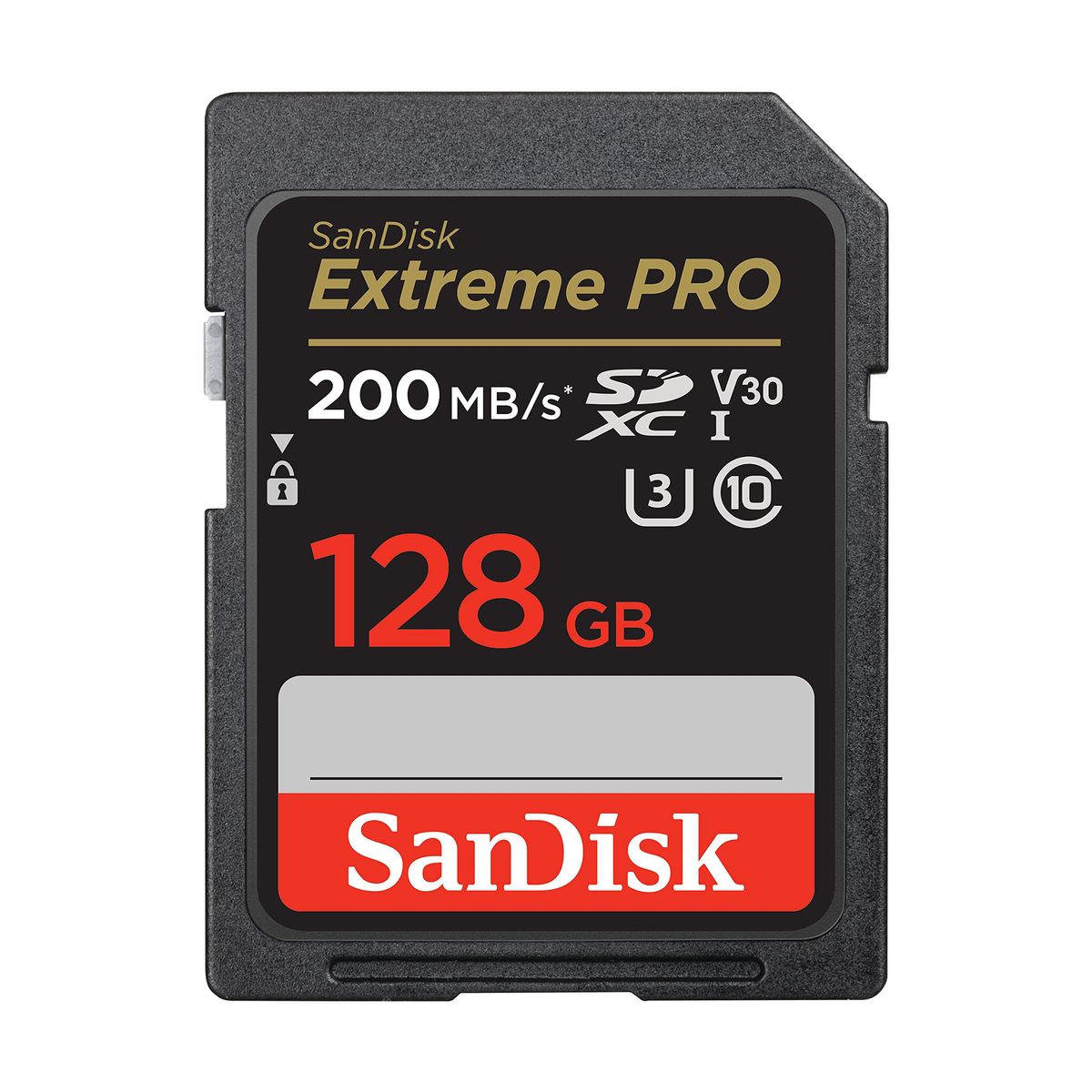
Example: SanDisk 128GB Extreme PRO
Capacity-Focused (128–256 GB)
SDXC cards with large storage for long shoots or extended 4K recording without swapping.
- Holds hours of 4K footage or thousands of raw photos
- Still delivers V30 speeds in high-capacity models
- Heavier investment up front
- Write speed may be lower than top speed-class models
Best for: Wedding, event, and travel photographers shooting all day
Example: SanDisk 256GB Extreme PRO
Everyday / Casual (U1 / Class 10)
Inexpensive cards that support Full HD video and standard photo shooting for beginners.
- Lowest cost per GB
- Read speeds of 100–140 MB/s make transfers quick
- Sufficient for Full HD recording
- Cannot reliably record 4K video
- Write speeds may lag during burst shooting
Best for: Family snapshots, point-and-shoot cameras, and backup storage
Example: SanDisk 128GB Ultra
What Actually Matters
| Factor | Importance | Best brand |
|---|---|---|
UHS Speed Class & Video Speed Class U3/V30 for 4K video; U1 for Full HD If you shoot 4K or burst, look for the V30 logo – cards without it will drop frames or buffer. | Must-have | SanDisk Extreme PRO (U3/V30 on all capacities) |
Minimum Sustained Write Speed ≥90 MB/s for 4K video and fast burst sequences Read speed is only half the story – the write speed determines whether your camera can keep up when shooting. | Must-have | SanDisk Extreme PRO (90-140 MB/s write) |
Card Capacity (GB) 128 GB is the sweet spot for most; 256 GB for all-day raw or 4K It's safer to have two 64 GB cards than one 128 GB if you worry about card failure. | Nice-to-have | SanDisk offers 64–256 GB options across its lineup |
Durability (Water/Temp/X-ray Proof) Look for cards rated -13°F to 185°F, waterproof, and shockproof For outdoor and travel shoots, these features can save your footage from a splash or drop. | Nice-to-have | SanDisk’s Extreme line has comprehensive durability |
Maximum Read Speed Claims The 200 MB/s read speed on the Extreme PRO can only be reached with the SanDisk PRO-READER – in your camera it won't matter. | Marketing BS | — |
UHS-II for Most Shooters Unless you shoot 8K or very high-bitrate 4K RAW, UHS-I V30 is sufficient – you'd pay twice as much for UHS-II without noticeable benefit. | Marketing BS | — |
Budget Tiers & Top Picks
What to buy at each price point — and exactly where spending more stops paying off.
Under $35
$15.99 – $34.99SanDisk 64GB Ultra SDXC UHS-I Memory Card

Stop paying more: Above $35, you move into U3/V30 territory, which is necessary for 4K. For Full HD, the Ultra is the value leader.
When to upgrade: Need 4K capability? Step up to the SanDisk 128GB Ultra (mid-range) or the Extreme PRO for guaranteed V30.
$35 – $55
$33.89 – $46.78SanDisk 128GB Ultra SDXC UHS-I Memory Card

Stop paying more: At $33.89, this is the balance point of capacity and speed for most users. Spending $13 more gets you the Extreme PRO’s V30 rating.
When to upgrade: Moving to the SanDisk Extreme PRO for $46.78 ensures true 4K compatibility and faster burst handling.
Over $55
$46.78 – $87.99SanDisk 128GB Extreme PRO SDXC UHS-I Memory Card

Stop paying more: Beyond $50, the Extreme PRO’s V30 rating and 90 MB/s write speed secure your 4K and burst work. The 256 GB model at $87.99 adds massive capacity for all‑day shoots.
When to upgrade: For all‑day 4K or raw, consider the 256 GB Extreme PRO – you'll appreciate not having to swap cards.
Common Mistakes to Avoid
Using a Class 4 card for a modern camcorder
Class 4 cards barely stream 480p. A modern mirrorless camera needs U3/V30 for 4K video. You'll get dropped frames and corrupted files.
Cost of getting it wrong: Lost footage and a replacement card – at least in wasted money.
Buying the biggest capacity without checking speed
A 128 GB card that can't sustain 90 MB/s will choke on 4K video. You'll end up with a full card of unusable footage.
Cost of getting it wrong: Wasted $30–$50 on slow storage that can't keep up with your camera.
Overpaying for UHS-II without a compatible camera
Many cameras only support UHS-I, meaning a UHS-II card runs at slower UHS-I speeds. You're paying double for no gain.
Cost of getting it wrong: An extra $40–$100 for speed you can't use.
Confusing read speed with write speed
Marketing emphasizes read speeds (200 MB/s), but actual camera write speed is much lower and determines whether your burst mode works.
Cost of getting it wrong: Spending more for a high read speed that doesn't help your shooting.
Find Your Match
What kind of shooting will you do?
Frequently Asked Questions
How much should I spend on a memory card?
A reliable 64–128 GB card costs $20–$50. For casual use, the.If you shoot 4K or fast bursts, the SanDisk Extreme PRO is worth the investment.
What do U1, U3, V30 mean on an SD card?
These are speed classes. U1 guarantees 10 MB/s write speed for Full HD video. U3 and V30 guarantee 30 MB/s – the minimum for 4K video. Always look for V30 if your camera shoots 4K.
Can I use any SD card in my camera?
Check your manual. Format a card in-camera before use to ensure compatibility.
Is having a faster card always better?
Not always. A card's speed only helps if your camera supports it. Many cameras max out at UHS-I speeds, so an expensive UHS-II card won't run faster. Match the card's speed class to your camera's specs.
How do I avoid losing my photos from a corrupt card?
Buy from authorized US retailers like Amazon (Sold by Amazon) or B&H Photo. Be wary of counterfeit cards. Always format the card in the camera, never on a computer. Keep a spare card and back up images daily.
What's the biggest mistake people make buying SD cards?
Focusing on read speed instead of write speed. Read speed is for offloading files; write speed is what matters while you're shooting. A card with a high read speed but low write speed will still choke on 4K video.
How we wrote this guide
Researched across 4 expert sources including Wirecutter and Tom’s Hardware, analyzed video reviews, and surveyed 415,322 Amazon buyer ratings to identify the best memory cards for 2026.
About this guide
Mubboo Editorial Team. Synthesized from expert reviews, video evaluations, and thousands of verified buyer reports. Prices update weekly from Amazon.