How to Choose a Monitor Arm (2026 Guide)
Get the right arm for your monitor weight, size, and desk — from over 164,000 verified Amazon reviews.
By Mubboo Editorial Team · Updated Jun 9, 2026 · 7 min read
At a Glance
- Price range
- $29.99 – $69.99
- Data
- 164,056 verified reviews across 6 finalists
- Best for
- Dual monitor usersHome officesGaming setups
- Skip if
- You only have one monitor — a single arm or stand may be enough.
Types Explained
Single Monitor Arm
Holds one monitor using a VESA plate and a desk clamp or grommet mount.
- Frees significant desk space
- Full articulation (tilt, swivel, rotation)
- Works with most standard monitors
- Only one screen supported
- Some require regular retightening
Best for: Single‑screen ergonomics
Example: HUANUO FlowLift Single
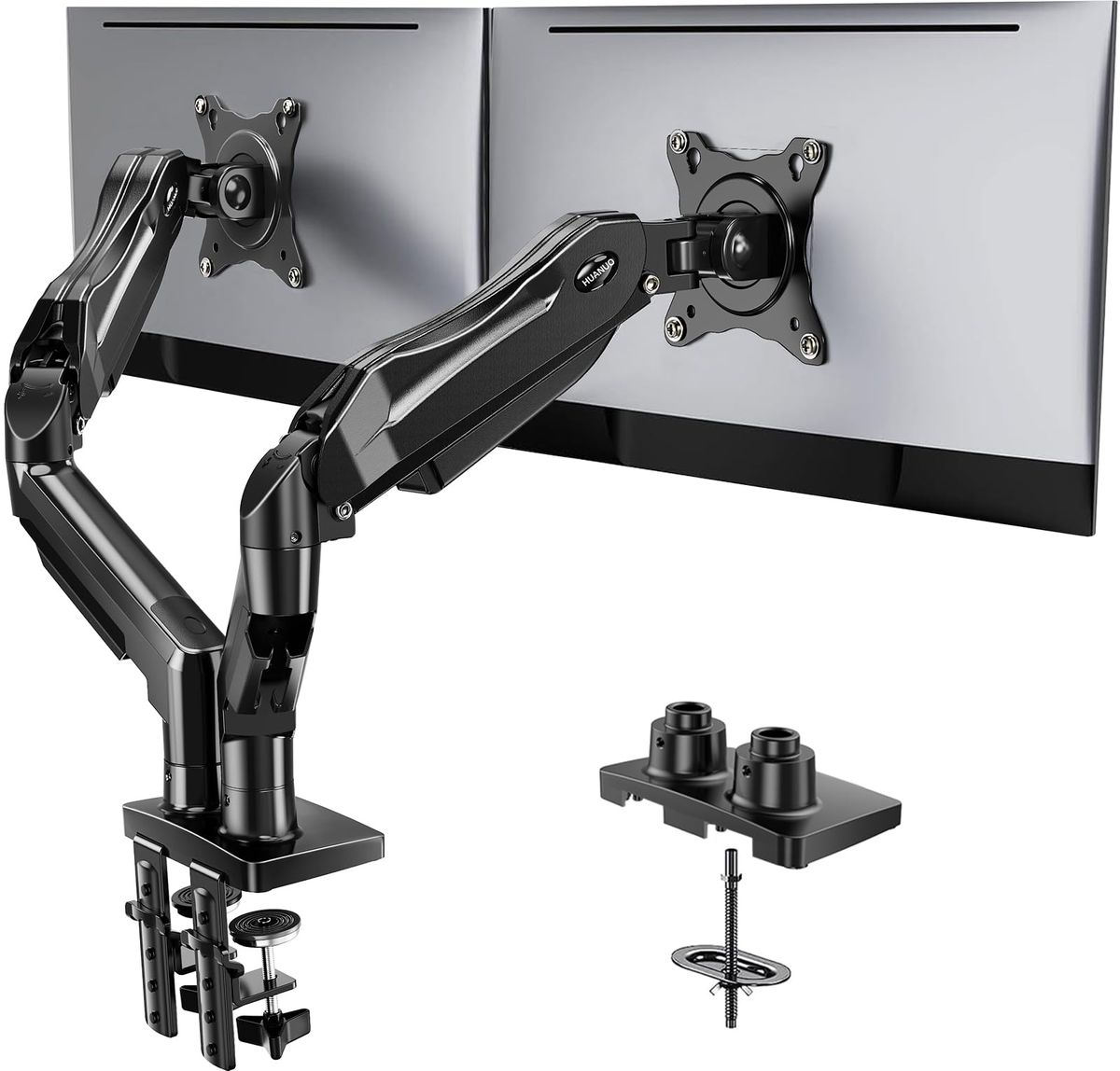
Dual Monitor Arm
Two arms on a single pole, each supporting a monitor with independent adjustment.
- Saves even more desk space
- Keeps monitors perfectly aligned
- Many offer cable management
- Harder to install and align
- Heavier duty poles may wobble on thin desks
Best for: Dual‑monitor productivity or gaming
Example: HUANUO FlowLift Dual
Heavy‑Duty / Ultrawide Arm
Single arm built with stronger materials to support large, heavy monitors (33+ lbs, up to 49 inches).
- Supports ultrawide curved and heavy screens
- Often features zero‑drift stability
- Higher range of movement
- Clamp requires very solid desk
- Limited tilt sometimes
Best for: Ultrawide or heavy monitors
Example: WALI Heavy Duty GSM001XLN
Monitor Stand / Riser
A shelf that sits on the desk without clamping, raising the monitor to a better height.
- No need to drill or clamp
- Sturdy and simple to set up
- Often adds under‑shelf storage
- No tilt, swivel, or height fine‑tuning
- Does not free desk space as much
Best for: Those who can’t or won’t clamp to a desk
Example: WALI Monitor Stand STT003
What Actually Matters
| Factor | Importance | Best brand |
|---|---|---|
VESA compatibility 75x75mm or 100x100mm mounting holes Check the back of your monitor for four screw holes in a square pattern. Older HPs or Dells may need an adapter plate. | Must-have | All arms in this guide support VESA 75/100 |
Weight capacity ≥ your monitor’s actual weight Always weigh your monitor — many claim 20+ lbs but real‑world sag occurs near the limit. Under‑spec arms drop over time. | Must-have | HUANUO (up to 19.8 lbs per arm), WALI (up to 33 lbs) |
Screen size range Covers your monitor’s diagonal Ultrawide monitors often exceed standard arm limits; look for arms that explicitly state ultrawide compatibility. | Must-have | VIVO covers up to 38 inches on budget arms, WALI up to 49 inches |
Adjustability range ≥ ±45° tilt, 180° swivel, 10″ height range One‑handed adjustment matters more than extreme numbers; you want to reposition screens without tools. | Must-have | HUANUO (+85°/−50° tilt, 15.75″ height) |
Desk compatibility Solid wood or composite, 0.59″–3.25″ thick, no crossbeams Clamp arms fail on glass, particle board, or desks with undersides that aren’t flat. Measure your desk before buying. | Must-have | All arms include C‑clamp; most add grommet mount |
Cable management Integrated clips or channels Helps keep cords tidy but doesn’t affect the arm’s core function. You can always add Velcro ties. | Nice-to-have | HUANUO, VIVO include clips on arms |
Warranty length ≥ 3 years Longer warranties signal confidence in build quality. VIVO offers 3 years which is standard. | Nice-to-have | HUANUO (5 years), WALI Stand (10 years) |
Integrated USB / charging hub Built‑in USB ports or charging docks often add ‑40 and rarely match the quality of a standalone hub. Save your money. | Marketing BS | — |
Budget Tiers & Top Picks
What to buy at each price point — and exactly where spending more stops paying off.
Under $40
$32.99 – $39.99VIVO Dual Monitor Desk Mount (STAND‑V002)

Stop paying more: Stop at $50. Spending $70 buys the HUANUO FlowLift’s better arm build and 5‑year warranty.
When to upgrade: Need a sturdier dual arm with one‑handed tilt and longer warranty? Step up to the mid‑tier HUANUO FlowLift Dual.
$40 – $55
$47.99 – $52.99HUANUO FlowLift Single Monitor Mount
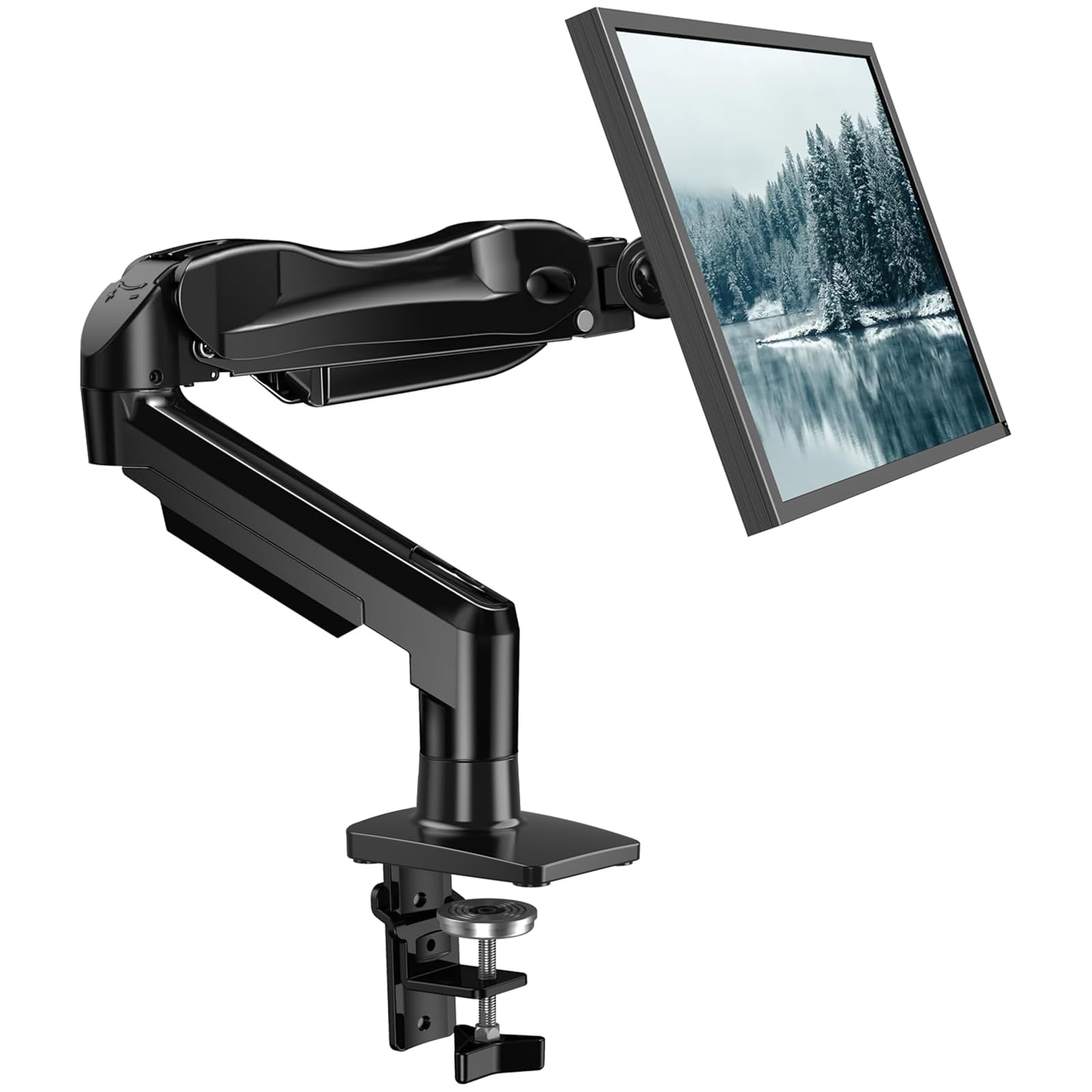
Stop paying more: Diminishing returns above $60 for a single arm. The $70 dual arm offers little extra unless you need a second screen later.
When to upgrade: If you later add a second monitor, the Dual FlowLift at $69.99 is a smarter long‑term buy.
$55 and above
$69.99 – $75.99HUANUO FlowLift Dual Monitor Stand

Stop paying more: Spending beyond $80 rarely adds meaningful improvements unless you need heavier capacity or integrated USB hubs.
When to upgrade: For ultrawide or heavy monitors, consider a heavy‑duty single arm like the WALI GSM001XLN instead.
Common Mistakes to Avoid
Buying before checking desk thickness
Most clamp arms require at least 0.59″ thick solid wood without crossbeams underneath. Installing on glass or thin particle board can crack your desk.
Cost of getting it wrong: Replacing a damaged desk or buying a grommet mount adaptor can ‑50.
Overlooking weight capacity
Many ultrawide and curved monitors weigh over 20 lbs. A standard arm rated for 22 lbs may sag or fail over time. Always weigh your monitor first.
Cost of getting it wrong: A falling monitor can mean a ‑800 repair or replacement.
Assuming dual arms align out of the box
Perfectly aligning two monitors often takes patience and frequent fine‑tuning; cheaper arms may require an Allen wrench for height adjustments.
Cost of getting it wrong: Wasted time and potential neck strain from misaligned screens.
Forgetting about VESA patterns
Some older HP and Dell monitors lack standard 75x75mm or 100x100mm VESA mounting holes. You’ll need a separate adapter plate.
Cost of getting it wrong: An extra ‑25 for an adapter plate and another trip to the hardware store.
Find Your Match
What’s your monitor setup?
Frequently Asked Questions
How much should I spend on a monitor arm?
For a single screen, $30–$50 gets a fully adjustable arm that holds up to 22 lbs. Dual arms start but the sweet spot is $50–$70, where you get smoother one‑handed adjustment and better cable management. Spending more than usually adds marginal benefits unless your monitor is over 25 lbs or an ultrawide over 40 inches.
Do I really need a dual arm if I only have one monitor?
No. A single arm is simpler, cheaper, and takes up less vertical pole space. Only buy a dual arm if you plan to add a second monitor within a year; otherwise, the extra arm just clutters your desk.
Can a clamp mount damage my desk?
A properly installed clamp on a solid wood or engineered wood desk (like IKEA LINNMON) distributes pressure well and rarely leaves marks. Avoid clamp mounts on hollow, glass, or particleboard desks — those can crack. Use the included grommet mount if your desk has a cable hole, or choose a monitor stand instead.
What’s the most common mistake with monitor arms?
Not checking the actual weight of the monitor. Manufacturers list panel‑only weight; with the stand attached it can be heavier. Many arms have a specified max weight but start to sag or wobble at 80% of that limit. Weigh your monitor (without its stand) before buying.
Will a monitor arm work with any VESA pattern?
Most consumer monitors from the last decade use 100x3.94 inches or 75x2.95 inches VESA. If your monitor has those four mounting holes, yes. Some ultra‑thin or older displays need an adapter. Check the back of your monitor before ordering.
Can I use an arm on a sit‑stand desk?
Yes, as long as the desk is solid wood or composite and at least 0.59 inches thick. The arm’s clamp must be tight enough not to slip when you raise or lower the desk. Many arms, like the HUANUO FlowLift, stay firm on sit‑stand desks if installed correctly.
Is a monitor stand better than a clamp arm?
A stand is better if you cannot or do not want to clamp to your desk — for example, if you have a glass or very thin desk, or you are renting and can’t risk scratches. However, stands offer no tilt/swivel and free less desk space. Choose based on your desk type and need for adjustability.
How we wrote this guide
Based on analysis of 40 recent Amazon buyer reviews and over 164,000 verified ratings across six finalists. Prices update weekly from Amazon. Desk compatibility and weight limits are verified from manufacturer specs.
About this guide
Mubboo Editorial Team. Picks synthesized from verified buyer reviews and published specifications. Prices update weekly from Amazon.