How to Choose an OBD2 Scanner (2026 Guide)
From basic code readers to app-based diagnostic tools, find the right scanner for your garage.
By Mubboo Editorial Team · Updated Jun 9, 2026 · 8 min read
At a Glance
- Price range
- $27 – $130
- Budget pick
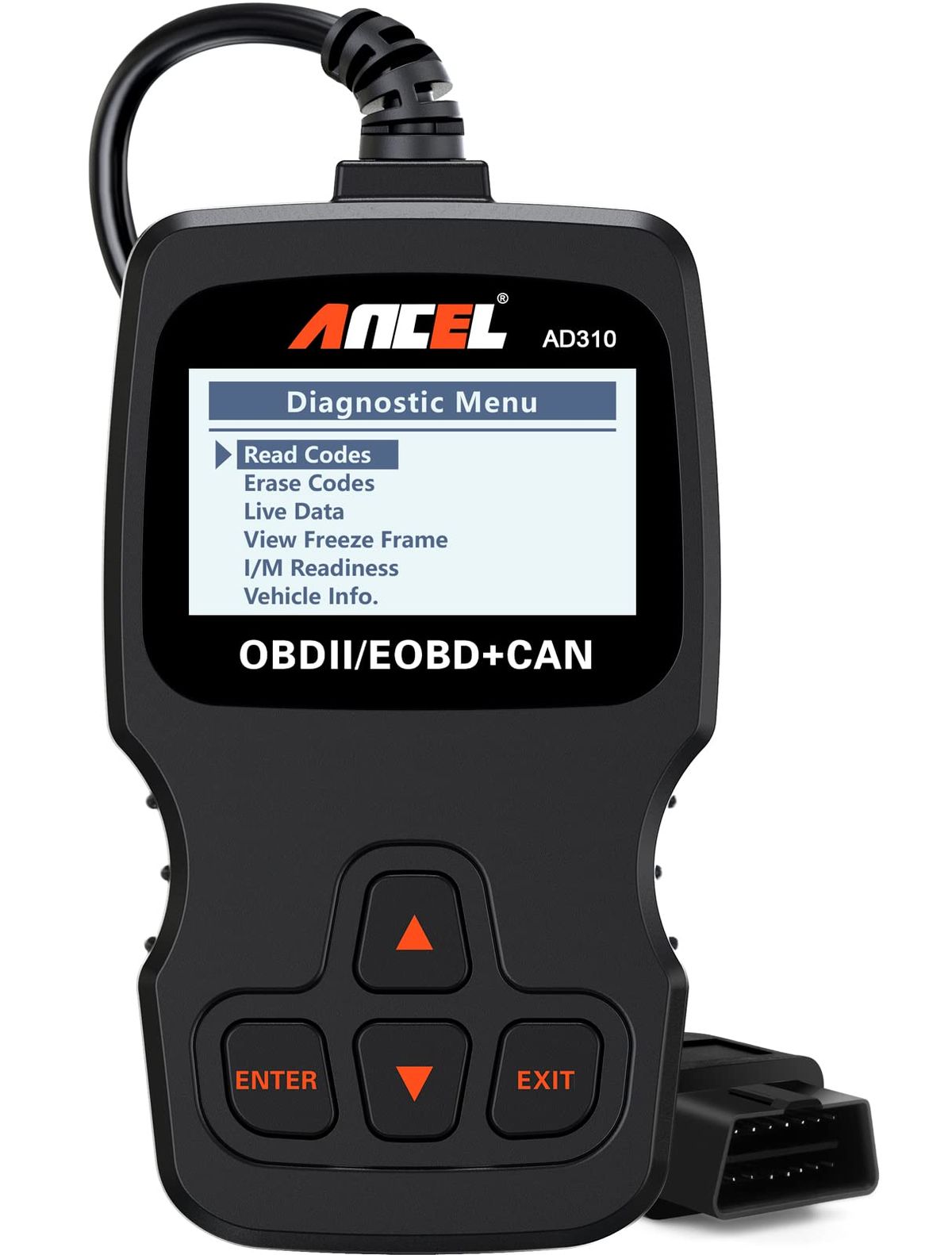
- ANCEL AD310 ($29.99 · 4.6★)
- Data
- 296,613 verified reviews across 6 finalists
- Best for
- DIY mechanics diagnosing check engine lightsBudget-conscious car owners wanting reliabilityTech-savvy users seeking app integration
- Skip if
- You only need to clear a check engine light once and never touch it again — a basic reader is enough.
Types Explained
Basic Handheld Code Reader
Plug directly into the OBD2 port and display codes on a built-in screen without a phone.
- Instantly ready, no pairing
- Lower cost ($26–$30)
- Works on most 1996+ vehicles
- Basic code reading only (engine)
- Small screen can be hard to read in sunlight
Best for: Quick check engine light diagnosis on a budget
Example: ANCEL AD310
Bluetooth App-Based Scanner
Send data to your smartphone via Bluetooth for richer diagnostics and repair reports.
- Read enhanced codes (ABS, SRS) on supported vehicles
- Detailed repair reports with possible fixes
- Free updates via app
- Requires a compatible phone and app
- Higher cost ($95–$130)
Best for: DIYers who want deeper insight and repair guidance
Example: BlueDriver Pro Next Gen
Advanced Handheld with Live Data
Handheld scanners with a color screen that display live sensor data in real time.
- Live data graphing helps spot intermittent issues
- No phone dependency
- Often includes I/M readiness indicators
- Limited to OBD2 engine codes (no ABS/SRS)
- Smaller profile makes live data visualization less rich than app-based
Best for: Home mechanics who want to monitor sensor data without a phone
Example: FOXWELL NT301
What Actually Matters
| Factor | Importance | Best brand |
|---|---|---|
Vehicle Compatibility OBD2 1996+; verify enhanced code support for your make/model A scanner that can't read your car's enhanced codes is useless. Check the manufacturer's compatibility list before buying. | Must-have | BlueDriver (extensive make/model coverage) |
Code Reading Depth At minimum, read and clear engine codes; ABS/Airbag if needed Basic handhelds only read engine codes. If you need to diagnose brake or airbag issues, get a scanner that supports those. | Must-have | BlueDriver (reads enhanced codes on many vehicles) |
Ease of Use Plug-and-play without extensive setup If you're a beginner, a plug-and-play handheld with a clear screen beats a complex app every time. | Must-have | ANCEL AD310 (simple buttons) |
Live Data Graphing Real-time sensor data display Useful for diagnosing intermittent issues; not essential for simple code reading. | Nice-to-have | FOXWELL NT301 |
Brand Reputation & Support Lifetime updates and responsive support A scanner with good support can save you hours of frustration. | Nice-to-have | BlueDriver (180-day money-back guarantee, 24/7 support) |
Wi-Fi/App 'Smart' Features Many scanners boast Wi-Fi connectivity, but for most DIYers, a simple Bluetooth or wired connection does the job. Don't pay extra for features you'll never use. | Marketing BS | — |
Budget Tiers & Top Picks
What to buy at each price point — and exactly where spending more stops paying off.
Under $50
$27 – $30ANCEL AD310

Stop paying more: Don't spend more than $30 in this tier — the ANCEL covers all essential OBD2 functions for most cars.
When to upgrade: If you need enhanced code reading or live data, step up to the $70–$100 tier.
$50 – $100
$70 – $95BlueDriver Pro Next Gen

Stop paying more: At around $95, you get unlimited repair reports and enhanced code reading. Spending more than $130 in this category rarely adds value for a home mechanic.
When to upgrade: If you need bidirectional controls or ECU programming, you'll need a professional-grade tool costing $300+.
$100+
$130BlueDriver Bluetooth Pro

Stop paying more: This older model includes the same app and enhanced diagnostics, but the Next Gen offers more features for less money. Only buy if you value phone support above all else.
When to upgrade: For most, the BlueDriver Pro Next Gen is a better value at $95.
Common Mistakes to Avoid
Buying a scanner that can't read ABS/Airbag when you need it
Many budget handhelds only read engine codes. If your ABS light is on, you'll need a more advanced scanner like the BlueDriver that reads enhanced codes on supported vehicles.
Cost of getting it wrong: Wasted plus a second purchase of the right tool —.
Assuming all OBD2 scanners work on any car
Compatibility varies. Always check the manufacturer's compatibility list for your specific make and model — some scanners miss coverage for certain Asian or European brands.
Cost of getting it wrong: Return shipping and time lost, potentially another +.
Overpaying for professional features you’ll never use
A scanner with Mode 6 diagnostics and bidirectional controls is overkill if you just want to turn off a check engine light. A handheld does that just as fast.
Cost of getting it wrong: Wasted.
Not checking update policies
Some scanners require paid subscriptions for app updates. BlueDriver stands out with free lifetime updates and no hidden fees.
Cost of getting it wrong: Ongoing annual fees of $20–$50 on competitor models.
Find Your Match
How do you want to connect?
Frequently Asked Questions
How do I choose the right OBD2 scanner?
Start with vehicle compatibility—check the manufacturer's list for your make and model. Decide if you need basic code reading (a handheld) or enhanced diagnostics like ABS and airbag codes (a Bluetooth scanner). If you prefer a phone-free experience, a handheld with a large screen is best; if you want repair reports, go app-based.
Do I need a scanner that reads ABS and airbag codes?
Only if those systems have warning lights or you plan to do brake or airbag repairs. A basic engine code reader can't access those systems. For added safety and future flexibility, investing in a scanner like the BlueDriver Pro Next Gen that reads enhanced codes is a smart choice.
What’s the difference between a handheld and a Bluetooth scanner?
Handheld scanners have a built-in screen and buttons—plug and go. Bluetooth scanners connect to your smartphone, turning it into a powerful diagnostic display with features like live data graphing and repair reports. Handhelds are simpler; Bluetooth scanners offer more depth but require a compatible phone.
Are OBD2 scanners universal?
However, enhanced diagnostics (ABS, airbag, transmission) vary by manufacturer, and not all scanners support every make. Always verify compatibility before buying.
Will an OBD2 scanner drain my car battery?
A scanner draws minimal power and is only active when plugged in. Always remove it after use to prevent accidental drain, but for a short diagnosis, it won't affect a healthy battery. Bluetooth scanners have low energy consumption, similar to leaving a small accessory plugged in.
Is the BlueDriver Pro Next Gen worth the extra cost over a basic $30 reader?
Yes, if you plan to diagnose more than check engine lights. It reads ABS, airbag, and transmission codes on supported vehicles, provides unlimited VIN-specific repair reports, and gets free app updates for life. For a one-time investment, you gain professional-level insight without recurring fees.
Do OBD2 scanners work on older cars?
Always test with your specific year and model to ensure full compatibility.
How we wrote this guide
We evaluated 6 popular OBD2 scanners by analyzing 296,613 verified Amazon buyer reviews, cross-referencing manufacturer specifications, and incorporating independent YouTube testing from Project Farm and Budget Mechanic. Prices update weekly from Amazon.
About this guide
Mubboo Editorial Team — independent US-market consumer research. Picks reflect editorial consensus from verified buyer reviews and real-world video testing. Prices update weekly from Amazon.