Security Camera Buying Guide 2026: Subscriptions, Wi-Fi Reliability & Battery Life Explained
Why 'no monthly fees' isn't universal in this category, and the Wi-Fi placement detail behind most 'camera went offline' complaints.
By Mubboo Editorial Team · Updated Jul 1, 2026 · 7 min read
At a Glance
- Price range
- $24 – $55
- Data
- 195,000+ verified reviews analyzed across 6 finalists
- Best for
- Front door and porch monitoringIndoor pet and baby monitoringBudget-conscious home security
- Skip if
- You need a full multi-camera professional monitoring system — these are standalone consumer cameras, not a professional-monitored security system
Types Explained
Battery-Powered Outdoor Cameras
Wireless, weather-resistant cameras designed for outdoor placement without needing a nearby outlet.
- Flexible, cordless placement anywhere outdoors
- Weather-resistant for outdoor conditions
- Requires periodic recharging
- Buyer feedback notes battery drain can require weekly charging
Best for: Front door, porch, and other outdoor monitoring spots without easy outlet access
Example: Ring Outdoor Cam (Stick Up Cam) Battery
Plug-In Indoor Pan/Tilt Cameras
Wired cameras with 360-degree pan and tilt coverage, designed for continuous indoor power.
- Never runs out of power like a battery model
- 360-degree coverage from a single fixed location
- Needs a nearby outlet, limiting placement options
- Cord visibility may not suit every room's aesthetic
Best for: Indoor monitoring where a nearby outlet is available
Example: eufy Security Indoor Cam E220
Subscription-Free / Local-Storage Cameras
Cameras that specifically support local SD card storage or free short-term cloud recording without a required subscription.
- No ongoing monthly cost for core recording features
- Local storage keeps footage independent of a cloud service
- Extended video history may still require a subscription upgrade
- Local storage requires managing your own SD card
Best for: Buyers wanting to avoid an ongoing subscription cost
Example: REOLINK E1 Pro 3K
What Actually Matters
| Factor | Importance | Best brand |
|---|---|---|
Subscription requirement for full video history Some cameras need a paid subscription for extended video history and advanced alerts; others include free local or short-term cloud storage without a subscription Check whether 'scroll back in time' or extended history features require an ongoing subscription before assuming the camera's full functionality is included in the purchase price. | Must-have | The blurams and REOLINK models both specifically note no subscription or monthly fees required for core recording features |
Wi-Fi signal strength and connectivity reliability A strong, stable Wi-Fi signal at the camera's install location matters more than the camera's own spec sheet — placement near router range extends reliability Buyer feedback specifically notes cameras going offline as a recurring complaint — this is frequently a Wi-Fi signal strength issue rather than a camera defect. | Must-have | The REOLINK E1 Pro supports dual-band 2.4/5GHz Wi-Fi, offering more flexibility for network congestion |
Battery-powered vs. plug-in power source Battery-powered cameras offer flexible, cordless placement but require periodic recharging; plug-in cameras need a nearby outlet but never run out of power Buyer feedback specifically notes battery drain requiring weekly charging on battery-powered models — factor this maintenance routine in before choosing cordless placement. | Must-have | The Ring Outdoor Cam is the only battery-powered model in this list; the rest are plug-in |
Motion detection accuracy and false-alert tuning Buyer feedback specifically notes inaccurate motion detection, like a hanging apron triggering an alert — adjusting motion zones in the app after setup reduces false alarms. | Nice-to-have | — |
'AI-powered' detection claims without specifying what's actually detected 'AI-powered' detection still produces false positives in real-world use, as buyer feedback confirms — treat it as a helpful filter that reduces false alerts, not a guarantee of perfect accuracy. | Marketing BS | — |
Maximum resolution number (2K, 3K) as the sole quality indicator Buyer feedback specifically praises video quality across multiple resolution tiers in this list — night vision quality, field of view, and app usability affect real-world footage quality as much as the raw resolution number. | Marketing BS | — |
Budget Tiers & Top Picks
What to buy at each price point — and exactly where spending more stops paying off.
Budget
$24 – $30Tapo TP-Link 2K Pan Tilt Security Camera

Stop paying more: At this price, you get 2K resolution with local or cloud storage flexibility — paying more mostly buys outdoor durability or dual-band Wi-Fi.
When to upgrade: Want to avoid a subscription entirely, or need outdoor placement? Step up to the mid tier.
Standard
$30 – $45Ring Outdoor Cam (Stick Up Cam) Battery
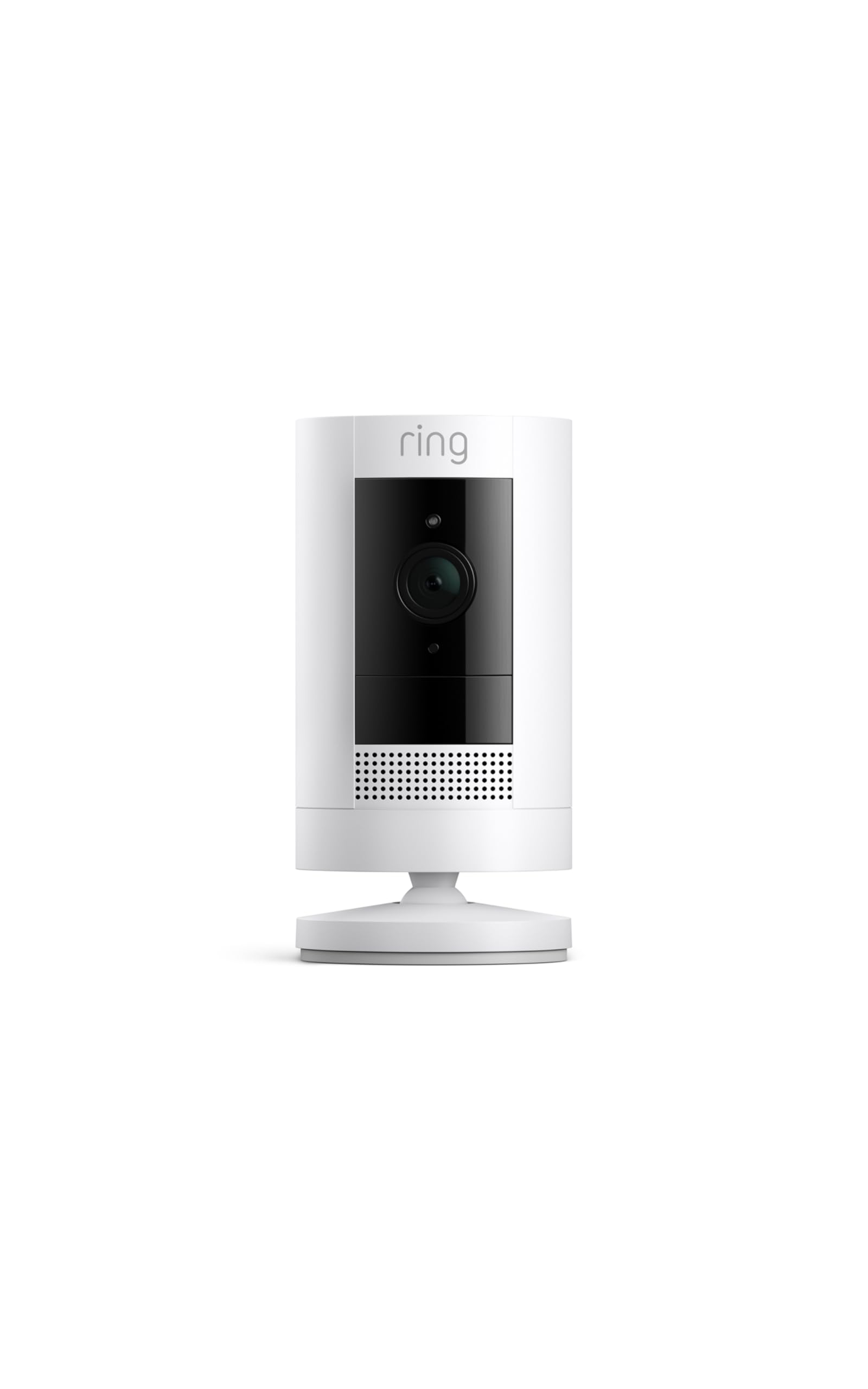
Stop paying more: This tier's review volume and outdoor durability are the ceiling for battery-powered placement flexibility.
When to upgrade: Want the highest-rated camera or a subscription-free premium option? Move to the premium tier.
Premium
$45 and upRing Indoor Cam (2nd Gen)
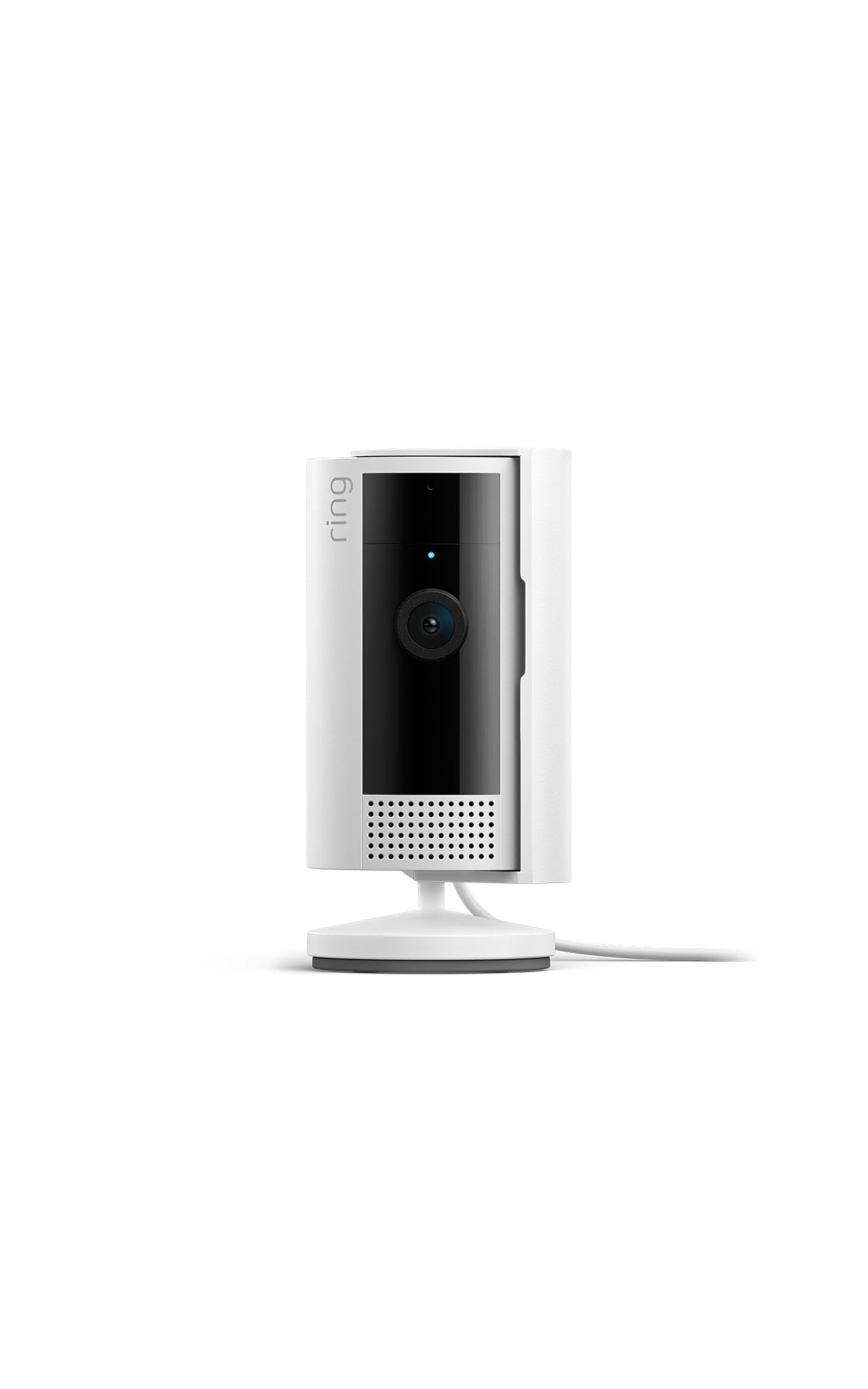
Stop paying more: The highest rating and a manual privacy feature here are the ceiling for this list — beyond this is professional-monitored multi-camera security systems, a different category entirely.
When to upgrade: There isn't a meaningful step up from here for a standalone consumer camera — a professionally monitored system is the next tier for whole-home coverage.
Common Mistakes to Avoid
Assuming full camera functionality is included without checking subscription requirements
Some cameras need a paid subscription for extended video history and advanced alerts — check this before buying if ongoing costs matter to your budget.
Cost of getting it wrong: An unexpected recurring subscription cost to unlock features you assumed were included
Placing a camera at the edge of your Wi-Fi range
Buyer feedback specifically notes cameras going offline as a recurring complaint, frequently tied to weak Wi-Fi signal at the install location rather than a camera defect.
Cost of getting it wrong: Frustrating connectivity drops and missed recording during actual events
Choosing a battery-powered camera without planning for recharging
Buyer feedback specifically notes battery drain requiring weekly charging on battery-powered models — factor this maintenance routine into your decision, especially for hard-to-reach mounting locations.
Cost of getting it wrong: A camera that goes offline between charges at an inconvenient time
Not adjusting motion zones after initial setup
Buyer feedback specifically notes inaccurate motion detection triggering on non-events like a hanging apron — spending a few minutes adjusting motion zones in the app reduces false alerts significantly.
Cost of getting it wrong: Alert fatigue from frequent false notifications that get ignored over time
Find Your Match
Indoor or outdoor placement?
Frequently Asked Questions
How much should I spend on a security camera?
Budget plug-in indoor cameras run $24-$30. Mid-range and outdoor battery cameras run $40-$45. Premium models with dual-band Wi-Fi run around $55.
What should I avoid when buying a security camera?
Avoid assuming full functionality is included without checking subscription requirements, and don't place a camera at the edge of your Wi-Fi range.
Do security cameras require a monthly subscription?
Not always. Some cameras need a paid subscription for extended video history and advanced alerts, while others support local SD card or free short-term cloud storage without a subscription.
Why does my security camera keep going offline?
Buyer feedback specifically notes cameras going offline as a recurring complaint, frequently tied to weak Wi-Fi signal at the install location rather than a camera defect.
How often do battery-powered security cameras need charging?
Buyer feedback specifically notes battery drain requiring weekly charging on some battery-powered models — factor this into your decision, especially for hard-to-reach mounting spots.
Why does my camera send false motion alerts?
AI-powered detection still produces false positives in real-world use — buyer feedback specifically notes objects like a hanging apron triggering alerts. Adjusting motion zones in the app after setup reduces this.
How we wrote this guide
Synthesized from 6 finalists and 195,000+ verified Amazon reviews across battery-powered, plug-in, and subscription-free cameras. Prices update weekly from Amazon.
About this guide
Mubboo Editorial Team. Picks based on comparison of subscription requirements, connectivity reliability, and verified user reviews. Prices update weekly from Amazon.