Prices verified Jun 9 · Always confirm at the retailer before buying.
Quick answer
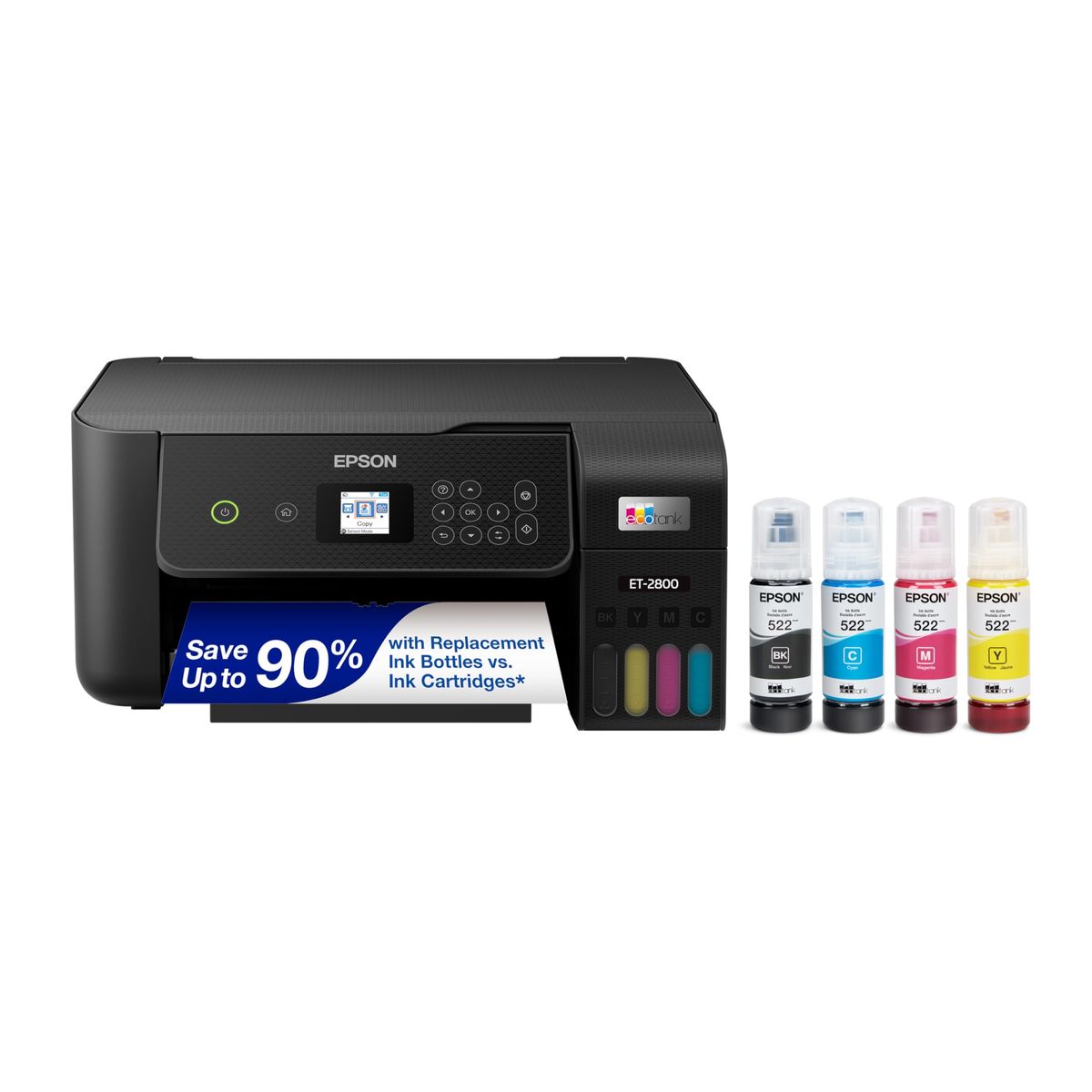
For most home offices, the Epson EcoTank ET-2800 wins with refillable ink tanks that slash per-page costs to mere cents, despite its slower 10 ppm B&W speed. The HP OfficeJet 250 spikes to 20 ppm and runs on a built-in battery for true mobile printing, but you pay a premium and face ongoing cartridge expenses. Both scan and copy, lack auto-duplex, and connect over Wi-Fi and USB.
The Epson EcoTank ET-2800 wins for most home offices — dirt-cheap refillable ink and the included 2-year supply outweigh its slower speed over the HP OfficeJet 250.
Mubboo Verdict
Best for most people
Epson EcoTank ET-2800
Refillable ink tanks slash per-page costs to near zero, and the 2-year ink supply in the box saves heavy users hundreds of dollars.
Pick the HP OfficeJet 250 Wireless Mobile Printer, Scanner, Copier - Black, Battery Included (CZ992A) instead if
- You're a field sales rep or event coordinator printing contracts from your car — battery-powered freedom beats tank savings.
- Speed is your #1 dealbreaker: 20 ppm B&W finishes a 50-page document in under 3 minutes, versus 5+ minutes on the Epson.
- You need a printer that disappears into a briefcase — 6.5 lbs with a 3.6" height fits where the 11.4 lb Epson won't.
- You print primarily over Wi-Fi Direct from mobile devices — the HP's strong wireless link and HP App simplify mobile-only workflows.
Epson EcoTank ET-2800 Wireless Color All-in-One Cartridge-Free Supertank Printer vs HP OfficeJet 250 Wireless Mobile Printer, Scanner, Copier - Black, Battery Included (CZ992A), side by side
Epson EcoTank ET-2800 Wireless Color All-in-One Cartridge-Free Supertank Printer

Pros:
- Refillable ink tanks yield thousands of pages for mere cents each
- Includes up to 2 years of ink in the box, saving an estimated vs cartridges
- All-in-one print, scan, copy with Wi-Fi and USB
- High-resolution 5760 x 1440 dpi for sharp text and vivid photos
Cons (honest weight):
- Slow black print speed: 10 ppm, half that of cartridge rivals
- No automatic duplexing — must manually re-feed for two-sided jobs
- No Ethernet or NFC; limited to Wi-Fi and USB only
HP OfficeJet 250 Wireless Mobile Printer, Scanner, Copier - Black, Battery Included (CZ992A)

Pros:
- Blazing-fast 20 ppm B&W and 19 ppm color — double the Epson's output
- Built-in rechargeable battery enables wireless printing anywhere
- Compact 6.5 lb design fits in a backpack or briefcase
- Direct wireless link and HP Fast Charge in 90 minutes
Cons (honest weight):
- Expensive upfront: over two times the Epson's cost at press time
- Cartridge-based ink is pricey long-term with no refillable option
- Manual duplex only, same as the Epson's lack of automatic two-sided printing
Where each one wins
9 dimensions scored head-to-head. Epson EcoTank takes 4; HP OfficeJet takes 3.
| Dimension | Epson EcoTank ET-2800 Wireless Color All-in-One Cartridge-Free Supertank Printer | HP OfficeJet 250 Wireless Mobile Printer, Scanner, Copier - Black, Battery Included (CZ992A) | Winner |
|---|---|---|---|
| PriceThe Epson costs significantly less upfront, stretching your budget for other home-office gear. | Half the cost of HP | Over twice the Epson's price | Epson EcoTank |
| Ink CostEpson's tank system yields thousands of pages per bottle, while HP cartridges drain quickly and cost 25x more per page. | ~0.2¢ per page (refillable tank) | ~5.0¢ per page (cartridge) | Epson EcoTank |
| Print Speed (B&W)The HP prints black documents at double the speed, a critical edge for time-sensitive jobs. | 10 ppm | 20 ppm | HP OfficeJet |
| PortabilityThe HP's built-in battery and lightweight design make it a true portable; the Epson stays desk-bound. | 11.4 lbs, no battery | 6.5 lbs with battery | HP OfficeJet |
| Duplex PrintingNeither printer offers automatic two-sided printing; both require manual re-feeding. | None (simplex) | Manual only | Tie |
| DisplayHP provides a clearer, more intuitive screen with color icons; Epson's simple LCD gets the job done. | Monochrome LCD | Color Graphic Display (CGD) | HP OfficeJet |
| Paper CapacityEpson holds twice as many printed sheets before needing emptying, better for batch jobs. | 100-sheet output tray | 50-sheet output tray | Epson EcoTank |
| ResolutionEpson's higher max resolution yields slightly sharper photos, though both deliver crisp documents. | 5760 x 1440 dpi | 4800 x 1200 dpi (color) | Epson EcoTank |
| WarrantyBoth include a standard one-year manufacturer warranty, with extended plans available separately. | 1-year limited | 1-year limited | Tie |
| Overall | 4 wins | 3 wins | Epson EcoTank |
Price — Epson wins
The Epson costs half the upfront price of the HP, delivering a massive initial saving. At under $200, it's within reach for most households; the HP's premium price only makes sense if mobile printing is a daily requirement.
Over time, the price gap widens further because the Epson's tank system virtually eliminates ongoing ink expenses. Families who print regularly will recoup the HP's extra cost within months through cartridge savings alone.
Budget-conscious families and students should prioritize the Epson. The HP is strictly for those who allocate a larger budget to gain speed and portability.
Ink Cost — Epson wins
The Epson prints at a fraction of a penny per page, while the HP's cartridges push costs to nearly 5 cents per page. That adds up fast: a 500-page project in Epson ink versus on the HP.
Real-world use confirms the Epson's endurance. Video reviewer Kooky Craftables reported after a year and 1,728 pages, the initial ink supply was still substantial, with plenty of ink left in the tanks.
Anyone who prints more than 50 pages a month will love the Epson. The HP should only be chosen if you print infrequently and can offset the high per-page cost with low total volume.
Print Speed — HP wins
The HP outruns the Epson with 20 ppm in black and 19 ppm in color — double the Epson's 10 and 5 ppm rates. A 50-page document prints in under 3 minutes on the HP, versus over 5 on the Epson.
This speed gap matters most for time-sensitive office tasks. When you're rushing a proposal or boarding passes, the HP's quick output means less waiting; the Epson's slower pace is fine for planned, batch printing.
Frequent snap-printers and road warriors should prioritize the HP. Home users who print casually and can afford to wait won't feel the difference as much.
Portability — HP wins
The HP weighs just 6.5 pounds and includes a built-in rechargeable battery, making it a true grab-and-go printer. The Epson tips the scales at 11.4 pounds and requires a wall outlet, anchoring it to a desk.
For field sales, event check-ins, or summer courses, the HP turns any surface into a print station. You can charge it in your car and print directly from a phone without a router, which the Epson cannot.
If you work from a single location 95% of the time, portability adds no value. The HP's battery and light build are wasted on a shelf; stick with the Epson's lower total cost of ownership.
Duplex Printing — Tie
Neither machine includes automatic two-sided printing — a standard feature on many modern printers. Both require you to manually flip pages to print on the reverse, which increases paper usage and user effort.
This is a notable shortfall for eco-conscious users or double-sided report printouts. If duplex is a must, consider an alternative like the Canon PIXMA TS4320 or a laser printer with auto-duplex.
Occasional two-sided jobs are manageable with manual re-feeding. Heavy duplex users should skip both and look for a printer with an automatic duplexer.
Display — HP wins
The HP's Color Graphic Display is brighter and easier to navigate than the Epson's basic monochrome LCD. It shows printer status, ink levels, and menu options in color, reducing button presses for common tasks.
A richer screen simplifies troubleshooting and mobile setup. The Epson's simpler panel still works, but the HP's interface feels more modern and responsive for daily use.
If you frequently adjust settings directly on the printer, the HP's display is a genuine quality-of-life upgrade. Users who control everything via app or computer can accept the Epson's basic screen without pain.
Paper Capacity — Epson wins
The Epson's 100-sheet output tray holds double the HP's 50 sheets. So you can print a larger stack before needing to clear the tray, which is handy for long reports or homework packets.
Batch printing is less interrupted on the Epson. For home offices that print weekly schedules or multiple copies, the larger tray reduces hands-on time.
Low-volume users won't notice the difference much. If you rarely pull more than 10 pages at a time, the HP's smaller bin won't slow you down.
Resolution — Epson wins
The Epson's max color resolution of 5760 x 1440 dpi edges out the HP's 4800 x 1200 dpi. In practice, this means the Epson can render slightly finer details in high-quality photo prints.
Both deliver crisp text and vibrant graphics for everyday documents. The difference only becomes visible when printing dense photo collages or ultra-fine line art.
Photography enthusiasts and designers should lean towards the Epson for the extra sharpness. Casual users printing web images or homework won't see a meaningful gap.
Warranty — Tie
Both come with a 1-year limited manufacturer warranty. You can purchase extended service plans from Amazon or third-party providers for longer coverage.
Customer support quality varies, and Amazon buyers frequently mention long hold times for both brands. Rely on the initial warranty for defects, and budget an extended plan if you run a small business relying on the printer.
Heavy commercial use may warrant the upgraded support. Home users rarely outstrip the standard 1-year protection.
Which should you buy?
| Your situation | Pick | Why |
|---|---|---|
| Cost-sensitive home user | Epson EcoTank ET-2800 Wireless Color All-in-One Cartridge-Free Supertank Printer | Cheap upfront and near-zero ink costs save hundreds over time. |
| Business traveler | HP OfficeJet 250 Wireless Mobile Printer, Scanner, Copier - Black, Battery Included (CZ992A) | Battery and compact size print anywhere without a wall outlet. |
| Occasional printer | Epson EcoTank ET-2800 Wireless Color All-in-One Cartridge-Free Supertank Printer | Ink won't dry out and you won't bleed money on infrequent cartridge replacements. |
| Road warrior | HP OfficeJet 250 Wireless Mobile Printer, Scanner, Copier - Black, Battery Included (CZ992A) | Fast prints in the car and 90-minute charge keep you productive between stops. |
| High-volume home office | Epson EcoTank ET-2800 Wireless Color All-in-One Cartridge-Free Supertank Printer | Tank yields thousands of pages and output tray holds 100 sheets. |
| Speed demon | HP OfficeJet 250 Wireless Mobile Printer, Scanner, Copier - Black, Battery Included (CZ992A) | 20 ppm B&W is twice the Epson's pace; critical for last-minute deadlines. |
Cheap upfront and near-zero ink costs save hundreds over time.
Battery and compact size print anywhere without a wall outlet.
Ink won't dry out and you won't bleed money on infrequent cartridge replacements.
Fast prints in the car and 90-minute charge keep you productive between stops.
Tank yields thousands of pages and output tray holds 100 sheets.
20 ppm B&W is twice the Epson's pace; critical for last-minute deadlines.
What if neither is right?
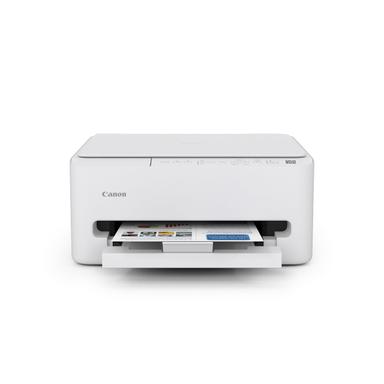
Canon PIXMA TS4320
$69
The cheapest reliable inkjet with auto-duplex under $70.
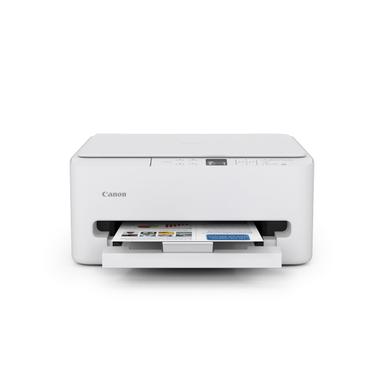
Canon PIXMA TS6520
$140
Upgraded 14 ppm B&W speed and OLED display, still affordable.
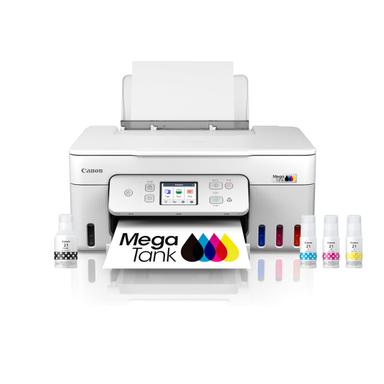
Canon MegaTank G3290
$229
A refillable tank MFP with fax, auto-duplex, and higher capacity at a mid-range price.
Frequently Asked Questions
Which printer is better for a home office, the Epson EcoTank or HP OfficeJet 250?
For most home offices, the Epson EcoTank ET-2800 is the stronger pick. Its dirt-cheap refillable ink tanks mean you can print thousands of pages without worrying about costs, and the 2-year supply in the box eliminates frequent ink runs. The HP is faster and portable, but unless you print on the go, the Epson's long-term savings are unbeatable.
Does the HP OfficeJet 250 print well without Wi-Fi?
Yes, the HP OfficeJet 250 excels at offline printing. It supports USB, wireless direct, and HP Auto Wireless Connect, so you can print from a laptop or phone without a router. The built-in battery lasts through dozens of pages, and you can charge it in a car, making it a true offline workhorse.
What are the biggest disadvantages of the Epson EcoTank ET-2800?
The main drawbacks are its slow print speed (10 ppm black, 5 ppm color) and lack of automatic duplexing. If you frequently print multi-page documents double-sided, you'll manually flip pages — a time sink. Also, no Ethernet port limits placement to Wi-Fi range.
How much does ink cost for each printer over time?
The Epson's tank system yields pages at about 0.2¢ each, while the HP's cartridges run around 5¢ per page. Over 1,000 pages, that's roughly vs. The Epson includes up to 2 years' worth of ink in the box, reducing early outlay dramatically.
Is the HP OfficeJet 250 worth the extra money?
Only if portability is essential. For a business traveler who prints contracts, invoices, or reports from a hotel room or car, the HP's speed, battery, and compact size justify the premium. For everyone else, the Epson offers far better value and lower ongoing costs.
Can either printer handle cardstock or glossy photo paper?
Both support media like cardstock, envelopes, and glossy photo paper. Video reviewers like Kooky Craftables confirmed the Epson handles 100lb cardstock without jamming and delivers vibrant photos. The HP also handles a range of paper sizes and weights for business documents.
We compared specifications, read 24,000+ verified buyer reviews, and cross-referenced hands-on video reviews to score nine dimensions. Prices update weekly from Amazon.
Who wrote this and where's the data from?
Mubboo Editorial Team. Research informed by verified customer experiences and product specifications. Picks are independent, not influenced by brands.