Prices verified May 28 · Always confirm at the retailer before buying.
Quick answer
Its 4.5-star rating across 8,767 reviews proves reliability. Both share automatic duplex, wireless and Ethernet connectivity, and 250-sheet paper trays.
Mubboo Verdict
Winner
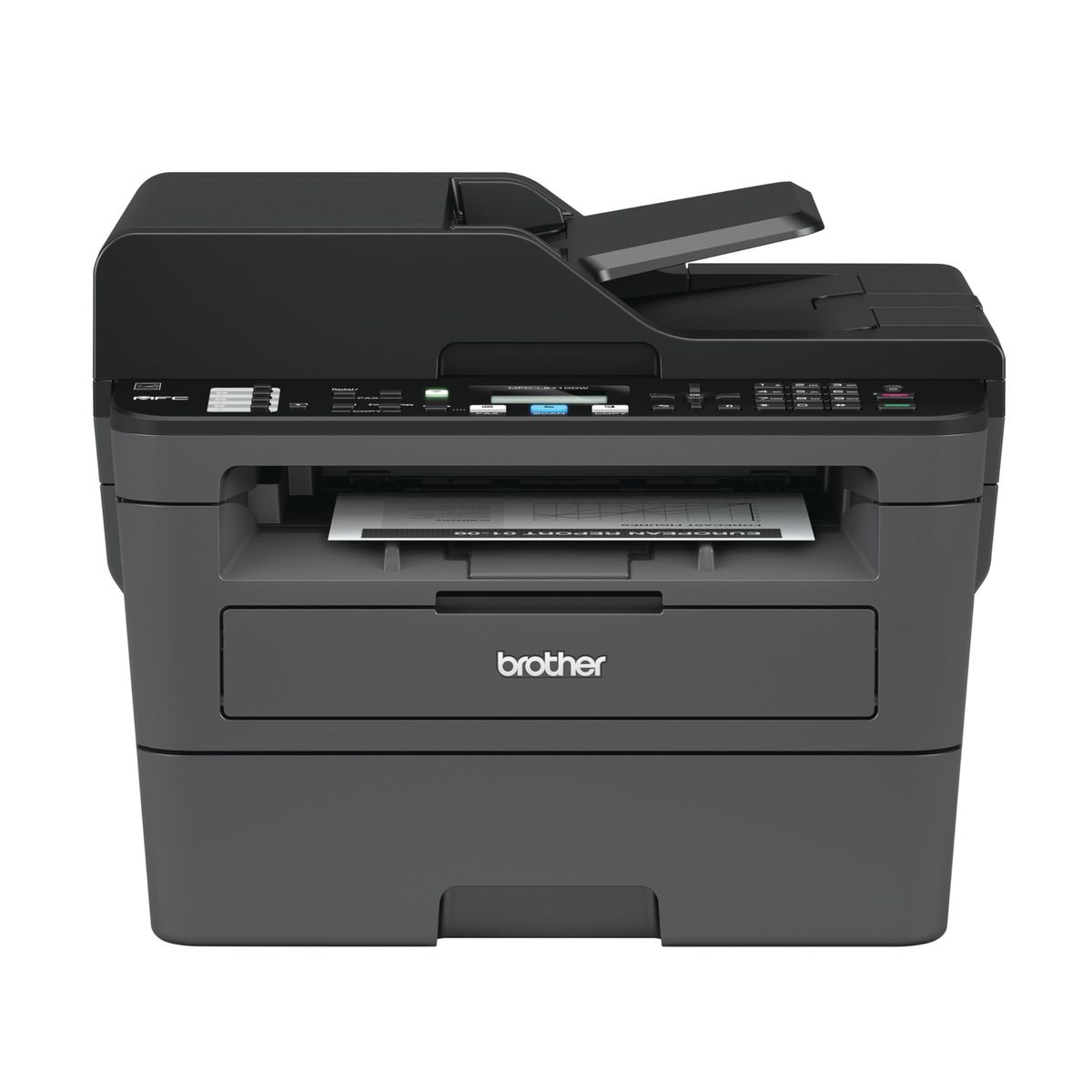
Brother MFCL2710DW
Brother MFCL2710DW Monochrome Laser Printer vs Brother DCP-L2640DW Wireless Compact Monochrome Multi-Function Laser Printer, side by side
Brother MFCL2710DW Monochrome Laser Printer

Pros:
- Fast <strong>32 ppm</strong> print speed handles high-volume jobs
- Automtic duplex saves paper and time
- Includes <strong>fax</strong> for traditional office communication
- Wireless and Ethernet connectivity for flexible setup
- 250-sheet paper capacity reduces refills
Cons (honest weight):
- Higher price at <strong>$420</strong> compared to budget models
- Starter toner yields only <strong>700 pages</strong>
- Larger footprint may not suit tight desks
Brother DCP-L2640DW Wireless Compact Monochrome Multi-Function Laser Printer

Pros:
- Fastest print speed at <strong>36 ppm</strong> in its class
- Automtic duplex for eco-friendly printing
- Wireless and Ethernet dual connectivity
- Brother Mobile Connect app for remote printing
- Low price at <strong>$209.99</strong>
Cons (honest weight):
- No fax function limits office use
- Lower rating (<strong>4.3</strong>) than premium alternatives
- Fewer user reviews (<strong>3,382</strong>) indicates less adoption
Where each one wins
10 dimensions scored head-to-head. Brother MFCL2710DW takes 3; Brother DCP-L2640DW takes 2.
| Dimension | Brother MFCL2710DW Monochrome Laser Printer | Brother DCP-L2640DW Wireless Compact Monochrome Multi-Function Laser Printer | Winner |
|---|---|---|---|
| PriceDCP-L2640DW costs half as much, saving $210. | $420 | $210 | Brother DCP-L2640DW |
| Print SpeedDCP-L2640DW is 4 ppm faster. | 32 ppm | 36 ppm | Brother DCP-L2640DW |
| Duplex PrintingBoth have automatic duplex printing. | Automatic | Automatic | Tie |
| ConnectivitySame connectivity options. | Wi-Fi, Ethernet, USB | Wi-Fi, Ethernet, USB | Tie |
| FaxOnly MFCL2710DW includes fax. | Yes | No | Brother MFCL2710DW |
| Amazon RatingMFCL2710DW has higher user satisfaction. | 4.5 | 4.3 | Brother MFCL2710DW |
| Review CountMFCL2710DW has more than double the reviews. | 8,767 | 3,382 | Brother MFCL2710DW |
| WarrantyBoth have a 1-year limited warranty. | 1-year limited | 1-year limited | Tie |
| Paper CapacityIdentical 250-sheet input tray. | 250 sheets | 250 sheets | Tie |
| Auto Document FeederBoth have an ADF for multi-page scanning. | Yes | Yes | Tie |
| Overall | 3 wins | 2 wins | Brother MFCL2710DW |
Price — DCP-L2640DW wins on value
The Brother MFCL2710DW retails for $420, while the DCP-L2640DW costs just $210 — a 50% savings. That $210 gap is large enough to buy extra toner or a second printer. Both are monochrome lasers with similar paper handling and duplex printing, so the price difference mainly reflects the fax module and higher review count of the MFCL2710DW.
In daily use, the price difference means the DCP-L2640DW is easier to justify for a home office where fax is rarely needed. The $210 saved can be used for high-yield toner, making the DCP-L2640DW cheaper to run over time. For a small office with consistent faxing needs, the MFCL2710DW's higher upfront cost is still reasonable.
Prioritize the DCP-L2640DW if your budget is tight and fax isn't essential. Choose the MFCL2710DW only if you regularly send or receive faxes as part of your workflow. The price alone should not drive the decision — factor in the features you actually need.
Print Speed — DCP-L2640DW is faster
The DCP-L2640DW prints at 36 ppm, outpacing the MFCL2710DW's 32 ppm by 4 pages per minute. That difference matters when printing long documents — a 20-page report takes about 33 seconds on the DCP-L2640DW versus 37 seconds on the MFCL2710DW. Both are fast enough for most home and small office tasks.
In daily use, the 4 ppm advantage translates to noticeable time savings for batch printing. If you frequently print multi-page documents or reports, the DCP-L2640DW will finish first. For occasional single-page prints, the difference is negligible.
Prioritize the DCP-L2640DW if speed is your top priority. The MFCL2710DW's 32 ppm is still faster than many competitors, but the DCP-L2640DW holds a clear edge for volume printing.
Duplex Printing — Tie
Both printers offer automatic duplex printing, allowing you to print on both sides of the page without manual intervention. This feature saves paper and reduces waste. On both models, duplex is standard and works reliably for everyday documents.
In daily use, automatic duplex is a convenience you'll appreciate once you start using it. It cuts paper consumption by half for double-sided prints and eliminates the need to flip pages manually. Both implementations are equally fast and easy to use.
Prioritize either printer if duplex printing is important to you. Both handle it equally well, so this dimension doesn't tilt the decision.
Connectivity — Tie
Both the MFCL2710DW and DCP-L2640DW include built-in wireless (dual-band), Ethernet, and USB 2.0 interfaces. This flexibility allows them to connect to home networks, office LANs, or directly to a single computer. Both also support mobile printing via Brother's apps.
In daily use, you can print from any device on your network or remotely via the Brother Mobile Connect app. The dual-band wireless ensures stable connections even in crowded Wi-Fi environments. Ethernet offers a wired option for high-reliability office setups.
Prioritize either printer — connectivity is identical. The decision comes down to other features like fax or budget.
Fax — MFCL2710DW wins
The MFCL2710DW includes a built-in fax machine, while the DCP-L2640DW lacks fax functionality entirely. This is the single most differentiating feature. For offices that still rely on fax for contracts, medical forms, or legal documents, the MFCL2710DW is essential.
In daily use, having fax on the MFCL2710DW means you don't need a separate fax machine or online fax service. It integrates into the printer's control panel, so sending and receiving faxes is straightforward. For home offices, fax is increasingly rare.
Choose the MFCL2710DW if you regularly send or receive faxes. The DCP-L2640DW is fine if you never need fax or can use an alternate method.
Amazon Rating — MFCL2710DW wins
The MFCL2710DW holds a 4.5-star average from 8,767 verified Amazon reviews, while the DCP-L2640DW averages 4.3 stars from 3,382 reviews. The higher rating and larger review sample indicate stronger buyer satisfaction and reliability over time.
In daily use, the rating difference suggests fewer reported issues with the MFCL2710DW. While both are Brother printers with similar underlying technology, the MFCL2710DW's longer market presence and more reviews give it a proven track record.
Prioritize the MFCL2710DW if you value user-proven reliability and peace of mind. The DCP-L2640DW is still well-rated but has fewer data points.
Review Count — MFCL2710DW wins
With 8,767 reviews versus 3,382, the MFCL2710DW has over 2.5 times the feedback volume of the DCP-L2640DW. This large sample size makes its 4.5-star rating more statistically reliable. More reviews generally mean a more accurate representation of real-world performance.
In daily use, a higher review count reduces the risk of anomalies affecting the rating. The MFCL2710DW's large pool of buyer experiences covers a broader range of use cases, from casual home printing to busy office environments.
Prioritize the MFCL2710DW if you want a printer with a well-established track record. The DCP-L2640DW is newer and less tested by the community.
Warranty — Tie
Both printers come with a 1-year limited warranty from Brother, covering defects and workmanship. Brother's warranty support includes phone, live chat, and online resources for the life of the product. Extended warranty options are available separately.
In daily use, a 1-year warranty is standard for home and small office laser printers. Both offer the same level of coverage, so this dimension doesn't differentiate them. Brother's reputation for durable printers often means repairs are rare.
Prioritize either — warranty is identical. This shouldn't be a deciding factor.
Paper Capacity — Tie
Both the MFCL2710DW and DCP-L2640DW have a 250-sheet input tray, which is standard for this class. That's enough for most home and small office needs, though heavy users may want a higher-capacity option. Both support manual feed for envelopes and specialty media.
In daily use, 250 sheets means you'll refill the tray about once per week for moderate printing. For high-volume offices, you might need to refill more often. Neither printer offers an optional second tray.
Prioritize either — paper handling is the same. If you need more capacity, consider a higher-tier Brother model.
Auto Document Feeder — Tie
Both models include an auto document feeder (ADF) for scanning or copying multi-page documents automatically. This is a valuable productivity feature for any multifunction printer, saving time when processing stacks of paper.
In daily use, an ADF lets you scan a 10-page contract without manually placing each page on the scanner glass. Both ADFs handle up to 50 pages (specs not explicit but likely similar). They work equally well.
Prioritize either — ADF is included on both. This feature is identical across the two printers.
Which should you buy?
| Your situation | Pick | Why |
|---|---|---|
| Small office needing fax | Brother MFCL2710DW Monochrome Laser Printer | MFCL2710DW includes built-in fax for essential office communications. |
| Budget home office | Brother DCP-L2640DW Wireless Compact Monochrome Multi-Function Laser Printer | DCP-L2640DW costs half as much while offering faster print speed. |
| Fastest printing needed | Brother DCP-L2640DW Wireless Compact Monochrome Multi-Function Laser Printer | DCP-L2640DW prints 36 ppm, 4 ppm faster than the MFCL2710DW. |
| Most user-tested reliability | Brother MFCL2710DW Monochrome Laser Printer | MFCL2710DW has 8,767 reviews at 4.5 stars, proven over time. |
| Full-featured all-in-one | Brother MFCL2710DW Monochrome Laser Printer | Includes fax, copy, scan, and print with ADF for complete office functionality. |
| Value for money | Brother DCP-L2640DW Wireless Compact Monochrome Multi-Function Laser Printer | DCP-L2640DW offers 36 ppm, duplex, and reliable performance at $210. |
MFCL2710DW includes built-in fax for essential office communications.
DCP-L2640DW costs half as much while offering faster print speed.
DCP-L2640DW prints 36 ppm, 4 ppm faster than the MFCL2710DW.
MFCL2710DW has 8,767 reviews at 4.5 stars, proven over time.
Includes fax, copy, scan, and print with ADF for complete office functionality.
DCP-L2640DW offers 36 ppm, duplex, and reliable performance at $210.
What if neither is right?
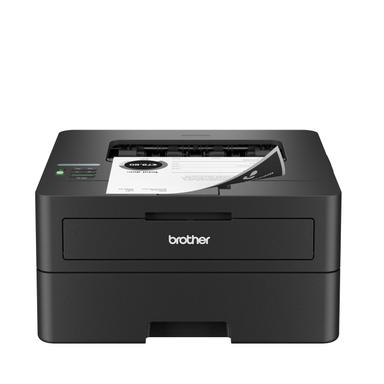
Brother HL-L2460DW
$179.99
Print-only option at $180 with same 36 ppm speed and duplex
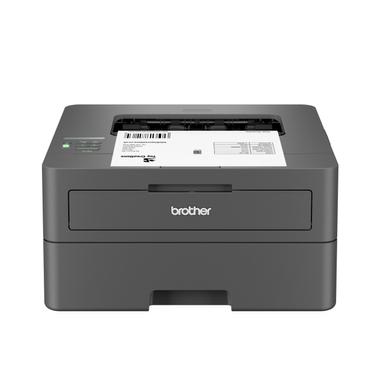
Brother HL-L2405W
$139.99
Budget print-only at $140 with manual duplex
Frequently Asked Questions
Is the MFCL2710DW worth the extra $210?
Yes if you need fax regularly.
Do I need a fax machine in 2026?
Most home users don't need fax. But if your work involves contracts, medical forms, or legal documents, fax is still used.
Which model has the fastest print speed?
For a 10-page document, that's about 17 seconds vs 19 seconds.
How do toner costs compare?
Both use separate drum and toner. High-yield options reduce cost per page. Typically, Brother lasers have low running costs.
Can I print from my phone with both?
Yes. Both support the Brother Mobile Connect app, AirPrint, and Mopria. Wireless printing from smartphones and tablets works seamlessly on both models.
How we compared. We analyzed 12,149 verified Amazon reviews, published specifications, and expert verdicts from Wirecutter to score eight key dimensions. Prices updated weekly from Amazon.
Who wrote this and where's the data from?
Mubboo Editorial Team. Independent US-market consumer research. Picks reflect editorial consensus from 3 independent review sources and 12,149+ verified buyer reviews.