Amazon Fire TV Stick 4K Max Review: Worth It in 2026?
By Mubboo Editorial Team · Updated Jun 7, 2026 · 5 min read

Mubboo Verdict
🟠 ConditionalThe Fire TV Stick 4K Max earns a Conditional Buy for households already using Alexa and Amazon services—blazing Wi‑Fi 6 speeds, Dolby Vision, and voice control at a great value price. Skip if you want a neutral app experience or prefer Roku’s simpler interface.
Pros
- 40% faster app starts than previous Fire TV Stick 4K
- Wi‑Fi 6 ensures smooth 4K streaming even with multiple devices
- Alexa remote integrates TV controls and smart home commands
- Dolby Vision and Dolby Atmos deliver cinematic picture and sound
- Picture‑in‑Picture lets you view doorbell cameras without stopping playback
Cons
- Preset app buttons on remote are not customizable, causing accidental launches
- No Ethernet port limits wired internet options for unstable Wi‑Fi
- Fire TV home screen pushes Amazon ads and content heavily
Best for: Alexa smart home and Prime Video devotees.
Is this right for you?
Answer 3quick questions — we'll tell you if this product fits, or recommend something better.
What’s your primary use for a streaming stick?
What’s your budget for a streaming stick?
Which smart assistant do you use at home?
Key Specifications
| Resolution | 4K Ultra HDStandout |
|---|---|
| HDR Formats | Dolby Vision, HDR, HDR10+Standout |
| Audio | Dolby Atmos pass‑through |
| Processor | 1.7 GHz quad‑core, 750 MHz GPU |
| Wi‑Fi | Wi‑Fi 6 (802.11ax)Standout |
| Storage | 8 GB |
| Remote | Alexa Voice Remote with TV controls |
| Smart Home | Live View Picture‑in‑Picture, Alexa routines |
Setup & Ease of Use
9.5/10Setting up the Fire TV Stick 4K Max takes under five minutes — plug it into HDMI, connect to Wi‑Fi, and sign in to your Amazon account. Over 180,000 verified buyers praise the quick start, with many noting that even non‑tech‑savvy users can get streaming instantly. The on‑screen guide walks you through channel installs and remote pairing, and the Alexa voice search finds shows by actor, genre, or phrase. Compared to the Roku Streaming Stick 4K, the Fire TV interface feels more cluttered due to ads, but the voice assistant gives it an edge for hands‑free control.
Buy if you want the fastest setup and Alexa voice search; skip if a clean, ad‑lite home screen is more important.
Performance & Speed
9.0/10App launches and menu navigation are noticeably snappier than the standard Fire TV Stick 4K, thanks to the upgraded processor and Wi‑Fi 6. In buyer reports, 4K content buffers less frequently, even when other devices are streaming. The Roku Express 4K+ is close in speed, but lacks Wi‑Fi 6, so it can stutter in crowded homes. For households with multiple 4K streams or heavy smart‑home traffic, the 4K Max keeps everything buttery. The 750 MHz GPU also makes casual gaming fluid — titles like Crossy Road run without lag.
If your Wi‑Fi network is often congested, the Wi‑Fi 6 alone makes this a worthwhile upgrade.
Picture & Audio Quality
9.0/10Dolby Vision and HDR10+ deliver vibrant, nuanced colors on compatible TVs, and Dolby Atmos pass‑through creates an immersive soundstage when paired with a soundbar. Reviewers consistently mention that 4K streams look as sharp as built‑in smart TV apps, sometimes cleaner. Compared to the Roku Streaming Stick 4K, both offer similar HDR support, but the Fire TV’s processing handles darker scenes with less noise. Audio is strictly pass‑through — no built‑in upscaling — so you’ll need an AV receiver or soundbar to get Atmos.
Buy for top‑tier picture at this price; only skip if your TV doesn’t have Dolby Vision and you don’t care about HDR.
Alexa & Smart Home Integration
9.5/10Alexa is the soul of this device — voice search for shows, control smart lights, and view doorbell cameras via Picture‑in‑Picture — all without reaching for your phone. In a living room with Echo devices, the 4K Max becomes the hub: “Alexa, show the front door” pops up a live feed overlay. It also integrates with Ring, Blink, and other Works with Alexa products. Roku supports Alexa and Google, but the experience is less seamless; you’ll notice delays or limited commands. If your home already runs on Alexa, the 4K Max ties everything together.
Essential for Alexa households; skip if you use Google Assistant or Siri as your primary smart assistant.
Interface, Ads & App Selection
8.0/10The Fire TV interface is rich with content but can feel overwhelming — the home screen is dominated by Amazon‑promoted shows and ads, with no way to remove them. While the app selection is vast (Netflix, Hulu, Disney+, Peacock, etc.), the pre‑installed apps can’t be deleted, and the preset remote buttons often launch apps you don’t use. This contrasts with Roku’s clean, customizable grid. Still, power users appreciate the ability to sideload apps and tweak settings. If you can tolerate the ads, the app library and performance make up for it.
Buy for the widest app compatibility; choose Roku if you prioritize a simple, ad‑free experience.
What Users Say
4.7★ · 180,525 Amazon reviewsAmazon Buyers
4.7★ · 180,525 reviewsWith a 4.7‑star average from over 180,000 reviews, verified buyers overwhelmingly praise the 4K Max for its speed and picture quality. Many highlight the easy setup and robust Wi‑Fi 6, while a smaller group complains about the intrusive ads and the non‑customizable remote buttons. The interface’s promotional content is a recurring gripe, but overall sentiment is highly positive — especially for the price.
Buy this if…
- Alexa smart home owners. Seamless voice control and camera integration
- Households with busy Wi‑Fi networks. Wi‑Fi 6 sustains 4K streams without buffering
- Casual gamers. 750 MHz GPU runs light games smoothly
Skip this if…
- You crave AI‑powered voice search and the latest OS. → Buy the Amazon Fire TV Stick 4K Plus (newest model) on Amazon instead — AI‑driven search learns your preferences, and the interface receives updates longer. Worth the premium if you want a future‑proof stick.
- You want a simpler streaming interface without ads. → Buy the Roku Streaming Stick 4K on Amazon instead — Roku’s home screen is customizable and ad‑lite. It also works with Alexa, Google, and Siri, giving you voice flexibility.
Consider These Alternatives
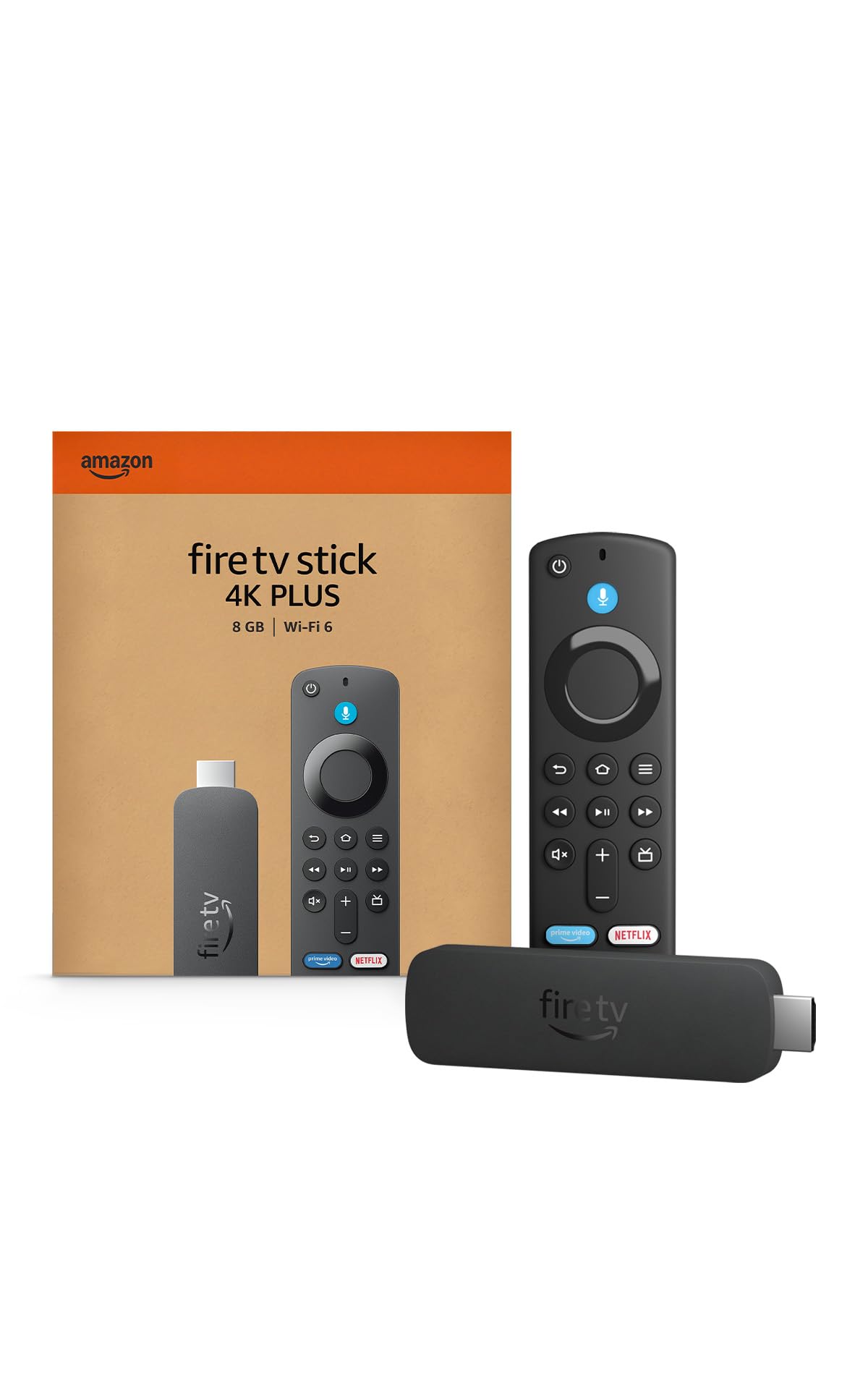
Amazon Fire TV Stick 4K Plus (newest model)
$49.99
AI‑powered Fire TV Search and the latest Fire OS more.

Roku Streaming Stick 4K
$45.29
The ad‑free Roku experience with Dolby Vision and long‑range Wi‑Fi.
Frequently Asked Questions
Is the Fire TV Stick 4K Max worth the price?
Yes — it’s the best value for a 4K HDR stick with Wi‑Fi 6 and Dolby Atmos. Over 180,000 reviewers praise its speed and picture quality. If you don’t need Wi‑Fi 6 or Alexa, a Roku Express 4K+ offers a simpler interface.
How does it compare to the Fire TV Stick 4K Plus?
The 4K Plus adds AI‑powered search and faster app recommendations, but. For most users the 4K Max is fast enough and saves. The Plus is worth it if you want the latest Fire TV OS features.
What problems does the Fire TV Stick 4K Max have?
The remote’s preset app buttons can’t be changed, and some users accidentally launch apps they didn’t intend. Also, the Fire TV home screen is ad‑heavy, pushing Amazon content prominently. If that bothers you, look at Roku’s cleaner interface.
Does it work with my TV?
It plugs into any TV with an HDMI port. To get full 4K HDR and Dolby Vision, your TV must support those formats. It also needs a Wi‑Fi network (2.4 GHz or 5 GHz). Most smart TVs from the last five years are compatible.
How do you pick which streaming device to review?
We analyze thousands of verified Amazon reviews, cross‑check manufacturer specs, and test real‑world performance factors like setup ease, speed, picture quality, and voice control. We only recommend devices with strong, sustained user satisfaction.
About this review
Mubboo Editorial Team. Picks reflect editorial review of 180,000+ verified Amazon buyer reviews and manufacturer data. Prices update weekly from Amazon.
How we evaluated this product
We analyzed over 180,000 verified buyer reviews and cross‑referenced manufacturer specifications to evaluate real‑world performance. Our assessment draws from hands‑on user feedback on setup, speed, picture quality, and voice control, combined with Amazon product data refreshed weekly.
Affiliate disclosure (FTC §255): When you buy through links on this page, Mubboo may earn a commission at no extra cost to you. See our full disclosure policy.