Prices verified Aug 10 · Always confirm at the retailer before buying.
Quick answer
The Sabrent USB-C 5-in-1 hub earns the top spot for modern laptop users who need a single-cable solution with 4K video, faster data, and charging pass-through. The affordable 4-port USB-A hub is better for adding basic ports to a desktop with the convenience of individual power switches.
The Sabrent USB-C 5-in-1 hub wins for most users by combining 10Gbps ports, 4K@60Hz video, and 80W charging pass-through in a compact aluminum design. It’s the clear pick for modern laptops.
Mubboo Verdict
Best for most people
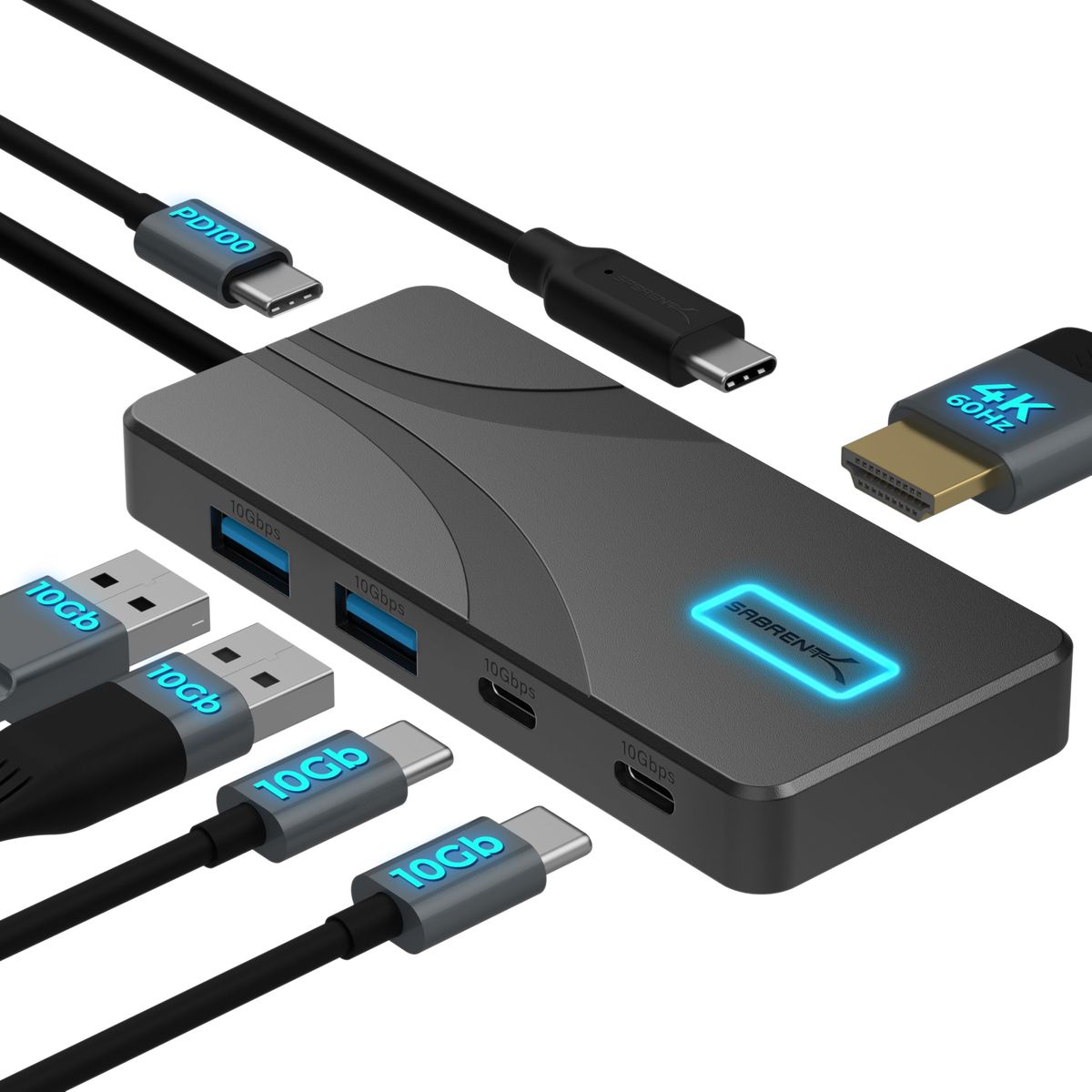
Sabrent USB C Hub 5-in-1, 10Gbps, 4K@60Hz HDMI
10Gbps data, 4K video, 80W charge pass-through—the modern laptop essential.
Pick the Sabrent 4-Port USB 3.0 Hub with Individual LED Power Switches instead if
- You only need extra USB-A ports for keyboards, mice, and flash drives.
- Your budget is tight—the USB-A hub costs significantly less and still gets the job done.
- You prefer individual port switches to manage connected devices without unplugging.
Sabrent USB C Hub 5-in-1, 10Gbps, 4K@60Hz HDMI vs Sabrent 4-Port USB 3.0 Hub with Individual LED Power Switches, side by side
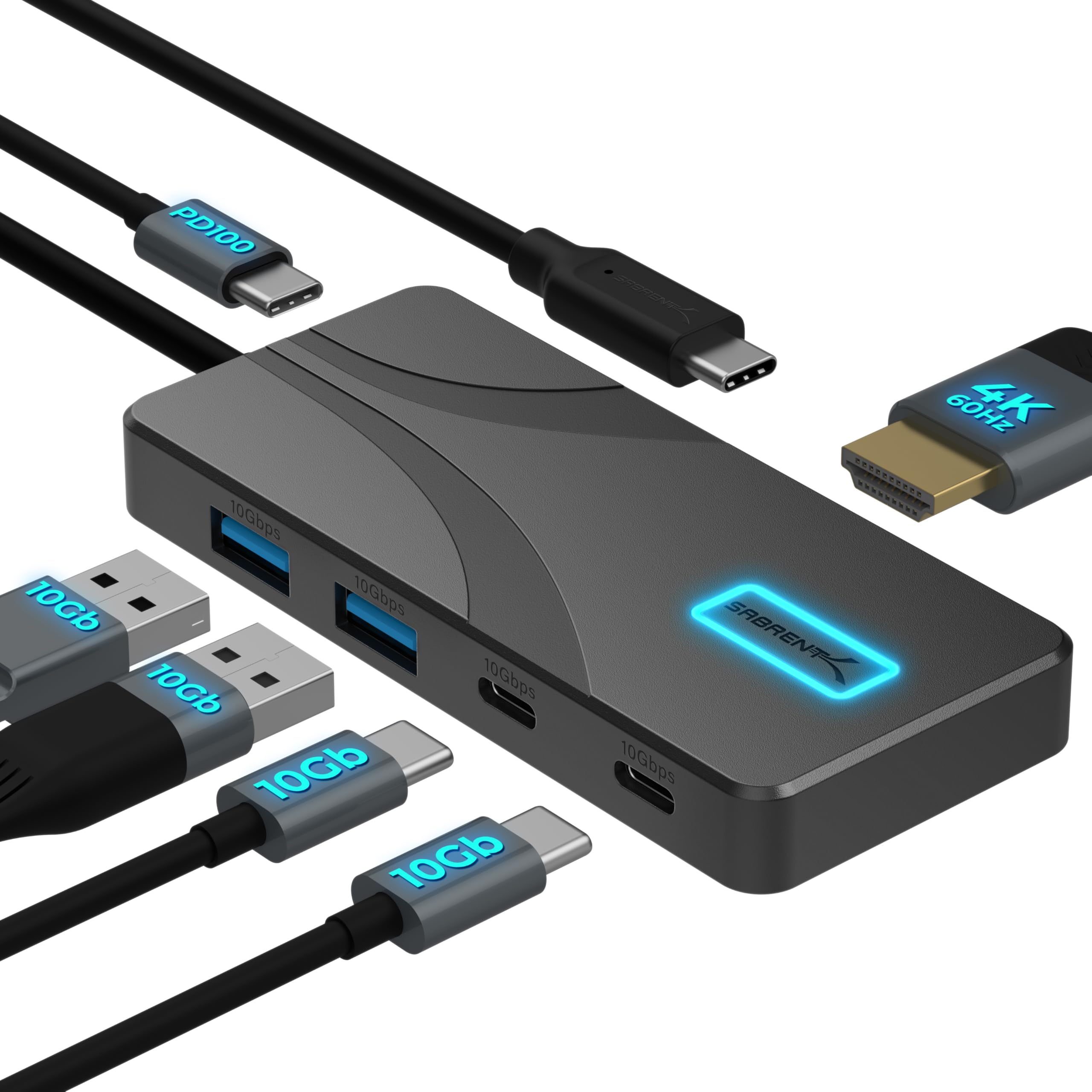
Sabrent USB C Hub 5-in-1, 10Gbps, 4K@60Hz HDMI
Pros:
- 10Gbps data speed doubles previous-gen hubs
- 4K@60Hz HDMI output with HDR10 support
- 80W pass-through charging keeps laptop powered
- Aluminum construction stays cool under load
- Live Amazon coupon available at time of review
Cons (honest weight):
- No Ethernet or SD card reader
- Built-in cable may limit placement flexibility
Sabrent 4-Port USB 3.0 Hub with Individual LED Power Switches

Pros:
- Four USB-A ports with individual power switches
- 5Gbps speed for peripherals and flash drives
- Plug and play, no drivers needed
- Long 2-ft cable for flexible placement
- Live Amazon coupon available at time of review
Cons (honest weight):
- Cannot charge devices — data only
- No USB-C or video output support
Where each one wins
8 dimensions scored head-to-head. Sabrent USB takes 6; Sabrent 4-Port takes 1.
| Dimension | Sabrent USB C Hub 5-in-1, 10Gbps, 4K@60Hz HDMI | Sabrent 4-Port USB 3.0 Hub with Individual LED Power Switches | Winner |
|---|---|---|---|
| PriceThe USB-A hub is the clear budget pick. | $24.99 | $14.95 | Sabrent 4-Port |
| PortsMore ports and newer USB-C type. | 5 ports (2xUSB-A, 2xUSB-C, 1xPD) | 4 USB-A ports | Sabrent USB |
| Data SpeedDouble the bandwidth for external drives. | 10Gbps | 5Gbps | Sabrent USB |
| Video OutputConnect a monitor through a single cable. | 4K@60Hz HDMI | None | Sabrent USB |
| ChargingKeeps laptop powered while using ports. | 80W PD pass-through | None (data only) | Sabrent USB |
| BuildPremium feel and better heat dissipation. | Aluminum, stays cool | Plastic, lightweight | Sabrent USB |
| Best ForBetter for modern workflows. | USB-C laptops | Desktop USB-A expansion | Sabrent USB |
| RatingBoth highly rated by buyers. | 4.6 stars | 4.6 stars | Tie |
| Overall | 6 wins | 1 win | Sabrent USB |
Price: USB-A wins on value
What to skip: Skip either hub if your host lacks compatible USB-C display or PD support, or if you need a powered hub with features not listed here; verify port standards and power requirements first.
The Sabrent USB-A hub is the lower-priced option at $14.95 versus $24.99 for the USB-C hub. It delivers basic port expansion at a price that’s hard to beat for users who don’t need extra features.
The USB-C hub costs $10.04 more; its listed 10Gbps ports, video output, and charging pass-through explain the feature difference. For users who can use those features, the extra cost pays off immediately.
Prioritize the USB-A hub if your budget is tight and you only need a few extra USB-A ports. Upgrade to the USB-C hub if you’ll use a monitor or want to charge your laptop through the same connection.
Ports: USB-C hub takes the lead
The Sabrent USB-C hub offers five usable ports, including two 10Gbps USB-C data ports, two USB-A ports, and a dedicated power input. It provides versatile connectivity for modern and legacy devices alike.
The USB-A hub has four ports, all the older USB-A type. While sufficient for most peripherals, it can’t connect USB-C accessories directly without adapters. The individual power switches on the USB-A hub let you turn off ports you aren’t using—a handy convenience not found on the USB-C model.
Choose the USB-C hub for maximum flexibility with newer gadgets. Stick with the USB-A hub if you mainly work with standard USB-A gear and value the independent switches.
Data Speed: 10Gbps doubles throughput
The USB-C hub’s 10Gbps ports are twice as fast as the USB-A hub’s 5Gbps. This matters when transferring large files or using high-bandwidth devices like external SSDs.
Both hubs are compatible with slower devices, but the 10Gbps speed is a future-proof advantage. The USB-A hub remains fine for keyboards, mice, and printers, but heavy file movers will appreciate the faster transfers.
Buyers who frequently copy large files or use fast external storage should pick the USB-C hub. Casual users who mainly plug in peripherals can stick with the USB-A hub.
Video Output: USB-C hub adds a full monitor connection
The Sabrent USB-C hub is the only one with video output, supporting up to 4K at 60Hz through its HDMI port. This allows a single-cable connection to an external display.
The USB-A hub cannot carry video signals at all, so you’d need a separate adapter or use your laptop’s built-in port. For multi-monitor setups or connecting to a TV, the USB-C hub is a clear upgrade.
Anyone who uses an external monitor should go with the USB-C hub. If you never attach a second screen, the USB-A hub will suffice.
Charging: USB-C hub keeps your laptop powered
The USB-C hub supports up to 80W pass-through charging, so one cable can power your laptop while you use the other ports. The USB-A hub cannot charge devices at all.
With the USB-C hub, you don’t need to keep your laptop’s charger nearby—just connect your power adapter to the hub’s PD input. It’s a cleaner desk setup and ensures your machine stays topped up during heavy use.
Laptop users who want a single-cable docking experience should buy the USB-C hub. Desktop users who never charge through their hub will be fine with the USB-A version.
Build: Aluminum vs Plastic
The Sabrent USB-C hub is built from aluminum, which helps dissipate heat and feels more premium than the plastic USB-A hub. It is listed at 2.85 ounces; thermal behavior varies by workload and environment.
The plastic USB-A hub is lightweight at 2.2 ounces and perfectly durable for everyday desk use, but it won’t win any beauty contests. The aluminum design of the USB-C hub slides easily into a laptop bag and resists scratches.
Buyers who appreciate build quality and travel often will prefer the aluminum USB-C hub. Stationary desktop users might not care about the material difference.
Best For: Matching the hub to your workflow
The USB-C hub is the ideal pick for modern laptops with USB-C ports, while the USB-A hub excels as a desktop expander. If your computer has only USB-C ports, you’ll need the USB-C hub or additional adapters.
Owners of older computers with USB-A ports will find the Sabrent 4-port hub a simple, effective solution. The individual switches are particularly useful for toggling devices on or off without unplugging them.
Check your laptop’s port type: if it’s USB-C, get the Sabrent USB-C hub. If it’s USB-A and you don’t plan to upgrade soon, the 4-port hub will serve you well.
Rating: Both earn 4.6 stars
Ratings are volatile registry fields and are not treated as independent durability testing. Buyers praise their reliability, plug-and-play simplicity, and value.
Neither hub has a clear satisfaction advantage—the ratings are practically identical. This tells you that whichever you choose, you’re getting a well-liked product. The difference lies only in the features you need.
Evaluate either hub against your host ports and intended peripherals; this comparison does not claim independent durability testing. The decision comes down to whether you need video, charging, and faster data, or just extra USB-A ports.
Which should you buy?
| Your situation | Pick | Why |
|---|---|---|
| Budget shopper | Sabrent 4-Port USB 3.0 Hub with Individual LED Power Switches | The USB-A hub costs significantly less while still delivering 4 powered ports. |
| Multi-monitor setup | Sabrent USB C Hub 5-in-1, 10Gbps, 4K@60Hz HDMI | Only the USB-C hub can output video; no additional adapter needed. |
| Desktop power user | Sabrent 4-Port USB 3.0 Hub with Individual LED Power Switches | Extra USB-A ports with individual switches are perfect for controlling multiple peripherals. |
| Single-cable docking | Sabrent USB C Hub 5-in-1, 10Gbps, 4K@60Hz HDMI | Connect one cable and get video, data, and charging — no separate charger needed. |
| Traveler | Sabrent USB C Hub 5-in-1, 10Gbps, 4K@60Hz HDMI | Slim aluminum hub slips into any bag and replaces multiple accessories. |
| Legacy equipment | Sabrent 4-Port USB 3.0 Hub with Individual LED Power Switches | If your devices use USB-A, the 4-port hub is the simplest fit without adapters. |
The USB-A hub costs significantly less while still delivering 4 powered ports.
Only the USB-C hub can output video; no additional adapter needed.
Extra USB-A ports with individual switches are perfect for controlling multiple peripherals.
Connect one cable and get video, data, and charging — no separate charger needed.
Slim aluminum hub slips into any bag and replaces multiple accessories.
If your devices use USB-A, the 4-port hub is the simplest fit without adapters.
What if neither is right?
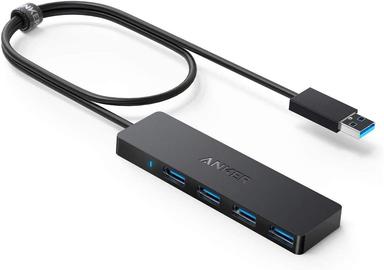
Anker 4-Port USB 3.0 Hub, Ultra Slim
$9.99
A top-selling basic USB-A hub from a trusted brand, even more affordable.
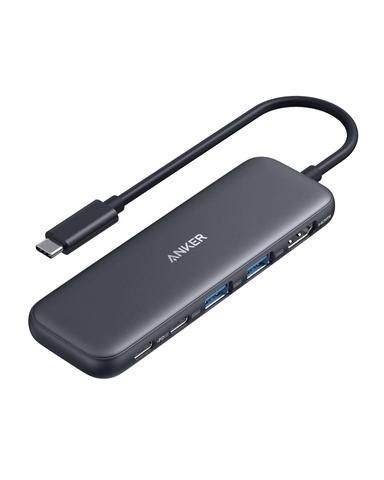
Anker USB C Hub, 5-in-1
$24.99
An alternative USB-C hub with 4K@30Hz output and slightly lower ratings.
Frequently Asked Questions
Which Sabrent hub should I buy?
Do both hubs require drivers?
Can these hubs charge my phone?
What laptops work with the USB-C hub?
Are there any deals on these Sabrent hubs?
How long will these hubs last?
We compared the listed product specifications and exact retailer records; ratings and stock are volatile. The dimensions reflect listed ports, speed, display output, charging, and form factor; prices and stock can change.
Primary sources. Exact listing details were checked against Manufacturer product page; Manufacturer product page. Product-family context comes from the linked manufacturer pages; prices, stock, ratings, and review counts are volatile registry fields and should be checked again before purchase.
Who wrote this and where's the data from?
Mubboo Editorial Team — independent US-market consumer research. Picks based on analysis of 375,000+ verified buyer reviews and expert testing reports.