
Prices verified Jun 25 · Always confirm at the retailer before buying.
Quick answer
SteelSeries makes premium gaming peripherals, but only a handful of its 360-plus products are worth your money — and the most pro-proven one surprises people. The SteelSeries QcK ($39.99) is the single most-used mousepad among Counter-Strike 2 professionals (roughly 30% of tracked pros, ahead of ZOWIE and Artisan), so the cheapest pick here carries the deepest competitive pedigree. The flagship Arctis Nova Pro Omni headset ($399.99) earns top marks from RTINGS for its hot-swappable dual-battery system and base-station EQ. The Aerox 3 Wireless Gen 2 mouse ($109.99) weighs 68g and is rated up to 120 hours of battery — longer than the Logitech G Pro X Superlight 2's roughly 95 hours, though Logitech stays lighter at about 60g. The Apex Pro Gen 3 keyboard ($259.99) has excellent adjustable 0.1–4.0mm actuation and commands a premium — Wooting leads on pure analog value, while the Apex Pro counters with full-size hardware extras. Honest summary: buy SteelSeries for the QcK, the Arctis headsets and the Aerox mice; think twice on the keyboards.
The most pro-proven SteelSeries product is the cheapest one: the QcK mousepad ($39.99), the most-used pad among CS2 pros. For headsets, the Arctis Nova Pro Omni is the flagship and the Nova 7 is the value pick; for mice the Aerox 3 Wireless Gen 2 wins on battery. The Apex Pro Gen 3 is excellent but loses on value to Wooting.
Which SteelSeries gear is worth buying in 2026?
- Best overall headset (flagship):Arctis Nova Pro Omni—$400→
- Best competitive surface (the pro pick):QcK Heavy XXL—$40→
- Best lightweight mouse:Aerox 3 Wireless Gen 2—$110→
- Best keyboard (honest pick):Apex Pro Gen 3—$260→
- Best value headset:Arctis Nova 7 Gen 2—$200→
- Best mouse for extra buttons:Aerox 5 Wireless—$170→
- Best budget keyboard:Apex 3 TKL—$58→
Rankings here are synthesized from a parsed dataset of nearly 900 Counter-Strike 2 professional gear entries (prosettings.net), hands-on reviews from RTINGS (Arctis Nova Pro, Apex Pro Gen 3), ProSettings (Apex Pro Gen 3), TechRadar and Tom's Hardware (Aerox 3 Wireless Gen 2), and the official SteelSeries and Logitech specification pages. We report usage share, specs and value — not lab testing of our own.
How did we pick these?
What this guide covers
SteelSeries lists more than 360 products in its US store, most of them dongles, cables, color variants and accessories. We narrowed it to seven complete products that map to the four things SteelSeries actually makes well — headsets, lightweight mice, keyboards and mousepads — across price points from $39.99 to $399.99. Selections were synthesized from a competitive pro-usage dataset, named expert reviews, and the brands' official specifications.
We started from what pros measurably use
Rather than trust marketing, we parsed prosettings.net's Counter-Strike 2 pro-gear table — nearly 900 player entries — and counted real usage. That is how the QcK surfaced as the single most-used mousepad among CS2 pros (~30% share), and how we confirmed the Arctis line is a minority among those same pros (~3%). The data, not the brand's claims, set the headline.
How we weighted products
We favored products that (1) deliver a measurable strength — pro usage, battery, adjustable actuation, mic quality — (2) suit how people actually play, and (3) make sense at their price. Where a rival clearly wins, such as Wooting on analog-keyboard value or Logitech on mouse weight and pro adoption, we said so in the entry rather than burying it.
Where SteelSeries is genuinely strong, and where it isn't
Strong: the QcK mousepad (best-in-class by pro usage), the Arctis headsets (RTINGS-rated, excellent mics and comfort) and the Aerox mice (class-leading battery and an IP54 build). Weaker on value: the keyboards, which perform well but are out-pointed by Wooting on customization, build and price. We kept that distinction in every relevant entry.
What we did not do
We did not run our own latency, audio or weight tests. Performance claims trace to named reviewers — RTINGS, ProSettings, TechRadar, Tom's Hardware — and spec and battery figures come from SteelSeries and Logitech. Usage figures are computed from the public prosettings.net dataset. We avoided inventing benchmarks or repeating the unverified "pros wear Arctis" marketing line.
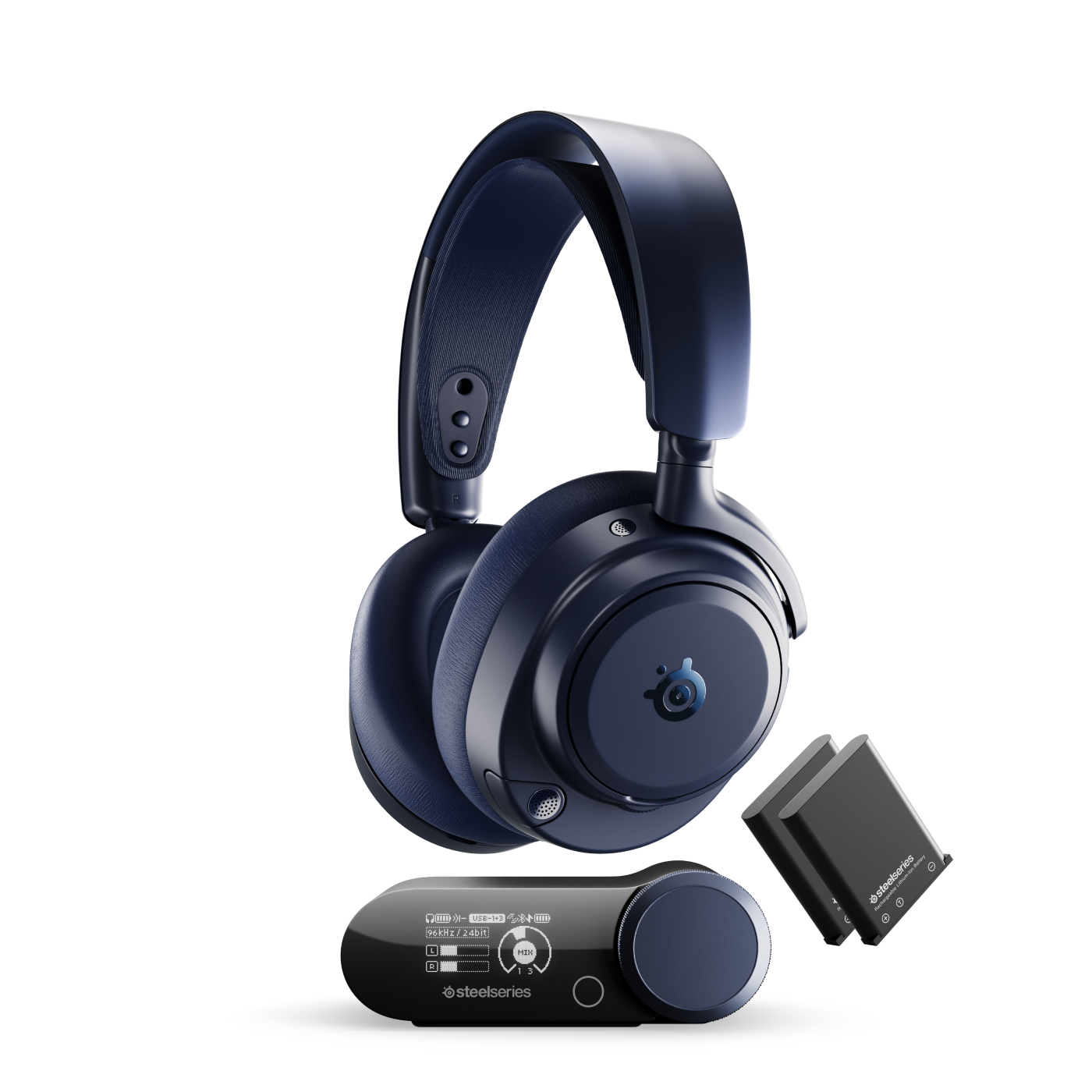
SteelSeries Arctis Nova Pro Omni
Prices checked Jun 25, 2026 · Affiliate
Pros:
- Hot-swappable dual-battery system — swap a fresh ~25-hour pack while the other charges in the dock, so it never dies mid-match
- Base-station hub with on-the-fly graphic EQ, presets, and simultaneous 2.4GHz + Bluetooth connection (RTINGS-confirmed)
- Very good retractable boom mic with sidetone; ANC blocks voice chatter well
Cons (honest weight):
- At $399.99 it is one of the most expensive headsets in its class
- Bulky on the head and on the desk — the base station needs space
- ANC is only okay on low-frequency rumble, and SteelSeries GG/Sonar software is a recurring friction point
Mubboo Verdict
The flagship that justifies its price on convenience, not pro mimicry: RTINGS rates it highly for the hot-swap batteries and base-station EQ. Buy it for features and longevity — just know the Arctis line is a minority among CS2 pros, who lean HyperX Cloud and Razer BlackShark.
SteelSeries QcK Heavy (XXL)

Prices checked Jun 25, 2026 · Affiliate
Pros:
- The single most-used mousepad among tracked Counter-Strike 2 professionals — roughly a 30% share, ahead of ZOWIE G-SR and Artisan
- The thick 6mm cushioned cloth is forgiving on the wrist and on uneven desks
- At $39.99 it is the cheapest pick here and the one with the deepest competitive pedigree
Cons (honest weight):
- A plain cloth pad — no RGB, no hard surface, nothing to show off
- The thick build can feel slow versus a hard or hybrid pad for some players
- XXL footprint takes over a desk; smaller QcK sizes exist if space is tight
Mubboo Verdict
The honest headline of this whole guide: the SteelSeries product with the strongest pro credibility is not the headset they market — it is this $39.99 mousepad, the most-used pad among CS2 pros. Cheap, proven, and the easiest recommendation SteelSeries makes.
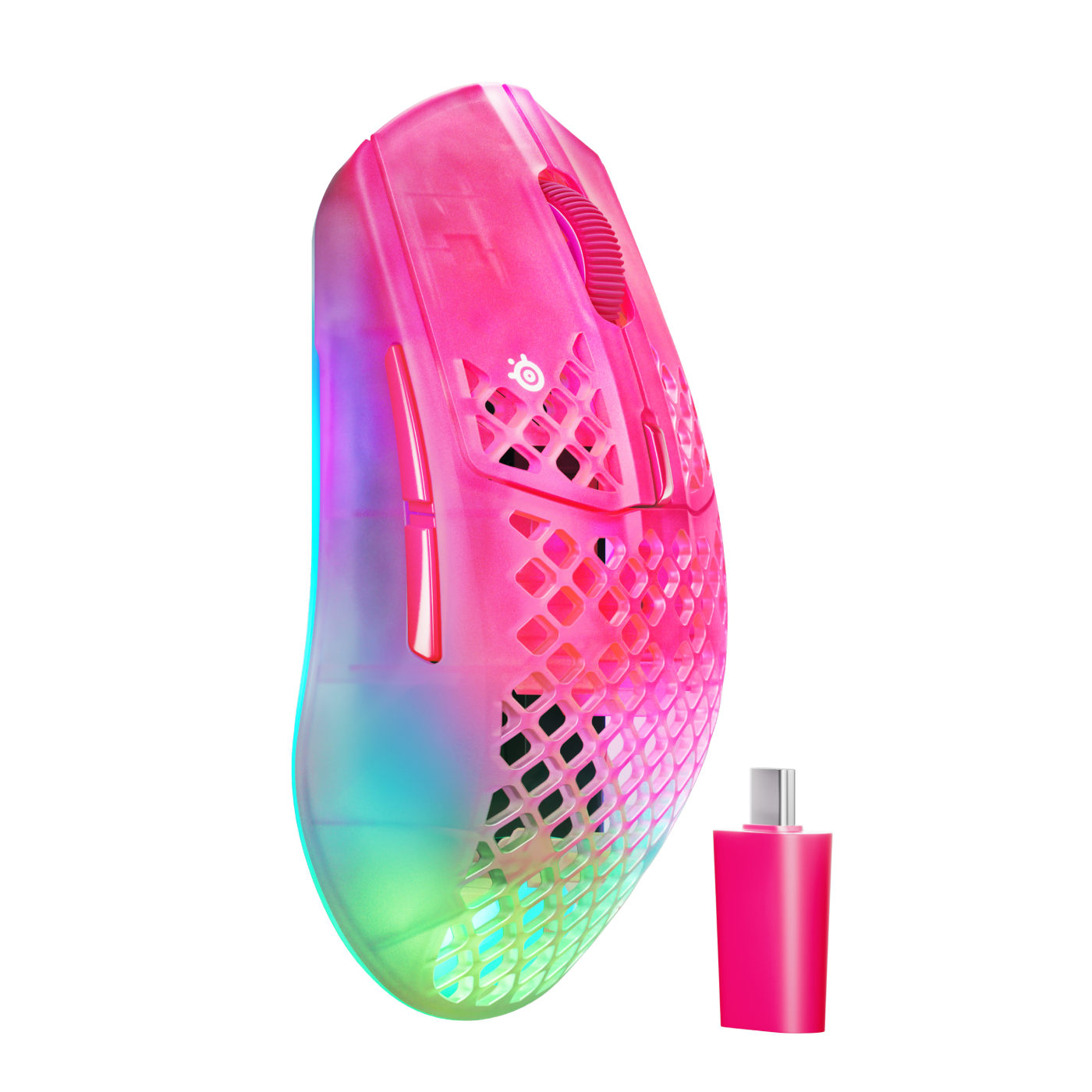
SteelSeries Aerox 3 Wireless Gen 2
Prices checked Jun 25, 2026 · Affiliate
Pros:
- 68g honeycomb shell that, per TechRadar, "almost doesn't register in your hand"
- Up to 120 hours on 2.4GHz (200h on Bluetooth) — a longer rated battery than the Logitech G Pro X Superlight 2's ~95 hours
- TrueMove 26K sensor, 4000Hz wireless dongle, and an IP54 AquaBarrier rating against dust and spills
Cons (honest weight):
- The Logitech Superlight 2 is lighter (~60g) and far more popular among CS2 pros
- Battery figures are rated with RGB off — expect a drop at 4000Hz polling with lighting on
- The holed honeycomb shell is polarizing; the IP54 rating exists precisely to answer dust and spill worries
Mubboo Verdict
SteelSeries' best mouse argument: it loses the weight race to Logitech but wins the battery and price race. At 68g with up to 120 hours and IP54, it is the easy pick if longevity and value matter more than shaving the last few grams.
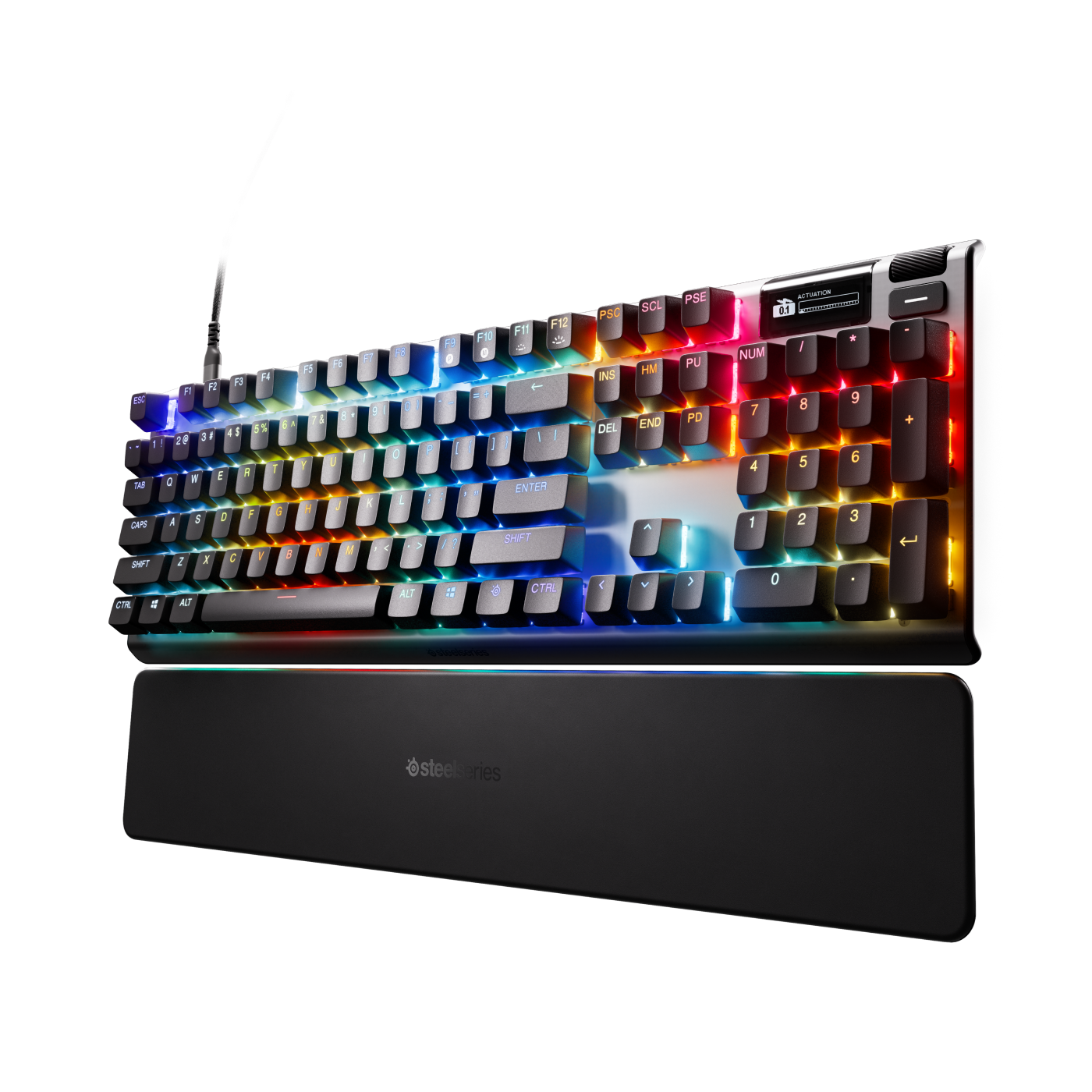
SteelSeries Apex Pro Gen 3
Prices checked Jun 25, 2026 · Affiliate
Pros:
- OmniPoint 3.0 adjustable HyperMagnetic switches with a full 0.1mm–4.0mm actuation range and Rapid Trigger
- RTINGS calls its raw performance "excellent... well-suited for playing games in any genre, at any competitive level," with great typing feel and internal acoustic foam
- Hardware extras the compact rivals lack: full-size layout, OLED Smart Display, volume wheel, USB passthrough, and a wrist rest
Cons (honest weight):
- Loses the value debate: RTINGS gives the Wooting 60HE the edge on software, build quality and marginally on raw performance
- No web driver — ProSettings calls that "a bit of a missed opportunity" as the scene moves toward browser-based config
- Wired-only at $259.99, and the OLED is a single Smart Display, not the per-key screen some shoppers expect
Mubboo Verdict
Excellent hardware, honest caveat: the Apex Pro Gen 3 performs with the best and feels superb to type on, but Wooting is the analog-keyboard benchmark on value, customization and (per RTINGS) build. Buy the Apex Pro for its full-size extras, not because it beats Wooting on the spec sheet.
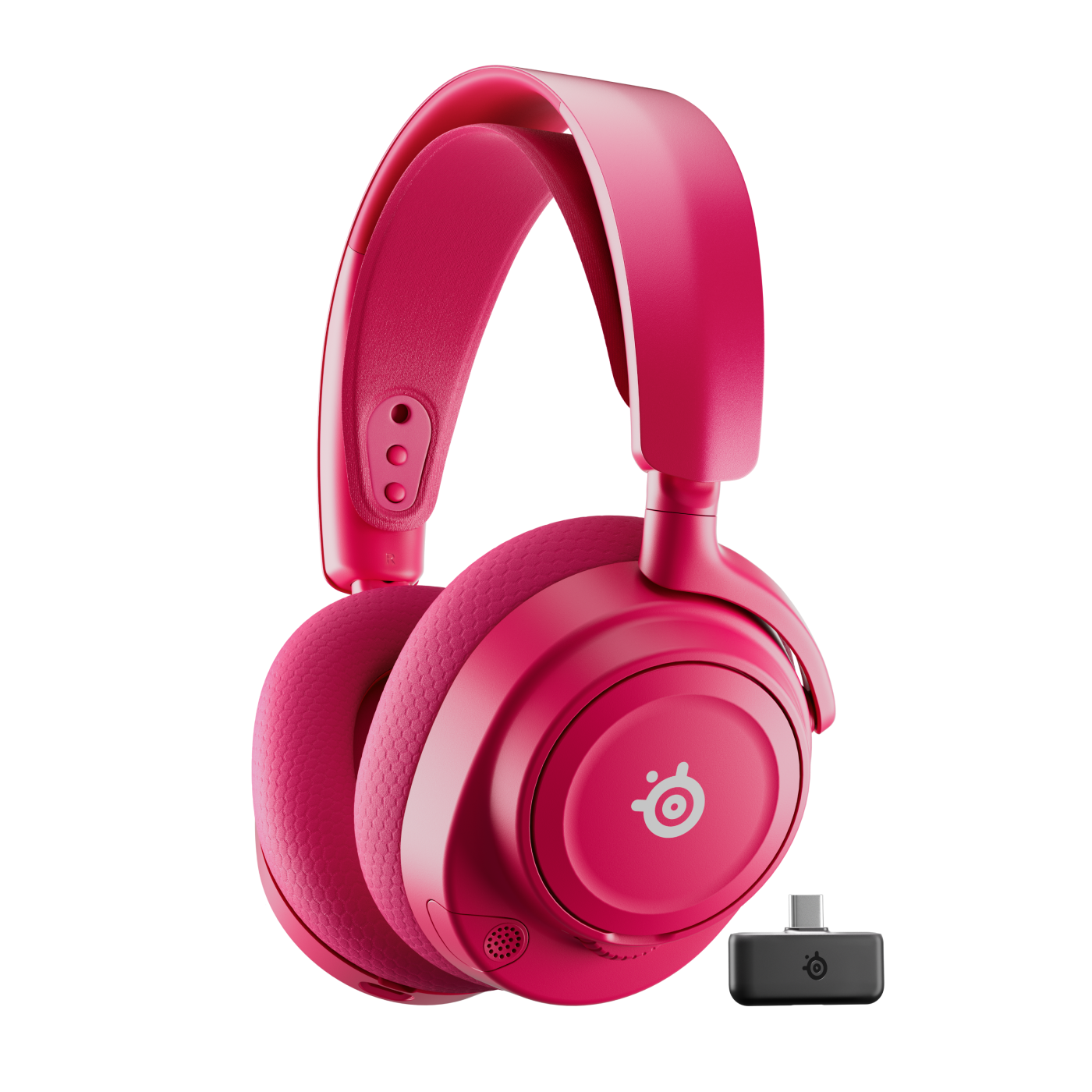
SteelSeries Arctis Nova 7 Gen 2 Wireless
Prices checked Jun 25, 2026 · Affiliate
Pros:
- Most of the Arctis sound signature and a very good retractable mic for half the Nova Pro's price
- Simultaneous 2.4GHz + Bluetooth so you can hear game audio and your phone at once
- Comfortable ski-band suspension that the Arctis line is known for over long sessions
Cons (honest weight):
- No hot-swap battery or base-station EQ — those stay exclusive to the Nova Pro
- Relies on SteelSeries GG/Sonar software, the brand's most common complaint
- Like the rest of the Arctis line, not a CS2-pro staple
Mubboo Verdict
The Arctis most people should actually buy: it keeps the comfort, mic and dual-wireless that define the line and drops the flagship's priciest extras. The value pick of SteelSeries' headset range.
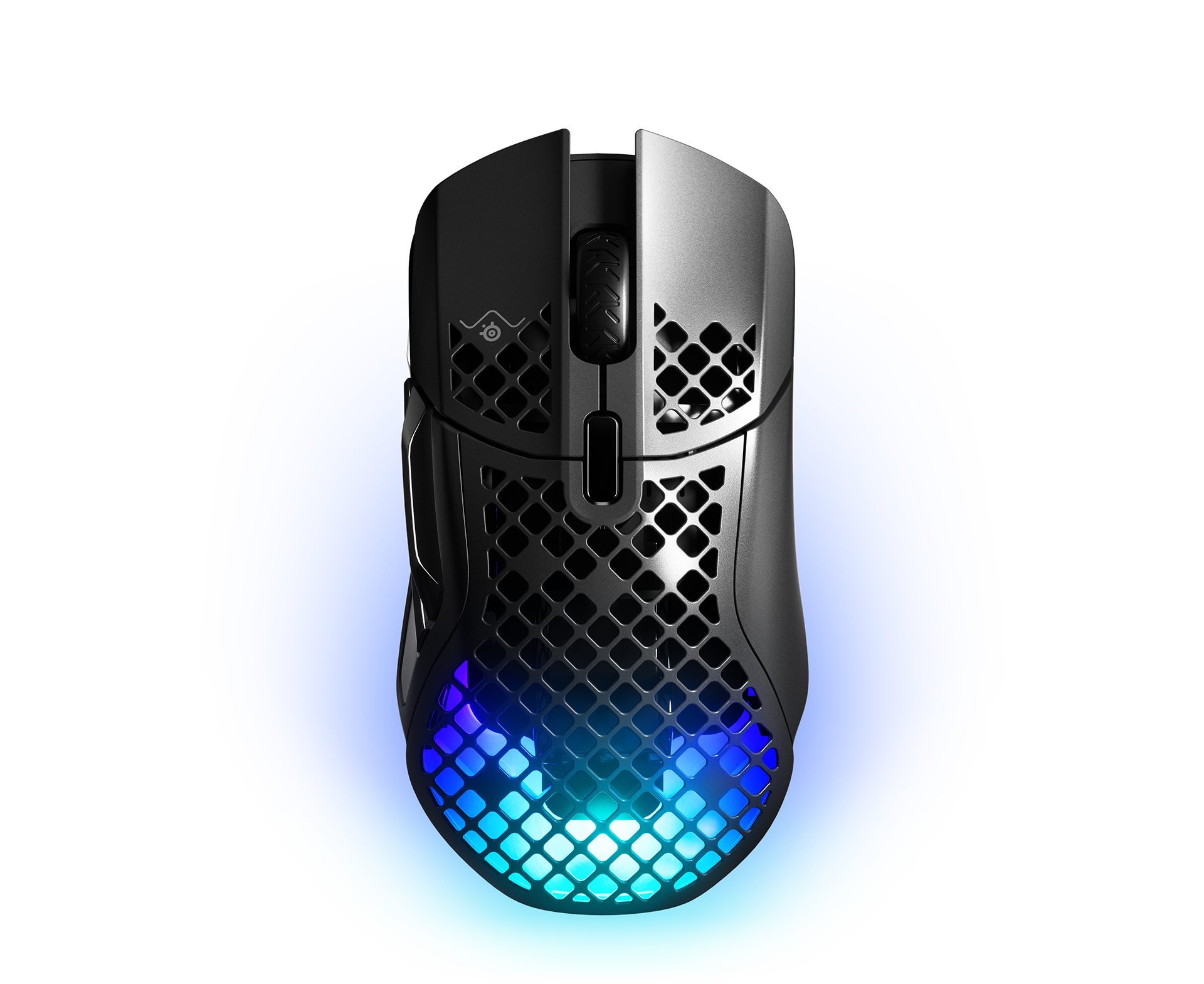
SteelSeries Aerox 5 Wireless
Prices checked Jun 25, 2026 · Affiliate
Pros:
- Nine programmable inputs, including a side multi-button cluster, for MMO, MOBA and productivity binds
- Keeps the Aerox line's IP54 dust-and-spill rating and dual 2.4GHz + Bluetooth wireless
- A lighter alternative to a full MMO mouse while still adding the thumb buttons FPS-only mice skip
Cons (honest weight):
- Heavier than the Aerox 3 — the extra buttons add grams a pure-FPS player won't want
- More buttons than a CS2 or Valorant main will ever map
- Same holed-shell and SteelSeries-software trade-offs as the rest of the line
Mubboo Verdict
The Aerox for people who actually use side buttons: it trades a few grams for a nine-input layout and keeps the IP54 build. The right Aerox for MMO and MOBA mains, the wrong one for FPS purists.
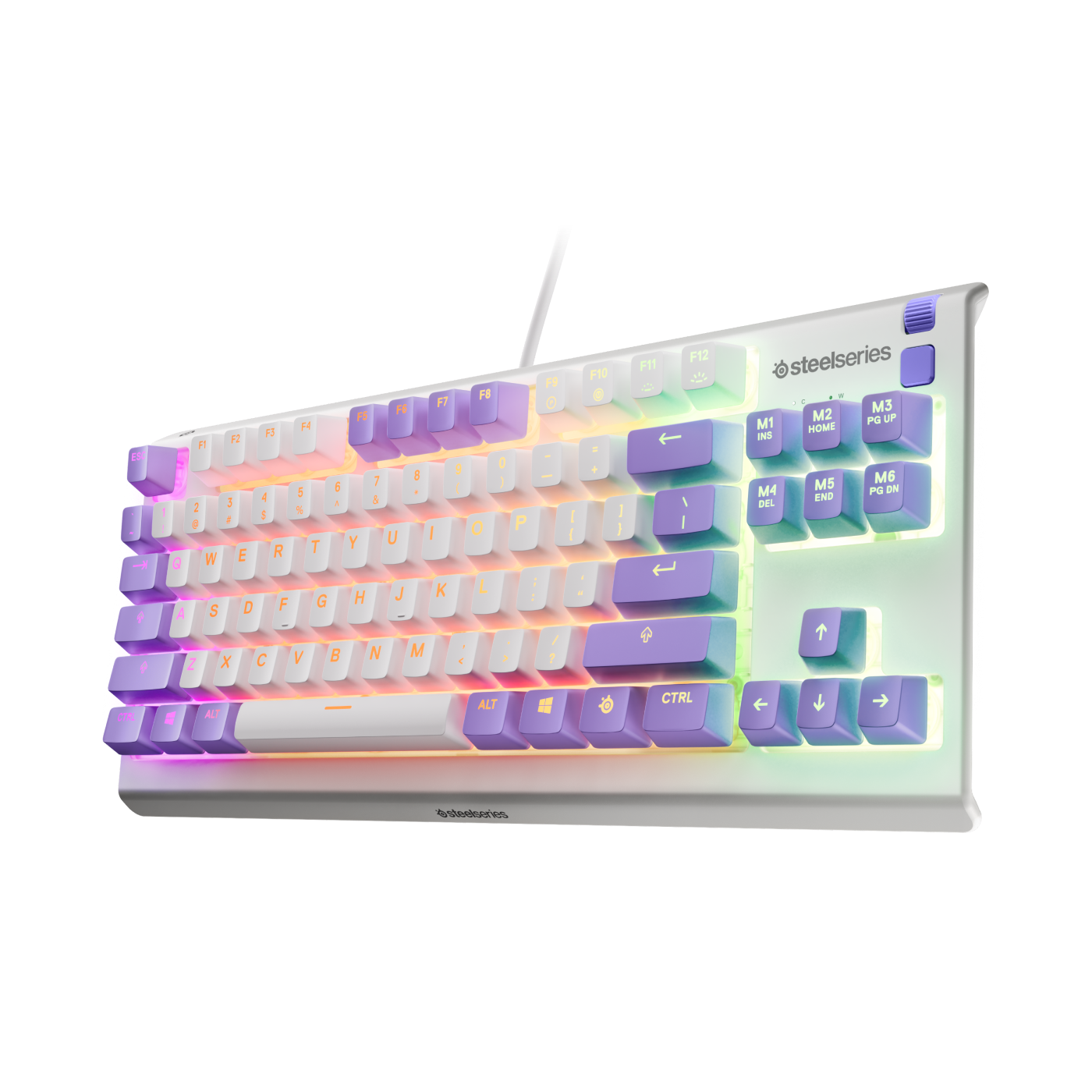
SteelSeries Apex 3 TKL
Prices checked Jun 25, 2026 · Affiliate
Pros:
- The lowest-cost way onto this list at $57.94 — a compact TKL footprint that frees up mouse space
- Whisper-quiet gaming switches and per-zone RGB, with a water-resistant build
- A sensible budget board for a second setup, a dorm desk, or a first gaming keyboard
Cons (honest weight):
- Membrane-style switches — not the mechanical or magnetic feel of the Apex Pro
- No adjustable actuation, OLED, or wrist rest
- Budget keyboards from Keychron and others compete hard at this price
Mubboo Verdict
The honest budget entry: a quiet, compact, water-resistant board for under $60. It is not mechanical and won't feel like the Apex Pro, but it is a fair first step into SteelSeries without the flagship outlay.
| Product | Price | Type | Standout spec | Best for |
|---|---|---|---|---|
| Arctis Nova Pro Omni | $399.99 | Headset | Hot-swap dual battery + base-station EQ | Flagship all-rounder |
| QcK Heavy XXL | $39.99 | Mousepad | #1 mousepad among CS2 pros (~30%) | Competitive surface |
| Aerox 3 Wireless Gen 2 | $109.99 | Mouse | 68g, up to 120h battery, IP54 | Lightweight wireless |
| Apex Pro Gen 3 | $259.99 | Keyboard | Adjustable 0.1–4.0mm + OLED display | Adjustable-actuation board |
| Arctis Nova 7 Gen 2 | $199.99 | Headset | Dual wireless at half the Nova Pro price | Value headset |
| Aerox 5 Wireless | $169.99 | Mouse | Nine programmable inputs, IP54 | MMO / MOBA |
| Apex 3 TKL | $57.94 | Keyboard | Compact, water-resistant, under $60 | Budget / first board |
What real users are saying
SteelSeries has a strong reputation, but the competitive data and the expert reviews tell a more specific story than the marketing does.
What the data and reviewers praise: the QcK's pro standing is the clearest signal — across nearly 900 tracked CS2 pro setups, the QcK is the most-used mousepad at roughly 30%, ahead of ZOWIE and Artisan. On mice, TechRadar singled out the Aerox 3 Wireless Gen 2's battery as "impressive... up to 120 hours on 2.4GHz, or up to 200 hours on Bluetooth." On keyboards, both RTINGS and ProSettings rate the Apex Pro Gen 3's typing feel and raw performance "up there with the best," crediting the OmniPoint 3.0 switches and acoustic foam.
What they flag: three honest weaknesses recur. First, SteelSeries' GG/Sonar software draws friction, and ProSettings notes the Apex Pro still has "no web driver" as the scene moves toward browser config. Second, RTINGS' head-to-head gives the Wooting 60HE the edge over the Apex Pro Gen 3 on software, build and marginally on raw performance, so value-first buyers should price-check Wooting first; the Apex Pro earns its premium for shoppers who want its full-size extras. Third, the Arctis headsets, for all their quality, barely register among CS2 pros (~3%), where HyperX Cloud (~41%) and Razer BlackShark (~31%) rule.
Overall: a premium, well-built brand that is genuinely best-in-class on the mousepad, top-tier on headsets and lightweight mice, and merely good value on keyboards. Buy it for its real strengths and cross-shop the keyboard.
Don't buy the headset to "play like the pros"
The marketing implies Arctis is what competitors wear; the data says otherwise. Among tracked CS2 pros, Arctis sits near 3% while HyperX Cloud and Razer BlackShark dominate. The Arctis Nova Pro is a superb consumer headset for its features and comfort — just don't buy it expecting a pro-standard CS2 setup.
Price-check Wooting before the Apex Pro if value is the goal
It is an excellent board that commands a premium: the Wooting 60HE/80HE offer deeper analog customization, a web driver, and (per RTINGS) better build for the money, so value-first buyers should compare them — while shoppers who want the Apex Pro's full-size hardware will find the value here. Buy the Apex Pro for its full-size extras — OLED, volume wheel, USB passthrough, wrist rest — not because it out-specs Wooting.
SteelSeries vs the alternatives
Know the field before you buy. Wooting (60HE / 80HE) is the analog-keyboard benchmark on value, customization and build — RTINGS and ProSettings both rank it ahead of the Apex Pro Gen 3. Logitech (G Pro X Superlight 2) wins the mouse battle on weight (~60g vs 68g) and pro adoption, even though the Aerox out-rates it on battery and price. HyperX Cloud and Razer BlackShark are what most CS2 pros actually wear, not Arctis. SteelSeries' real edges are the QcK mousepad, the Arctis feature set and the Aerox battery — all easy to cross-shop on Amazon and at Best Buy.
Don't expect a per-key OLED on the Apex Pro
A common misread: the Apex Pro Gen 3 has one OLED Smart Display in the corner, not a screen on every key. The per-key feature is RGB illumination. If you want the OLED, buy the full-size or TKL — the Apex Pro Mini has no display at all.
Which SteelSeries should you start with?
"I just want what pros actually trust, cheaply." → The QcK Heavy mousepad — the most-used pad in CS2 for $39.99.
"I want the best headset and money is no object." → The Arctis Nova Pro Omni, for the hot-swap batteries and base-station EQ.
"I want a great wireless headset without the flagship price." → The Arctis Nova 7 Gen 2 at half the cost.
"I want a light wireless mouse with long battery." → The Aerox 3 Wireless Gen 2 (68g, up to 120h).
"I play MMO or MOBA and need side buttons." → The Aerox 5 Wireless, with nine programmable inputs.
"I want adjustable-actuation performance and full-size extras." → The Apex Pro Gen 3 — but cross-shop the Wooting first.
"I just need a cheap first gaming keyboard." → The Apex 3 TKL, under $60.
The rule that ties it together: start with the QcK, add the Arctis or Aerox for your game, and only reach for the Apex Pro if its full-size extras outweigh Wooting's value.
Building a full battlestation? Browse more buyer's guides in Shopping. For SteelSeries, the rule is simple: the mousepad and headsets are the easy wins, and the keyboard is the one to cross-shop.
The SteelSeries you buy first decides everything — here's the order that actually makes sense
Start with the pro-proven mousepad, add the headset or mouse your game needs, and only climb to the flagship keyboard if its extras beat Wooting for you. Every link goes directly to the SteelSeries Official Store.
- 🖱️ What pros actually use — QcK Heavy XXL, $39.99 → Buy from SteelSeries Official Store
- 🏆 Flagship headset — Arctis Nova Pro Omni, $399.99 → Buy from SteelSeries Official Store
- 🪶 Lightweight mouse, best battery — Aerox 3 Wireless Gen 2, $109.99 → Buy from SteelSeries Official Store
- 🎧 Best value headset — Arctis Nova 7 Gen 2, $199.99 → Buy from SteelSeries Official Store
- ⌨️ Adjustable-actuation board — Apex Pro Gen 3, $259.99 → Buy from SteelSeries Official Store
- 💸 Cheapest keyboard entry — Apex 3 TKL, $57.94 → Buy from SteelSeries Official Store
Frequently Asked Questions
Which SteelSeries product do pro gamers actually use most?
The QcK mousepad. Across nearly 900 tracked Counter-Strike 2 professional setups, the SteelSeries QcK is the single most-used mousepad at roughly a 30% share, ahead of ZOWIE G-SR and Artisan. It is the brand's strongest competitive credential — and at $39.99, the cheapest product in this guide. SteelSeries' headsets and mice are good, but the QcK is the piece pros measurably reach for.
Do most CS2 pros use SteelSeries Arctis headsets?
No — Arctis is a minority among CS2 pros. In the same pro dataset, Arctis headsets appear in only about 3% of setups, while HyperX Cloud (~41%) and Razer BlackShark (~31%) dominate. The Arctis Nova Pro is an excellent consumer headset for its mic, comfort and hot-swap batteries, but buying it to match pro setups is the wrong reason — most pros wear something else.
How does the Aerox 3 Wireless Gen 2 compare to the Logitech G Pro X Superlight 2?
Better battery and price; Logitech is lighter and more pro-proven. The Aerox 3 Wireless Gen 2 weighs 68g and is rated up to 120 hours on 2.4GHz (200h on Bluetooth), beating the Superlight 2's roughly 95 hours, and it adds an IP54 dust-and-spill rating. The Logitech is lighter at about 60g and is one of the most-used mice among CS2 pros. Pick the Aerox for battery and value, the Logitech for weight and pedigree.
Is the Apex Pro Gen 3 better than a Wooting?
Not on value or customization. RTINGS' head-to-head gives the Wooting 60HE the edge on software, build quality and marginally on raw performance, and ProSettings notes the Apex Pro lacks the web driver Wooting offers. The Apex Pro Gen 3 is genuinely excellent — adjustable 0.1–4.0mm actuation, great typing feel — and adds full-size extras like an OLED display, volume wheel and wrist rest. Buy it for those extras, not because it out-specs Wooting.
Does the Apex Pro Gen 3 have a per-key OLED display?
No — it has one OLED Smart Display, not a screen on every key. The single OLED sits in the top-right corner on the full-size and TKL models (the Apex Pro Mini has none). The per-key feature is RGB illumination. If the OLED matters to you, choose the full-size or TKL version rather than the Mini.
Is the Aerox 3 or the Aerox 5 the better mouse?
Depends on your game. The Aerox 3 Wireless Gen 2 is the lighter, simpler FPS pick at 68g. The Aerox 5 Wireless adds nine programmable inputs — including a side button cluster — for MMO, MOBA and multi-bind play, at the cost of extra weight. FPS purists want the Aerox 3; button-hungry players want the Aerox 5. Both keep the IP54 build.
Where's the best place to buy SteelSeries?
The SteelSeries Official Store carries the full current lineup with clear model labeling and the in-box accessories, and the links in this guide point there. SteelSeries is also sold at Amazon, Best Buy and Walmart, so it is easy to cross-check a specific model or watch for a Black Friday or Prime Day discount before you buy.
Who wrote this and where's the data from?
Author: Mubboo Editorial Team
Last verified: June 2026 · Next review due: September 2026
How this guide was made (testing scope): Mubboo did not run hands-on hardware testing. Rankings are synthesized from a parsed dataset of nearly 900 Counter-Strike 2 pro-player gear entries (prosettings.net), named hands-on reviews (RTINGS for the Arctis Nova Pro and Apex Pro Gen 3, ProSettings for the Apex Pro Gen 3, TechRadar and Tom's Hardware for the Aerox 3 Wireless Gen 2), and the official SteelSeries and Logitech specification pages. Usage shares are computed; spec and battery figures trace to the manufacturers; performance impressions trace to the named reviewers.
Why trust this guide: we rank on measurable usage, specs and value, we tell you when a rival like Wooting or Logitech is the smarter buy, and we corrected the brand's "pros wear Arctis" line against the actual pro data. Buy links go to the SteelSeries Official Store. Prices in USD, checked June 2026.
Sources
- ProSettings.net — Counter-Strike 2 pro gear database (mousepad/headset/mouse usage shares)
- RTINGS — SteelSeries Arctis Nova Pro Wireless review
- RTINGS — SteelSeries Apex Pro Gen 3 review + Wooting 60HE comparison
- ProSettings.net — SteelSeries Apex Pro Gen 3 hands-on review
- TechRadar — SteelSeries Aerox 3 Wireless Gen 2 review ("Same bones, sharper bite")
- Tom's Hardware — SteelSeries Aerox 3 Wireless Gen 2 review
- SteelSeries — official Aerox 3 Wireless Gen 2 and Apex Pro Gen 3 specifications
- Logitech — official G Pro X Superlight 2 specifications