The Ultimate Teen Gaming Setup: A Priority Checklist for Every Budget
What to buy first, what to save for later, and how to get the best bang for your buck in 2026.
From an affordable HP monitor to a tactile mechanical keyboard, we’ve outlined the essentials in a priority checklist. Start with the core trio—monitor, keyboard, mouse—then expand with headphones, a chair, and a laptop over time for the perfect battle station.
At a glance
Total budget
$300 – $2,500
Categories
6
Timeline
Plan 2–4 weeks ahead
Best for
Teens and parents buying for teens
Products analyzed
18
Build your personalized list
Answer 3quick questions and we’ll tailor the list and total to you.
What's your total budget?
Who are you shopping for?
What matters most to you?
What to buy first
Day 1
- Monitors
- Keyboards
Week 1
- Mice
- Headphones
Can wait
- Office Chairs
- Laptops
Our picks by category
Monitors
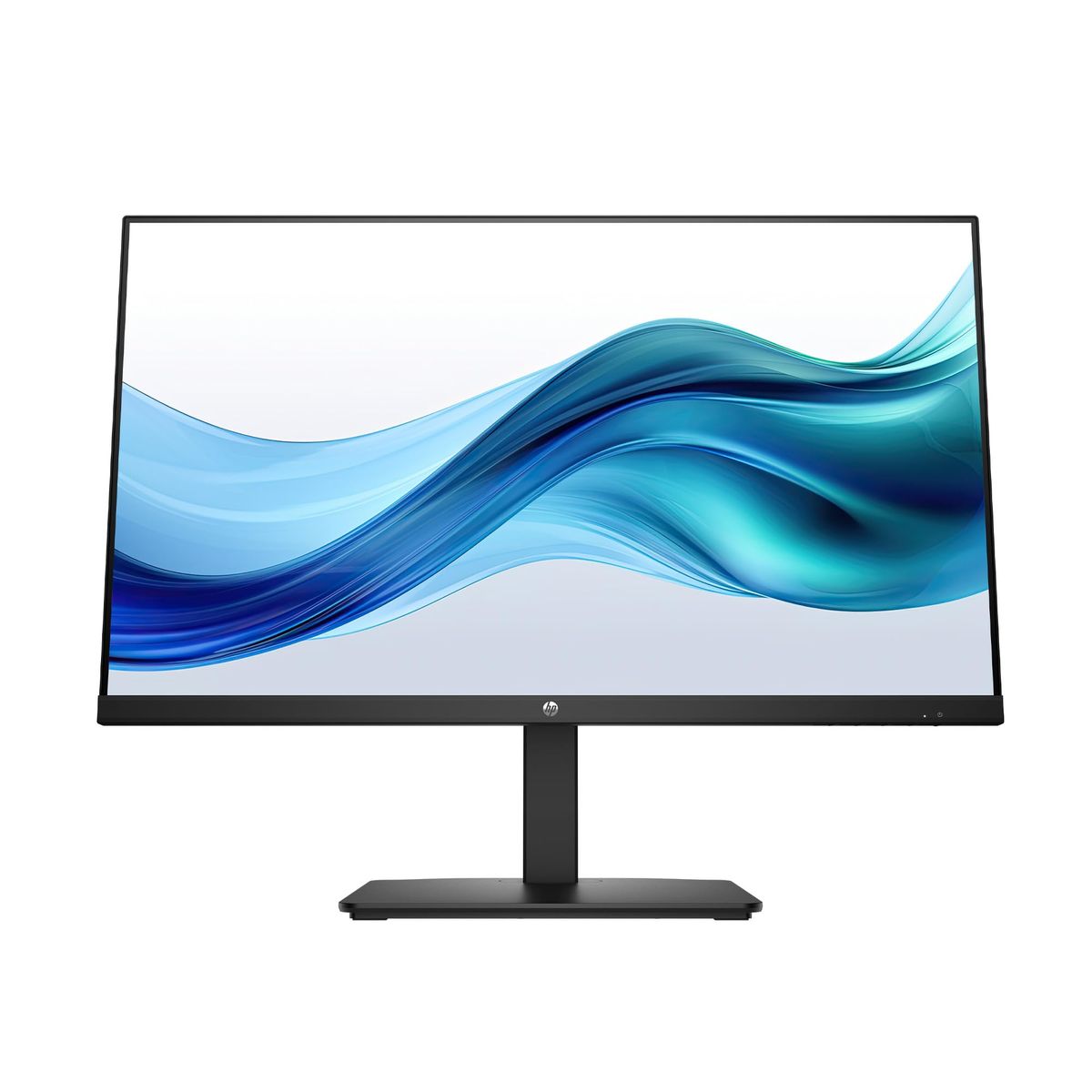
A crisp, eye-friendly monitor is the centerpiece of any gaming setup, reducing eye strain during marathon Fortnite sessions. A quality IPS panel like our pick delivers sharp 1080p visuals and a high contrast ratio, making enemies in dark corners visible. Look for built-in blue light reduction and at least a 75Hz refresh rate to keep gameplay smooth without breaking the bank. Moreover, the display's eye-care technology reduces blue light emission, helping prevent digital eye fatigue during extended play, and the monitor's anti-glare coating minimizes reflections from windows or lights.
HP Series 3 27 inch FHD Monitor, Full HD Display (1920 x 1080), IPS Panel, 1300:1 Contrast Ratio, 250 Nits, Eye Ease with Eyesafe Certification, Black, 327se (2025)
With a 4.7-star rating from over 25,000 reviews, this HP monitor combines crisp Full HD visuals with eye-comfort certification for marathon gaming sessions.
Buy on Amazon
Sceptre Curved 24-inch Gaming Monitor 1080p R1500 98% sRGB HDMI x2 VGA Build-in Speakers, VESA Wall Mount Machine Black (C248W-1920RN Series)
This 24-inch curved monitor holds a 4.6-star average from 22,000+ reviews, offering an immersive gaming experience at an entry-level price.
Buy on AmazonKeyboards
Upgrading to a mechanical keyboard transforms everyday gaming by providing faster, more tactile keystrokes than a laptop’s mushy built-in keys. Our recommended model features anti-ghosting for precise multi-key presses — critical for FPS games — and a durable metal frame that survives intense teenage usage. Compact tenkeyless designs free up desk space for wild mouse swings. The red switches offer a smooth, quiet keystroke that won't disturb others, while the keyboard's programmable shortcuts let teens assign macros for quick in-game actions.
Redragon K552 Mechanical Gaming Keyboard, 87-Key Compact, LED Gaming Keyboard with Red Switches, Anti-Ghosting, Metal Frame for PC Gaming & Typing, Beginner-Friendly (Black)
Over 51,000 buyers rate it 4.5 stars for its durable metal frame and satisfying red switches, making it the de facto budget mechanical keyboard for teens.
Buy on AmazonMice
A comfortable, responsive mouse is non-negotiable for gaming, where split-second aiming decides victory. Our top pick’s ergonomic shape fits a teen’s hand naturally, reducing wrist fatigue during long sessions. A reliable wireless connection prevents the dreaded mid-game signal dropout, and a DPI adjustment button lets you switch sensitivity on the fly for different game genres. Its plug-and-play setup works immediately with any USB port, and the durable build withstands the occasional drop off the desk without missing a click.
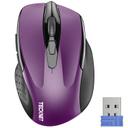
TECKNET Wireless Mouse, 2.4G Ergonomic Optical Mouse
An astounding 77,000+ reviews and a 4.5-star average crown this affordable wireless mouse as a reliable companion for both productivity and gaming.
Buy on AmazonHeadphones
A decent pair of headphones blocks out household noise and private chats, letting your teen focus on gameplay or music without disturbing others. Our pick’s wired connection eliminates lag that wireless sets sometimes introduce, ensuring audio cues sync perfectly to on-screen action. Lightweight cushions and foldable design make them comfortable for hours and easy to stash between sessions. The 30mm drivers produce clear highs and adequate bass for immersive gaming, and the on-ear design stays secure during head movements, ideal for active gamers.
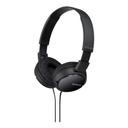
Sony ZX Series Wired On-Ear Headphones, Black MDR-ZX110
With 96,000+ reviews and a 4.5-star rating, Sony's ZX headphones deliver crisp, balanced sound for long listening sessions — perfect for teens who want to tune out distractions.
Buy on AmazonOffice Chairs
While often overlooked, a proper office chair protects growing spines from the strain of slouching over controllers and keyboards. Our selection’s adjustable seat height and lumbar support promote healthy posture, reducing back pain that can otherwise cut practice short. Sturdy casters handle messy bedroom floors, and the breathable mesh back keeps things cool during intense summer gaming. A waterfall seat edge promotes better leg circulation, and the chair's smooth-rolling casters won't scratch hardwood floors, making it suitable for any bedroom setup.
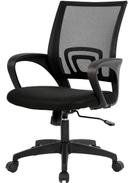
BestOffice Ergonomic Office Chair
Backed by 63,000+ reviews and a 4.3-star rating, this ergonomic chair provides the essential lumbar support and adjustability teens need during extended study sessions.
Buy on AmazonLaptops
If a console is the heart of the setup, a laptop is the nerve center, handling everything from homework to Discord chat. Our Chromebook pick boots up in a flash, offers all-day battery life, and handles school assignments with ease. For older teens who want to dabble in PC gaming, cloud services run smoothly, making it a versatile companion that fits a backpack without weighing them down. Additionally, the Chromebook’s fanless design means it runs silently, so it won't interfere with game audio or late-night study sessions.
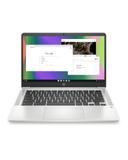
HP Chromebook 14 Laptop
The HP Chromebook 14, rated 4.3 stars by nearly 3,000 buyers, is a lightweight, no-fuss laptop well-suited for schoolwork and casual gaming.
Buy on AmazonYour Complete Shopping List at a Glance
| Category | Pick | Price |
|---|---|---|
| Monitors | HP Series 3 27 inch FHD Monitor, Full HD Display (1920 x 1080), IPS Panel, 1300:1 Contrast Ratio, 250 Nits, Eye Ease with Eyesafe Certification, Black, 327se (2025) | $178.49 |
| Keyboards | Redragon K552 Mechanical Gaming Keyboard, 87-Key Compact, LED Gaming Keyboard with Red Switches, Anti-Ghosting, Metal Frame for PC Gaming & Typing, Beginner-Friendly (Black) | $36.99 |
| Mice | TECKNET Wireless Mouse, 2.4G Ergonomic Optical Mouse | $9.99 |
| Headphones | Sony ZX Series Wired On-Ear Headphones, Black MDR-ZX110 | $9.99 |
| Office Chairs | BestOffice Ergonomic Office Chair | $39.99 |
| Laptops | HP Chromebook 14 Laptop | $200.66 |
| Estimated Total (Mid-Range) | $476 | |
Budget breakdown
| Category | Budget | Mid-Range | Comfort |
|---|---|---|---|
| Monitors | $103 | $178 | $286 |
| Keyboards | $26 | $37 | $59 |
| Mice | $7 | $10 | $16 |
| Headphones | $7 | $10 | $16 |
| Office Chairs | $28 | $40 | $64 |
| Laptops | $140 | $201 | $321 |
| Total | $311 | $476 | $762 |
Tips & common mistakes
💡 Start with the core trio: monitor, keyboard, and mouse.
These three peripherals define your daily experience more than any other upgrade, so prioritize spending on quality here before adding extras. For example, a high-quality monitor with a fast response time will immediately improve your gaming accuracy, while a responsive keyboard and mouse combo can make the difference between winning and losing a close match.
💡 Shop during Back-to-School and Black Friday sales for the deepest discounts.
Major US retailers like Best Buy, Target, and Amazon slash prices on gaming gear during these windows, often bundling headphones or mice with console purchases. Setting price alerts on platforms like CamelCamelCamel ensures you'll never miss a price drop, and comparing bundles can net you a free game or accessory for the same cost.
💡 Match your monitor’s refresh rate to your console’s output.
A 60Hz screen is fine for a Nintendo Switch, but an Xbox Series X or PS5 shines with a 120Hz model; don’t waste money on speed you can’t use. If you primarily game on an older console, a 1080p 60Hz monitor is often sufficient and more affordable, allowing you to allocate more budget to other components.
💡 Test a keyboard’s switch type before buying.
Different switches (red, blue, brown) feel and sound very different; visit a store like Best Buy to try them firsthand and avoid a clicky mistake that annoys the whole family. Some stores even have display units plugged in; testing a few keystrokes can highlight differences in actuation force and sound, ensuring you pick the switch that matches your teen’s preferences and your household noise tolerance.
💡 Don’t underestimate the chair — it’s an investment in health.
A poorly designed seat leads to back pain and slouching habits; a ergonomic chair is far cheaper than a chiropractor visit and makes marathon gaming safer. Look for chairs with a supportive backrest that promotes an upright posture and headrests that reduce neck strain during long periods of gameplay.
⚠️ Buying a monitor with bad viewing angles.
Cheap TN panels wash out colors unless you sit dead-center, making split-screen multiplayer or couch gaming a muddy mess; IPS panels fix this at a small price increase. IPS panels also offer better color reproduction, making games look more vivid, and they typically have faster response times than TN in modern models, so the investment is well worth it.
⚠️ Skipping the mouse pad / desk mat.
Without a smooth surface, your mouse sensor can jitter, and your desk will get scratched; a extended desk mat provides a consistent glide and protects the desk. A desk mat also dampens keyboard noise, adds a layer of cushioning for wrists, and can unify the aesthetic of the setup with a large print or solid color.
⚠️ Overlooking cable management.
A rat’s nest of cables looks messy, collects dust, and can pull your console off the shelf if tripped over; simple cable sleeves and clips keep things neat and prevent accidents. Label the cables with tape so you know which belongs to what, and route them behind the desk using adhesive clips for a clutter-free look that makes cleaning easier.
⚠️ Assuming wireless audio is better than wired.
Wireless headphones introduce slight audio lag that’s deadly in competitive shooters; wired sets offer instant response and never need charging, plus they’re usually far cheaper. Plus, a wired connection eliminates the need to manage battery levels, ensuring the headset never dies mid-game, and the audio quality per dollar is typically superior.
Frequently asked questions
What's the first thing I should buy for a teen gaming setup?
Start with the monitor, as it’s the window to every game. A 24-27 inch FHD IPS panel with at least 75Hz delivers a smooth, vibrant picture for console or PC. Pair it with a comfortable mechanical keyboard and mouse next; these three items shape daily comfort and performance more than any other upgrades. Prioritize these core components before adding speakers, headphones, or a gaming chair. This approach maximizes your initial budget and ensures that every subsequent upgrade, like a better graphics card or console, is immediately noticeable on screen and in hand.
How much does a decent teen gaming setup actually cost?
A functional starter setup with a monitor, keyboard, mouse, and headphones can be assembled for under $300. A mid-range setup with better peripherals, a dedicated gaming headset, and an ergonomic chair runs $500-$800. All-in, including a laptop or console and a premium chair, can push past. But you can incrementally upgrade over time, starting with the essentials and adding pieces during sales. By gradually upgrading over a year or two, you can spread the cost and still enjoy a fully functional setup from day one.
Is a laptop or a desktop better for a teen gamer?
It depends on their needs. For schoolwork and light gaming, a Chromebook or budget Windows laptop suffices and is portable. For serious PC gaming, a desktop with a dedicated graphics card is far superior. Many teens start with a console for gaming and a separate laptop for homework. If you choose a gaming laptop, be prepared to pay a premium and accept shorter battery life. Consider what other uses the computer will serve. Ultimately, a console like the Nintendo Switch or Xbox Series S paired with a decent monitor is often the simplest and most cost-effective entry point for a teen.
How can I make sure the setup doesn't cause health issues?
Invest in an ergonomic chair with lumbar support and adjustable height. Remind your teen to take breaks every hour, stretch, and keep the monitor at eye level to avoid neck strain. Blue-light filters on monitors and glasses reduce eye fatigue. Encourage good posture: feet flat on the floor, back straight. Gaming in a well-lit room also helps. A chair now can prevent years of back pain later. Also, consider using a standing desk converter to alternate between sitting and standing, which improves circulation and reduces sedentary time.
What features matter most in a gaming monitor?
Prioritize an IPS panel for good color and wide viewing angles, crucial if friends gather around. A resolution of 1920x1080 (FHD) is the sweet spot for most consoles and budget PCs. Look for at least 75Hz refresh rate and 1ms response time to minimize blur. Connectivity matters too — ensure it has HDMI for consoles. Freesync/G-Sync helps eliminate screen tearing but isn't essential for casual play. A built-in blue light filter is a bonus for late-night gaming, and speakers, while not mandatory, can be convenient for sharing gameplay with friends.
How do I choose between wired and wireless peripherals?
Wired devices offer guaranteed low latency and no battery anxiety, and they cost less. Wireless mice and headsets provide freedom but can suffer from interference and occasional lag. For competitive gaming, wired is still preferred. For a clean desk and casual use, a 2.4GHz wireless mouse is reliable. Ultimately, for a first setup, wired versions often deliver the best performance per dollar. For peripherals like keyboards and mice, consider a hybrid setup: wired for the main mouse and keyboard, with wireless headphones for tangle-free audio during less latency-sensitive activities.