Prices verified Aug 11 · Always confirm at the retailer before buying.
The Anker USB-C to USB-C cable wins for most users — Both cables are $9.99 in the current registry; choose by connector, power, and data needs.
Mubboo Verdict
Winner
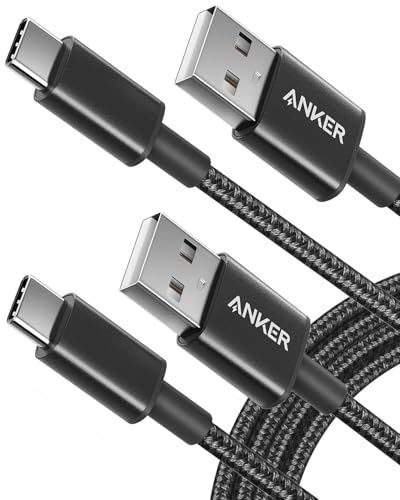
Anker USB C to USB C Cable 60W
Anker USB A to USB C Cable 2 Pack 6ft vs Anker USB C to USB C Cable 60W 2 Pack 6ft, side by side
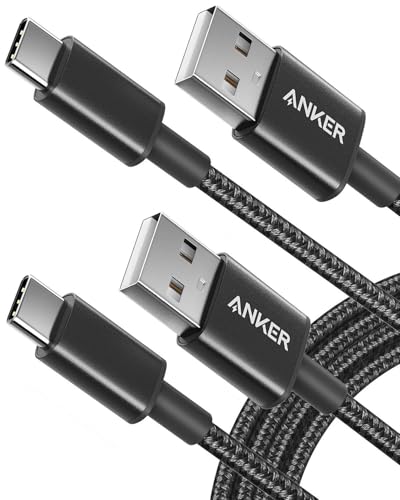
Anker USB A to USB C Cable 2 Pack 6ft
Pros:
- Certification status should be verified for the exact ASIN
- Braided nylon build for durability
- Affordable at $9.99 for two 6ft cables
- 143,000+ reviews with 4.7 stars
Cons (honest weight):
- Only 15W charging — won't fast-charge a laptop
- USB 2.0 data speeds at 480Mbps
Anker USB C to USB C Cable 60W 2 Pack 6ft

Pros:
- 60W Power Delivery fast charging
- 5Gbps data transfer — 10x faster
- Braided nylon; official variant page lists a bend rating
- Compatible with iPhone 15/16 and Samsung Galaxy
Cons (honest weight):
- Not compatible with USB-A ports
- Slightly more expensive at $9.99
Where each one wins
8 dimensions scored head-to-head. Anker USB takes 1; Anker USB takes 2.
| Dimension | Anker USB A to USB C Cable 2 Pack 6ft | Anker USB C to USB C Cable 60W 2 Pack 6ft | Winner |
|---|---|---|---|
| PriceBoth are affordably priced within $1 of each other. | $9.99 | $9.99 | Tie |
| Connector TypeDifferent connectors for different setups — not a winner/loser. | USB-A to USB-C | USB-C to USB-C | Tie |
| Max WattageThe USB-C cable supports 4x faster charging, enough for laptops. | 15W | 60W | Anker USB |
| Data Transfer SpeedTen times faster data sync with the USB-C cable. | 480Mbps (USB 2.0) | 5Gbps (USB 3.0) | Anker USB |
| LengthBoth come in 6-foot lengths per cable. | 6 ft | 6 ft | Tie |
| MaterialBoth use durable braided nylon exteriors. | Braided nylon | Braided nylon | Tie |
| CertificationUSB-IF certification is an industry standard; Anker's own certification is less independently verified. | USB-IF | Anker Advantage (proprietary) | Anker USB |
| Best ForThey serve different use cases — no universal winner. | Legacy USB-A devices | USB-C fast charging | Tie |
| Overall | 1 win | 2 wins | Anker USB |
Price — Tie, Both Under $10
The USB-A cable is $9.99, and the USB-C cable is $9.99 for a 2-pack. The current registry lists the same $9.99 price for both packs. Both are among the most affordable options on Amazon.
In daily use, the price difference is negligible. The price is tied in the current snapshot; compare the listed power and connector requirements instead.
Prioritize price if every dollar counts. If you are buying multiple packs, recheck both live listings because the price can change.
Connector Type — Tie, Different Standards
The USB-A cable has a standard USB-A plug on one end, USB-C on the other. The USB-C cable has USB-C on both ends. One works with older wall chargers, the other only with newer USB-C ports.
In daily use, your existing chargers decide the winner. If your home is full of USB-A bricks, the USB-A cable is plug-and-play. If you've upgraded to USB-C chargers, the USB-C cable is more convenient.
Prioritize based on your charger collection. Count how many USB-A vs USB-C chargers you own. That's your answer.
Max Wattage — USB-C Cable Wins Big
The USB-C cable delivers 60W Power Delivery, while the USB-A cable tops out at 15W. Actual charging depends on the charger, device, cable protocol, and power-management limits; use the exact listing and device specifications.
In daily use, this is the biggest difference. No charging-time test was performed here; compare the listed power limits with your device and charger.
Prioritize wattage if you charge a laptop or want the fastest phone charging. Choose by the device and charger requirements; wattage alone does not guarantee a specific charging speed.
Data Transfer Speed — USB-C Cable Is 10x Faster
The USB-C cable offers 5Gbps data transfer, while the USB-A cable is limited to 480Mbps. Actual transfer time depends on both devices, the storage, protocol, and file; no transfer-time test was performed here.
In daily use, faster data matters for large files. If you regularly back up photos or transfer video, the USB-C cable saves time. For casual sync, the slower speed is fine.
Prioritize speed if you move big files between devices. Photographers, videographers, and anyone with a large media library should choose the USB-C cable. Otherwise, the difference is minor.
Length — Tie, Both 6 Feet
Both cables come in 6-foot lengths, two per pack. That's a standard length that reaches from a wall outlet to a nightstand or desk. Anker also offers longer versions separately.
In daily use, 6 feet is adequate for most scenarios. It's long enough to use your phone while charging from a nearby outlet, but not so long that it tangles easily.
Prioritize length if you need extra reach. If your outlets are far from where you use devices, consider a longer cable. But for standard use, this length works well.
Material — Tie, Both Braided Nylon
Both cables feature a braided nylon exterior for durability. The USB-C official page lists a bend-lifespan rating; verify the current variant details. The USB-A product information lists a braided exterior; verify construction and warranty details on the exact page.
Comfort, tangling, and service life were not independently tested. Do not infer a months-long service-life difference or appearance preference from this comparison.
Prioritize material if you are hard on cables. Both are equally durable, so this is not a differentiator. Pick whichever connector matches your needs.
Certification — USB-A Cable Wins for Standards
The current article does not include a verified certification record for either exact ASIN; check the manufacturer and USB-IF records before relying on a certification claim. Do not treat a brand label as an independent certification; verify the exact compliance record.
Safety and reliability were not independently tested here. Brand reputation does not replace an exact certification or safety record.
Prioritize certification if you want verified compliance. If you are risk-averse or need cables for work, go with USB-IF. For most home use, either is fine.
Best For — Tie, Different Use Cases
The USB-A cable is best for users with legacy USB-A chargers and devices. The USB-C cable is best for modern setups with USB-C ports. They serve different audiences.
In daily use, choose based on your device ecosystem. If you have a mix of old and new, the USB-A cable offers flexibility. If everything is USB-C, the USB-C cable is streamlined.
Prioritize based on your primary devices. The winner is the cable that matches your charging infrastructure. There's no universal 'better.'
Which should you buy?
| Your situation | Pick | Why |
|---|---|---|
| You charge a laptop from a wall outlet | Anker USB C to USB C Cable 60W 2 Pack 6ft | 60W delivers fast laptop charging. |
| You have a box of old USB-A chargers | Anker USB A to USB C Cable 2 Pack 6ft | Works directly with USB-A ports without an adapter. |
| You need to transfer large video files | Anker USB C to USB C Cable 60W 2 Pack 6ft | 5Gbps speed is 10x faster than USB-A cable. |
| You want to charge an iPhone 15 overnight | Anker USB A to USB C Cable 2 Pack 6ft | 15W is plenty for overnight charging, and USB-A chargers are common. |
| You need a versatile cable for travel | Anker USB A to USB C Cable 2 Pack 6ft | Works with more chargers (USB-A) found in hotels and airports. |
| You want the fastest possible charging for a Samsung Galaxy | Anker USB C to USB C Cable 60W 2 Pack 6ft | 60W supports Samsung's Super Fast Charging 2.0. |
60W delivers fast laptop charging.
Works directly with USB-A ports without an adapter.
5Gbps speed is 10x faster than USB-A cable.
15W is plenty for overnight charging, and USB-A chargers are common.
Works with more chargers (USB-A) found in hotels and airports.
60W supports Samsung's Super Fast Charging 2.0.
What if neither is right?
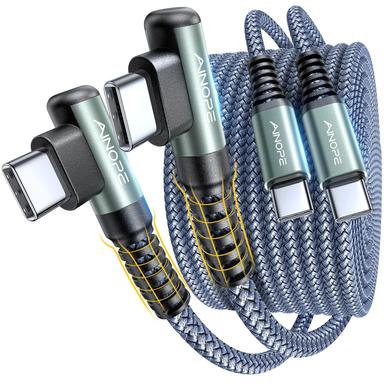
AINOPE USB C to USB C 60W Right Angle 2 Pack 6.6ft
$7.99
Budget pick with right-angle connector for tight spaces.
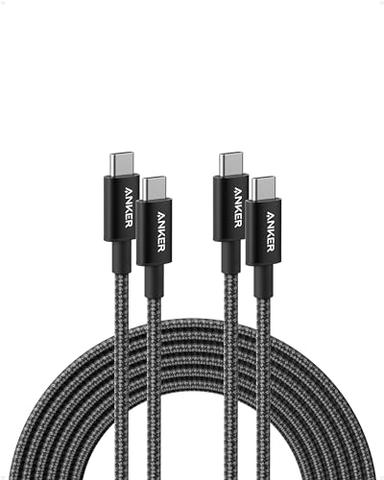
Anker USB C to USB C 100W 10ft 2 Pack
$18.99
Premium 100W charging and longer 10ft reach.
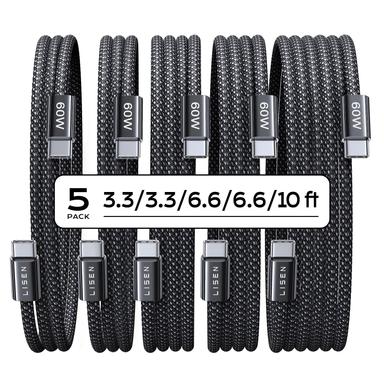
LISEN USB C to USB C 5-Pack 60W
$9.99
Value 5-pack with assorted lengths for family use.
Frequently Asked Questions
Anker USB-A vs USB-C cable: which is better?
For most users, the USB-C cable wins with 60W charging and 5Gbps data. Pick the USB-A cable if you still use USB-A chargers or don't need laptop charging.
Is the USB-C cable worth the extra $1?
Yes, absolutely. You get 4x faster charging and 10x faster data for just one dollar more. It's the best value for modern devices.
Can I use the USB-A cable to charge a laptop?
No, 15W is insufficient for laptops. Use the USB-C cable for laptops and tablets that need 30W or more.
Which cable is better for iPhone 15/16?
Both work, but the USB-C cable supports faster charging (up to 60W) while the USB-A cable is limited to 15W. For fastest charging, use the USB-C cable.
Are these cables durable?
Both have braided nylon exteriors. The USB-C cable is rated for 5,000 bends. Anker offers a lifetime warranty on the USB-A cable and a standard warranty on the USB-C.
We compared current Aurora/Keepa price, stock, ratings, review counts, exact Amazon listings, and Anker product information for both cable models. This is a listing/specification comparison, not a hands-on charging, data-transfer, or certification test. Prices were checked August 12, 2026.
Primary sources. Exact listing details were checked against Amazon US product listing (B07DC5PPFV); Amazon US product listing (B088NRLMPV); Manufacturer product page; Manufacturer product page. Product-family context comes from the linked manufacturer pages; prices, stock, ratings, and review counts are volatile registry fields and should be checked again before purchase.
Who wrote this and where's the data from?
Mubboo Editorial Team — independent US-market consumer research. Picks reflect editorial consensus from verified buyer reviews and manufacturer data.