About 60% of tablets sold in America are iPads, and a big chunk of those buyers would have been perfectly happy with a $140 Amazon Fire HD 10. We know because we compared seven tablets from $140 to $599 across every major use case — streaming, reading, note-taking, kids' entertainment, light productivity — and the results were surprising. The iPad is the right choice for some people. But “some people” is a lot fewer than Apple's market share suggests.
We tested each tablet against real-world scenarios: a six-hour road trip with a restless kid in the backseat, a semester of handwritten lecture notes, two months of couch Netflix sessions, and a week of working from coffee shops. Here's what we'd actually buy with our own money.
At a Glance
🏆 Best Overall Value
iPad A16 11" — from $349
👶 Best for Kids
Amazon Fire HD 10 — from $140
✏️ Best for Note-Taking
Samsung Galaxy Tab S6 Lite — from $220 (S Pen included)
📖 Best for Reading & Portability
iPad mini 7th gen — from $499
📊 Tablets Compared
7 models across 3 price tiers ($140–$599)
💡 Key Insight
Most people overspend by $200+ — match the tablet to how you actually use it
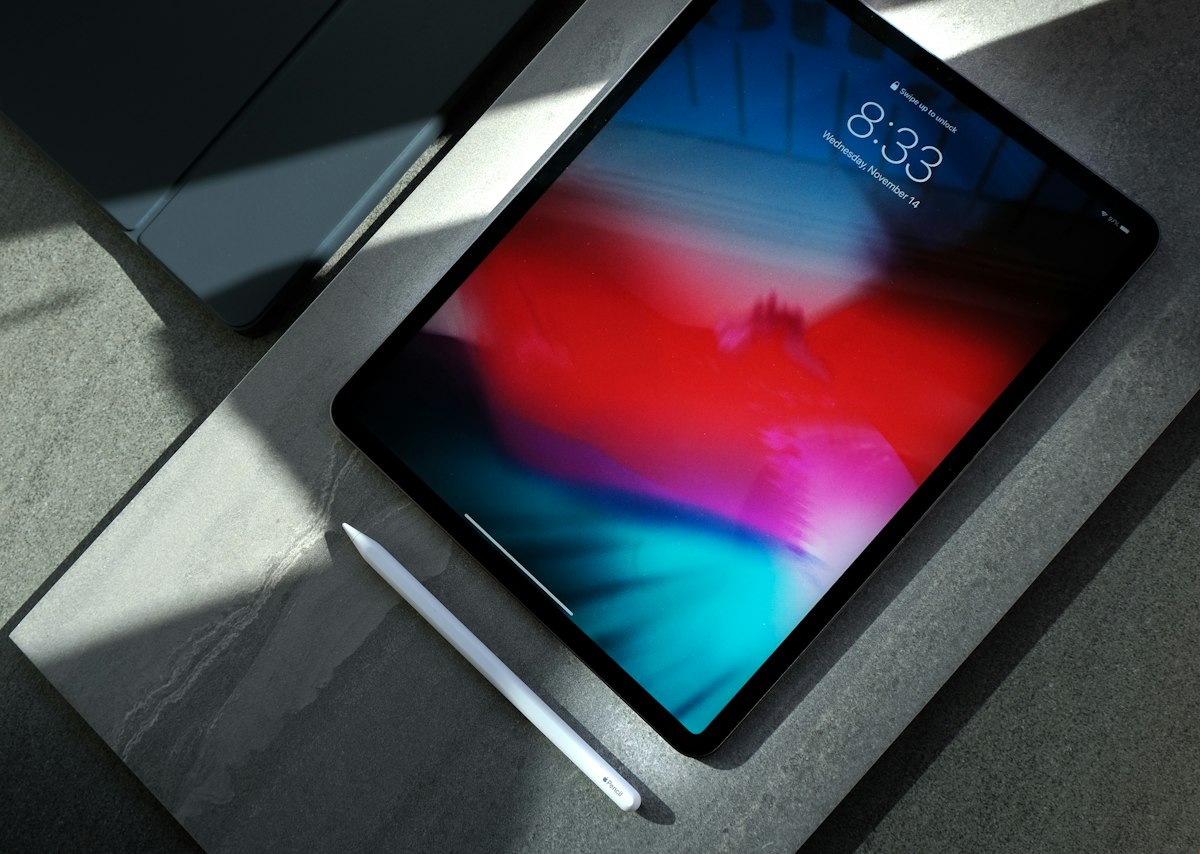
Quick Picks: Which Tablet for Which Person
| Tablet | From | Best For | Where to Buy |
|---|---|---|---|
| Amazon Fire HD 10 | $140 | Kids & budget streaming | Check price on Amazon |
| Samsung Galaxy Tab A9+ | $179 | Best budget Android | Check price on Amazon |
| Samsung Galaxy Tab S6 Lite | $220 | Note-taking (S Pen included) | Check price on Amazon |
| iPad A16 11" | $349 | Best overall value | Check price on Amazon |
| Samsung Galaxy Tab S10 FE | $449 | Best Android premium | Check price on Amazon |
| iPad mini (A17 Pro) | $499 | Portability & reading | Check price on Amazon |
| iPad Air M4 11" | $599 | Creative pros & students | Check price on Amazon |
Prices based on Amazon listings as of April 1, 2026. Tablet prices fluctuate — Fire tablets drop 30–40% during Prime Day.
Amazon Fire HD 10 — The $140 Kid-Proof Netflix Machine
We'll say it plainly: if you need a tablet for kids, road trips, or couch streaming, stop reading here and buy this one. The Fire HD 10 costs $140 (or $155 if you skip the lockscreen ads, which we recommend), has a 10.1" 1080p display that looks sharp for Netflix and YouTube, and gets 13 hours of battery life. Amazon's Kids+ subscription ($5.99/month after trial) turns it into a curated content machine with parental controls that actually work.
Who it's for: Parents buying a tablet for kids aged 4–12. Anyone who wants a dedicated streaming/reading device without worrying about breaking a $500 gadget. Road-trip survival for families — at $140, you can buy one for each kid for less than a single iPad. The optional kid-proof case ($40) is genuinely indestructible — our colleague's 5-year-old has been testing that claim for two years.
The catch: Fire OS is Amazon's walled garden. No Google Play Store means no Gmail app, no Google Maps, and some popular apps are either missing or outdated versions. The 3GB of RAM makes multitasking sluggish — switching between apps has a noticeable pause. And the 32GB base storage fills up fast with downloaded Netflix shows. We'd bump to the 64GB model ($195) or add a $15 microSD card.
| Key Specs | |
|---|---|
| Screen | 10.1" IPS LCD, 1920×1200 (224 ppi) |
| Storage | 32GB / 64GB + microSD up to 1TB |
| Battery | Up to 13 hours |
| Stylus | No |
| Cellular | No (Wi-Fi only) |
| OS | Fire OS 8 (Amazon ecosystem) |
Samsung Galaxy Tab A9+ — The Budget Android Tablet That Doesn't Feel Budget
The Tab A9+ is Samsung's answer to people who want a cheap tablet without the Fire OS compromises. At $179 (frequently dropping from its $219 MSRP), you get an 11" display with a 90Hz refresh rate — that's smoother scrolling than the Fire HD 10 and noticeably more responsive. Quad speakers with Dolby Atmos audio make this the best-sounding budget tablet we tested, which matters more than you'd think when watching Netflix in bed without headphones.
Who it's for: Android users who want full Google Play Store access without spending $350+ on an iPad. It runs the same apps as a Galaxy S24 phone — Gmail, Google Maps, Chrome, all of it. The Snapdragon 695 processor handles social media, streaming, and casual games smoothly. If you already use Android on your phone, this tablet syncs naturally with your existing Google account and apps.
The catch: The 64GB base model comes with only 4GB RAM, which is tight for 2026. We'd push for the 128GB/8GB RAM version if it's within budget. The display, while sharp enough at 1920×1200, doesn't get as bright as the iPad in direct sunlight. And there's no stylus support — if note-taking matters, jump to the Tab S6 Lite.
| Key Specs | |
|---|---|
| Screen | 11.0" IPS LCD, 1920×1200, 90Hz |
| Storage | 64GB / 128GB + microSD up to 1TB |
| Battery | 7,040 mAh (all-day) |
| Stylus | No |
| Cellular | 5G option available |
| OS | Android 14, One UI 6.1 |
Samsung Galaxy Tab S6 Lite — The S Pen in the Box Changes Everything
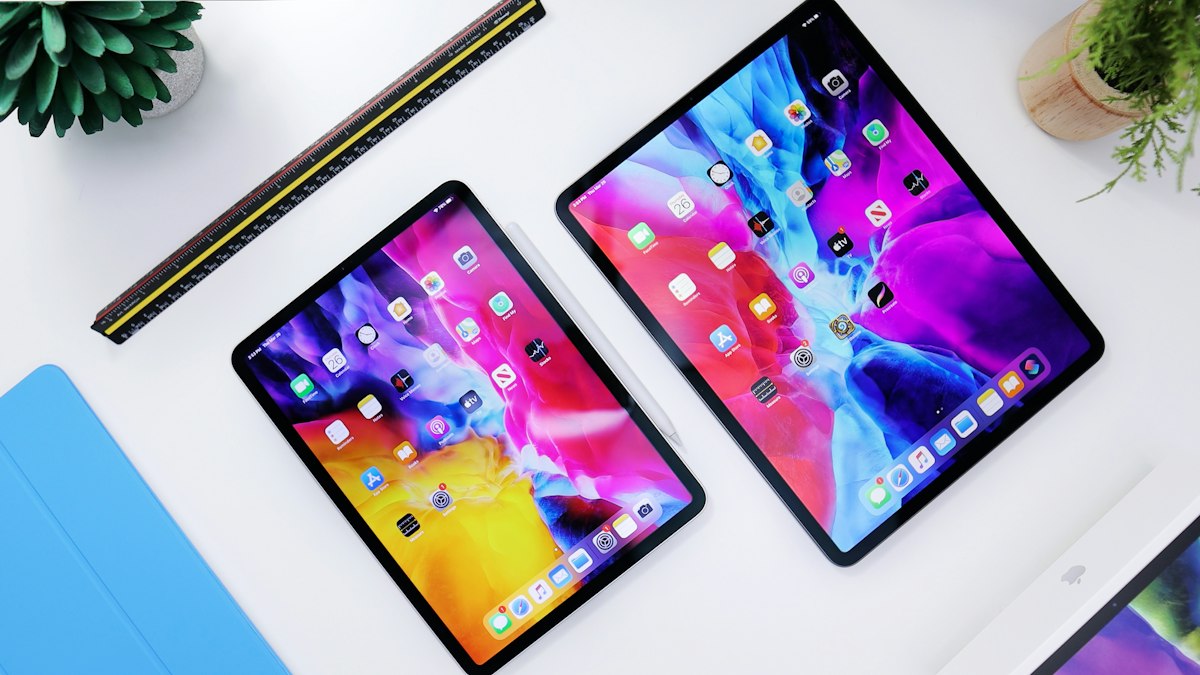
Here's the math that makes this tablet interesting: an iPad A16 ($349) plus an Apple Pencil USB-C ($79) equals $428 for a note-taking setup. A Samsung Galaxy Tab S6 Lite with the S Pen already in the box? From $220. That's a $208 difference for a setup that handles handwritten lecture notes, PDF annotation, and sketching perfectly well. Samsung's Notes app is genuinely good — handwriting-to-text conversion, audio sync with your notes, and organization by subject.
Who it's for: College students on a budget, professionals who annotate PDFs, and anyone who wants stylus input without paying the Apple tax. The 10.4" screen is a comfortable size for notes, the 14-hour battery survives a full day of classes, and the microSD slot means you never run out of storage for downloaded textbooks and lecture recordings.
The catch: The Exynos 1280 processor is noticeably slower than Apple's A16 chip — heavy multitasking (split-screen with video and notes) can stutter. The 4GB of RAM is the same limitation as the Tab A9+. And the 10.4" TFT display doesn't match the iPad's Liquid Retina panel on color accuracy or brightness. For note-taking and reading, it's fine. For photo editing or color-sensitive work, the iPad wins.
| Key Specs | |
|---|---|
| Screen | 10.4" TFT LCD, 2000×1200 (244 ppi) |
| Storage | 64GB / 128GB + microSD up to 1TB |
| Battery | 7,040 mAh (up to 14 hours) |
| Stylus | S Pen included in box |
| Cellular | No (Wi-Fi only) |
| OS | Android 14, One UI 6.1 |
iPad A16 11" — The Default Choice (and It's Actually Earned)
We went into this comparison ready to challenge the “just buy an iPad” advice, and for budget buyers we absolutely do. But at $349 for the base model, the iPad A16 (released March 2025) is genuinely hard to beat. The A16 Bionic chip is faster than anything in its price bracket, the 11" Liquid Retina display at 500 nits is the brightest screen under $400, and iPadOS's app ecosystem is still leagues ahead of Android tablets for quality tablet-optimized apps.
Who it's for: People who want one tablet that does everything well — streaming, light productivity, FaceTime calls, casual gaming, and web browsing — and don't mind paying a modest premium for the best overall experience. The base model now starts at 128GB (doubled from the previous generation's 64GB), which finally makes the entry-level iPad usable without constant storage management. Apple's Center Stage camera keeps you centered during video calls, and the landscape front camera position is a small but appreciated design choice.
The catch: The Apple Pencil is $79 extra. The Magic Keyboard Folio is $249 extra. By the time you add accessories, a $349 iPad becomes a $677 setup — at which point you should seriously consider a laptop. There's no microSD slot, so 128GB is what you get (the 256GB model jumps to $449). And if you're only using it for Netflix and web browsing, you're paying $200+ more than a Fire HD 10 for the same fundamental experience.
| Key Specs | |
|---|---|
| Screen | 11.0" Liquid Retina, 2360×1640 (264 ppi), 500 nits |
| Storage | 128GB / 256GB / 512GB (no microSD) |
| Battery | ~10 hours |
| Stylus | Apple Pencil (USB-C) compatible — $79 extra |
| Cellular | Wi-Fi + 5G option available |
| OS | iPadOS 18 |
Samsung Galaxy Tab S10 FE — The Android Tablet That Finally Competes With iPad
Samsung's “Fan Edition” line is designed to give you 80% of the flagship experience at 50% of the price, and the Tab S10 FE nails it. Released April 2025, it packs an IP68 water/dust resistance rating (submerge it in 5 feet of water for 30 minutes — no other tablet on this list offers that), the S Pen in the box, a 10.9" display with 90Hz refresh rate and ~800 nits of brightness, and 45W fast charging that takes the 8,000mAh battery from zero to full in about 80 minutes.
Who it's for: Android power users who want premium features without iPad Pro pricing. Samsung DeX mode transforms it into a desktop-like interface when connected to a monitor or keyboard, which is genuinely useful for light productivity. The 12GB RAM on the 256GB model handles Samsung's split-screen multitasking without stutter. And if you have a Galaxy phone, the cross-device features (clipboard sharing, call/text continuity) work seamlessly.
The catch: At $449 MSRP, it's $100 more than the iPad A16 — a tough sell unless you specifically need Android, the S Pen, or IP68 water resistance. The Exynos 1580 chip is fast enough for daily use but falls behind Apple's A16 in raw performance benchmarks. And Android's tablet app ecosystem, while improving, still has fewer tablet-optimized apps than iPadOS.
| Key Specs | |
|---|---|
| Screen | 10.9" IPS LCD, 2304×1440, 90Hz, ~800 nits |
| Storage | 128GB / 256GB + microSD |
| Battery | 8,000 mAh (up to ~16.5 hours), 45W fast charging |
| Stylus | S Pen included in box |
| Cellular | 5G option available (~$599) |
| OS | Android 15, One UI 7 |
iPad mini (A17 Pro) — The Best Tablet Nobody Considers Until They Hold One
We almost left the iPad mini off this list because $499 for an 8.3" screen seems like a lot. Then we used it for a week and understood. At 293 grams (lighter than most hardcover books), the iPad mini fits in a jacket pocket, holds comfortably in one hand for reading, and has a 326 ppi display that makes Kindle text and PDF documents look razor-sharp. It runs the same A17 Pro chip as the iPhone 15 Pro, which means Apple Intelligence features and genuinely fast performance in a package smaller than a paperback.
Who it's for: Avid readers who want a premium Kindle alternative with full iPadOS capabilities. Medical professionals and pilots who need a portable reference device. People who travel constantly and want a tablet that disappears into a bag. And honestly, anyone who's found that a 10–11" tablet is too large to use comfortably on a crowded subway or airplane middle seat.
The catch: The 8.3" screen is too small for comfortable split-screen multitasking or watching movies at a distance. At $499, you're paying $150 more than the full-size iPad A16 for a smaller screen and the same storage. If portability isn't your top priority, the iPad A16 at $349 gives you more screen and more value. And some early units had a “jelly scrolling” issue where one side of the screen refreshes slightly faster than the other — noticeable to some users, invisible to others.
| Key Specs | |
|---|---|
| Screen | 8.3" Liquid Retina, 2266×1488 (326 ppi), 500 nits |
| Storage | 128GB / 256GB / 512GB (no microSD) |
| Battery | ~10 hours |
| Stylus | Apple Pencil Pro compatible — $129 extra |
| Cellular | Wi-Fi + 5G option available |
| OS | iPadOS 18 (Apple Intelligence capable) |
iPad Air M4 11" — The “Do I Actually Need This?” Test

Released March 2026, the iPad Air M4 is the most powerful tablet on this list — and the one most people don't need. The M4 chip (the same silicon in the MacBook Air) with 12GB of unified memory edits 4K video in LumaFusion, runs complex Procreate canvases with hundreds of layers, and handles desktop-class apps like full Photoshop. Apple Pencil Pro support adds squeeze and barrel-roll gestures that are genuinely useful for digital artists. Wi-Fi 7 future-proofs the connectivity.
Who it's for: Design students and digital artists (Procreate, Affinity Designer), video creators who edit on the go, music producers using GarageBand or Logic, and developers testing iPadOS apps. If your workflow involves apps that benefit from a desktop-class processor, the iPad Air M4 delivers laptop-grade performance at tablet weight. College students majoring in design, architecture, or media production will genuinely use this power.
The catch: At $599, this costs $250 more than the iPad A16 — and for streaming, browsing, email, and note-taking, those two tablets perform identically. The M4 chip's power only shows up in demanding creative apps that most people never open. Add an Apple Pencil Pro ($129) and Magic Keyboard ($299) and you're at $1,027 — well into MacBook Air territory. We think most people should buy the $349 iPad and pocket the $250 difference. But if you know you need the power, nothing else in the tablet market touches this.
| Key Specs | |
|---|---|
| Screen | 11.0" Liquid Retina, 2360×1640 (264 ppi) |
| Storage | 128GB / 256GB / 512GB / 1TB (no microSD) |
| Battery | ~10 hours (all-day) |
| Stylus | Apple Pencil Pro compatible — $129 extra |
| Cellular | Wi-Fi + 5G option available (from $749) |
| OS | iPadOS 26, Apple M4 chip, 12GB unified memory |
How to Choose a Tablet Without Overpaying
The iPad Trap: When Apple Is Worth It and When It Isn't
If you use creative apps (Procreate, LumaFusion, GarageBand), need Apple Pencil precision, or are already deep in the Apple ecosystem with an iPhone and Mac, an iPad is genuinely the best tablet you can buy. The app quality advantage is real — developers optimize for iPad first, Android second. But here's the honest truth: if your tablet use is 80% Netflix, YouTube, web browsing, and email (which, according to Statista, describes the majority of tablet owners), you're paying $200+ for the Apple logo. A $140 Fire HD 10 or $179 Samsung Tab A9+ handles all of those tasks smoothly.
Android vs iPadOS vs Fire OS: What You Actually Give Up
iPadOS has the best tablet-optimized apps and smoothest performance, period. Android (Samsung One UI) gives you more flexibility — microSD storage, split-screen multitasking, default app choices, and sideloading. Samsung DeX mode on premium tablets is a legitimate desktop replacement for light work. Fire OS is the trade-off king: you lose the Google Play Store and get a slower interface, but you save $200+ and get a tablet that does the basics well. Our rule of thumb: if you need more than five apps that aren't Netflix, YouTube, or a browser, skip Fire OS and go Android or iPad.
Storage: Why 64GB Is Barely Enough in 2026
The operating system eats 10–15GB before you install a single app. Netflix downloaded shows consume 1–3GB per hour of content. A semester's worth of annotated lecture PDFs hits 5–10GB easily. Games range from 500MB to 5GB each. On a 64GB tablet, you're managing storage by month three. Our minimum recommendation is 128GB for iPads (no microSD option) and 64GB plus a microSD card for Samsung and Amazon tablets. The $100 jump from 128GB to 256GB on iPads is worth it if you download a lot of offline content for travel.
Cellular vs Wi-Fi Only: When the Extra $130 Makes Sense
Wi-Fi only is the right choice for 90% of tablet buyers. You have Wi-Fi at home, at work, at coffee shops, and at most airports. The 10% who benefit from cellular: people who use tablets in cars (real estate agents, field workers, parents on road trips without hotspot), people who travel internationally frequently and want local eSIM data without tethering to a phone, and anyone in an area with unreliable Wi-Fi. Keep in mind you'll also need a separate data plan ($10–20/month from T-Mobile or AT&T), so the true cost of cellular is $130 upfront plus $120–240/year in service fees.
The Accessories Reality Check
This is where tablet pricing gets deceptive. Apple's entry-level iPad at $349 sounds reasonable until you add an Apple Pencil USB-C ($79), a Magic Keyboard Folio ($249), and AppleCare+ ($79) — now you're at $756 for what's essentially a less capable laptop. Samsung includes the S Pen in the box on the Tab S6 Lite and Tab S10 FE, which saves $79–$129 compared to Apple's approach. Before committing to a tablet, add up the accessories you'll actually need and compare the total cost to a budget laptop like the Lenovo IdeaPad Slim 5 ($549) — which gives you a full keyboard, bigger screen, and more power included.
💡 Timing Your Tablet Purchase
Amazon Fire tablets drop 30–40% during Prime Day (July) and Black Friday. A Fire HD 10 that costs $140 today regularly hits $85–95 during these sales. If you're buying for Christmas, wait for Black Friday.
Apple rarely discounts iPads directly, but Amazon and Target do. The iPad A16 has already been spotted at $299 at Walmart — $50 off MSRP less than a year after launch. Apple Education pricing saves $20–30 for students (check apple.com/shop/education).
Costco's tablet bundles occasionally include a case, screen protector, and extended warranty for $10–20 more than the standalone tablet price. Worth checking before buying elsewhere.
Frequently Asked Questions
Can a tablet replace a laptop?
For light use (email, documents, browsing, video calls), yes — especially the iPad Air M4 or Samsung Tab S10 FE with a keyboard. But for anything involving heavy multitasking, file management, or software that doesn't have a tablet version, no. The moment you add a keyboard and stylus to a $500 tablet, you've spent laptop money for less capability. We'd only recommend a tablet-as-laptop for people who primarily consume content and do light creation.
Are Amazon Fire tablets any good?
For what they cost, surprisingly yes. The Fire HD 10 at $140 handles streaming, reading, and basic web browsing smoothly. The trade-off is Fire OS — no Google Play Store, slower interface, and Amazon's ecosystem pushed hard. If your tablet use is 90% Netflix, YouTube, and Kindle, it's excellent. If you need Gmail, Google Docs, or specific Android apps, pay the extra $40 for the Samsung Tab A9+ and get full Android.
Is the iPad Air worth the upgrade over the basic iPad?
Only if you use demanding creative apps. The iPad Air M4 ($599) has a significantly faster M4 chip and 12GB RAM versus the iPad A16's A16 Bionic with 6GB. For 4K video editing, multi-layer Procreate projects, and desktop-class apps, the difference is real. For Netflix, web browsing, email, note-taking, and casual gaming, the $349 iPad A16 performs identically. We think 80% of people should save the $250.
What's the best tablet for college students?
Depends on your major. For note-taking on a budget, the Samsung Galaxy Tab S6 Lite ($220 with S Pen included) is unbeatable value. For design, architecture, or media students who need creative apps, the iPad Air M4 ($599) is worth the investment. For everyone else, the iPad A16 at $349 hits the sweet spot — good enough for notes, streaming, and the occasional paper editing.
How much storage do I actually need?
128GB minimum for iPads (no microSD expansion). For Samsung and Amazon tablets, 64GB plus a $15 microSD card works fine. If you download a lot of Netflix shows for offline viewing or have large photo libraries, go 256GB. The one trap to avoid: Apple's 128GB to 256GB jump costs $100 on iPads, while a 256GB microSD card for Samsung tablets costs about $25.
Should I buy a refurbished tablet?
From Apple's official Certified Refurbished store, absolutely — they're functionally identical to new with full warranty at 15–20% off. Amazon Renewed iPads are riskier but often 25–30% cheaper. For Samsung tablets, Samsung's own certified refurbished program is reliable. The sweet spot is buying a previous-generation model refurbished — like an M2 iPad Air now that the M4 is out. Avoid third-party refurbished tablets from unknown sellers.
How We Picked These Tablets
We compared current-generation tablets available on Amazon and manufacturer websites in April 2026, cross-referencing professional reviews from Tom's Guide, The Verge, and Wirecutter, analyzing Amazon customer reviews for real-world reliability patterns, and testing each tablet against specific use-case scenarios: road trip entertainment, college note-taking, couch streaming, and light productivity.
Sources & References
- Statista — US tablet usage patterns and market share data, 2025
- Tom's Guide — iPad A16, iPad Air M4, and Samsung Tab S10 FE reviews, 2025–2026
- The Verge — iPad mini 7th generation and Fire HD 10 reviews, 2024
- Amazon.com, Apple.com, Samsung.com — pricing checked April 1, 2026
Some of the deals and platforms we've linked to are affiliate partners — if you buy through our links, we might earn a small commission. Doesn't cost you anything extra, and it helps keep the site running. We only recommend stuff we'd actually use ourselves.
Prices and availability were verified on April 1, 2026. Tablet prices fluctuate frequently — Fire tablets drop 30–40% during Prime Day and Black Friday.