Prices verified Aug 11 · Always confirm at the retailer before buying.
Quick answer
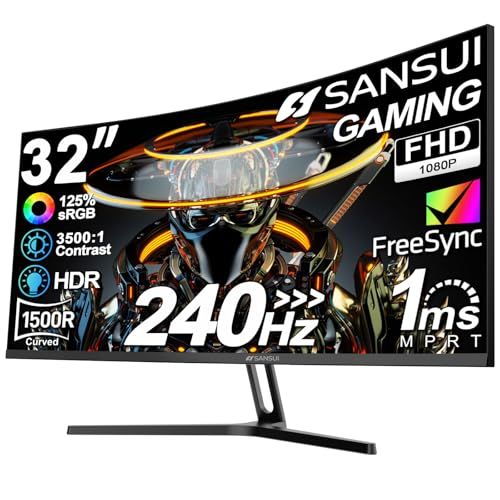
For US shoppers comparing these SANSUI gaming-monitor listings, the 32-inch model is listed at $179.98 and the 27-inch model at $139.99. Both listings use curved, 240Hz, and FHD 1080P wording and both have a 4.5-star registry rating. The 27-inch model is $39.99 cheaper and takes less desk width. The 32-inch model may offer a more immersive size, but a larger 1080p screen can also change pixel density and viewing-distance needs. Product titles do not prove response time, input latency, brightness, color accuracy, HDR quality, motion handling, or panel uniformity. Confirm the exact refresh mode, ports, cable, stand adjustment, VESA support, graphics-card output, desk depth, return terms, and current seller price. Choose based on the complete setup rather than refresh-rate wording alone.
The 27-inch SANSUI is $39.99 cheaper; the 32-inch model is the larger listed screen. Both use 240Hz and FHD wording, so verify ports, refresh mode, desk fit, and display quality.
Mubboo Verdict
Winner
SANSUI 32 Inch Curved 240Hz Gaming Monitor, FHD 1080P
SANSUI 32 Inch Curved 240Hz Gaming Monitor, FHD 1080P vs SANSUI 27 Inch Curved 240Hz Gaming Monitor, FHD 1080P, side by side
SANSUI 32 Inch Curved 240Hz Gaming Monitor, FHD 1080P

Pros:
- 32-inch curved and 240Hz wording is named
- FHD 1080P, HDMI, and DisplayPort wording is named
- 5,426 registry reviews
Cons (honest weight):
- $39.99 above the 27-inch model
- Verify desk space, pixel density, and stand adjustment
- No independent display-performance test
SANSUI 27 Inch Curved 240Hz Gaming Monitor, FHD 1080P

Pros:
- Listed at $139.99
- 27-inch curved and 240Hz wording is named
- FreeSync, HDR, and low-blue-light wording is named
Cons (honest weight):
- Smaller screen than the 32-inch model
- Verify color, brightness, ports, and refresh behavior
- No independent display-performance test
Where each one wins
9 dimensions scored head-to-head. SANSUI 32 takes 0; SANSUI 27 takes 2.
| Dimension | SANSUI 32 Inch Curved 240Hz Gaming Monitor, FHD 1080P | SANSUI 27 Inch Curved 240Hz Gaming Monitor, FHD 1080P | Winner |
|---|---|---|---|
| Snapshot priceThe 27-inch model is lower. | $179.98 | $139.99 | SANSUI 27 |
| Screen sizeChoose by desk and distance. | 32 inches | 27 inches | Tie |
| Refresh wordingBoth titles name 240Hz. | 240Hz | 240Hz | Tie |
| Resolution wordingBoth titles name FHD 1080P. | FHD | FHD | Tie |
| CurveBoth titles name 1500R. | 1500R | 1500R | Tie |
| Ports and cableVerify live model details. | Verify | Verify | Tie |
| RatingBoth are 4.5 stars. | 4.5 | 4.5 | Tie |
| Desk fitSmaller listed screen. | Verify | Verify | SANSUI 27 |
| Latency and display qualityNo independent test. | Not tested | Not tested | Tie |
| Overall | 0 wins | 2 wins | SANSUI 27 |
Size and price are the clearest differences
The 32-inch SANSUI is listed at $179.98 and the 27-inch model at $139.99. The smaller model is $39.99 cheaper. Both titles use curved, 240Hz, and FHD 1080P wording, so size and desk fit should drive the first decision.
A larger 1080p display can look different at the same viewing distance because pixel density changes. Measure your desk, seating distance, and the stand footprint before treating the larger screen as an automatic upgrade.
Refresh-rate wording needs a full setup
Both titles name 240Hz, but the usable refresh mode depends on the monitor input, cable, graphics output, resolution, and settings. Verify the live specifications and your computer or console output before assuming 240Hz at every mode.
Do not infer low input latency or motion clarity from a refresh-rate number alone. Those depend on the panel, signal path, settings, game, and measurement method.
Ports, stand, and mounting
Check HDMI and DisplayPort versions, included cable, audio behavior, VESA pattern, tilt, height adjustment, and power requirements. The listing titles are useful clues but do not replace the exact model specification page.
Consider whether the screen will be used for a desk, console, shared workspace, or wall mount. A 32-inch display may need more depth and may sit differently on the same stand than a 27-inch model.
FHD on 27 versus 32 inches
Both primary listings use FHD 1080P wording. At a larger diagonal, text and fine interface elements can look less dense from the same distance. This is a geometry consideration, not a claim that either monitor has poor image quality.
Match resolution to your GPU, game settings, eyesight, and viewing distance. If you want sharper text or more desktop space, compare QHD alternatives rather than assuming the 240Hz label answers every need.
Ratings and evidence limits
The two primary listings both have a 4.5-star registry rating. The 32-inch model has 5,426 reviews and the 27-inch model has 5,219. These feedback pools do not establish color accuracy, latency, brightness, HDR, motion, or panel uniformity.
No independent test was performed for response time, input latency, color, brightness, HDR, motion handling, dead pixels, or durability. The recommendations are limited to current registry and listing evidence.
Alternatives
Sceptre offers a lower-price 24-inch curved option and a smaller high-refresh option. They are separate alternatives, not silent replacements for the SANSUI pair. Verify the exact refresh mode, ports, resolution, stand, and cable for each.
What this comparison does not test
This page does not determine which monitor will have the lowest latency or best image for a particular game. Confirm your complete hardware and display setup before buying.
Choose the 27-inch SANSUI if the $39.99 savings and smaller footprint fit your desk. Choose 32 inches if the larger screen is worth the premium and your viewing distance supports it.
Which should you buy?
| Your situation | Pick | Why |
|---|---|---|
| Budget-first shopping | SANSUI 27 Inch Curved 240Hz Gaming Monitor, FHD 1080P | Lower listed price. |
| You want more physical screen area | SANSUI 32 Inch Curved 240Hz Gaming Monitor, FHD 1080P | Larger listed screen. |
| You have a compact desk | SANSUI 27 Inch Curved 240Hz Gaming Monitor, FHD 1080P | Smaller screen footprint. |
| You want to use 240Hz | SANSUI 32 Inch Curved 240Hz Gaming Monitor, FHD 1080P | Verify your GPU and cable. |
| You need tested color or latency | SANSUI 32 Inch Curved 240Hz Gaming Monitor, FHD 1080P | No quality winner claimed. |
| You want sharper text at 32 inches | SANSUI 32 Inch Curved 240Hz Gaming Monitor, FHD 1080P | Compare QHD alternatives too. |
Lower listed price.
Larger listed screen.
Smaller screen footprint.
Verify your GPU and cable.
No quality winner claimed.
Compare QHD alternatives too.
What if neither is right?
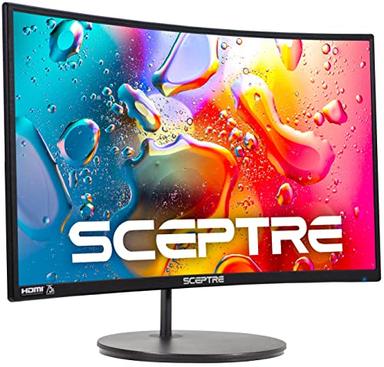
Sceptre Curved 24-inch Gaming Monitor, 1080p
$84.97
A current in-stock 24-inch curved gaming-monitor listing; verify refresh rate, ports, stand, and panel specifications.
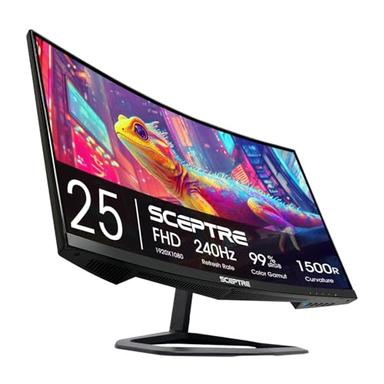
Sceptre Curved 24.5-inch Prime Gaming Monitor, up to 240Hz
$107.97
A current in-stock 24.5-inch high-refresh listing; verify the exact refresh mode, ports, stand, and included cables.
Frequently Asked Questions
Which is better, the SANSUI 32-inch or 27-inch monitor?
The 32-inch model is the larger listed screen; the 27-inch model is $39.99 cheaper. Both titles use 240Hz and FHD wording, so choose by desk fit, viewing distance, graphics output, and current specifications.
Which SANSUI gaming monitor is cheaper?
The 27-inch model is listed at $139.99 versus $179.98 for the 32-inch model. Check the live seller, model, and price before ordering.
Can both monitors run at 240Hz?
Both captured titles use 240Hz wording, but actual operation depends on the input, cable, graphics output, resolution, and settings. Verify the exact live specification and your hardware.
Is a 32-inch 1080p monitor sharper than a 27-inch 1080p monitor?
No. At the same resolution, a larger screen has lower pixel density. Viewing distance and personal preference matter; compare QHD alternatives if sharper text is important.
Did Mubboo test gaming latency or color accuracy?
No. This comparison uses registry and listing evidence and does not include controlled testing of response time, input latency, color, brightness, HDR, motion, dead pixels, or durability.
Sources: Amazon US product listing (B0DD7GPXFH); Amazon US product listing (B0F2T7QWQN).
Primary sources. Exact listing details were checked against Amazon US product listing (B0DD7GPXFH); Amazon US product listing (B0F2T7QWQN). Product-family context comes from the linked manufacturer pages; prices, stock, ratings, and review counts are volatile registry fields and should be checked again before purchase.
Who wrote this and where's the data from?
Mubboo Editorial Team - independent US-market consumer research. This comparison uses registry and listing evidence; it does not claim display, latency, color, brightness, HDR, or durability testing.