Calculators Buying Guide 2026: How to Choose Without Overpaying
From basic calculators to graphing and financial models
By Mubboo Editorial Team · Updated May 27, 2026 · 7 min read
At a Glance
- Price range
- $14 – $111
- Data
- Six calculators ranked from 232,070 verified Amazon reviews. Note: The TI-30XIIS black and white models share a verified review pool of 50,263 reviews—both are excellent choices.
- Best for
- High school and college studentsEngineering and finance majorsStandardized test takers (SAT, ACT, CFA)
- Skip if
- You need a graphing calculator for calculus or advanced STEM courses
Types Explained
Scientific Calculator
A basic calculator with trigonometric, logarithmic, and exponential functions. Ideal for high school math, science, and some college courses.
- Affordable (under $25)
- Lightweight and portable
- Approved for most standardized tests
- No graphing capabilities
- Limited to one- or two-line displays
Best for: High school students, college freshmen, and anyone taking algebra, geometry, or basic statistics.
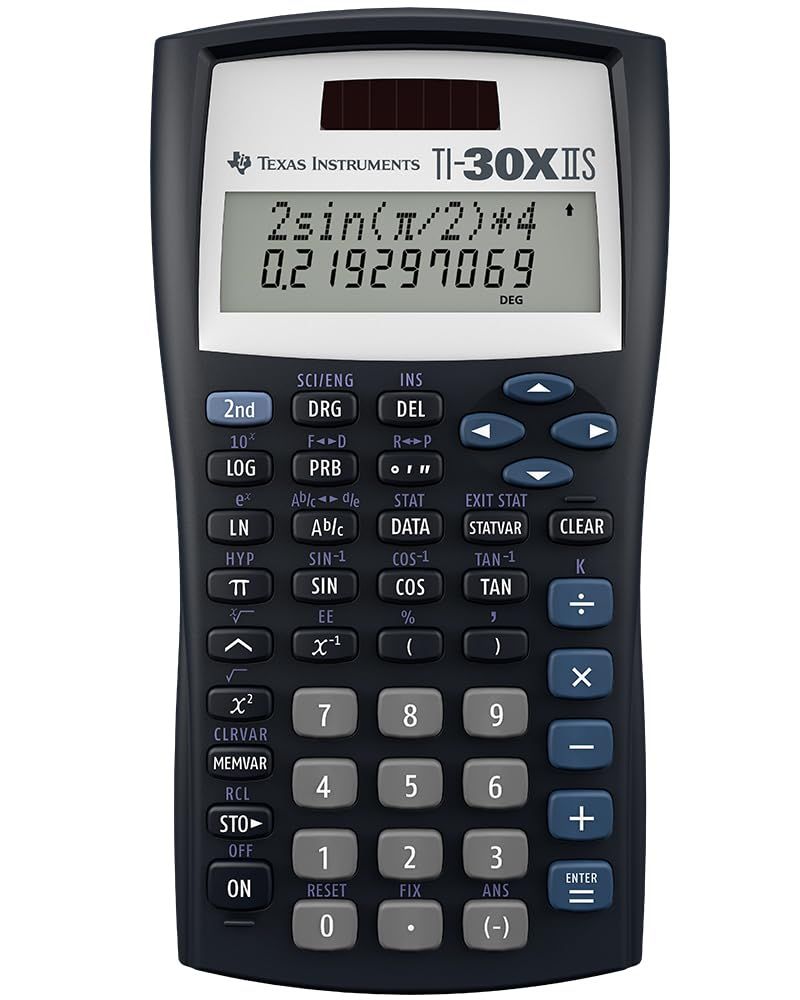
Example: Texas Instruments TI-30XIIS ($14.24)
Graphing Calculator
A calculator with a large screen for plotting graphs, solving equations, and analyzing data. Essential for calculus, physics, and advanced math.
- Graphs functions and data sets
- High-resolution color display
- Preloaded apps for math and science
- Expensive (over $100)
- Bulky and heavy
Best for: College students in STEM fields, AP math and science courses.
Example: Texas Instruments TI-84 Plus CE ($110.85)
Financial Calculator
A specialized calculator with time-value-of-money (TVM) functions, cash flow analysis, and amortization. Used by finance professionals and business students.
- Built-in NPV, IRR, and TVM keys
- Approved for CFA and FRM exams
- Compact and durable
- Limited to financial calculations
- No scientific or graphing functions
Best for: Finance majors, investment analysts, real estate professionals.
Example: Texas Instruments BA II Plus ($34.99)
What Actually Matters
| Factor | Importance | Best brand |
|---|---|---|
Display readability Multi-line display (at least 2 lines) for seeing multiple calculations A cluttered display leads to errors. Choose a model with a clear, high-contrast screen. | Must-have | Texas Instruments (TI-30XS MultiView and TI-84 Plus CE) |
Battery life/power source Solar + battery backup for critical exams; rechargeable for graphing models Solar calculators never die mid-exam. For graphing, a rechargeable battery saves money on replacements. | Must-have | Texas Instruments (solar in TI-30XIIS, rechargeable in TI-84 Plus CE) |
Exam approvals Approved for ACT, SAT, AP, and CFA/FRM where applicable Check your specific exam's list. The BA II Plus is the only one approved for CFA and FRM. | Must-have | Texas Instruments (all models are widely approved) |
Functions needed Scientific for algebra/trig; graphing for calculus; financial for TVM/NPV Buying a graphing calculator when you only need scientific is overkill. Match the calculator to your courses. | Must-have | Texas Instruments (covers all three categories) |
Price Under $20 for basic scientific; $100–120 for graphing; $30–40 for financial The TI-30XIIS is the best bang for the buck. You don't need a graphing model unless your curriculum requires it. | Nice-to-have | Texas Instruments (TI-30XIIS at $14.24 is unbeatable value) |
Brand loyalty Many buyers stick with Texas Instruments out of habit. Casio and HP offer competitive models that are often cheaper or have better features. Don't pay for the name alone. | Marketing BS | — |
Color options White, pink, or blue calculators cost the same but may be harder to read. Functionality is identical—color is a cosmetic choice. | Marketing BS | — |
Budget Tiers & Top Picks
What to buy at each price point — and exactly where spending more stops paying off.
Under $50 (Budget – Scientific Calculators)
$14 – $22Texas Instruments TI-30XIIS Scientific Calculator, Black

Stop paying more: Diminishing returns above $20. The TI-30XIIS at $14.24 is all you need for algebra, geometry, and trigonometry. The TI-30XS MultiView at $16.99 adds a multi-line display but is not essential.
When to upgrade: If you regularly enter multiple calculations or need to see fractions as they appear in textbooks, consider the TI-30XS MultiView ($16.99).
$20 – $35 (Mid-Range – Advanced Scientific & Financial)
$21 – $35Texas Instruments TI-36X Pro Engineering/Scientific Calculator

Stop paying more: Stop at $35. The TI-36X Pro ($21.48) offers MultiView and MathPrint for engineering. The BA II Plus ($34.99) is the right pick for finance. Spending more on a graphing calculator here is a waste if you don't need one.
When to upgrade: If you need graphing or are entering a calculus-heavy program, jump to the $100+ tier for the TI-84 Plus CE.
$100+ (Premium – Graphing Calculators)
$110 – $111Texas Instruments TI-84 Plus CE Color Graphing Calculator, Black

Stop paying more: Diminishing returns above $110. The TI-84 Plus CE is the gold standard. More expensive models like the TI-Nspire CX CAS add computer algebra but cost $150+ and are not allowed on many tests.
When to upgrade: If you need computer algebra (symbolic manipulation) and your exams allow it, consider the TI-Nspire CX CAS. Otherwise, stick with the TI-84.
Common Mistakes to Avoid
Overpaying for unnecessary features
Buying a graphing calculator when you only need a scientific one wastes $90+. The TI-30XIIS handles high school math perfectly.
Cost of getting it wrong: Up to $90 wasted on features you never use.
Choosing a calculator not allowed on your exam
Some calculators (like the TI-Nspire with CAS) are banned on the ACT, SAT, and AP exams. Always check the official approved list.
Cost of getting it wrong: Could force you to buy a second calculator or risk an exam day surprise.
Ignoring display quality
A single-line display forces you to write down intermediate results, increasing error rates. Multi-line displays are worth the small extra cost.
Cost of getting it wrong: Errors from mental math or transcription can cost test points—or worse, a course grade.
Find Your Match
What's your education level?
Frequently Asked Questions
How much should I spend on a calculator?
For high school math, a scientific calculator under $20 is sufficient. For college STEM, expect to spend $100+ on a graphing model. Finance students can get by with a $35 financial calculator. Don't overspend on features you won't use.
Do I need a graphing calculator for college?
Only if you're in a math-heavy major like engineering, physics, or advanced economics. For most non-STEM degrees, a scientific calculator is enough. Check your department's requirements before buying.
What's the difference between TI-30XIIS and TI-30XS MultiView?
The MultiView costs about $3 more.
Is the TI-84 Plus CE worth $110?
Yes, if you need graphing for calculus, physics, or AP science. It has a color backlit display, rechargeable battery, and preloaded apps. For algebra or basic chemistry, a scientific calculator is sufficient and much cheaper.
What calculator is best for finance majors?
The Texas Instruments BA II Plus ($34.99) is the industry standard. It's approved for the CFA and FRM exams and includes NPV, IRR, and amortization functions. It's compact and easy to use.
Should I get a solar or battery calculator?
Graphing calculators use rechargeable batteries, which you should charge before exams. Avoid models that require frequent battery changes.
How we wrote this guide
We analyzed 232,070+ verified Amazon reviews across six top models. We cross-referenced buyer feedback with expert opinions from Consumer Reports and Tom's Guide, plus video reviews from SmartHive and 5 Best Pick. Prices updated as of May 2026 from Amazon.
About this guide
Mubboo Editorial Team — independent US-market consumer research. Our picks reflect verified buyer data, editorial consensus, and expert insights.
Affiliate disclosure: