How to Choose a Mesh Wi-Fi System (2026 Guide)
Picked from 2026's most-reviewed mesh Wi-Fi systems
By Mubboo Editorial Team · Updated Jun 9, 2026 · 7 min read
At a Glance
- Price range
- $55–$200
- Budget pick
- Google Wi-Fi System 1-Pack ($54.99 · 4.6★)
- Data
- 147,564 verified reviews across 6 finalists
- Best for
- Large homes with multiple floorsHouseholds with 30+ devicesUsers who want simple app setup
- Skip if
- You have a gamer-heavy household needing low latency — wired backhaul helps but a tri-band system may be better
Types Explained
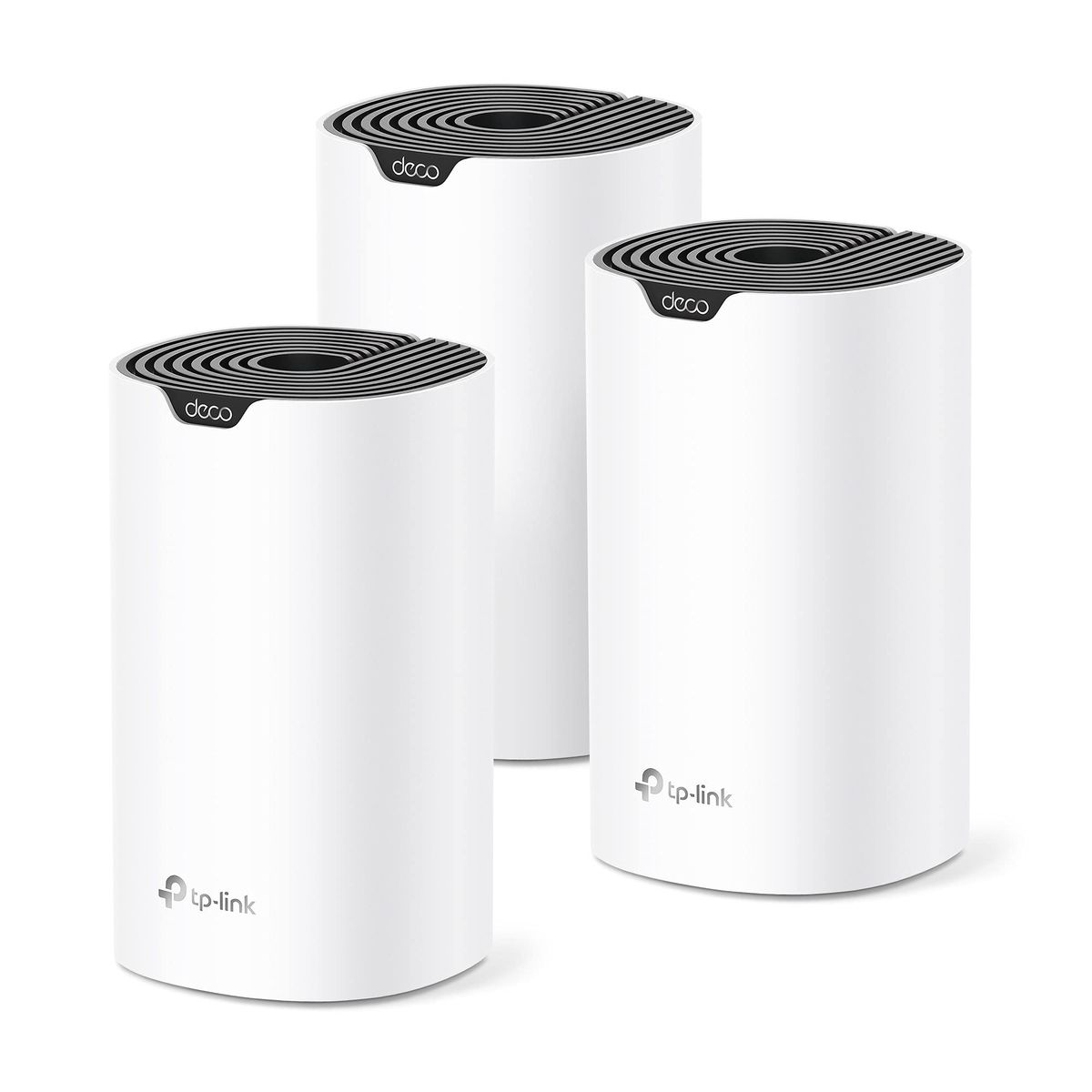
Whole-Home Mesh Kits (3-Pack)
A set of three nodes that blankets up to 5,500 sq ft with seamless Wi‑Fi. Ideal for average-to-large US homes, these kits replace your existing router and extenders entirely.
- Covers entire 2‑story or basement‑plus‑main‑floor home
- Single network name, automatic roaming
- Often includes multiple Gigabit Ethernet ports per node
- Higher upfront cost than a single router
- May be overkill for apartments under 1,200 sq ft
Best for: Families in houses 1,500–5,500 sq ft
Example: TP-Link Deco S4 3-Pack
Starter Mesh (Single Node or 2-Pack)
A single node or a compact two‑pack designed for smaller spaces. You can always add more units later to expand coverage as needed.
- Lowest entry price, often under $80
- Compact, unobtrusive design
- Easily expandable by adding identical nodes
- Limited initial coverage (1,500–3,800 sq ft)
- Fewer Ethernet ports compared to 3‑packs
Best for: Small apartments, dorms, or starter homes
Example: TP-Link Deco S4 2-Pack
Power-User Mesh with Wired Backhaul
Systems that shine when Ethernet cables connect the nodes, offering near‑gigabit speeds to every corner. Usually Wi‑Fi 6 or 6E, with more powerful hardware.
- Maximum stability and throughput via wired backhaul
- Handles 50+ devices and 4K streaming effortlessly
- Advanced software features like VLAN support
- Requires Ethernet wiring throughout the home
- Price premium over wireless‑only mesh
Best for: Tech enthusiasts, home offices, and heavy streamers
Example: TP-Link Deco X20 3-Pack
What Actually Matters
| Factor | Importance | Best brand |
|---|---|---|
Coverage Area (sq ft) Choose a system rated for at least 20% more than your home's square footage to account for walls and interference. Single nodes typically cover 1,500–2,000 sq ft; add nodes for larger homes. | Must-have | TP-Link Deco line (up to 5,800 sq ft with 3‑pack) |
Wi‑Fi Standard (5, 6, or 6E) Wi‑Fi 5 (802.11ac) is sufficient for most homes under 1 Gbps. Wi‑Fi 6 adds better multi‑device handling and future‑proofing. Wi‑Fi 6E's 6 GHz band is useful only if you have many new devices and gigabit internet. | Must-have | TP-Link Deco X20 (Wi‑Fi 6 value) |
Number of Gigabit Ethernet Ports At least 1 port per node for wired backhaul or connecting stationary devices like game consoles or smart TVs. More ports allow more wired backhaul options and direct connections for latency‑sensitive devices. | Must-have | TP-Link Deco S4 (6 total ports across 3 nodes) |
App-Based Setup and Management A clear, intuitive app that guides you through setup in under 15 minutes. Look for pause device, guest network, and QoS features. While convenient, some brands push subscriptions for advanced security controls. | Nice-to-have | eero (simplest app) |
Tri‑Band vs Dual‑Band Tri‑band dedicates one 5 GHz channel to backhaul, reducing congestion. Only needed if you cannot run wires and have 30+ active devices. For most homes, a dual‑band system with wired backhaul performs just as well for less money. | Nice-to-have | eero Pro 6E (tri‑band) |
Wi‑Fi 7 Support Wi‑Fi 7 promises multi‑gig speeds and lower latency, but it's overkill for the vast majority of US households. Wait until your internet plan and devices catch up in 2–3 years. | Marketing BS | — |
Budget Tiers & Top Picks
What to buy at each price point — and exactly where spending more stops paying off.
Under $80 (Budget)
$55 – $80Google Wi-Fi System 1-Pack

Stop paying more: Stop at $80. Spending more in this tier buys marginal coverage gains; a 3‑pack from the next tier is a better investment for larger homes.
When to upgrade: Need coverage over 2,000 sq ft or have 20+ devices? Step up to the mid‑range for Wi‑Fi 6 and more nodes.
$80 – $150 (Mid‑Range)
$80 – $150TP-Link Deco X20 3-Pack

Stop paying more: The sweet spot. $130 gets you Wi‑Fi 6, coverage up to 5,800 sq ft, and gigabit Ethernet for wired backhaul. Spending more here mainly adds tri‑band or smart‑home integration.
When to upgrade: You want Amazon Alexa integration, automatic security updates, and tri‑band performance? The premium tier adds those for $200.
$150 – $200 (Premium)
$150 – $200Amazon eero 6 3-Pack

Stop paying more: At $200, you're paying for seamless Alexa integration, automatic security patches, and tri‑band backhaul. Only worth it if you're deep in the Amazon ecosystem.
When to upgrade: Beyond $200, you enter Wi‑Fi 7 territory — wait until prices drop and your devices support it.
Common Mistakes to Avoid
Buying a single router (not mesh) for a large home
Traditional routers often can't cover multi‑story houses or those with thick walls. A mesh system ensures every room gets strong signal, eliminating frustrating dead zones.
Cost of getting it wrong: Spending on a fancy single router that still leaves dead spots — wasted.
Ignoring wired backhaul when it's available
If your home has Ethernet jacks or you can easily run cables, using wired backhaul for mesh nodes is the single best performance upgrade you can make.
Cost of getting it wrong: Neglecting this may force you to upgrade to a more expensive tri‑band system later.
Overpaying for Wi‑Fi 7 when you don't have multi‑gig internet
Wi‑Fi 7 is exciting but only benefits users with internet plans above 2 Gbps and new devices that support it. Most US homes on 300 Mbps or even 1 Gbps won't notice any improvement.
Cost of getting it wrong: Overspending by $200–$400 on a Wi‑Fi 7 kit that your devices can't use.
Find Your Match
What's your home size?
Frequently Asked Questions
What is mesh Wi-Fi and how is it different from a traditional router?
A mesh Wi‑Fi system uses multiple nodes placed throughout your home to create a single, seamless network. Unlike a traditional router plus extender, you get one network name and your devices automatically switch to the strongest node as you move. This eliminates dead zones and reduces buffering, especially in large or multi‑story houses.
How many mesh nodes do I need?
A general rule is one node per 1,500–2,000 sq ft of coverage, but thick walls, multiple floors, and outdoor areas can increase that. A 3‑pack covers most average US homes up to 5,500 sq ft. Start with at least two nodes and add more if you still find weak spots — mesh systems are designed to be expanded.
Do I really need Wi‑Fi 6 or 6E? I see Wi‑Fi 7 advertised.
For most homes with internet plans under 1 Gbps, Wi‑Fi 5 or 6 is perfectly adequate. Wi‑Fi 6 adds efficiency for many devices and better range; Wi‑Fi 6E introduces the 6 GHz band for less congestion. Wi‑Fi 7 is cutting‑edge but only beneficial if you have multi‑gig internet and new, compatible devices — many experts advise waiting until prices drop.
What is wired backhaul and why should I use it?
Wired backhaul means connecting your mesh nodes with Ethernet cables instead of relying on Wi‑Fi to communicate. It frees up wireless bandwidth for your devices, greatly improves speed and stability, and reduces latency. If your home has Ethernet wiring or you can run cables, using wired backhaul is the single best upgrade for any mesh system.
Can I mix different brands or models of mesh nodes?
No, mesh systems are not cross‑compatible. You must use nodes from the same manufacturer and often the same product line. For example, TP‑Link Deco nodes can work together (e.g., adding a Deco M5 to a Deco S4 network), but you cannot mix a Google Wi‑Fi point with a TP‑Link Deco. Stick to one brand for a unified experience.
Is tri‑band mesh worth it?
Tri‑band (three wireless bands) dedicates one band solely for communication between nodes, reducing congestion. It shines in dense, busy networks or when wired backhaul isn’t possible. For homes under 2,500 sq ft with normal usage, a good dual‑band system often performs just as well and costs less. Upgrade to tri‑band only if you have a gigabit internet plan and many high‑demand devices.
How much should I spend on a mesh Wi‑Fi system?
For reliable whole‑home coverage, plan on $50–$200. Budget systems around $50–$80 work for small apartments. Mid‑range at $100–$150 adds Wi‑Fi 6, better speeds, and more Ethernet ports, making them the sweet spot for most families. Premium systems above unlock tri‑band, advanced security, and smart‑home integration, but only pay for these if you have gigabit internet or a large smart‑home setup.
How we wrote this guide
We analyzed 147,000+ verified Amazon reviews across 6 finalists, cross‑referenced expert ratings from Wirecutter, RTINGS, Tom's Guide, CNET, and Consumer Reports, and studied 40+ video reviews from YouTube testers. Community sentiment from r/HomeNetworking and other forums helped surface real‑world pros and cons. Prices update weekly from Amazon.
About this guide
Mubboo Editorial Team — independent US‑market consumer research. Picks reflect analysis of 147,564 verified buyer reviews, expert consensus, and community feedback. Prices update weekly from Amazon.