Your Desk, Anywhere: How to Pick the Perfect Portable Monitor
Picked from Amazon's top-reviewed models, benchmarked for brightness, color, and portability.
By Mubboo Editorial Team · Updated Jun 21, 2026 · 8 min read
At a Glance
- Price range
- $49.99 – $249.99
- Data
- 45,874+ verified reviews analyzed across 6 finalists
- Best for
- Remote workers who need a second screen anywhereStudents with limited desk spaceTravelers presenting on the goGamers wanting a portable high-refresh display
- Skip if
- You only mirror a tablet occasionally — a laptop stand and your phone might be enough.
Types Explained
Standard Portable Monitor
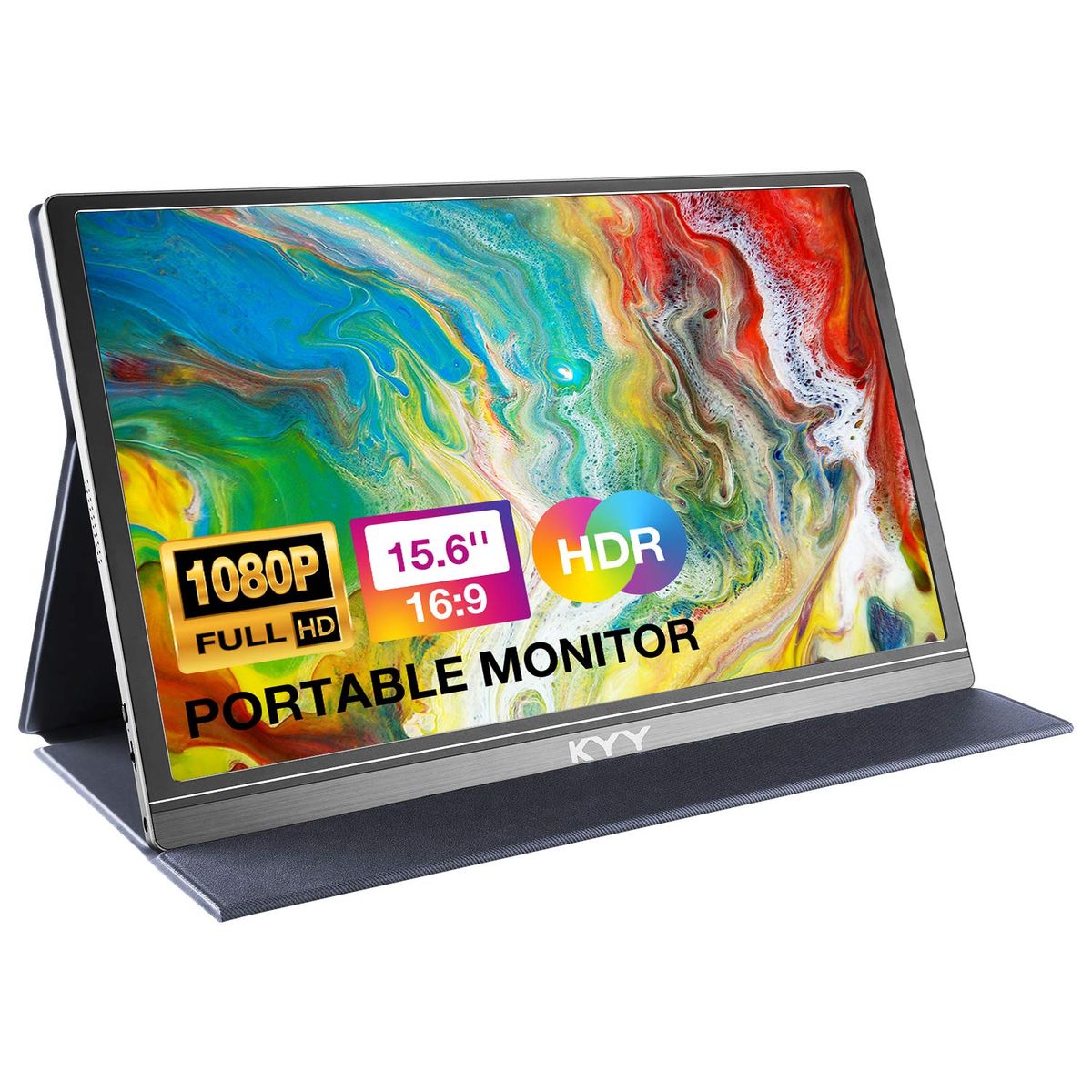
A slim, lightweight 15.6" 1080p IPS panel that connects via USB-C or HDMI. Ideal for general productivity and media consumption.
- Plug-and-play with most modern laptops
- Affordable — many under $70
- Fits easily into a laptop bag
- 60Hz is fine for work but not gaming
- Often cheap built-in speakers
- Matte screens can appear grainy in direct sunlight
Best for: Office workers, students, and casual use.
Example: KYY K3 15.6" — $69.99, 4.4 stars, 12,904 reviews
Gaming Portable Monitor
High-refresh-rate (144Hz+) displays with fast response times (0.1-3ms) and often better color accuracy (QLED). Built for fast-paced games.
- Silky smooth motion for FPS or racing games
- Vibrant colors with wide color gamuts like DCI-P3
- Often includes adaptive sync technologies
- Costlier — typically +
- Slightly heavier and may require more power
- Overkill for spreadsheets and email
Best for: Gamers who travel or have limited space.
Example: UPERFECT 16" 144Hz QLED — $189.99, 4.5 stars, 5,155 reviews
Laptop Screen Extender
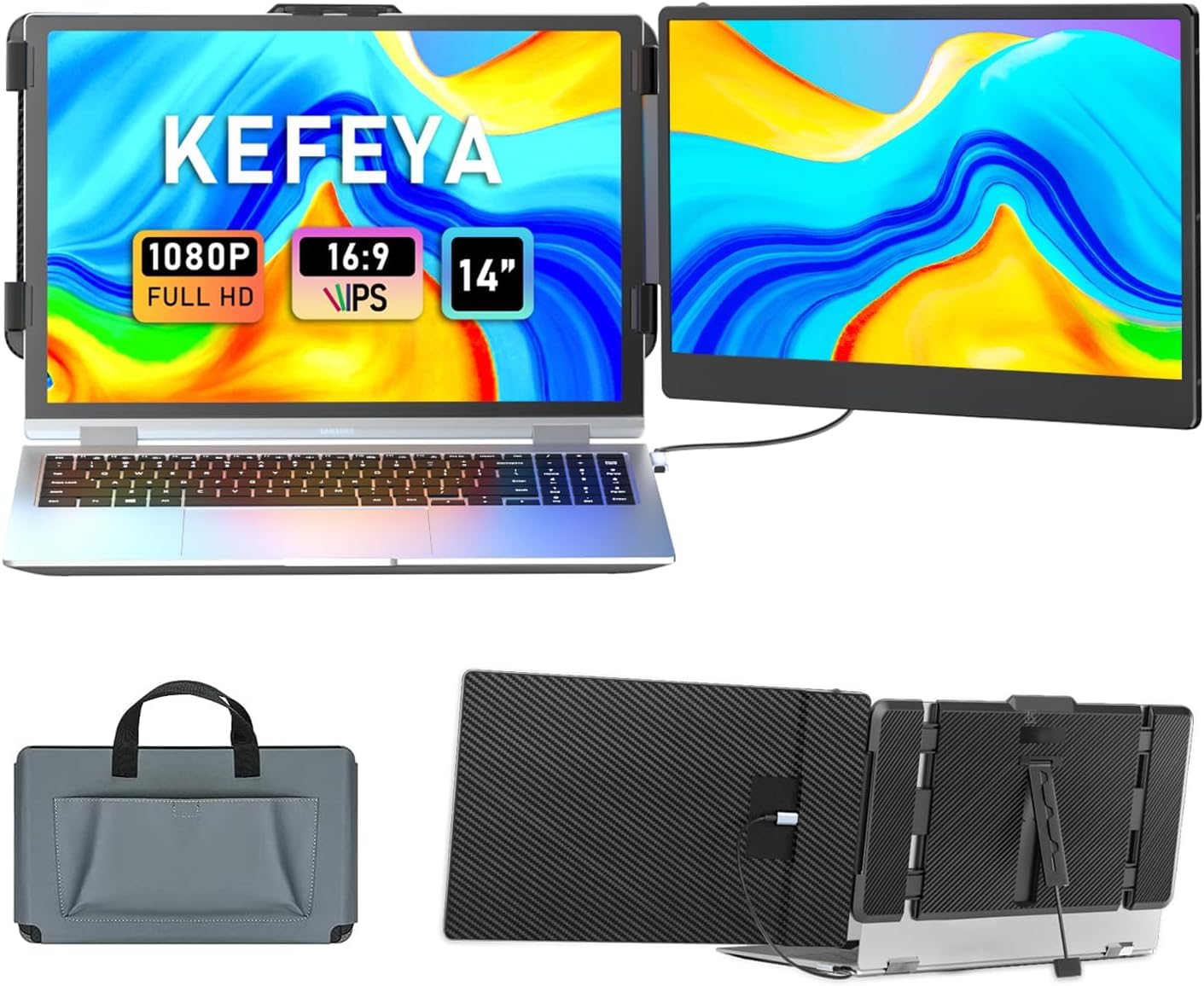
Either a single extra screen that clips onto your laptop (dual-screen) or a pair that unfolds to create a triple-monitor setup. Mounts directly to your laptop's lid.
- Turns a 13-17" laptop into a multi-screen workstation
- Usually offers adjustable angles and rotation
- Single-cable connection reduces clutter
- Bulkier than standalone monitors
- Often needs proprietary drivers to function
- Can be less stable on uneven surfaces
Best for: Power users, stock traders, programmers.
Example: KEFEYA S1 14" Dual Screen Extender — $139.99, 4.5 stars, 5,018 reviews
What Actually Matters
| Factor | Importance | Best brand |
|---|---|---|
USB-C with DP Alt-Mode Single-cable connection for power + video Without DP Alt-Mode you'll need a separate power brick and HDMI cable, defeating the portability. Always check your laptop's specs. | Must-have | KYY — both USB-C ports are full-featured on the K3 |
Screen Brightness ≥250 nits for indoor use, ≥350 for bright rooms A matte finish helps cut reflections. Most budget monitors sit at 250-300 nits, fine for indoor work but weak near windows. | Must-have | UPERFECT — 400 nits on their gaming monitor |
Refresh Rate 60Hz fine for work; 144Hz for gaming For spreadsheets, you won't notice a difference. For shooters, 60Hz feels sluggish. | Nice-to-have | UPERFECT — 144Hz + 0.1ms response |
Weight & Thickness Under 2 lbs and 0.4 inches Every ounce matters in a carry-on. The KYY X90D at over 1 kg is portable but heavier. | Nice-to-have | MNN — just 1.53 lbs |
HDR Support on Budget Models Cheap HDR is often just a label — without local dimming or high brightness, it doesn't improve the picture. Ignore it unless you're buying a 400-nit+ model. | Marketing BS | — |
Built-in Speakers Most have tiny 1-2W drivers that sound tinny. Use your laptop's speakers or a headset instead. Don't pay extra for 'enhanced audio' claims. | Marketing BS | — |
Budget Tiers & Top Picks
What to buy at each price point — and exactly where spending more stops paying off.
Under $70
$49.99 – $69.99MNN 15.6" FHD Portable Monitor

Stop paying more: Stop at $70. Spending more gets you slightly better build and brightness, but the core experience is similar.
When to upgrade: Want HDR, higher brightness, or a better stand? Jump to $70-$150.
$70 – $150
$69.99 – $139.99KEFEYA S1 14" Laptop Screen Extender
Stop paying more: Diminishing returns kick in around $140. At this point you're paying for form factor, not picture quality.
When to upgrade: Need higher resolution or gaming features? Open your wallet to $150+.
$150+
$169.99 – $249.99cocopar 15.6" Premium Portable Monitor

Stop paying more: Above $250 lies niche dual/triple extenders. For a single premium display, stop around $190 unless you game.
When to upgrade: Gamer? The UPERFECT 144Hz model at $189.99 is the pick.
Common Mistakes to Avoid
Assuming your laptop's USB-C port supports display output
Many models, especially older or budget ones, only do data transfer. Without DP Alt-Mode you'll need HDMI and a separate power cable, killing portability.
Cost of getting it wrong: Wasted time and frustration; might need a adapter.
Paying extra for 'HDR' that doesn't deliver
Under 400 nits, HDR is just a software checkbox. It might look worse than SDR. Only monitors with high brightness and local dimming benefit.
Cost of getting it wrong: Unnecessary -50 premium with zero real improvement.
Ignoring the stand and cover quality
A flimsy magnetic cover that slips off or a stand that collapses under a bump renders the monitor useless on a plane or train. Check reviews for stand complaints.
Cost of getting it wrong: If it breaks, replacing a cheap one -30. Worse, you can't work.
Buying a monitor without testing cables first
Some units ship with defective USB-C cables. Verify the cable works before you travel — a dead cable means a black screen.
Cost of getting it wrong: A new cable is but the downtime could ruin a presentation or workday.
Find Your Match
What's your primary use?
Frequently Asked Questions
Which portable monitor is best for travel?
The MNN 15.6" is the lightest full-size option at 1.53 lbs and. It slips easily into any bag and powers up via a single USB-C cable if your laptop supports DP Alt-Mode. For even more compactness, the KEFEYA 14" extender clips directly to your laptop.
What portable monitor works with MacBook?
Any USB-C monitor with DP Alt-Mode will work with modern MacBooks. The KYY K3 is a top pick for Mac users — just plug in the included USB-C cable and it mirrors or extends your screen instantly. Older MacBooks with Thunderbolt 2 need a Mini DisplayPort adapter.
What is the best portable monitor for gaming?
The UPERFECT 16" 144Hz QLED monitor is built for gamers. 1ms response time eliminate motion blur. It's pricier but worth it if you game on the go.
What is the most affordable portable monitor?
The MNN 15.99 and still earns 4.3 stars from over 11,500 reviews. It lacks bells like HDR or high refresh, but for basic productivity it's a steal.
Do I need a portable monitor with a built-in battery?
No. Almost all portable monitors draw power from your laptop over USB-C, so a battery isn't needed. However, if your laptop's battery is weak, a monitor will drain it faster. For long sessions off-grid, bring a power bank that supports 5V/2.4A output.
How do I make sure my laptop supports a portable monitor?
Check your laptop's USB-C port supports DisplayPort Alt-Mode (DP Alt-Mode). If unsure, look up your model's specs. Windows laptops often have a DisplayPort icon next to the port; MacBooks with Thunderbolt 3/4 support it. If not, you'll need to use the HDMI port instead.
Are cheap portable monitors any good?
Yes, models under $70 like the KYY and MNN are perfectly fine for everyday office work. You sacrifice higher refresh rates and premium build, but for a second screen on a budget, they're excellent.
How we wrote this guide
Our editorial team compared 6 finalists across 45,874+ Amazon verified-buyer reviews, cross-referenced with expert testing from CNET and hands-on video reviews from YouTube. We scored each on brightness, color accuracy, portability, connectivity, and stand quality. Prices update weekly from Amazon.
About this guide
Mubboo Editorial Team — independent US-market consumer research. Picks reflect editorial consensus from multiple expert sources and thousands of verified buyer reviews. Prices update weekly from Amazon.