Smart Home Starter Kit: Everything You Need for a Connected Home in 2026
Your step‑by‑step guide to picking the right security, lighting, and voice devices — without breaking the bank.
A complete smart home starter kit runs between $300 and $2,000, depending on your priorities. Start with a voice assistant and smart lights for immediate convenience, then add a keyless lock and thermostat for security and energy savings. Our checklist helps you avoid overcomplicating your setup — buy only what you need, when you need it.
At a glance
Total budget
$300 – $2,000
Categories
6
Timeline
Plan 2–4 weeks ahead
Best for
Homeowners and renters new to smart home tech
Products analyzed
18
Build your personalized list
Answer 3quick questions and we’ll tailor the list and total to you.
What's your total budget?
What type of home?
What matters most?
What to buy first
Day 1
- Smart Speakers
- Smart Lights
Week 1
- Smart Locks
- Smart Thermostats
Can wait
- Security Cameras
- Robot Vacuums
Our picks by category
Smart Locks
A keyless lock eliminates the scramble for keys and lets you grant temporary access to guests or service providers. Look for models with a backup physical key and auto‑lock timers — you’ll never again wonder if you left the door unlocked when you’re halfway to the airport. For renters, choose a lock that replaces only the interior thumb turn to avoid landlord issues. Our pick, the TEEHO TE001, combines a backlit keypad, physical backup keys, and auto-lock at a wallet-friendly price — a perfect starting point.
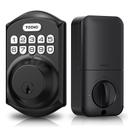
TEEHO TE001 Keyless Entry Door Lock with Keypad - Smart Deadbolt Lock for Front Door with 2 Keys - Auto Lock - Easy Installation - Matte Black
Best‑selling budget keypad lock backed by 23,266 reviews and a 4.6‑star rating.
Buy on AmazonSecurity Cameras
A well‑placed camera gives you eyes on your home 24/7, whether you’re checking on packages or making sure the kids got home from school. Outdoor models should be weather‑resistant with clear night vision; indoor cams double as pet monitors. Stick to brands that work with your voice assistant to view live feeds on a smart display with a simple command. With the Ring Outdoor Cam, you get weather resistance, color night vision, and seamless Alexa integration so you can view live feeds on an Echo Show.
Ring Outdoor Cam (Stick Up Cam), Weather-resistant home or business security camera, outdoor ready, Live View, Color Night Vision, Two-Way Talk, motion alerts, Works with Alexa, White
Top‑rated outdoor camera with 62,836 reviews and flawless Alexa integration.
Buy on Amazon
Kasa 1080p Indoor Pan/Tilt Wired Security Camera - Works as a Baby & Pet Monitor, Motion Detection & Tracking, 2-Way Audio, Night Vision, Subscription-Free Local Storage or Optional Cloud, EC71
Sub‑$25 pan/tilt camera with local storage and 33,422 satisfied users.
Buy on AmazonSmart Speakers
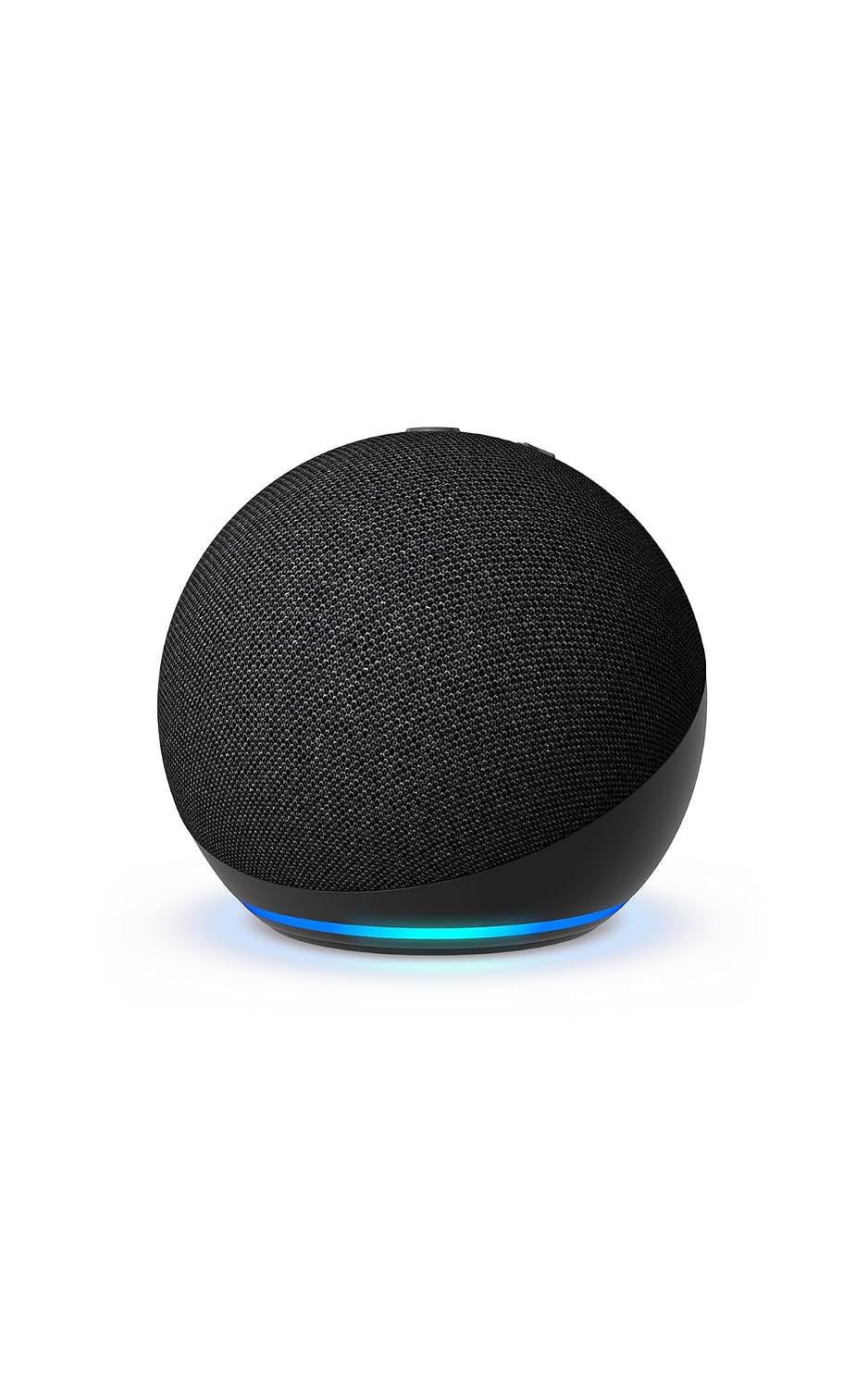
A voice assistant is the brain of your smart home — it answers questions, plays music, and controls all your other gadgets with a spoken command. The Echo Dot delivers rich sound in a compact footprint that blends into any room, and Alexa’s skill library is the most extensive. Place one in the kitchen, bedroom, and living room for whole‑home voice coverage on a budget. The Echo Dot's compact design fits anywhere, and with Alexa built-in, it can control all your other smart devices with a simple voice command.
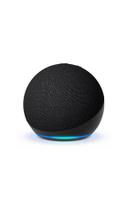
Amazon Echo Dot (newest model) - Vibrant sounding speaker, Designed for Alexa+, Great for bedrooms, dining rooms and offices, Charcoal
The most popular smart speaker in the US, with nearly 193,000 reviews and a 4.7‑star rating.
Buy on AmazonSmart Thermostats
A smart thermostat learns your schedule and adjusts the temperature automatically, cutting heating and cooling bills by up to 15%. The Nest Learning Thermostat’s energy history reports help you spot wasteful patterns, while its sleek design looks great on any wall. Renters and condo owners may need landlord or HOA approval before installation, so check first. The Nest Learning Thermostat takes the guesswork out of programming by adapting to your schedule, saving energy without sacrificing comfort.
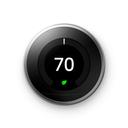
Nest T3016US - Programmable Thermostat
Premium learning thermostat trusted by 32,603 reviewers for energy‑saving smarts.
Buy on Amazon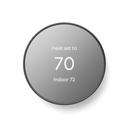
Google Nest Thermostat - Smart Thermostat for Home - Programmable Wifi Thermostat - Charcoal
Mid‑price Nest with all the essential smarts and 28,914 reviews to back it up.
Buy on AmazonSmart Lights
Smart bulbs turn any lamp into a mood‑setting tool — dim them for movie night, schedule a sunrise wake‑up, or set them to flash when the doorbell rings. Color‑changing models add extra fun for holidays and parties, while voice control means you never fumble for a switch in the dark. A four‑pack starter kit lights up a whole room for less than the cost of a single smart fixture. The Govee 4-pack offers 16 million colors and music sync, letting you tailor ambiance for any occasion — from dinner parties to movie nights.
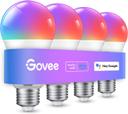
Govee Smart Light Bulbs, Color Changing Light Bulb, Work with Alexa and Google Assistant, 16 Million Colors RGBWW, WiFi & Bluetooth LED Light Bulbs, Music Sync, A19, 800 Lumens, 4 Pack
Vibrant 16‑million‑color bulbs with 26,248 reviews and effortless app control.
Buy on Amazon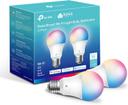
Kasa Smart Light Bulbs, Full Color Changing Dimmable Smart WiFi Bulbs Compatible with Alexa and Google Home, A19, 60 W 800 Lumens,2.4Ghz only, No Hub Required, 2-Pack (KL125P2), Multicolor
Hub‑free, color‑changing bulbs; 25,025 reviews praise the easy setup.
Buy on AmazonRobot Vacuums
A robot vacuum takes floor cleaning off your to‑do list entirely — it runs on a schedule and empties itself into a base station, handling crumbs, pet hair, and dust on hard floors and low‑pile carpet. Models with mopping pads tackle sticky messes too, making them a one‑stop clean‑up crew. Even a basic model saves hours a week in a busy household. The eufy E25 not only vacuums but also mops with its HydroJet roller, making it a comprehensive floor-cleaning solution that runs automatically.
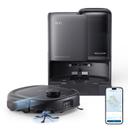
eufy Robot Vacuum E25, 20,000 Pa Suction,HydroJet Always-Clean Roller Mop, All-in-One Robot Vacuum and Mop Combo, Edge-to-Corner Cleaning, Zero-Tangle Design, AI Obstacle Avoidance (Upgraded)
Feature‑rich combo with 53,499 reviews, powerful 20,000 Pa suction, and a self‑cleaning mop.
Buy on Amazon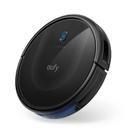
eufy Robot Vacuum 11S MAX
Slim, quiet, and reliable — 16,666 reviews confirm it handles daily dust without breaking the bank.
Buy on AmazonYour Complete Shopping List at a Glance
Budget breakdown
| Category | Budget | Mid-Range | Comfort |
|---|---|---|---|
| Smart Locks | $25 | $36 | $58 |
| Security Cameras | $26 | $80 | $128 |
| Smart Speakers | $35 | $50 | $80 |
| Smart Thermostats | $130 | $260 | $416 |
| Smart Lights | $16 | $40 | $64 |
| Robot Vacuums | $170 | $650 | $1,040 |
| Total | $402 | $1,116 | $1,786 |
Tips & common mistakes
💡 Start with voice, then add sensors.
Voice assistants like Alexa make daily tasks hands‑free. Once you’re comfortable, add motion sensors to trigger lights and cameras automatically — you’ll cut energy waste and feel safer.
💡 Group devices into routines.
Set a ‘Good Morning’ routine that turns on lights, reads the weather, and starts your coffee maker. Routines tie multiple actions to a single command, making the system feel truly smart.
💡 Prioritize security basics first.
Even if you’re on a tight budget, install a smart lock and a camera at the front door. These two devices provide the biggest security upgrade and can be expanded later with additional sensors.
💡 Use IFTTT for cross‑brand automation.
If your devices don’t natively talk to each other, free services like IFTTT can bridge the gap. For example, have your smart lights blink red when a security camera detects motion — all without a hub.
💡 Explore voice commands for each device.
Many smart devices support custom voice commands. For example, ask Alexa to lock the TEEHO door or show the Ring camera feed on your Echo Show. Learning a few key commands makes daily interactions faster and reduces app fatigue.
💡 Set up guest access for visitors.
With a smart lock like the TEEHO TE001, you can create temporary codes for guests or service providers. Combine this with a smart camera to verify deliveries, giving you full control without being home. This is especially handy for Airbnb hosts or frequent travelers.
⚠️ Buying cheap no‑name bulbs.
Off‑brand bulbs often have clunky apps, poor color accuracy, and no integration with major platforms. Stick with reputable brands like Govee or Kasa for reliable performance and long‑term support.
⚠️ Forgetting about Wi‑Fi range.
Putting a camera at the far end of the house with a weak signal leads to choppy video and missed alerts. Test your Wi‑Fi strength first or add a mesh network to blanket your home.
⚠️ Overcomplicating automation too soon.
New users often try to program complex scenes before they’ve mastered basic voice commands. Start with simple schedules, then layer on more advanced triggers once you see what works.
⚠️ Ignoring battery life on wireless devices.
Wireless cameras and doorbells run on batteries, and if they die unexpectedly, you lose security. Choose models with long battery life or consider solar charging panels. The Ring Stick Up Cam, for instance, can be wired for continuous power if you prefer.
Frequently asked questions
What’s the first thing I should buy for a smart home?
Begin with a smart speaker like the Amazon Echo Dot, which acts as the brain for voice control. Then add smart light bulbs to automate lighting and create routines. These two categories alone deliver immediate convenience and lay the foundation for adding sensors, locks, and cameras later. Once you're comfortable, consider a smart lock for keyless entry and a security camera for peace of mind.
Can I set up a smart home if I rent an apartment?
Absolutely! Focus on renter‑friendly devices that don’t require hardwiring, such as smart plugs, bulbs, and stick‑up cameras. Skip smart thermostats unless your landlord approves, and choose a smart lock that replaces only the interior thumb turn to avoid modifying the door. Smart plugs can turn any appliance into a smart device, and stick-up cameras don't require drilling.
How much does a complete smart home setup cost?
A basic system with a voice assistant, lights, and a smart plug runs about $150‑$300. A mid‑range setup adding a thermostat, lock, and camera lands between $300 and $800. For a premium whole‑home automation with a robot vacuum and multi‑room audio, budget $1,500‑$2,000. Our budget breakdown shows exactly what you can expect at each tier.
Do I need a hub to connect all my smart devices?
Many modern smart devices connect directly to Wi‑Fi and work with Alexa or Google Assistant without a hub. However, if you plan to use Zigbee or Z‑Wave sensors, a hub like Amazon Echo (4th Gen) or Samsung SmartThings simplifies management and improves reliability. Some smart plugs and bulbs work directly via Wi-Fi, so a hub isn't always necessary for a basic setup.
What should I avoid when building a smart home?
Avoid buying devices from too many different brands that require separate apps; stick to a few ecosystems (Alexa, Google, or Apple HomeKit) for a seamless experience. Also don’t overlook network security — use a strong router password and enable two‑factor authentication on your smart accounts. Also, avoid impulse buying — plan your system to avoid overlapping functionality.
How do I make sure my smart home is secure?
Use strong, unique passwords for each device and enable automatic firmware updates. Place smart cameras and microphones with privacy in mind, and consider a separate guest Wi‑Fi network for IoT devices. Regularly audit device permissions in the companion app to revoke any unused access. Also, be mindful of physical privacy: position cameras away from bedrooms and bathrooms, and use the physical camera shutter when needed.