Work From Home Setup: Essential Gear for Your Home Office in 2026
From ergonomic chairs to 4K webcams, we've assembled the must-have WFH gear for any budget. Build a space that keeps you comfortable, focused, and productive all day long.
Build a productive home office for $500 to $3,500, starting with a supportive chair and crisp monitor. Our seven-category guide covers ergonomic chairs, standing desks, keyboards, mice, webcams, and desk organizers. Prioritize the chair and monitor first—together under $250 with our picks—then add a desk and peripherals over the first week. Each recommendation is backed by thousands of verified Amazon reviews, ensuring you get gear that real users love.
At a glance
Total budget
$500 – $3,500
Categories
7
Timeline
Plan 2–4 weeks ahead
Best for
Remote workers and hybrid employees
Products analyzed
21
Build your personalized list
Answer 3quick questions and we’ll tailor the list and total to you.
What's your total budget?
Your WFH situation?
What type of work?
What to buy first
Day 1
- Office Chairs
- Monitors
Week 1
- Standing Desks
- Keyboards
- Mice
Can wait
- Webcams
- Desk Organizers
Our picks by category
Monitors
A good monitor banishes squinting and opens up screen real estate for multitasking.
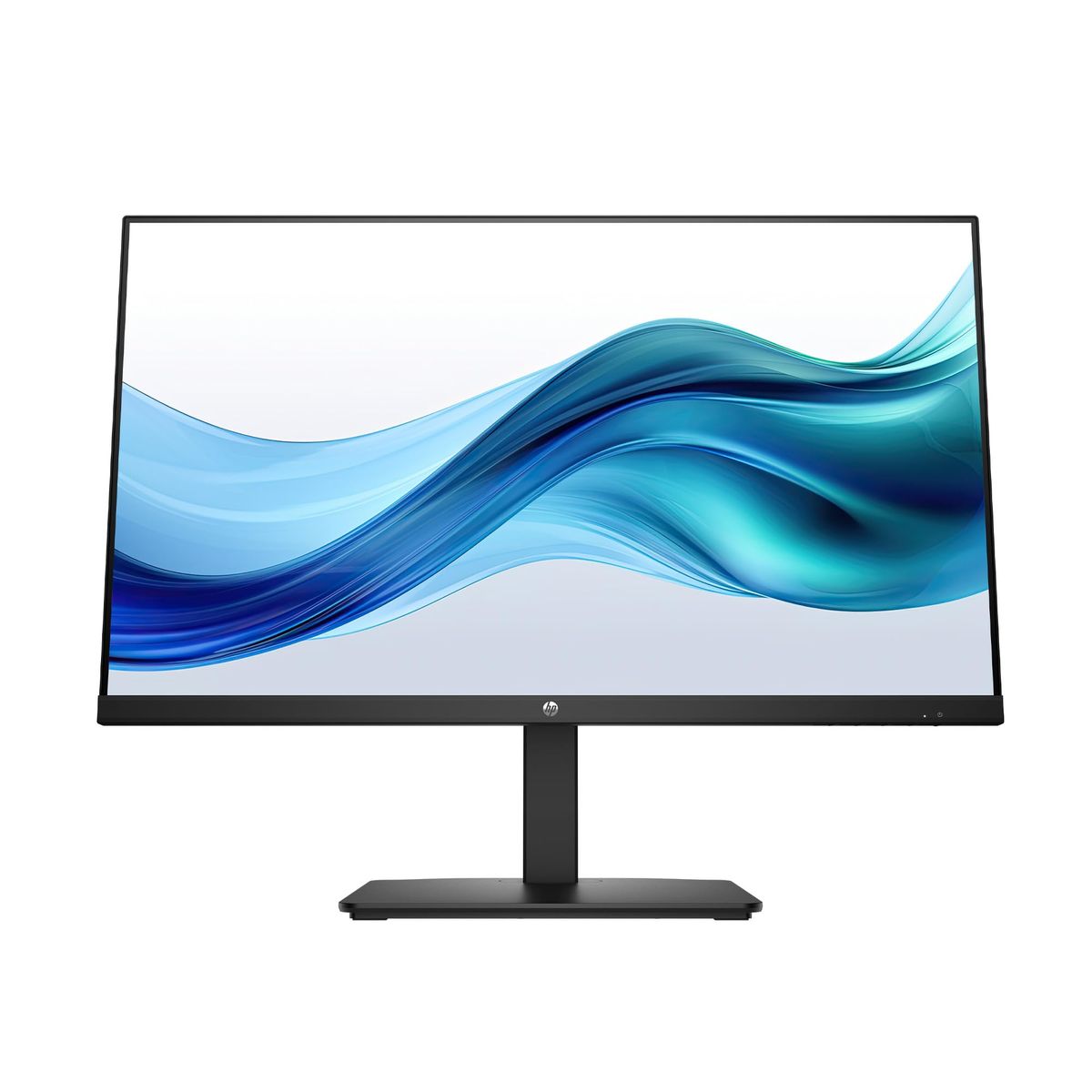
The HP Series 3 27" FHD IPS display keeps eyes fresh with Eye Ease certification and a 1300:1 contrast ratio.
At under $180, it's a day-one upgrade that every remote setup needs. With 1080p resolution and wide viewing angles, you'll see your work clearly without the neck strain of hunching over a laptop.
HP Series 3 27 inch FHD Monitor, Full HD Display (1920 x 1080), IPS Panel, 1300:1 Contrast Ratio, 250 Nits, Eye Ease with Eyesafe Certification, Black, 327se (2025)
The HP Series 3 27-inch FHD monitor scores 4.7 stars across 25,407 reviews — a sharp IPS panel with Eye Ease certification for all-day comfort.
Buy on Amazon
Sceptre Curved 24-inch Gaming Monitor 1080p R1500 98% sRGB HDMI x2 VGA Build-in Speakers, VESA Wall Mount Machine Black (C248W-1920RN Series)
The Sceptre 24-inch curved monitor offers 1080p clarity and built-in speakers backed by 22,624 reviews and a 4.6 rating.
Buy on AmazonOffice Chairs
An ergonomic chair is the foundation of a pain-free workday — skip the kitchen stool.
The BestOffice chair supports your lower back with adjustable height and breathable mesh for under $40.
You'll notice the difference after your first full day of meetings. Its swivel and rolling wheels let you move freely, and the mid-back design encourages a natural upright posture.
BestOffice | Ergonomic Office Chair | Mid-Back Swivel Desk Chair | Breathable Backrest & Lumbar Support | Adjustable Height | Sponge Seat | Rolling Wheels | Dark Black | for Adults & Women
The BestOffice ergonomic chair has 63,522 reviews and a 4.3-star rating, with breathable backrest and adjustable height.
Buy on AmazonStanding Desks
Alternating between sitting and standing fights afternoon slumps and back fatigue.
The SHW 55-inch electric desk lets you switch heights instantly with memory presets — no crank required.
If space is tight, the VIVO converter turns your existing desk into a sit‑stand station. Regular movement throughout the day improves circulation and helps you stay alert, making a standing desk a worthwhile investment for anyone logging 8+ hours at the computer.
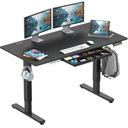
SHW 55 x 28 Inches Electric Height Adjustable Standing Desk with Drawer and Memory Preset, Black
SHW's 55-inch electric standing desk includes a drawer and memory preset earning 4.5 stars from 21,768 users.
Buy on Amazon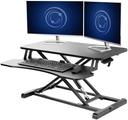
VIVO 32 inch Desk Converter, K Series, Height Adjustable Sit to Stand Riser, Dual Monitor and Laptop Workstation with Wide Keyboard Tray, Black, DESK-V000K
The VIVO desk converter (32-inch) turns any surface into a sit-stand desk rated 4.6 stars by 12,804 reviewers.
Buy on AmazonKeyboards
A mechanical keyboard transforms typing from a chore into a crisp, tactile experience.
The Redragon K552 with red switches gives you quiet, responsive keys and a compact layout that frees desk space.
it's an affordable upgrade that rewards you with every keystroke. The durable metal frame and anti-ghosting technology ensure it handles fast typing and gaming alike.
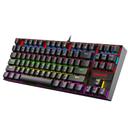
Redragon K552 Mechanical Gaming Keyboard, 87-Key Compact, LED Gaming Keyboard with Red Switches, Anti-Ghosting, Metal Frame for PC Gaming & Typing, Beginner-Friendly (Black)
The Redragon K552 mechanical keyboard with red switches 51,544 reviews strong and a 4.5-star average.
Buy on AmazonMice
A comfortable, precise mouse prevents wrist strain and speeds up everyday tasks.
The TECKNET wireless mouse tracks smoothly and lasts 24 months on a single battery — no wired clutter.
At under $10, there's no reason to stick with a trackpad. Its ergonomic shape fits naturally in your hand, and the 5 adjustable DPI levels let you fine-tune cursor speed for any task.
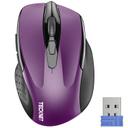
TECKNET Wireless Mouse, 2.4G Ergonomic Optical Mouse, Computer Mouse for Laptop, PC, Computer, Chromebook, Notebook, 6 Buttons, 24 Months Battery Life, 2600 DPI, 5 Adjustment Levels - Purple
The TECKNET wireless mouse (2600 DPI, 24-month battery) is a steal backed by 77,739 reviews and a 4.5-star rating.
Buy on AmazonWebcams
A quality webcam ensures you look sharp on video calls, not grainy and shadowed.
The NexiGo N60 Pro delivers 4K clarity with autofocus and a noise-canceling microphone array.
If you're on a budget, the EMEET 1080p cam covers 90° and plugs in via USB for instant setup. A built-in privacy cover gives you peace of mind when the camera isn't in use.
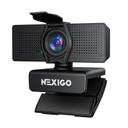
NexiGo N60 Pro 4K Webcam for PC, 4K UHD Sony Sensor, Autofocus, 1080p 60 fps, Noise-Canceling Mics, Privacy Cover, Distortion-Free Lens, 4X Digital Zoom, Works with Switch 2/Zoom/Teams/Google Meet
The NexiGo N60 Pro 4K webcam captures crisp video with autofocus and noise-canceling mics, rated 4.3 stars by 52,356 reviewers.
Buy on Amazon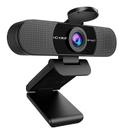
EMEET 1080P Webcam with Microphone, C960 Web Camera, 2 Mics Streaming Webcam, 90°FOV Computer Camera, Plug and Play USB Web Cam for Online Calling/Conferencing, Zoom/Teams/Facetime/online, Laptop/PC
EMEET's 1080p webcam offers dual-mic noise reduction and a 90° FOV, making it a solid budget pick with 32,704 reviews at 4.4 stars.
Buy on AmazonDesk Organizers
Clutter kills focus — a desk organizer system tames pens, notepads, and cables instantly.
The Vtopmart 25-piece set turns chaotic drawers into neatly sectioned spaces with four tray sizes.
Even a simple pen holder like Deco Brothers' caddy keeps your desktop clear and your mind on work. A tidy workspace reduces stress and saves time hunting for supplies, so you can stay in the flow.
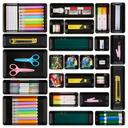
Vtopmart 25 PCS Office Desk Drawer Organizers Set, 4-Size Versatile Plastic Drawer Organizer Trays, Storage Bins for Desk Accessories Office Organizers and Storage, Bathroom, Makeup, Vanity, Black
Vtopmart's 25-piece drawer organizer set keeps essentials tidy, praised by 41,834 reviewers with a 4.7-star rating.
Buy on Amazon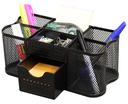
Deco Brothers Desk Organizers Pen Holder Office Caddy Storage, Black
Deco Brothers desk caddy is a space-saving pen holder with 14,419 reviews and a 4.8-star average.
Buy on AmazonYour Complete Shopping List at a Glance
Budget breakdown
| Category | Budget | Mid-Range | Comfort |
|---|---|---|---|
| Monitors | $80 | $178 | $286 |
| Office Chairs | $27 | $39 | $62 |
| Standing Desks | $140 | $190 | $304 |
| Keyboards | $26 | $37 | $59 |
| Mice | $7 | $10 | $16 |
| Webcams | $38 | $70 | $112 |
| Desk Organizers | $16 | $20 | $32 |
| Total | $334 | $544 | $871 |
Tips & common mistakes
💡 Start with the chair and monitor.
Your posture and eyesight take the most abuse; prioritize these two categories before anything else to prevent discomfort that derails productivity. A supportive chair and eye-friendly screen make an immediate difference in your daily comfort.
💡 Measure your space first.
A 55-inch standing desk won't fit a corner nook. Confirm your available floor area and door clearances before ordering, and use a converter if you're tight on space. Even a few extra inches can make or break the layout.
💡 Dedicate a separate login for work.
If your WFH computer is personal, create a distinct user profile to keep work distractions (and sensitive data) isolated from family photos and games. This mental boundary helps you switch off after hours.
💡 Invest in cable management.
A clutter-free desk isn't just aesthetic — bundling cables reduces tripping hazards and makes dusting easy. Use adhesive clips and a cable tray under the desk, and label cords so you can trace them quickly.
⚠️ Buying a cheap office chair without lumbar support.
A chair without adjustable back support will cause lower back pain within months, leading to expensive chiropractor visits and lost focus. Always look for chairs with at least height adjustment and lumbar cushioning.
⚠️ Skipping a monitor and working solely on a laptop.
Laptop screens force you to hunch forward, straining neck and eyes. A separate monitor at eye level cuts doctor visits and improves posture. It also gives you more screen real estate for multitasking.
⚠️ Overlooking lighting for video calls.
Overhead lights cast unflattering shadows; a simple ring light or desk lamp positioned in front of you makes you look professional without expensive gear. Natural light from a window also works wonders if you face it directly.
Frequently asked questions
What should I buy first for my home office?
Start with an ergonomic chair and a good monitor — these directly impact comfort and eye health. The BestOffice chair and HP 27-inch monitor together cost less than $220 and earn 4.3–4.7 stars across thousands of reviews. Once you have a pain-free seat and a clear screen, add a standing desk or keyboard over the first week. These two items form the backbone of a productive setup, so get them right away.
Is a standing desk really worth the money?
If you sit for more than six hours, alternating positions reduces back fatigue and boosts energy. The SHW 55-inch electric desk lets you switch heights with a button. Even the VIVO converter turns your existing desk into a sit-stand station. For hybrid workers spending 20+ hours a week at the desk, the investment pays off in fewer aches and higher afternoon productivity. Many users report feeling more alert after just a few days of alternating.
Do I need a 4K webcam for Zoom calls?
For most users, 1080p is plenty — the EMEET 1080p delivers clear video with dual noise-canceling mics. 4K, like the NexiGo N60 Pro, shines if you present graphics or need to digitally zoom without quality loss. Lighting matters more than resolution: a ring light improves any webcam's image more than doubling pixels. So invest in good lighting before upgrading to 4K.
How much should I budget for a complete WFH setup?
Budget $400–$600 for a functional starter office: chair, monitor (budget pick), desk converter, keyboard, mouse, and webcam. A mid-range setup with a 4K webcam and electric desk totals $1,000–$2,000. For premium ergonomics and a full standing desk, expect $2,500–$3,500. Prioritize the chair and monitor first, then peripheral upgrades as your budget allows.
Can I use a gaming chair instead of an office chair?
Gaming chairs often mimic racing seats with deep bolsters — they can be comfortable for gaming but lack the adjustable lumbar support and breathable mesh needed for 8-hour workdays. Office chairs like the BestOffice prioritize ergonomic angles and tension adjustment. For long hours, choose a chair rated for 8+ hours of use, not one styled for aesthetic. Your back will thank you at the end of the day.